

How to Pay for a Customization Request
A customization request is how you pay DevDiggers for custom work on a plugin or store. You agree a price with the team first, submit a request at that price, and pay through the normal WooCommerce checkout. This guide covers both ways to submit and how to complete payment.
Before you start
Section titled “Before you start”Agree the scope and price with the DevDiggers team before you submit. The request form does not generate a quote. You enter the price you already agreed, so the amount you pay matches what the team confirmed.
Submit your request
Section titled “Submit your request”There are two ways to submit. Both end at the same cart.
Option 1: The request page, no login
Section titled “Option 1: The request page, no login”- Go to the Submit a Customization Request page at devdiggers.com/product/customization/.
- In Customization Description, write a short description of what you need.
- In Agreed Price (USD), enter the price you agreed with the team.
- Tick the Terms and Conditions box, then click Submit.
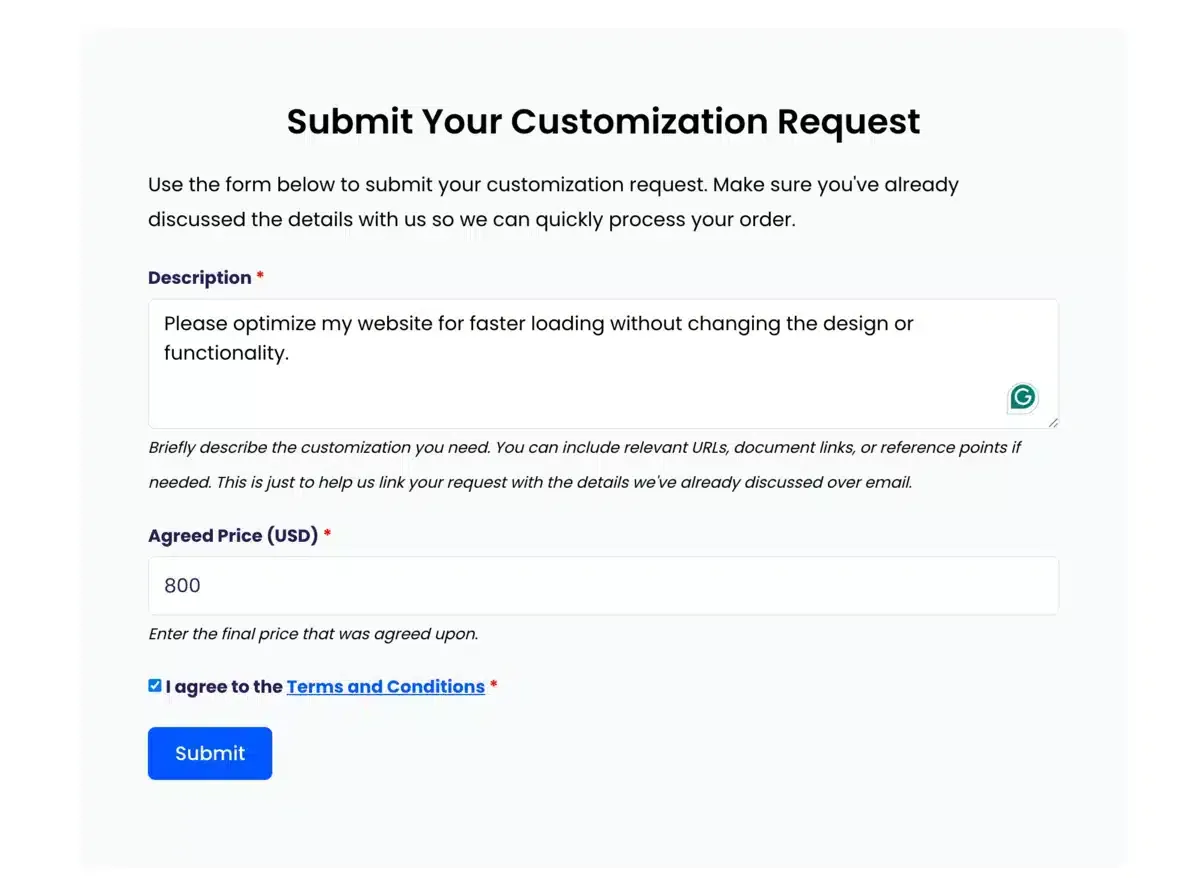
Your request is added to the cart at the price you entered. An account is created for you automatically when you place the order.
Option 2: My Account, logged in
Section titled “Option 2: My Account, logged in”- Go to My Account and log in.
- Open the Customization Request menu.
- Fill in the same Customization Description and Agreed Price (USD) fields.
- Accept the terms and click Submit to go to the cart.
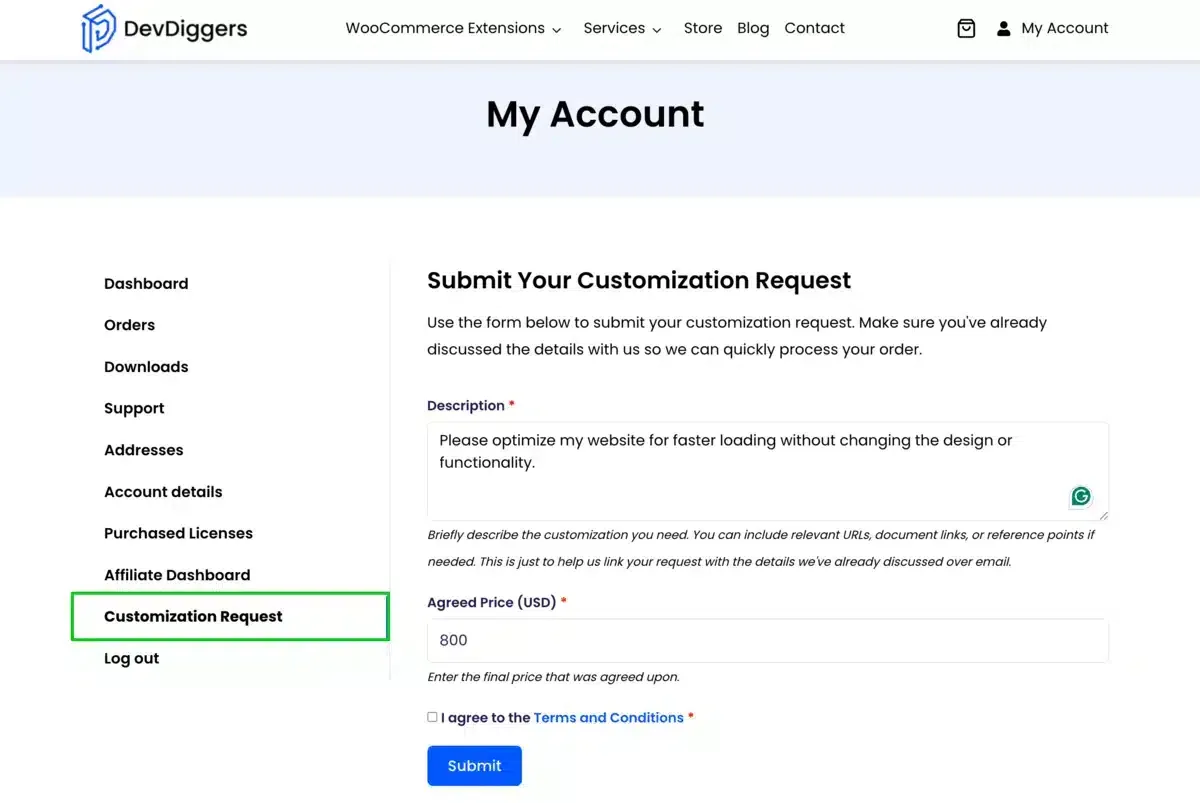
Pay at checkout
Section titled “Pay at checkout”-
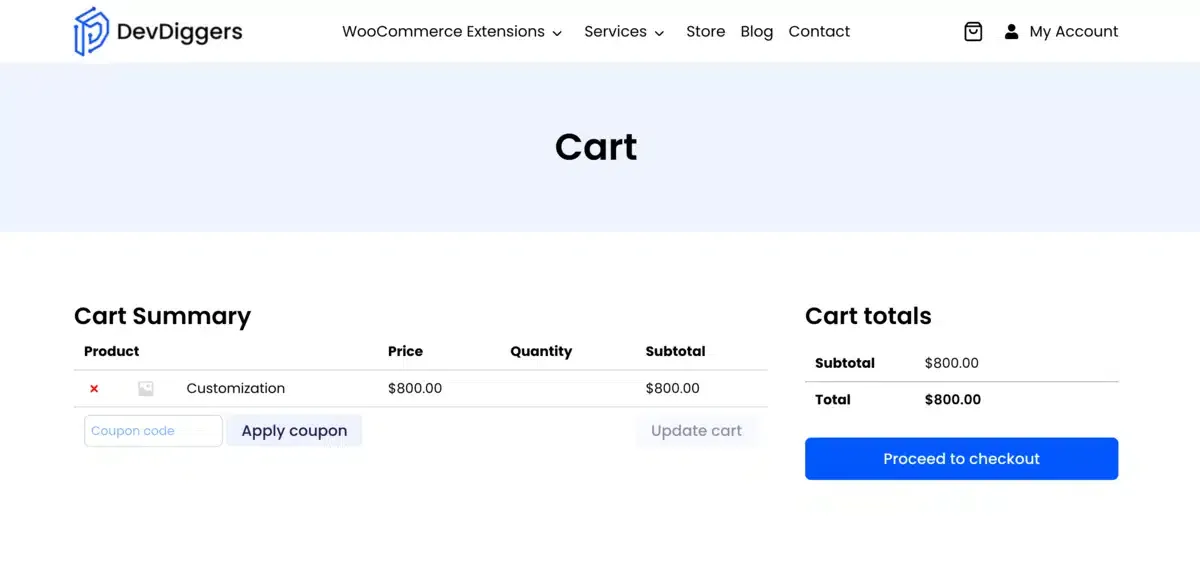
In the cart, click Proceed to Checkout.
-
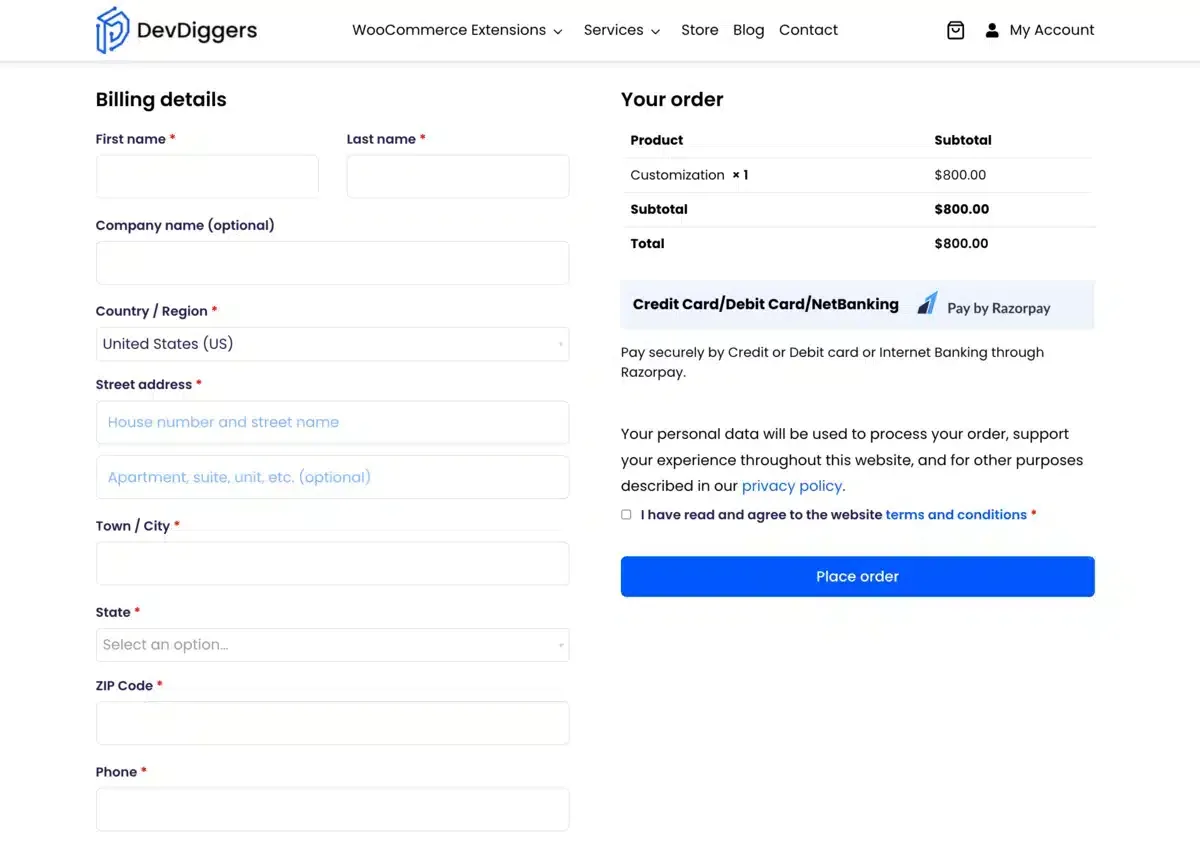
Fill in your billing details if they are not saved.
-
Choose a payment method and place the order.
After you pay
Section titled “After you pay”A confirmation email arrives with your order details and the custom options you submitted. Your request goes to the DevDiggers team and work on your project starts.
For questions or updates on an existing request, reach the team through the contact page.
Common questions
Section titled “Common questions”Do I need an account to pay for a customization request?
No. You can submit from the public request page without logging in. An account is created for you automatically when you place the order.
How is the price decided?
You agree the price with the DevDiggers team first, then enter that agreed amount yourself in the Agreed Price field. The form does not quote a price.
What happens after I pay?
A confirmation email arrives with your order and custom options. The request goes to the DevDiggers team and work on your project starts.