

General Settings
The General tab holds the settings that switch LoyaltyX on and decide when points move. Set these first, before you tune earning and redemption.
Open General settings
Section titled “Open General settings”Go to DevDiggers Plugins → LoyaltyX → Configuration. General is the first item in the left menu.
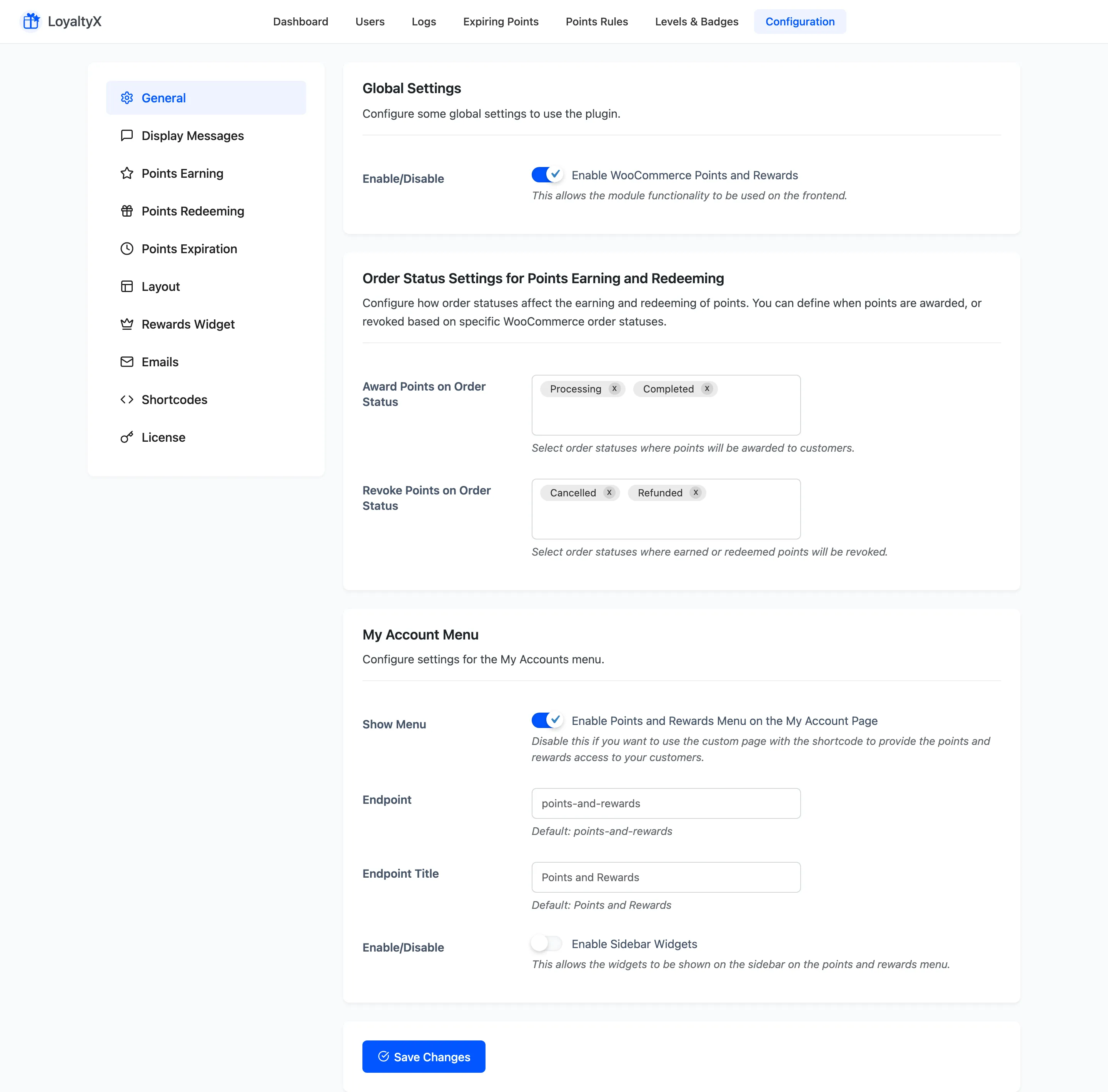
Global Settings
Section titled “Global Settings”Enable WooCommerce Points and Rewards is the master switch. Turn it on to run the program on the front end. Turn it off to hide every points message, the redemption field and the widget without losing any customer balances.
Order status settings
Section titled “Order status settings”This section decides when points are awarded and when they are taken back, based on the WooCommerce order status.
- Award Points on Order Status lists the statuses that grant earned points. The defaults are Processing and Completed. Add or remove statuses to match how your store fulfils orders.
- Revoke Points on Order Status lists the statuses that reverse points. The defaults are Cancelled and Refunded, so a refunded order returns the points it awarded.
Award points on Completed only if you want to hold points until fulfilment. Award on Processing to grant them as soon as payment clears.
Points and Rewards menu in My Account
Section titled “Points and Rewards menu in My Account”By default LoyaltyX adds a Points and Rewards tab to the WooCommerce My Account page.
- Show Menu adds that tab. Turn it off if you would rather build a custom page with the dashboard shortcode instead.
- Endpoint is the URL slug for the tab. The default is
points-and-rewards. - Endpoint Title is the label customers see. The default is Points and Rewards.
- Enable Sidebar Widgets shows the rewards widgets in the sidebar of that menu.
Save your changes
Section titled “Save your changes”Click Save Changes at the bottom of the section. Settings take effect on the front end right away.
Where to go next
Section titled “Where to go next”- Points Earning Settings to set the purchase conversion rate.
- Points Redeeming Settings to set how points convert to a discount.