

Introduction to LoyaltyX
LoyaltyX is a WooCommerce points and rewards plugin. Customers earn points for buying from your store, then redeem those points for discounts at the cart or checkout. You run the whole program from one screen inside WordPress, with no monthly SaaS fee.
This guide covers what the plugin does, what the free version includes, what Pro adds, and how to install and activate it.
What LoyaltyX does
Section titled “What LoyaltyX does”A loyalty program gives a one-time buyer a reason to come back. Points sit in the customer’s account after every order. On the next visit, that balance turns into a discount.
LoyaltyX handles both sides of that loop:
- Earning awards points when an order reaches a status you choose, such as Processing or Completed.
- Redeeming lets the customer convert points into a discount coupon at the cart or checkout.
Customers see their balance and history in a Points and Rewards area inside My Account, and in a floating rewards widget on every page.
What the free version includes
Section titled “What the free version includes”The free plugin runs a complete points program:
- Purchase-based earning with a global conversion rate, such as 10 points per $1 spent.
- Redemption at the cart and checkout through the Points Conversion reward, with partial redemption, so a customer can spend any part of their balance.
- A customer rewards dashboard inside My Account, plus shortcodes to place it anywhere.
- A floating rewards widget with your brand colors and a guest sign-up prompt.
- Points messages on the shop, product, cart, checkout and order pages.
- Manual point adjustments, CSV import of balances, a full transaction log, and automatic revocation on refunds.
- A setup wizard that gets a basic program live in about a minute.
What Pro adds
Section titled “What Pro adds”LoyaltyX Pro turns the points program into a wider loyalty and engagement system:
- More ways to earn: sign-up bonus, product reviews, daily logins, birthdays, referrals, loyalty tier bonuses, and product, category or user-role earning rates.
- More reward types: fixed-amount and percentage discounts, free shipping, free products, Buy X Get Y, and product bundles.
- Loyalty tiers and badges with a progress bar for the customer, plus per-tier level-up bonuses and the ability to restrict any rule to chosen levels.
- Points expiration with reminder emails before a balance is cleared.
- Per-customer profiles, analytics and CSV export for balances and reporting.
- Finer control over the basics: redemption limits, points rounding, product and category exclusions on both earning and redemption, editable email content, and the My Account endpoint.
Each Pro-only screen is marked as Pro where it appears in this documentation.
Requirements
Section titled “Requirements”- WordPress 6.5 or newer.
- WooCommerce 9.0 or newer. LoyaltyX declares WooCommerce as a required plugin, so WordPress will not let it activate without it.
LoyaltyX is compatible with WooCommerce High-Performance Order Storage (HPOS).
Install and activate
Section titled “Install and activate”- In WordPress admin, go to Plugins → Add New.
- Search for LoyaltyX, then click Install Now and Activate. To install a downloaded zip, use Plugins → Add New → Upload Plugin instead.
- Make sure WooCommerce is active. LoyaltyX lists WooCommerce as a required plugin and will not run without it.
After activation, a LoyaltyX menu appears under DevDiggers Plugins in the admin sidebar.
Run the setup wizard
Section titled “Run the setup wizard”The first time you open LoyaltyX, a setup wizard walks you through the core choices. Your earning rate, your redemption rate, and the label you use for points. Finish it to get a working program, then refine any setting later from the Configuration tab.
Where to go next
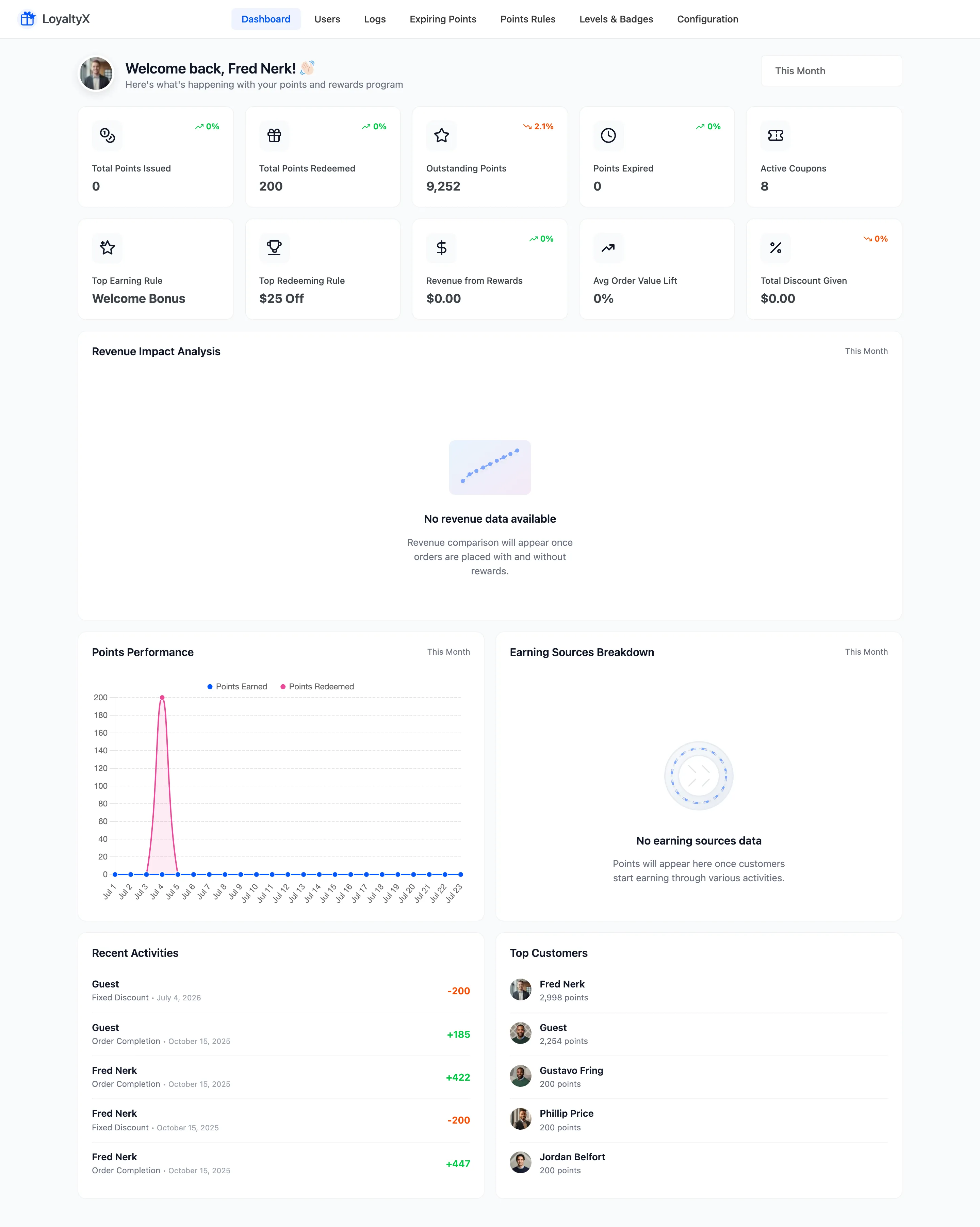
Section titled “Where to go next”- The LoyaltyX Dashboard to read your program’s numbers.
- General Settings to enable the plugin and set your order-status rules.