

Users and Balances
The Users tab lists every customer in your points program with their current balance. It is the starting point for adjusting points, importing balances, and finding a specific member.
Open the Users tab
Section titled “Open the Users tab”Go to DevDiggers Plugins → LoyaltyX, then open the Users tab.
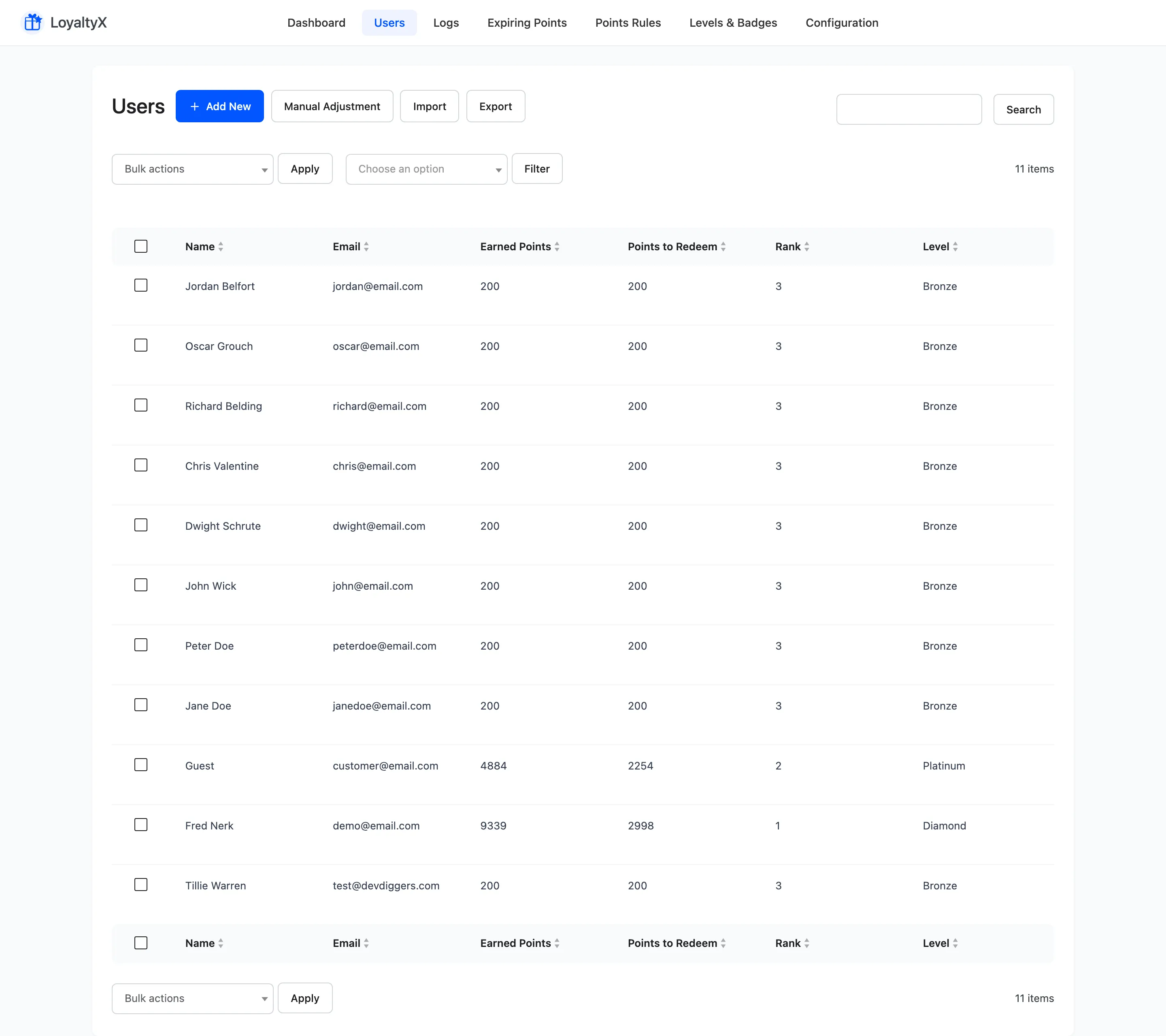
Read the list
Section titled “Read the list”Each row is one customer. The columns show:
- Name and Email identify the customer.
- Earned Points is the total points they hold.
- Points to Redeem is the balance available to spend now.
- Rank is their position among your members.
- Level is the customer’s loyalty tier, when tiers are set up in Pro.
Adjust or import points
Section titled “Adjust or import points”Four buttons sit above the list:
- Add New enrols a customer in the program by hand.
- Manual Adjustment adds or deducts points for one customer or many at once. See Manual Points Adjustment.
- Import loads balances in bulk from a CSV file. See Import Points.
- Export downloads the list as a CSV. See Export Points.
Use Search above the table to find one member. The sort arrows on Earned Points, Points to Redeem, Rank and Level order the list.
View a customer
Section titled “View a customer”Use the View action on a row to open a customer’s profile. It carries a points summary, level and rank, a revenue breakdown and their full activity timeline. See Customer Insights for a tour of that screen.
Remove a customer
Section titled “Remove a customer”Use Delete to remove a customer from the program. Select one or more rows and apply the bulk Delete action to remove several at once.
Where to go next
Section titled “Where to go next”- Manual Points Adjustment to add or deduct points by hand.
- Transaction Log for the full history of every point event.