

Points Earning Settings
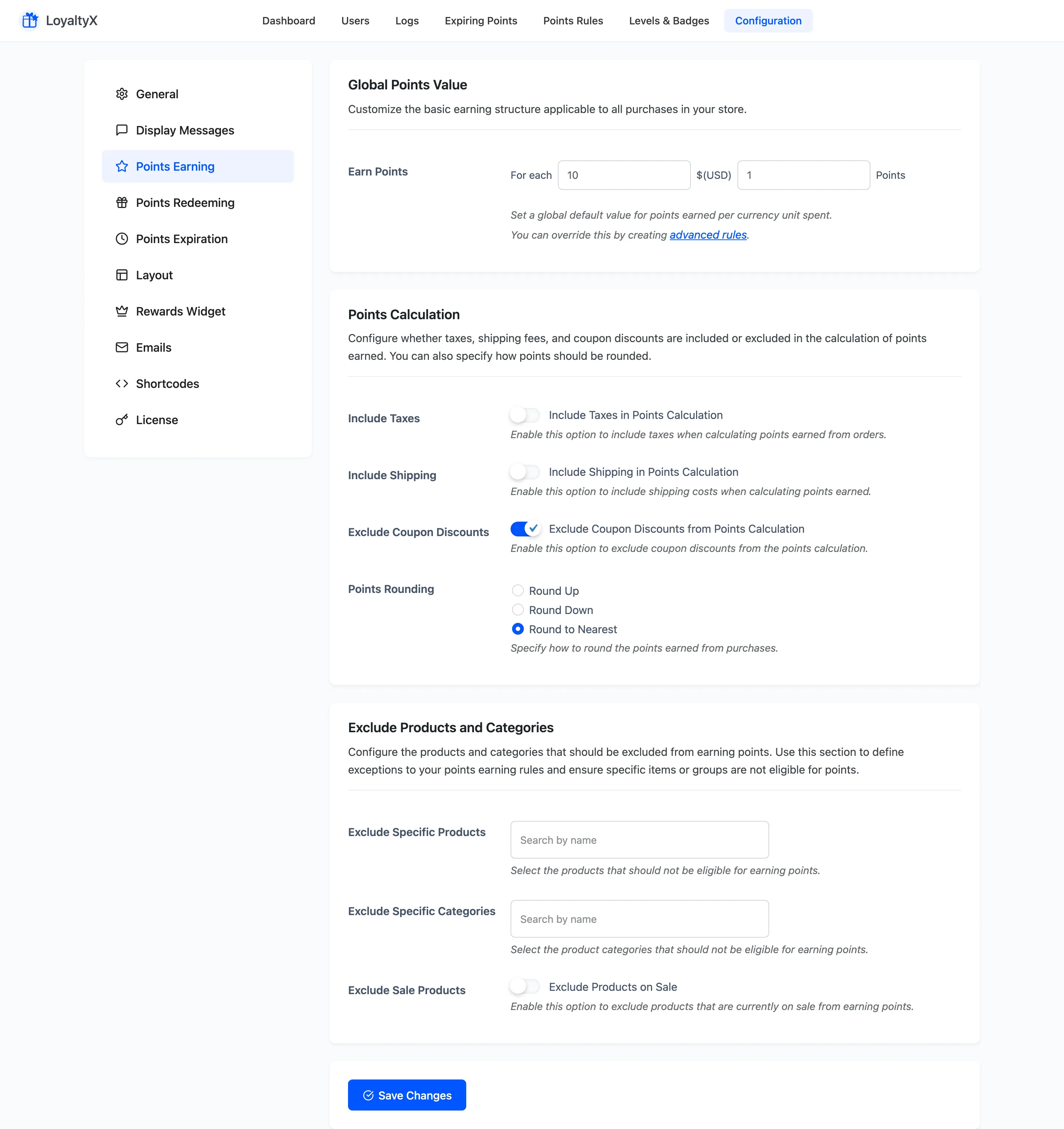
The Points Earning tab sets how customers earn points on purchases. This is the base rate for your whole store. Bonus triggers like reviews or referrals live under Points Rules.
Open Points Earning settings
Section titled “Open Points Earning settings”Go to DevDiggers Plugins → LoyaltyX → Configuration, then open Points Earning in the left menu.
Global Points Value
Section titled “Global Points Value”Earn Points sets the store-wide rate. Read it as “for each amount of currency spent, award this many points”. For example, for each 1 USD award 1 point. This default applies to every purchase unless a Points Rule overrides it.
Points calculation
Section titled “Points calculation”These options decide what part of the order counts, and how fractional points round off.
- Include Taxes counts tax in the amount that earns points.
- Include Shipping counts shipping cost in that amount.
- Exclude Coupon Discounts removes coupon discounts before points are worked out, so a discounted order earns on the lower total.
- Points Rounding decides how a fractional result is handled: Round Up, Round Down, or Round to Nearest.
Exclude products and categories
Section titled “Exclude products and categories”Use this section to stop specific items from earning points.
- Exclude Specific Products blocks earning on the products you pick.
- Exclude Specific Categories blocks earning on whole categories.
- Exclude Sale Products stops on-sale products from earning, so discounted items do not also award points.
Save your changes
Section titled “Save your changes”Click Save Changes. The new rate applies to orders placed after you save.
Where to go next
Section titled “Where to go next”- Points Redeeming Settings to set how points turn into a discount.
- How to set up points earning for a full walkthrough with an example.