

Points Expiration Settings (Pro)
The Points Expiration tab clears points that sit unused for too long. Expiring points gives customers a reason to come back and spend before the deadline.
Open Points Expiration settings
Section titled “Open Points Expiration settings”Go to DevDiggers Plugins → LoyaltyX → Configuration, then open Points Expiration in the left menu.
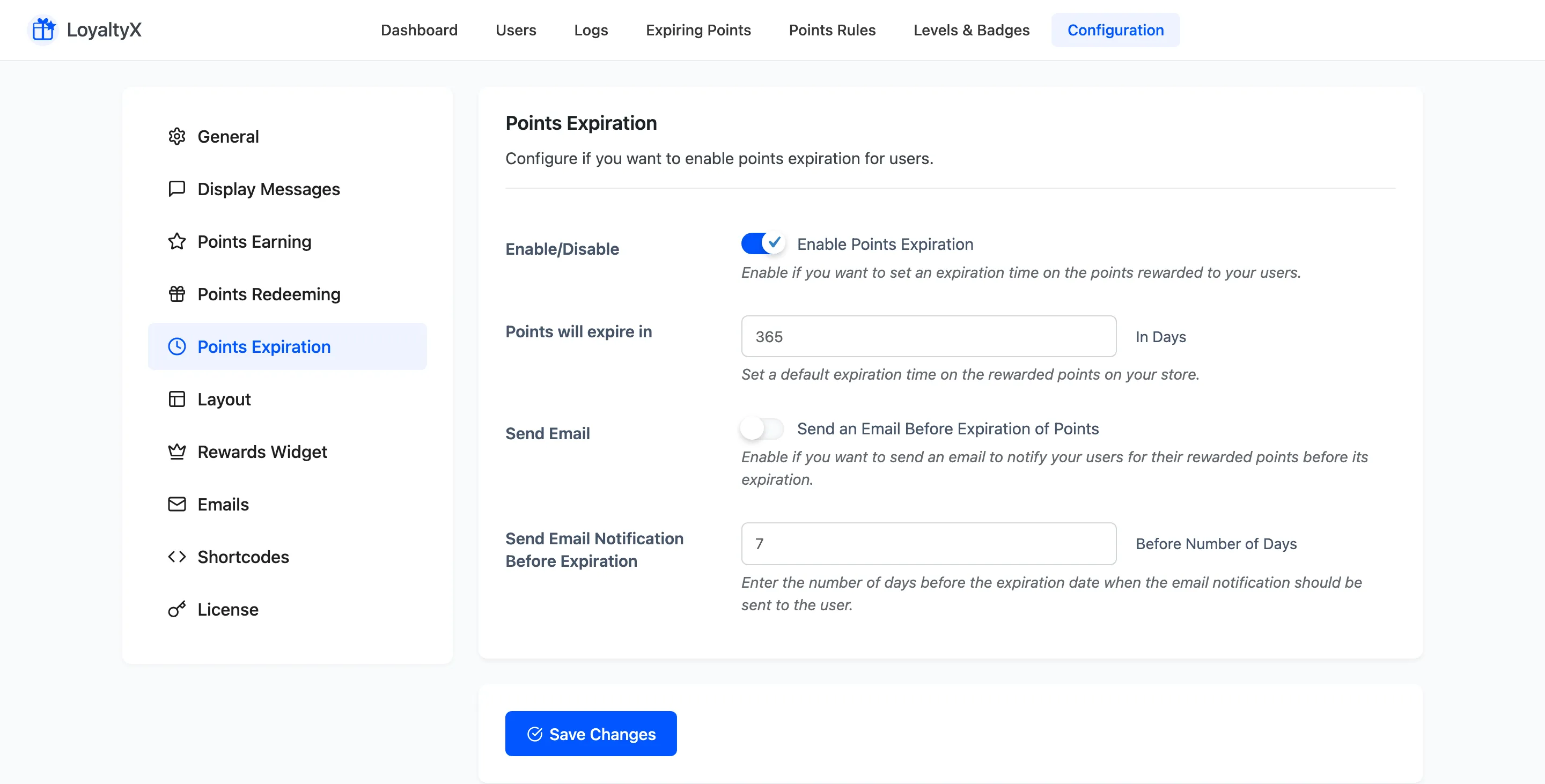
Set the expiry window
Section titled “Set the expiry window”- Enable Points Expiration turns the feature on. Leave it off and points never expire.
- Points will expire in sets the lifetime in days. A value of
365clears points one year after they are earned.
Send a reminder email
Section titled “Send a reminder email”- Send an Email Before Expiration of Points emails the customer ahead of the deadline, so a balance does not vanish without warning.
- Send Email Notification Before Expiration sets how many days before expiry the email goes
out. A value of
7warns the customer one week ahead.
Save your changes
Section titled “Save your changes”Click Save Changes. Expiration runs on a daily schedule, so existing balances start counting toward the window you set.
Where to go next
Section titled “Where to go next”- Expiring Points to see which balances are due to expire.
- Email Settings to edit the reminder email content.