

Points Rules
Points Rules go beyond the store-wide rates. Earning rules add ways to collect points, and redeeming rules define what a customer can claim. The tab has two sub-sections: Points Earning and Points Redeeming.
Open Points Rules
Section titled “Open Points Rules”Go to DevDiggers Plugins → LoyaltyX, then open the Points Rules tab.
Read a rule list
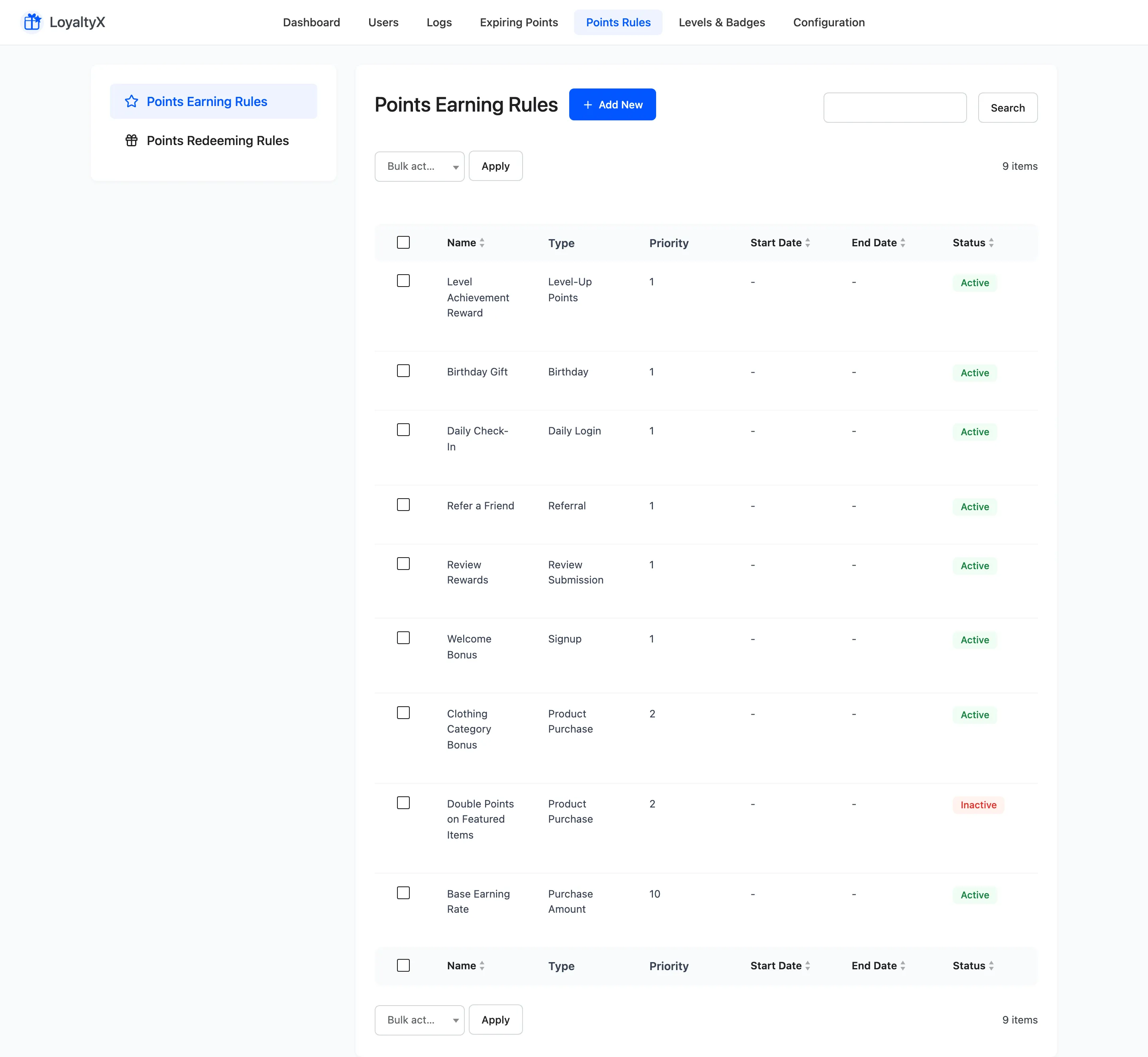
Section titled “Read a rule list”Both sub-sections share the same columns:
- Name is your label for the rule.
- Type is what the rule does.
- Priority decides which rule wins when more than one could apply.
- Start Date and End Date limit a rule to a date range, which suits a seasonal promotion.
- Status shows whether the rule is active.
Use Add New to create a rule and Edit to change one. Set Active and Set Inactive switch rules on or off without deleting them.
Earning rule types
Section titled “Earning rule types”An earning rule awards points for an action. There are eight types:
| Type | What it rewards | |
|---|---|---|
| Purchase Amount | Points based on the order total | Free |
| Product Purchase | Points for buying specific products or categories | Pro |
| Referral | Points when someone the customer referred buys | Pro |
| Signup | Points for creating an account | Pro |
| Review Submission | Points for leaving a product review, above a minimum star rating | Pro |
| Daily Login | Points the customer claims once a day | Pro |
| Birthday | Points on the customer’s birthday | Pro |
| Level-Up Points | Points for reaching a loyalty tier | Pro |
Redeeming rule types
Section titled “Redeeming rule types”A redeeming rule defines a reward a customer can claim with points.
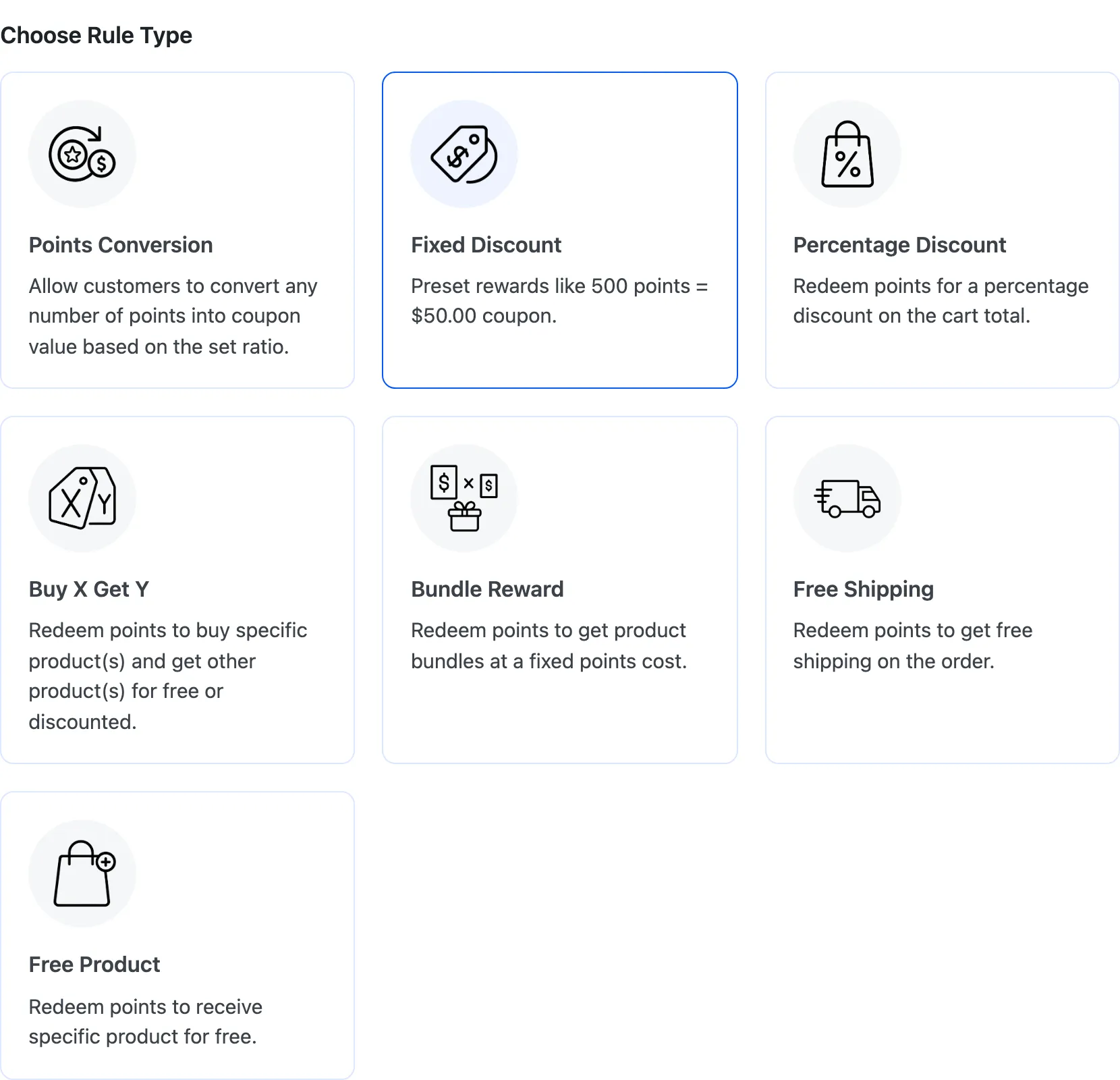
There are seven types:
| Type | What the customer gets | |
|---|---|---|
| Points Conversion | Converts any number of points into coupon value at your set ratio | Free |
| Fixed Discount | A preset amount off, such as 500 points for $50 | Pro |
| Percentage Discount | A percentage off the cart total | Pro |
| Buy X Get Y | A free or discounted product when they buy a qualifying one | Pro |
| Bundle Reward | A set of products at a fixed points cost | Pro |
| Free Shipping | Shipping removed from the order | Pro |
| Free Product | One product added at no cost | Pro |
Points Conversion is the one to set up first, and it is the one you already have on the free version. It is the open-ended reward, letting a customer spend any balance, where the other six are fixed offers they either can or cannot afford.
Priority and dates
Section titled “Priority and dates”When two rules could apply to the same action, the lower Priority number wins. Priority 1
beats priority 5. Read it as a running order rather than a strength, the way WordPress and
WooCommerce hooks work. Getting this backwards is the usual reason a rule you expected to fire is
silently overruled by another.
Leave gaps between your numbers, such as 10, 20 and 30. That way you can slot a new rule between two existing ones without renumbering the set.
Use Start Date and End Date to run a rule for a limited time, then let it switch off on its own.
Where to go next
Section titled “Where to go next”- How to create a referral program for a full walkthrough.
- How to set up a Buy X Get Y reward and the other reward-type walkthroughs for the redeeming side.