

How to Reward Product Reviews (Pro)
Rewarding reviews grows your review count, which is social proof that helps every future sale. A Review Submission rule awards points when a customer reviews a product, with an optional rating floor.
Before you start
Section titled “Before you start”Set up purchase-based earning first, so the program is enabled. Product reviews also need to be enabled in WooCommerce.
Step 1: Open the earning rules
Section titled “Step 1: Open the earning rules”Go to DevDiggers Plugins → LoyaltyX → Points Rules, then open the Points Earning sub-section.
Step 2: Choose the Review Submission type
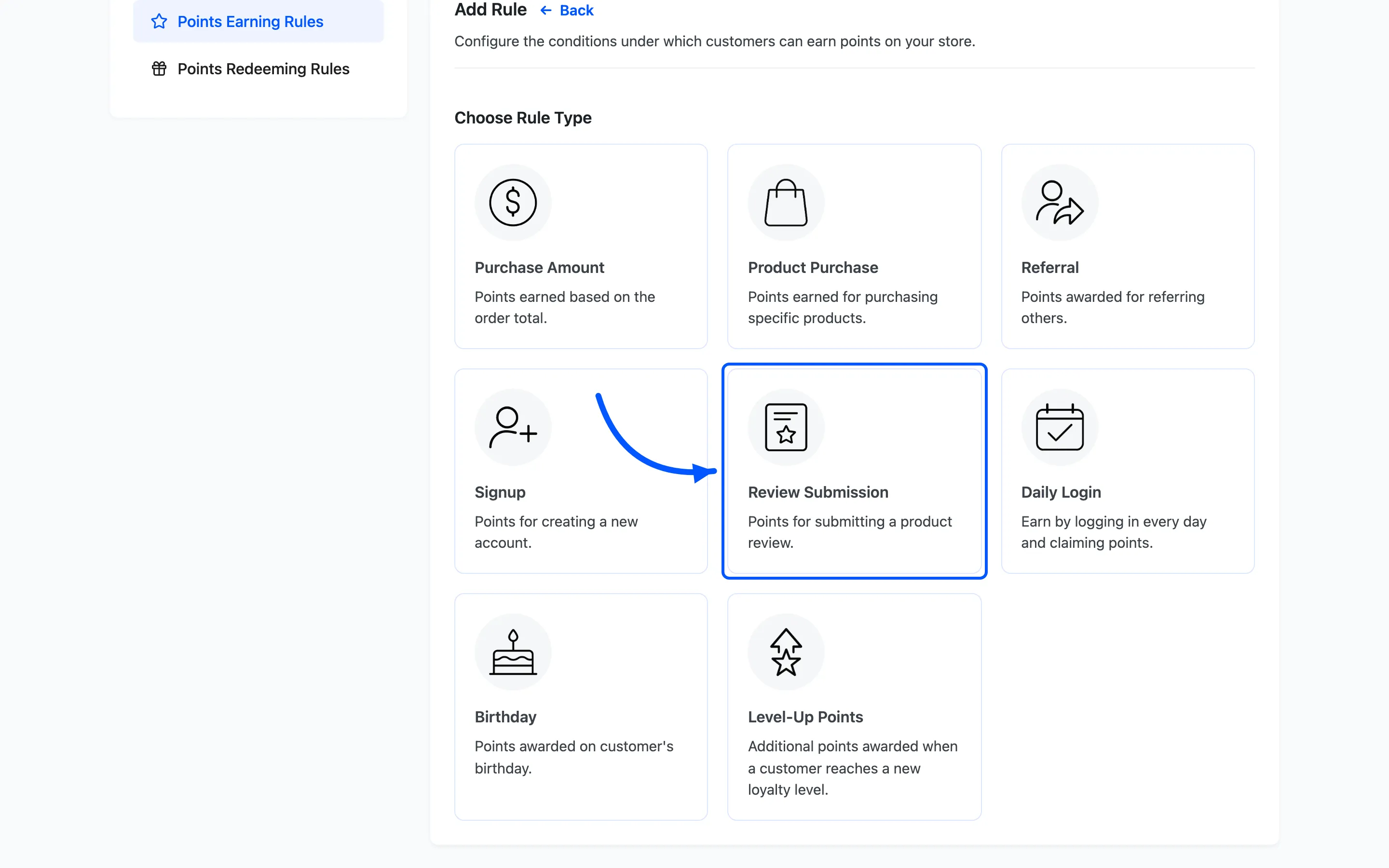
Section titled “Step 2: Choose the Review Submission type”Click Add New. On the Choose Rule Type screen, pick Review Submission.
Step 3: Set the points and the minimum rating
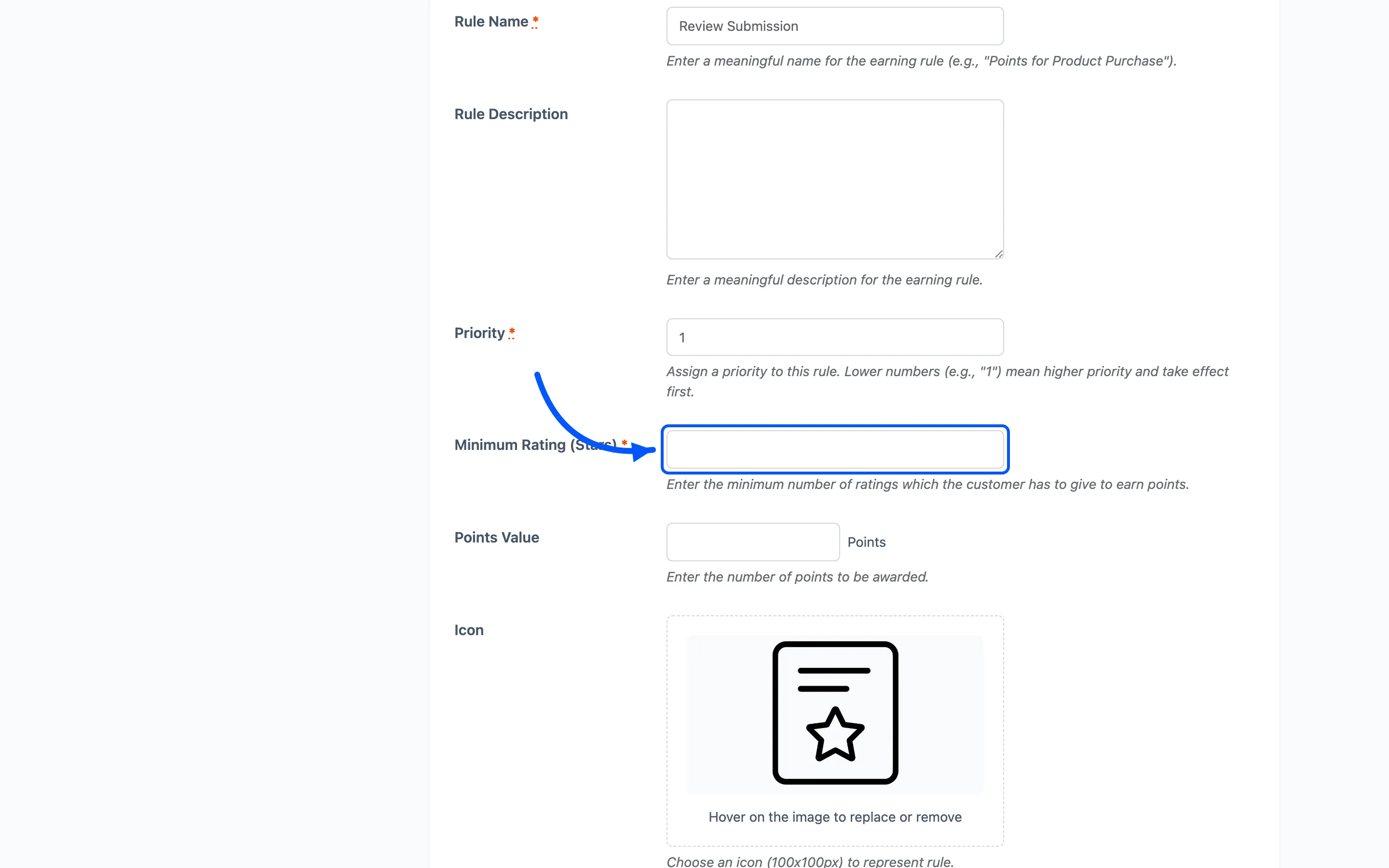
Section titled “Step 3: Set the points and the minimum rating”- Rule Name and Rule Description, such as
Review reward. - Points Value is how many points a review earns.
- Minimum Rating (Stars) awards points only for reviews at or above a rating. Leave it low, or off, so honest reviews of any rating still earn.
Step 4: Set conditions and activate
Section titled “Step 4: Set conditions and activate”Use Applicable to to limit the rule to certain user roles or levels. Click Save, then set the rule to Active.
What the customer sees
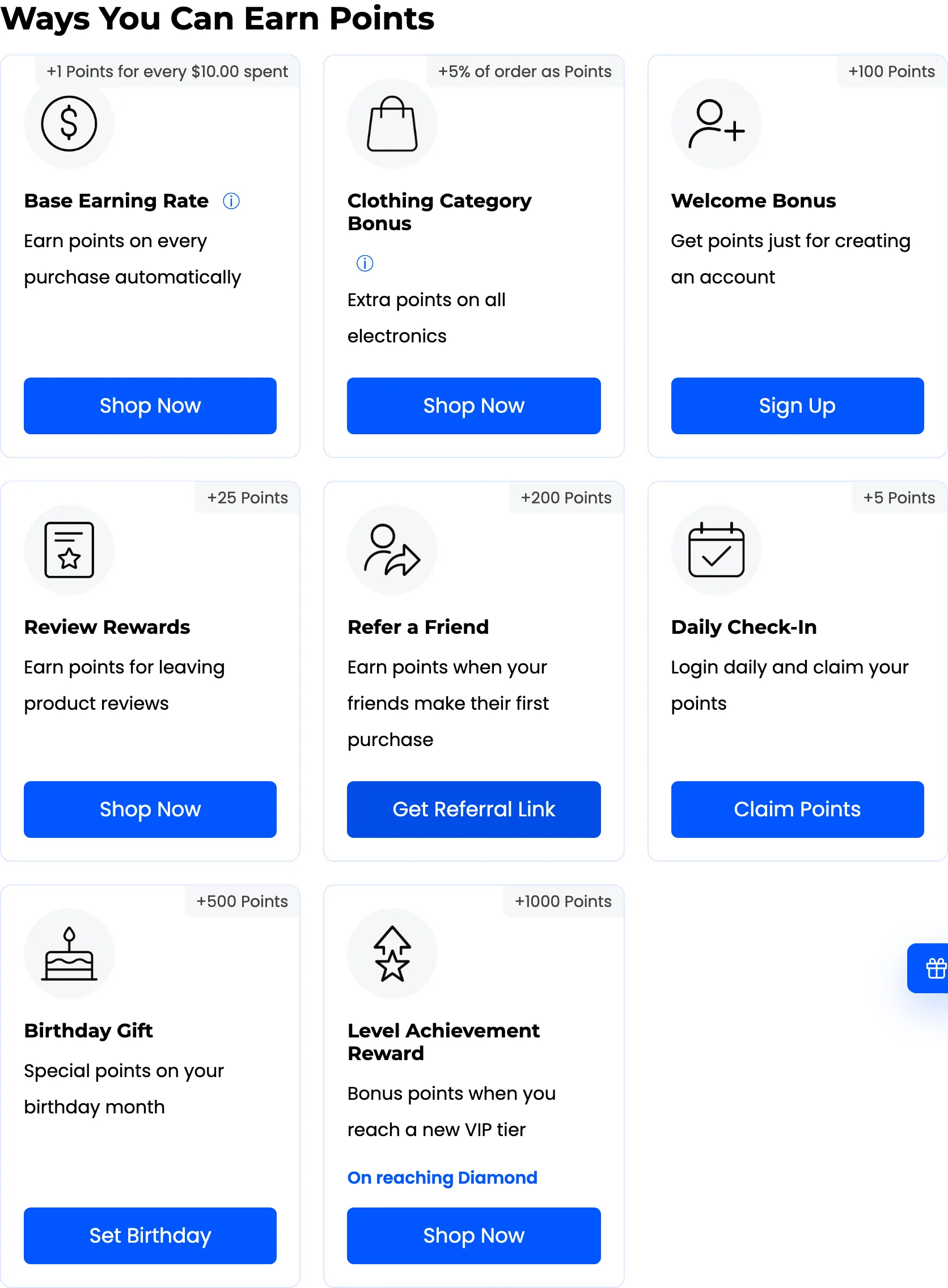
Section titled “What the customer sees”Earning is automatic. When a customer leaves a review that meets your minimum rating, the points land in their balance. Review points are usually awarded once the review is approved.
If review points do not appear, check the Minimum Rating (Stars) and that the review has been approved.
Where to go next
Section titled “Where to go next”- How to Reward Daily Logins to reward customers who come back.
- Points Rules for a reference on every rule type.