

Shortcodes
LoyaltyX adds a Points and Rewards area to My Account on its own. The shortcodes let you place the same rewards content on any other page, post or widget area.
Open the Shortcodes settings
Section titled “Open the Shortcodes settings”Go to DevDiggers Plugins → LoyaltyX → Configuration, then open Shortcodes in the left menu.
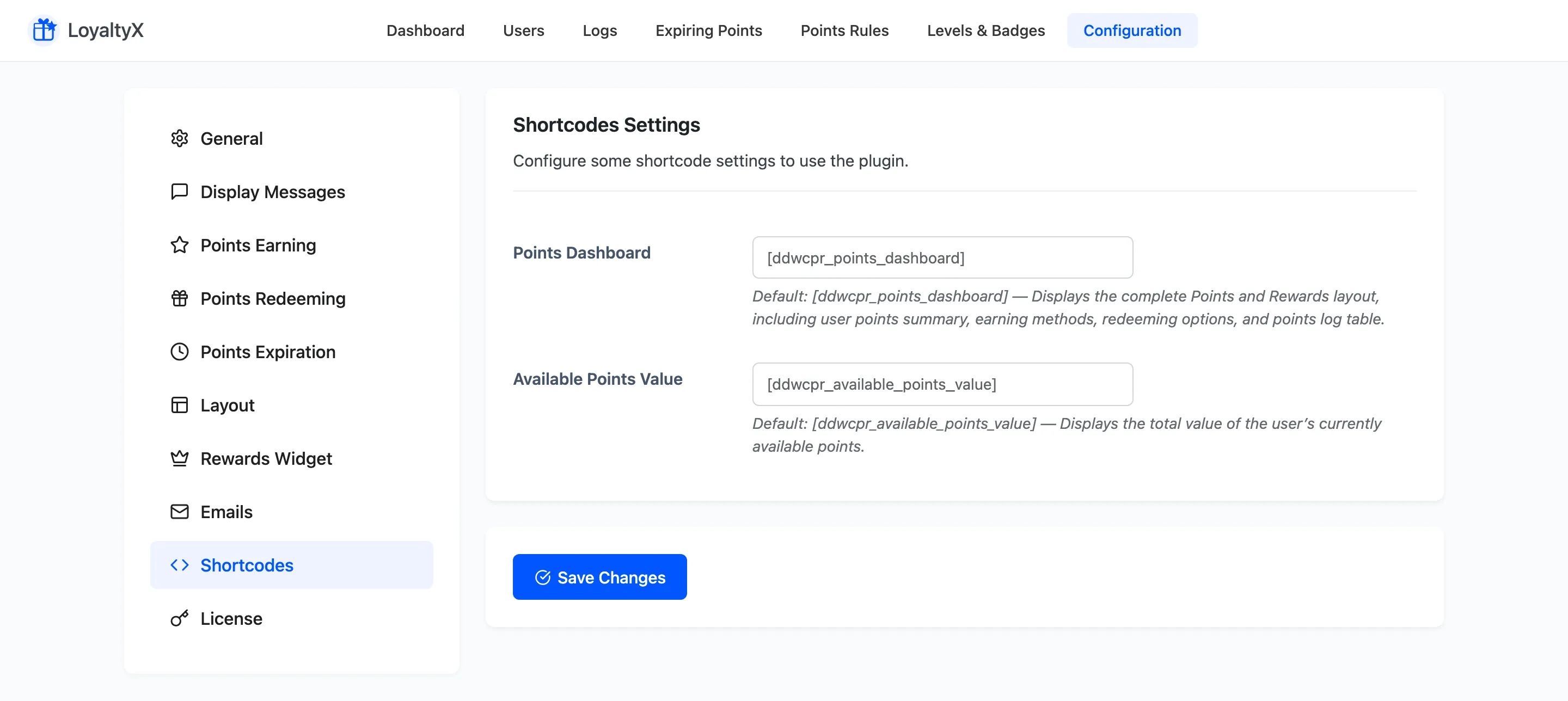
Available shortcodes
Section titled “Available shortcodes”- Points Dashboard renders the full rewards layout: the customer’s points summary, ways to
earn, redemption options, and the points log table. The default tag is
[ddwcpr_points_dashboard]. - Available Points Value renders the total value of the customer’s current balance. The default
tag is
[ddwcpr_available_points_value].
Use a shortcode
Section titled “Use a shortcode”Add the tag to any page or post where you want the content to appear. For example, create a page
called My Rewards and paste [ddwcpr_points_dashboard] into it. Logged-in customers then see
their dashboard on that page.
The dashboard shortcode is a good pairing with the General tab. Turn off the My Account menu there and build a custom rewards page with this shortcode instead.
Rename a shortcode tag
Section titled “Rename a shortcode tag”Each field holds the tag itself, so you can change it. If another plugin already uses
ddwcpr_points_dashboard, set a different tag here and use that one on your pages instead. Click
Save Changes after editing a tag.
Where to go next
Section titled “Where to go next”- General Settings to switch between the My Account menu and a custom shortcode page.
- Layout Settings to style the rewards dashboard.