

How to Control Shipping on Pre-Orders
A reservation ships nothing on the day it is placed, so the plugin lets you leave shipping out of it entirely and deal with it when the product is real.
Step 1: Open the Checkout tab
Section titled “Step 1: Open the Checkout tab”Go to Configuration → Checkout.
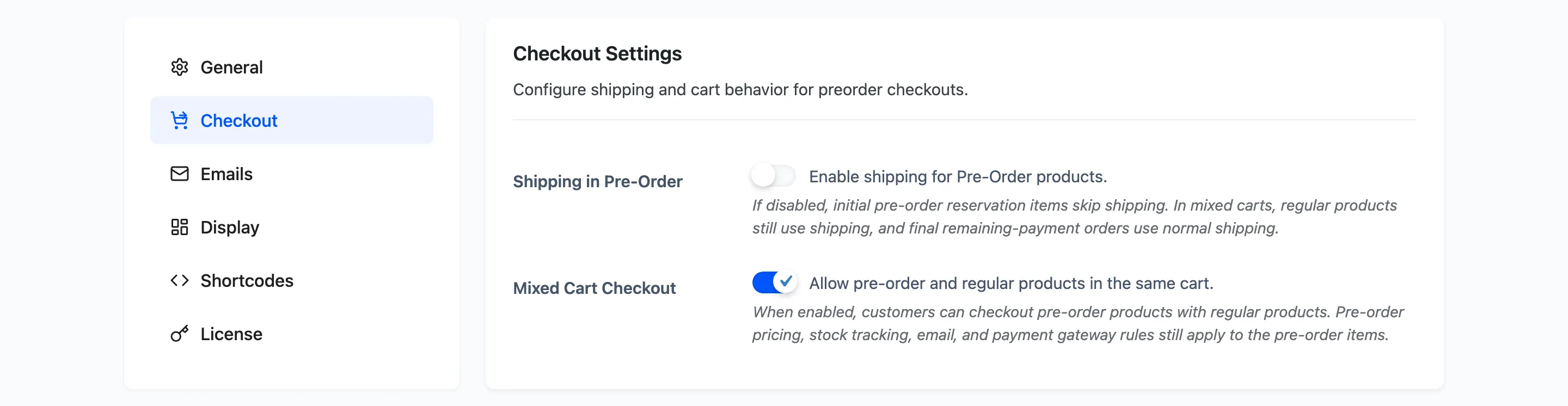
Step 2: Decide whether a reservation needs shipping
Section titled “Step 2: Decide whether a reservation needs shipping”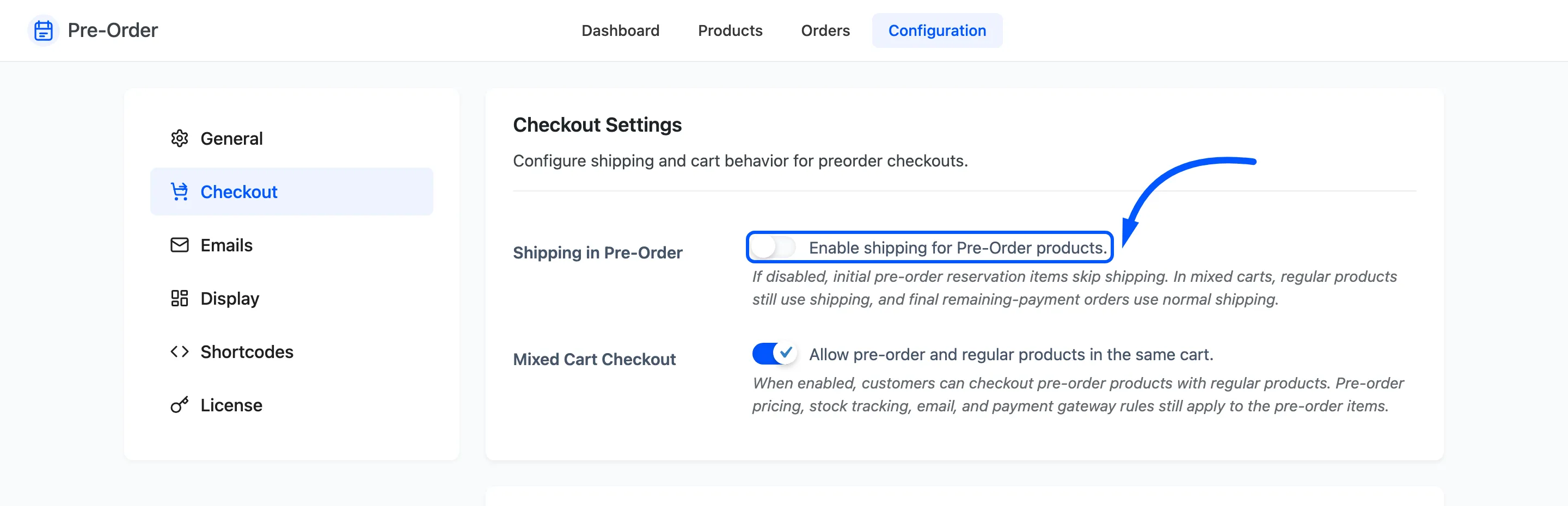
Shipping in Pre-Order, default off.
Off drops reservation lines from the shipping calculation. A cart holding only pre-orders is never asked for a shipping address or a delivery method at all, so the checkout is shorter and the customer is not charged for a delivery that is months away.
On treats a reservation like any other item and charges shipping now.
Which to pick comes down to when you want the money. Off is the usual answer, because postage rates change and a customer who paid last year’s rate will expect it honoured.
Two things stay true whichever way you set it:
- In a mixed cart, ordinary products still pay their normal shipping.
- When a deposit customer comes back to pay the balance, that order ships normally.
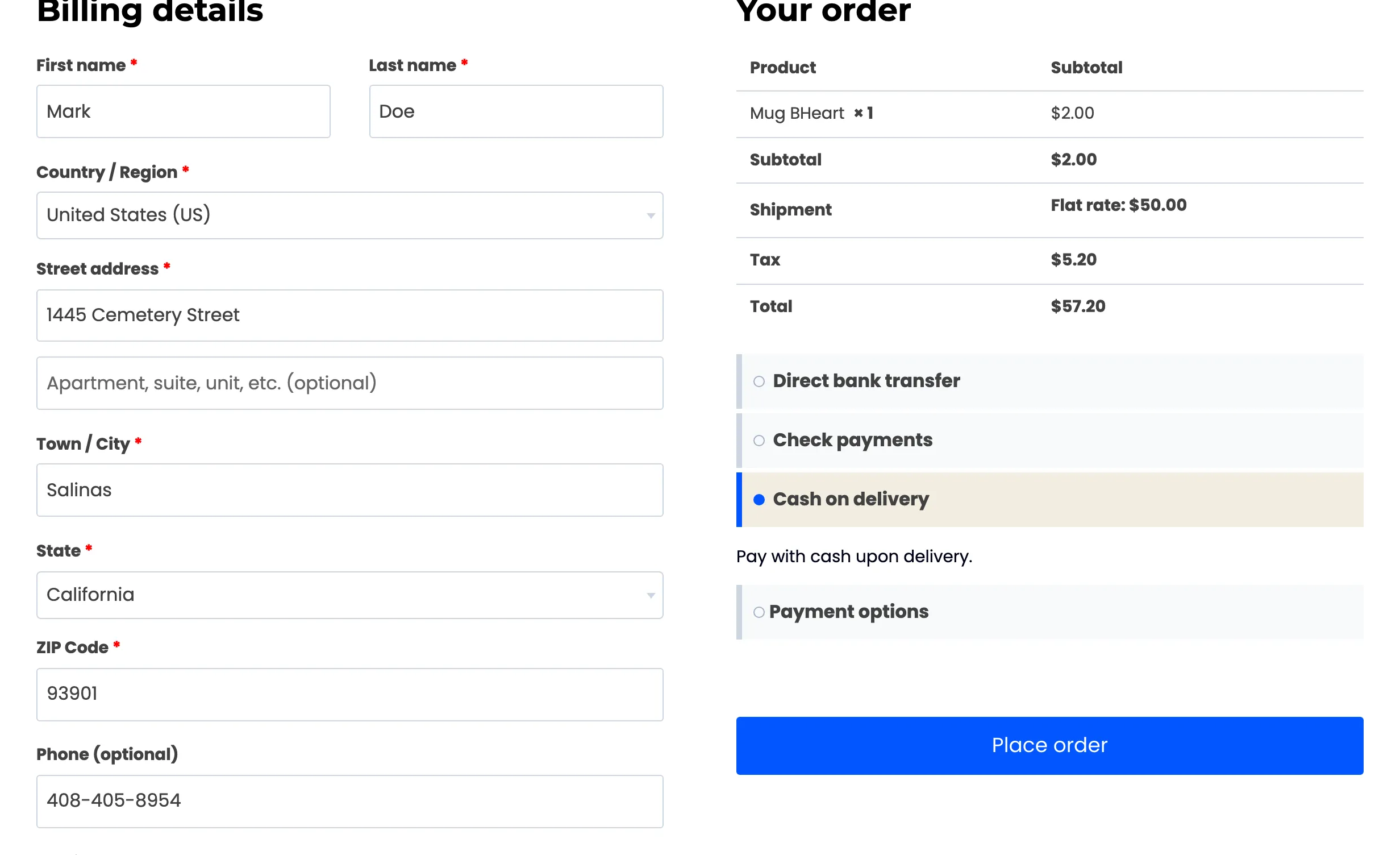
The second one catches people out, so it is worth seeing. With shipping off, the deposit checkout carries no delivery line at all, and the balance checkout for the same product carries the full rate, because that is the order the goods actually go out on.
Step 3: Free shipping for pre-orders
Section titled “Step 3: Free shipping for pre-orders”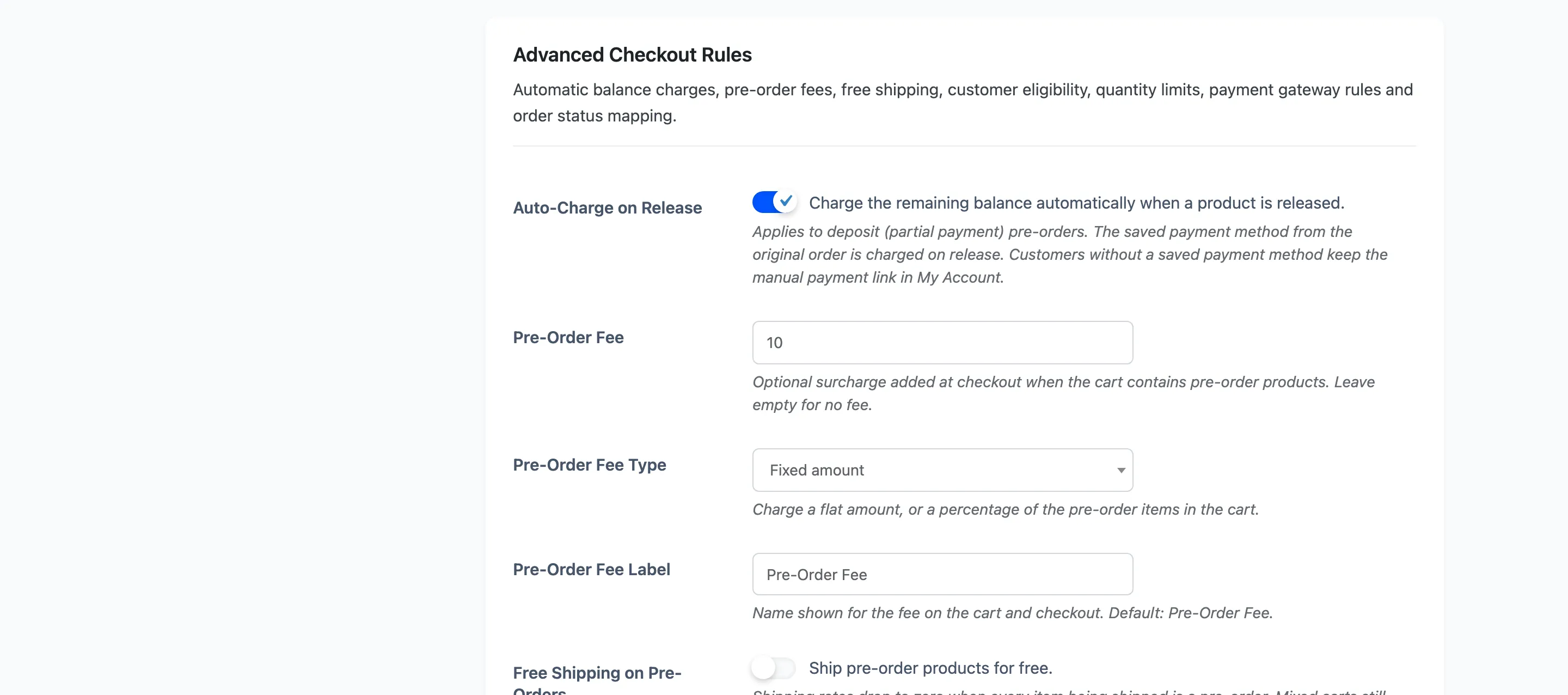
Free Shipping on Pre-Orders, default off, drops shipping to zero when every item still being shipped is a pre-order.
It needs Shipping in Pre-Order switched on. With shipping off, a pre-order cart is never given rates in the first place, so there is nothing to discount and this setting appears to do nothing.
A mixed cart still pays for whatever ships immediately, so the discount cannot be gamed by adding a cheap reservation to a heavy order.
Step 4: Save
Section titled “Step 4: Save”Press Save Changes.
Step 5: Check a pre-order-only cart
Section titled “Step 5: Check a pre-order-only cart”Put one reservation in the cart and go to checkout.
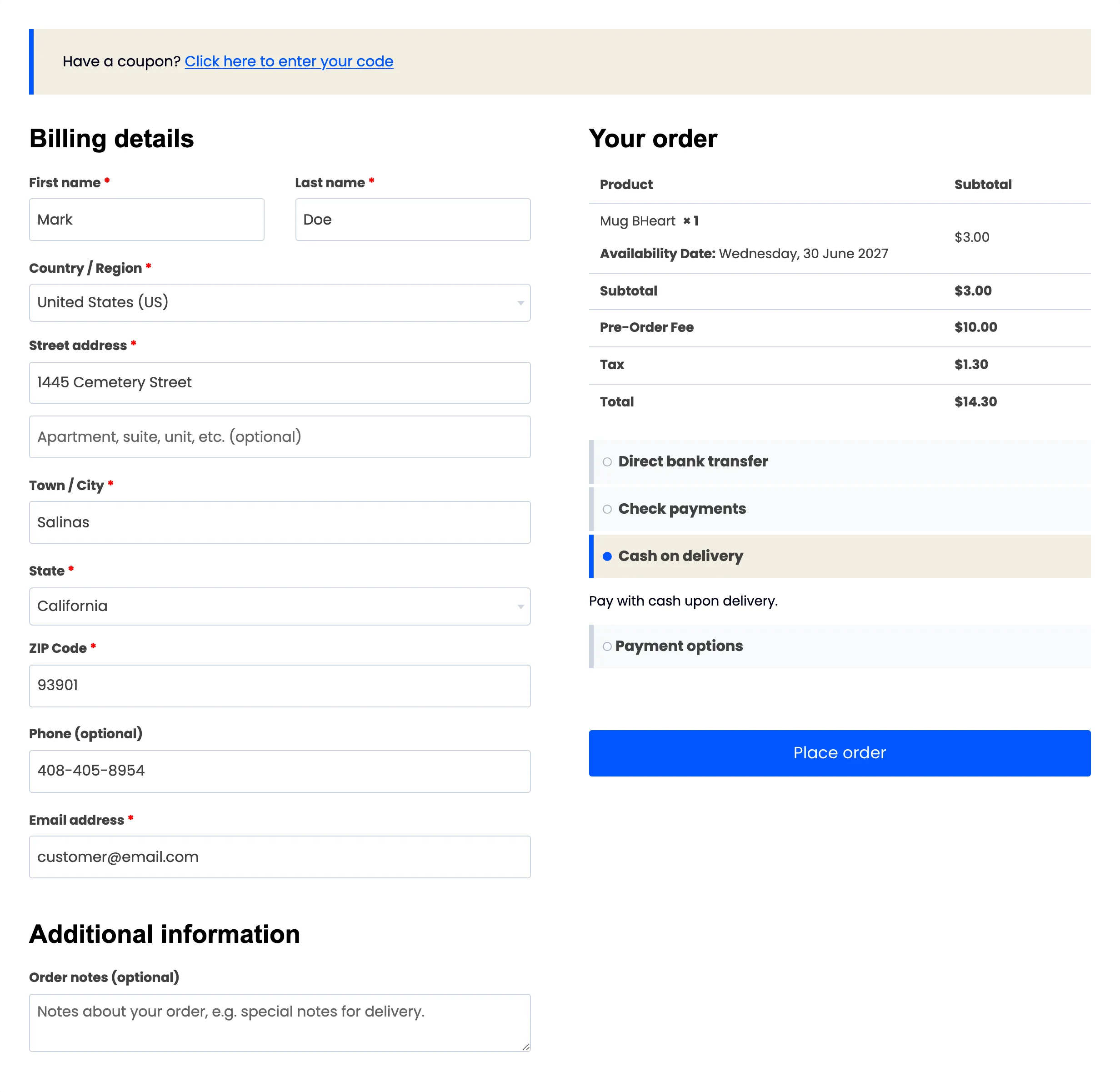
With shipping off there is no shipping section and no delivery line in the totals. With it on, rates appear as normal, or at zero if free shipping is on.
Step 6: Check a mixed cart
Section titled “Step 6: Check a mixed cart”Add an ordinary product alongside the reservation. This needs Mixed Cart Checkout on, or the ordinary product is removed.
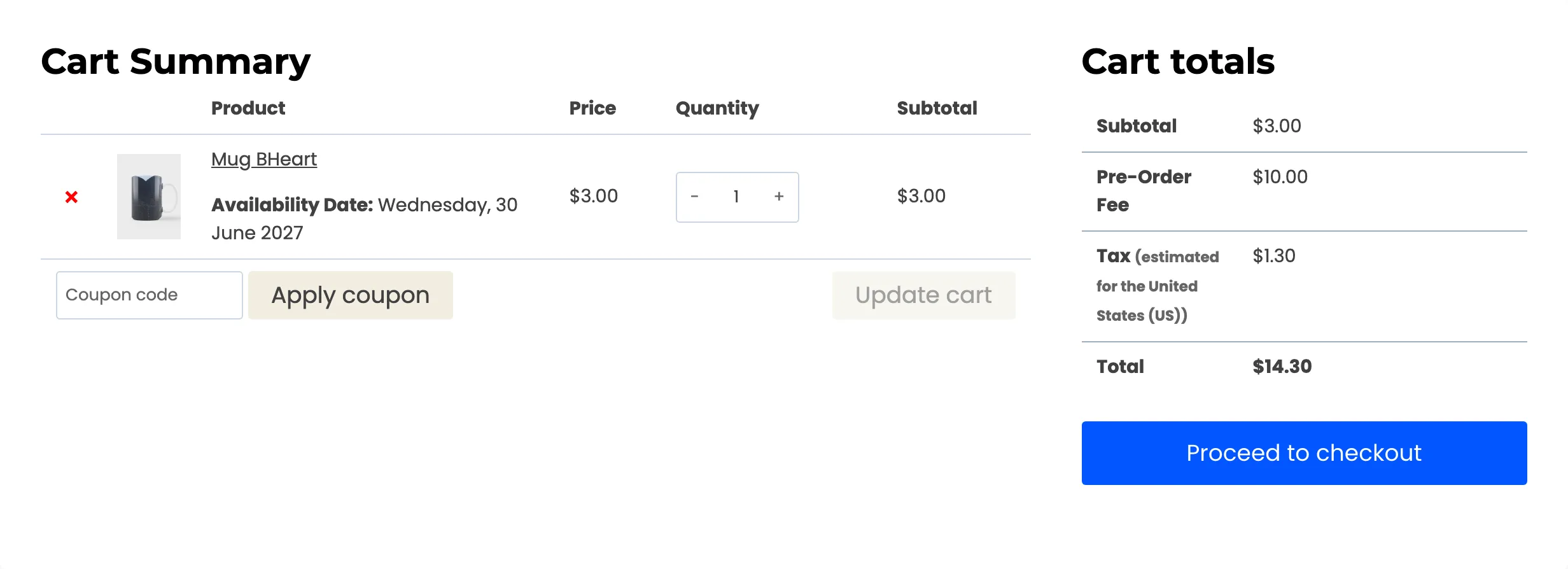
The ordinary product should be charged shipping as usual. That is the case worth testing, because it is where the two settings interact.
What to tell customers
Section titled “What to tell customers”Say it on the product page. The notice field is there for exactly this: “Shipping is charged when the product ships” removes the most common pre-order support question.