How to Show a Countdown Timer
The countdown turns a date into pressure. It runs to the product’s release date, in days, hours, minutes and seconds.
Step 1: Open the product
Section titled “Step 1: Open the product”Go to Pre-Order → Products and press Edit.
Step 2: Turn it on
Section titled “Step 2: Turn it on”Scroll to Countdown and Status.
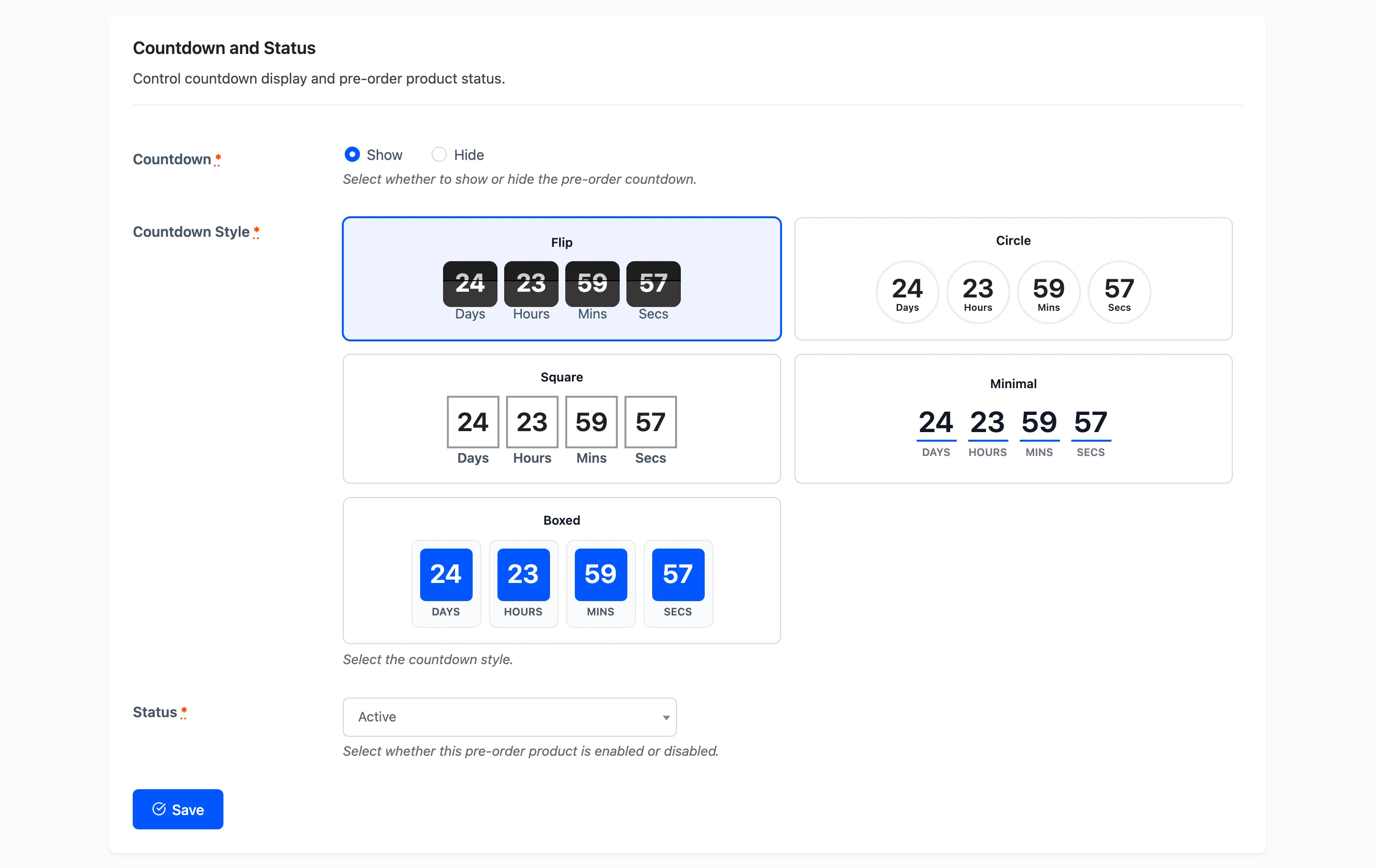
Countdown is a pair of radio buttons: Show or Hide.
Hide it when the date is a best guess. A visible clock ticking down to a date you are not sure of creates a promise you may not keep, and the release date still does its job without being displayed.
Step 3: Pick a style
Section titled “Step 3: Pick a style”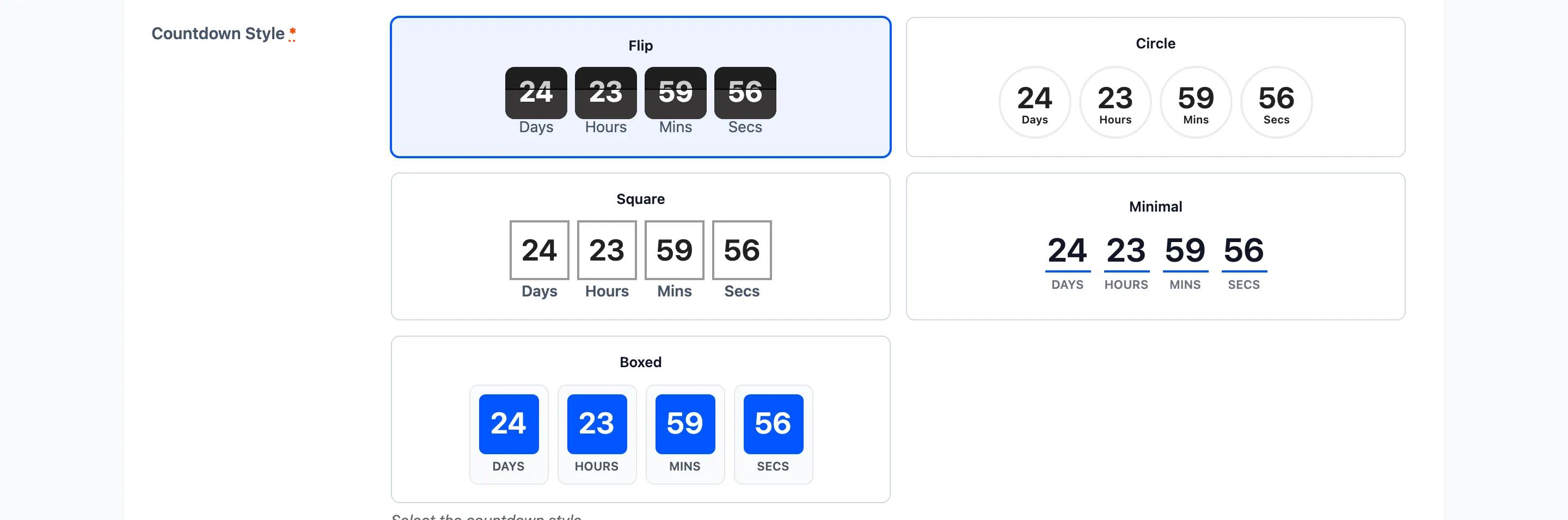
Five styles, each previewed live on the form so you can see it running before you choose.
- Minimal: Plain numbers and labels, taking its colour from the accent setting.
- Flip: Digits on flip-clock cards.
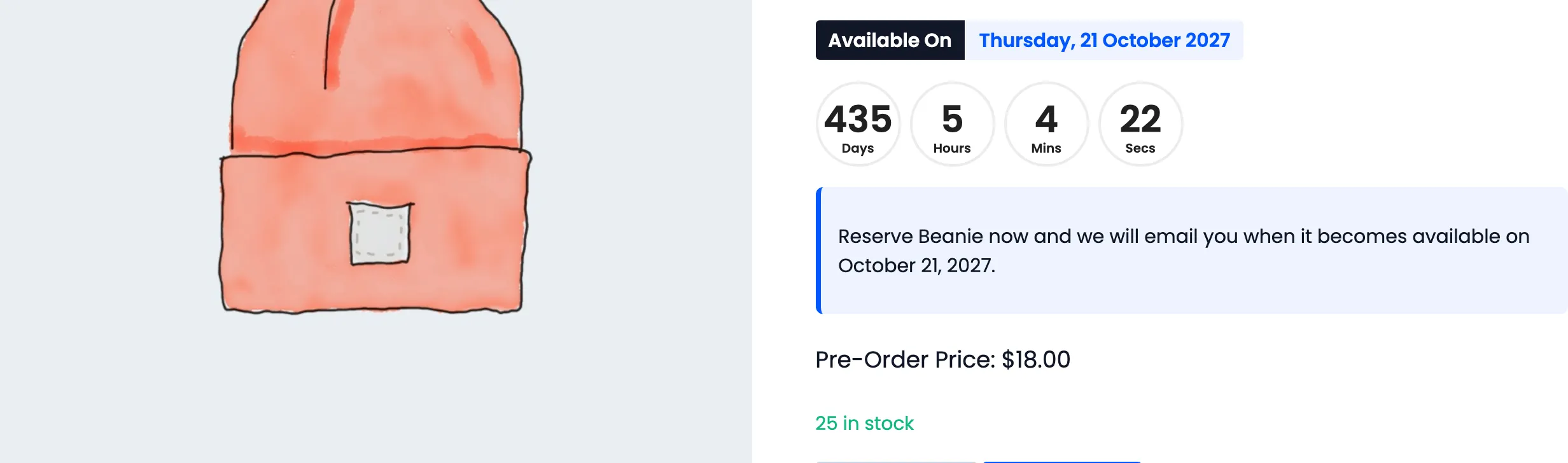
- Circle: Each unit in its own ring.
- Square: Digits in solid tiles.
- Boxed: Bordered boxes with the accent colour.
Step 4: Save
Section titled “Step 4: Save”Press Save. The countdown appears on the product page immediately.
Step 5: Set the accent colour
Section titled “Step 5: Set the accent colour”Go to Configuration → Display → Storefront Colors.
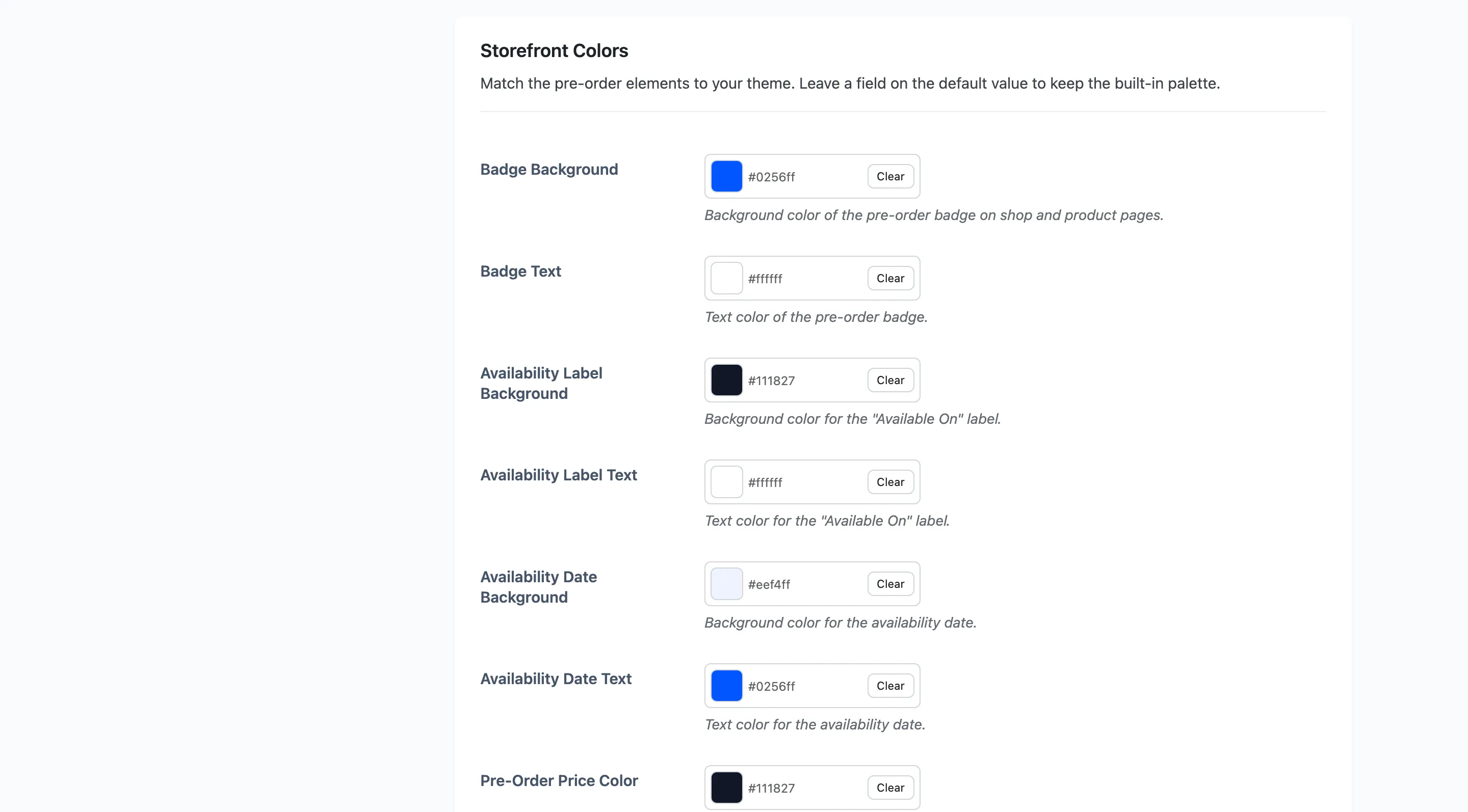
Countdown Accent Color, default #0256ff, is used by the Minimal and Boxed styles. The other
three carry their own look and ignore it.
Step 6: Check the product page
Section titled “Step 6: Check the product page”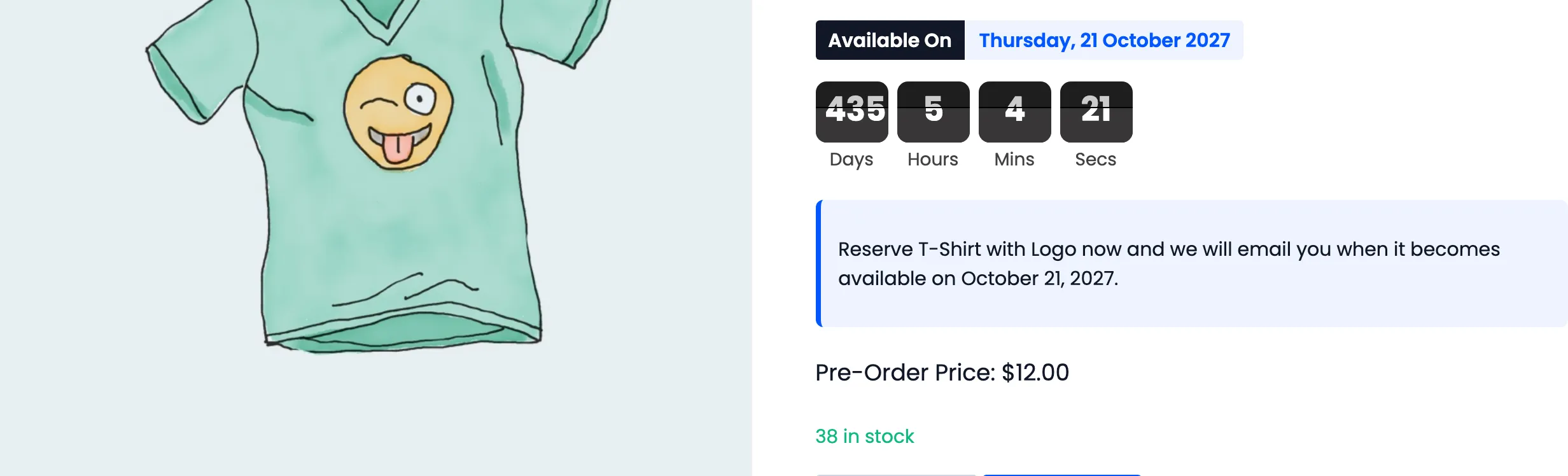
Here is the Circle style on another product, so you can compare:
How it counts
Section titled “How it counts”The countdown runs in the shopper’s browser against your store’s timezone, so a customer abroad sees the same time remaining as one at home rather than a figure shifted by their own clock.
At zero it stops and shows an expired message. It does not release the product by itself. The release is the hourly job’s work, so there can be a short window where the clock reads zero and the product is still marked as a pre-order. See How to Release a Pre-Order Product.
Where it appears
Section titled “Where it appears”On the single product page, under the Available On line, and anywhere the pre-order shortcode is used.
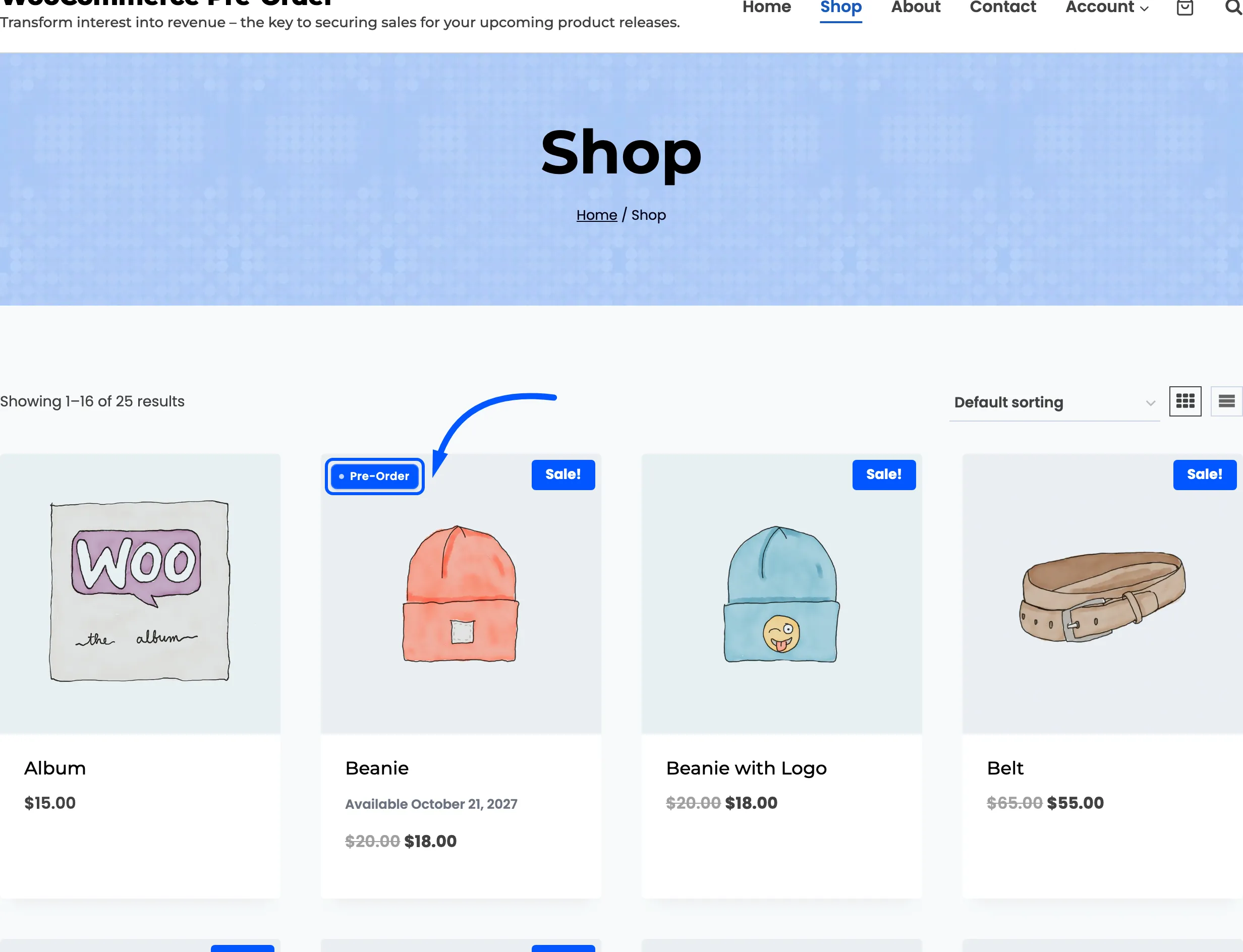
It is not shown in the shop grid. Product cards get the badge and the release date instead, which is enough at that size.