

How to Restrict Who Can Pre-Order (Pro)
By default anyone can reserve, including guests. Two reasons to change that: early access as a members’ perk, and deposits, which need an account to work properly.
Step 1: Open the Checkout tab
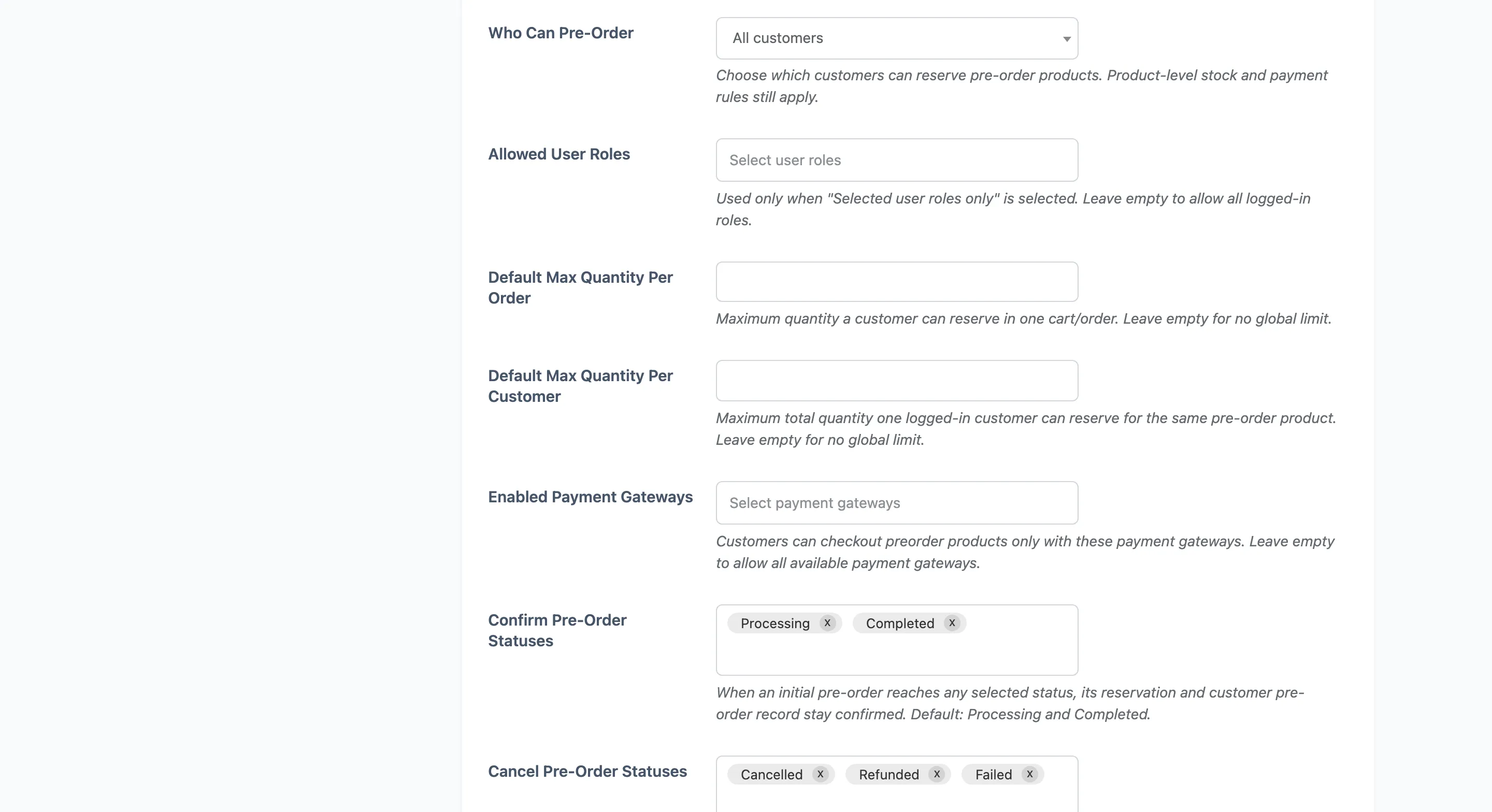
Section titled “Step 1: Open the Checkout tab”Go to Configuration → Checkout and find the eligibility fields.
Step 2: Choose the access level
Section titled “Step 2: Choose the access level”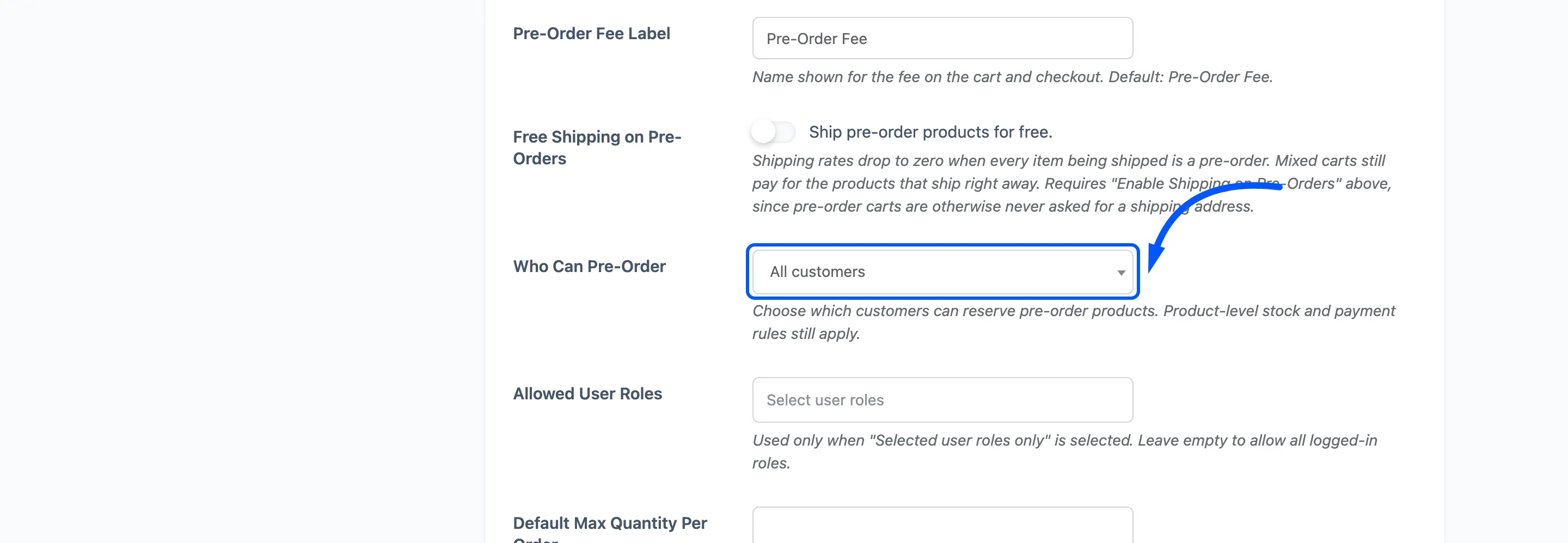
Who Can Pre-Order has three settings.
- All customers: The default. Guests can reserve, and they still get the confirmation and the availability email.
- Logged-in customers only: Guests see the product’s details and a login prompt in place of the pre-order button.
- Selected user roles only: Narrower still.
Step 3: Choose the roles
Section titled “Step 3: Choose the roles”Allowed User Roles is used only with the third option, and it accepts several.
Leaving it empty allows every logged-in role. That is the same result as the second option, not a lockout, so an empty list is a quiet way of doing nothing rather than a mistake that blocks sales.
Typical uses: a Wholesale role reserving before retail, or a Subscriber role that gets early access as a perk.
Press Save Changes.
Step 4: Check what a guest sees
Section titled “Step 4: Check what a guest sees”Open a pre-order product in a private window.
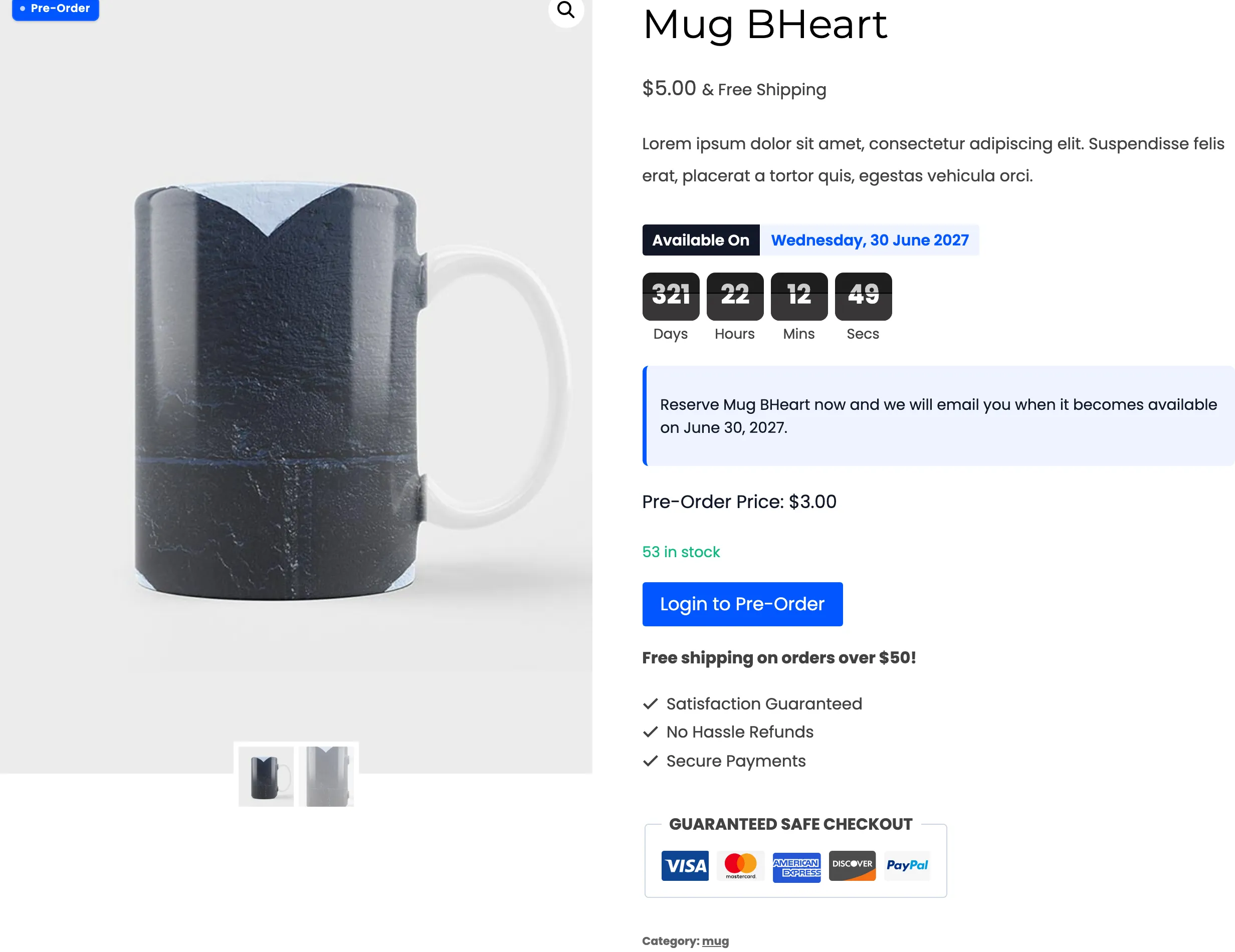
The guest still sees the release date, the countdown, the notice, the price and the stock. One thing changes: where the pre-order button was, there is now Login to Pre-Order, which carries your own button wording and returns them to the product afterwards.
An eligible customer sees the ordinary button in the same place.
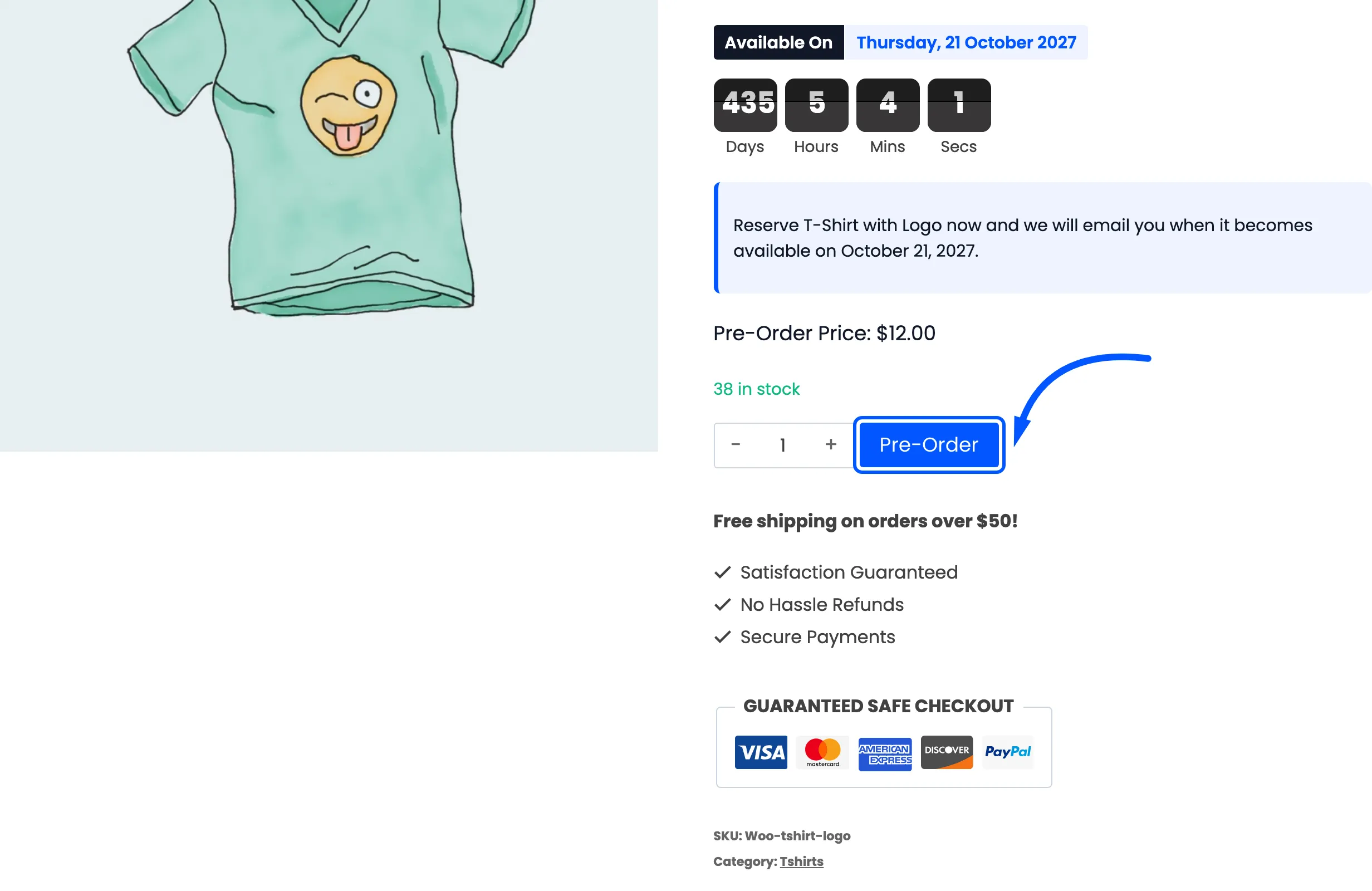
Nothing is hidden. The product page still sells the pre-order; it just asks for an account before taking one. That is the right way round, because a guest who cannot see the date has no reason to register.
Where it is enforced
Section titled “Where it is enforced”Twice, which matters if you sell in volume.
- When the item is added to the cart. An ineligible shopper gets an error and the item is not added.
- Again before checkout. A cart built before a rule changed cannot slip through.
Why deposits want an account
Section titled “Why deposits want an account”A guest reserving with a deposit ends up in a position you cannot easily fix. They have no My Pre-Orders page, so they cannot use the Complete Pre-Order action, and the balance has to be collected by hand.
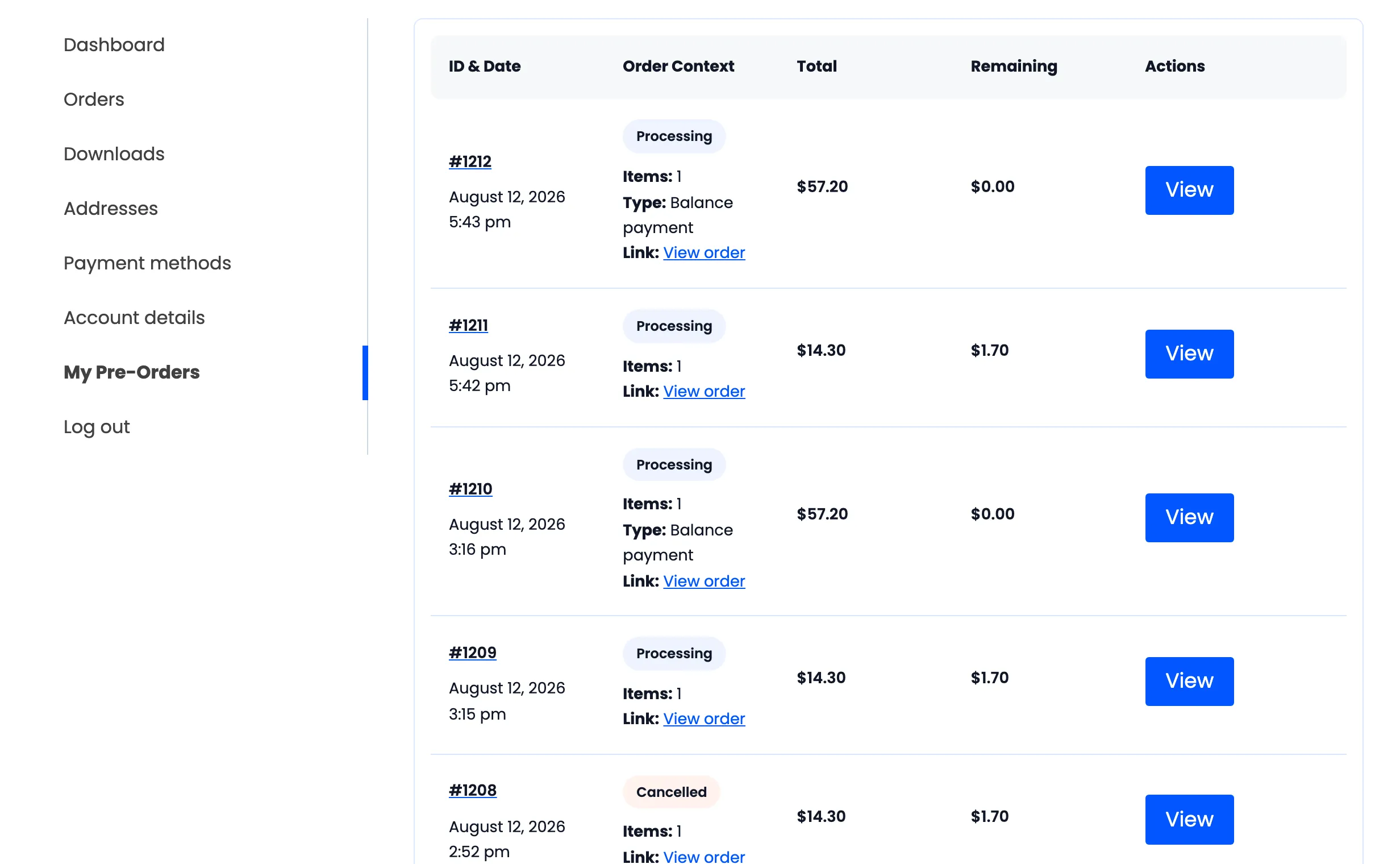
If you take deposits, set this to Logged-in customers only at least.
What it does not do
Section titled “What it does not do”This controls who may reserve. It does not hide the product, and it does not change who may buy it normally once it has been released.
For volume limits rather than eligibility, see How to Limit Pre-Order Quantities (Pro).