

How to Sell Pre-Orders Alongside Regular Products
By default a reservation is exclusive: adding one clears everything else out of the cart. That is a deliberate default, and whether it suits you depends on how you fulfil orders.
Step 1 and 2: Turn on mixed carts
Section titled “Step 1 and 2: Turn on mixed carts”Go to Configuration → Checkout.
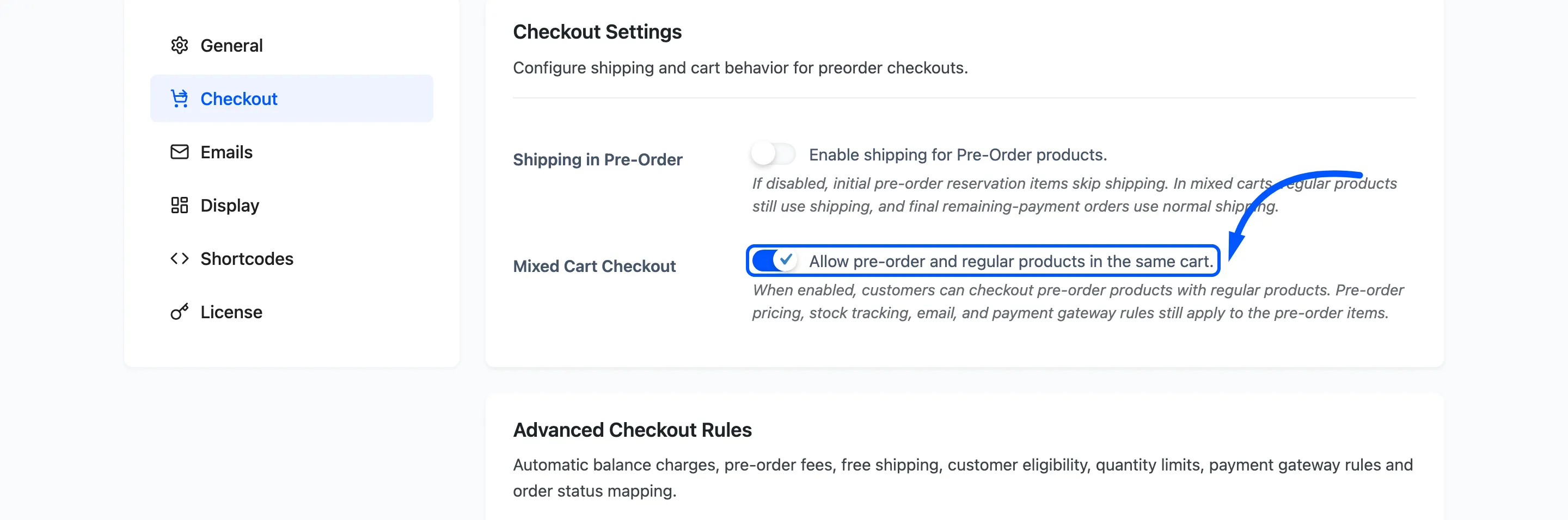
Mixed Cart Checkout, default off. Tick it to let the two travel together.
What happens with it off
Section titled “What happens with it off”The plugin enforces exclusivity in both directions.
- Add a pre-order to a cart holding ordinary products, and the ordinary products are removed, with a notice explaining why.
- Browse the shop while a pre-order is in the cart, and a notice warns you that new products cannot be added until the pre-order is dealt with.
Nothing is lost silently. The customer is told each time.
Step 3: Save
Section titled “Step 3: Save”Press Save Changes.
Step 4: Build a mixed cart
Section titled “Step 4: Build a mixed cart”Add a pre-order and an ordinary product.
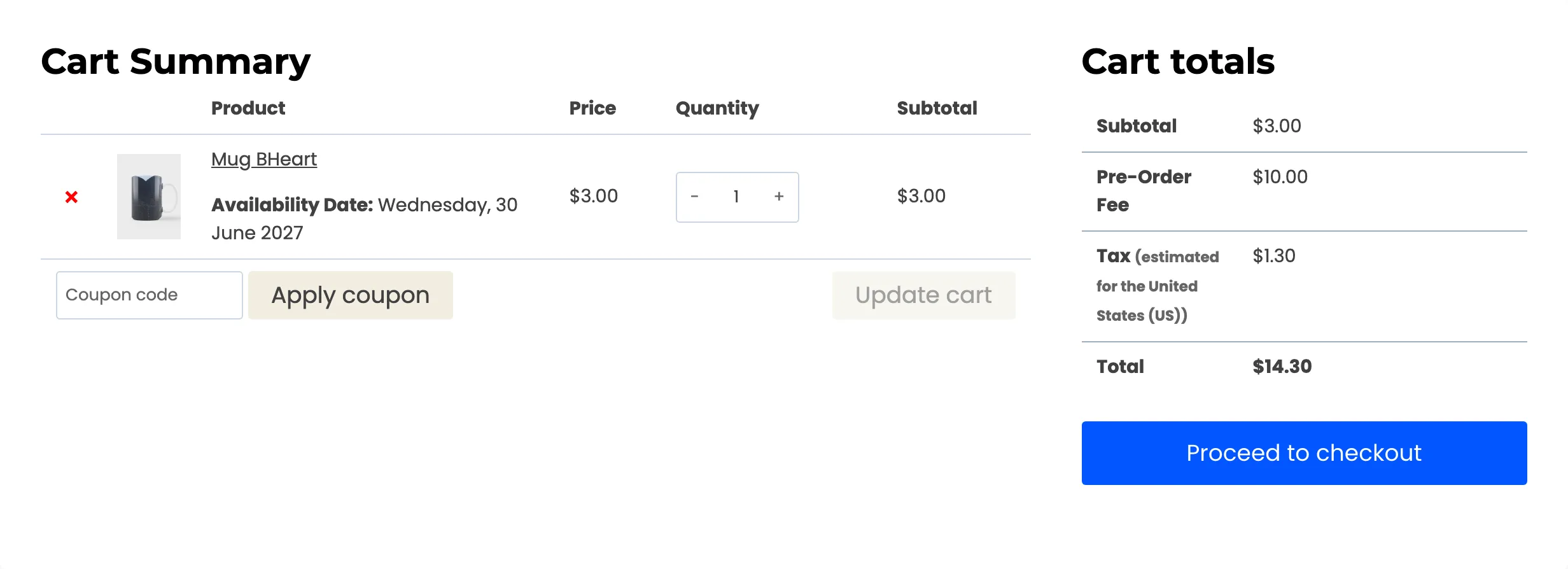
Both should stay. The pre-order line carries its Availability Date; the ordinary line does not.

That date is the only thing separating them on screen, which is worth knowing when a customer says their order has not arrived.
Step 5: Check the totals
Section titled “Step 5: Check the totals”Three rules apply to the pre-order lines only, and this is where to confirm it.
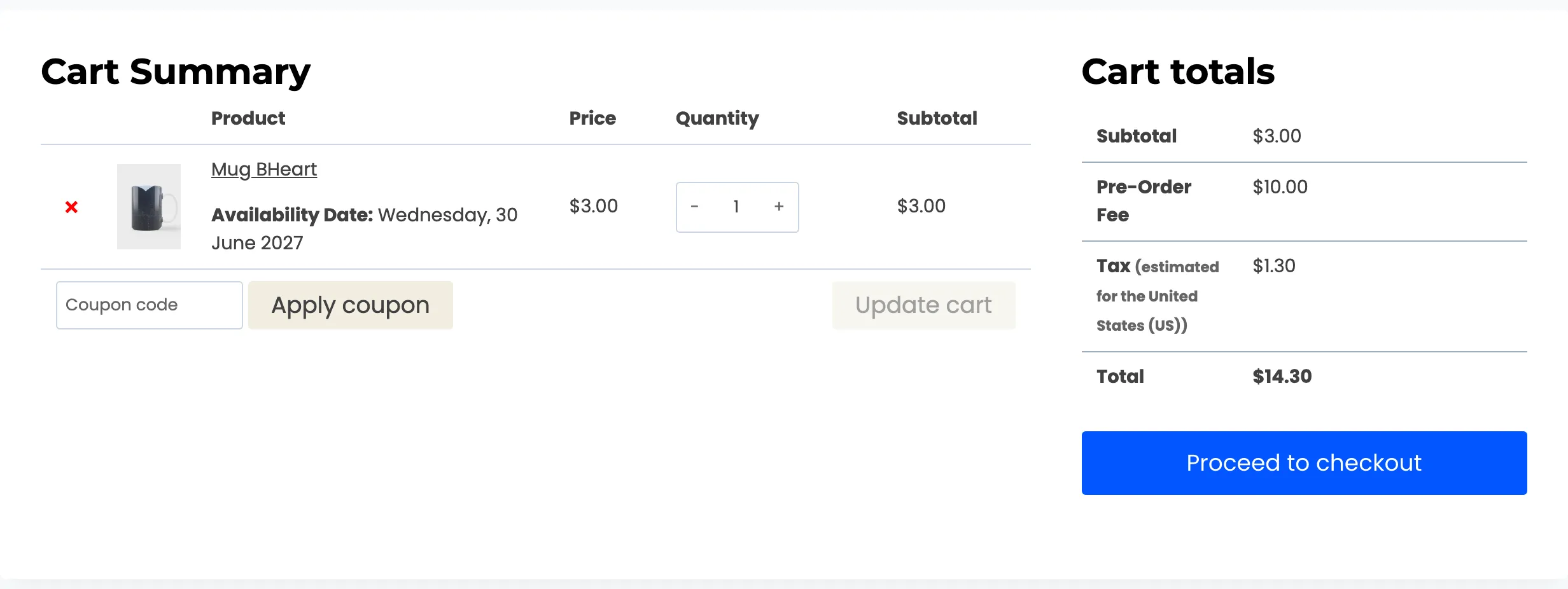
- A percentage pre-order fee is worked out from the pre-order lines. The ordinary product does not inflate it.
- Shipping, with shipping off for pre-orders, is charged on the ordinary product only.
- Free shipping on pre-orders does not apply, because not everything shipping is a pre-order.
The gateway restriction is the exception: it looks at the cart as a whole, so a cart containing one reservation offers only the gateways you allow for pre-orders.
Which setting suits you
Section titled “Which setting suits you”Leave it off when a reservation is a different kind of transaction: different fulfilment, different paperwork, or a deposit whose balance you will collect later. One order with two futures in it is harder to explain to a customer and harder to pick in a warehouse.
Turn it on when you sell accessories and add-ons alongside the thing being reserved, and a shopper would reasonably want them in one order. Splitting that into two checkouts costs you the smaller sale.
What it does not change
Section titled “What it does not change”Mixed carts do not merge the two kinds of item. The reservation still holds its stock, still counts towards the product’s ordered and reserved figures, and still triggers the availability email on release. The order simply happens to contain other things as well.