

How to Read Your Pre-Order Numbers
The plugin measures three things worth acting on: how much has been reserved, how much is still owed, and what has to ship next.
Step 1: Open the dashboard
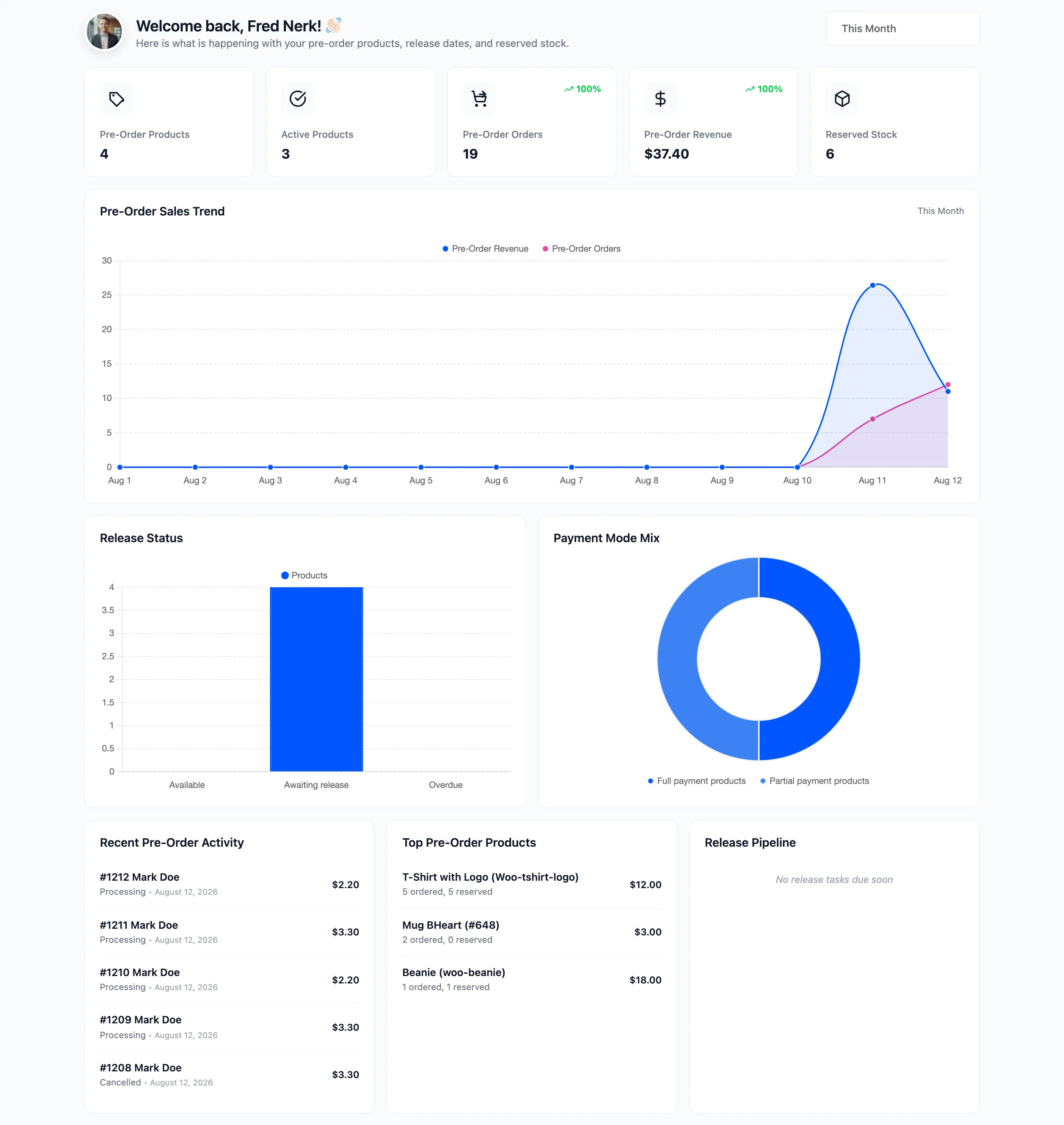
Section titled “Step 1: Open the dashboard”Go to DevDiggers Plugins → Pre-Order → Dashboard.
Step 2: Demand against capacity
Section titled “Step 2: Demand against capacity”
Pre-Order Orders and Pre-Order Revenue are the demand signal. Active Products is what is generating it.
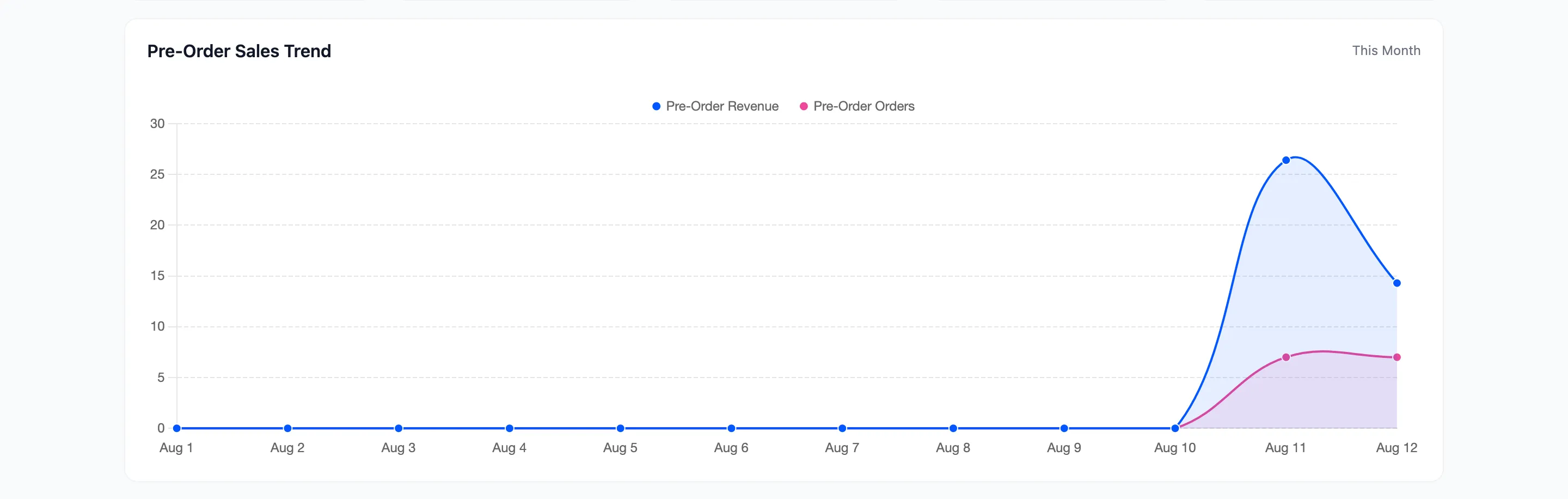
Read the two lines together. Revenue rising faster than orders means people are reserving more per order, or your deposit products are being replaced by full-payment ones. Orders rising with flat revenue is the reverse, and on a deposit catalogue that is normal.
The number this cannot tell you is capacity. Pair it with the per-product figures below.
Step 3: Reserved stock
Section titled “Step 3: Reserved stock”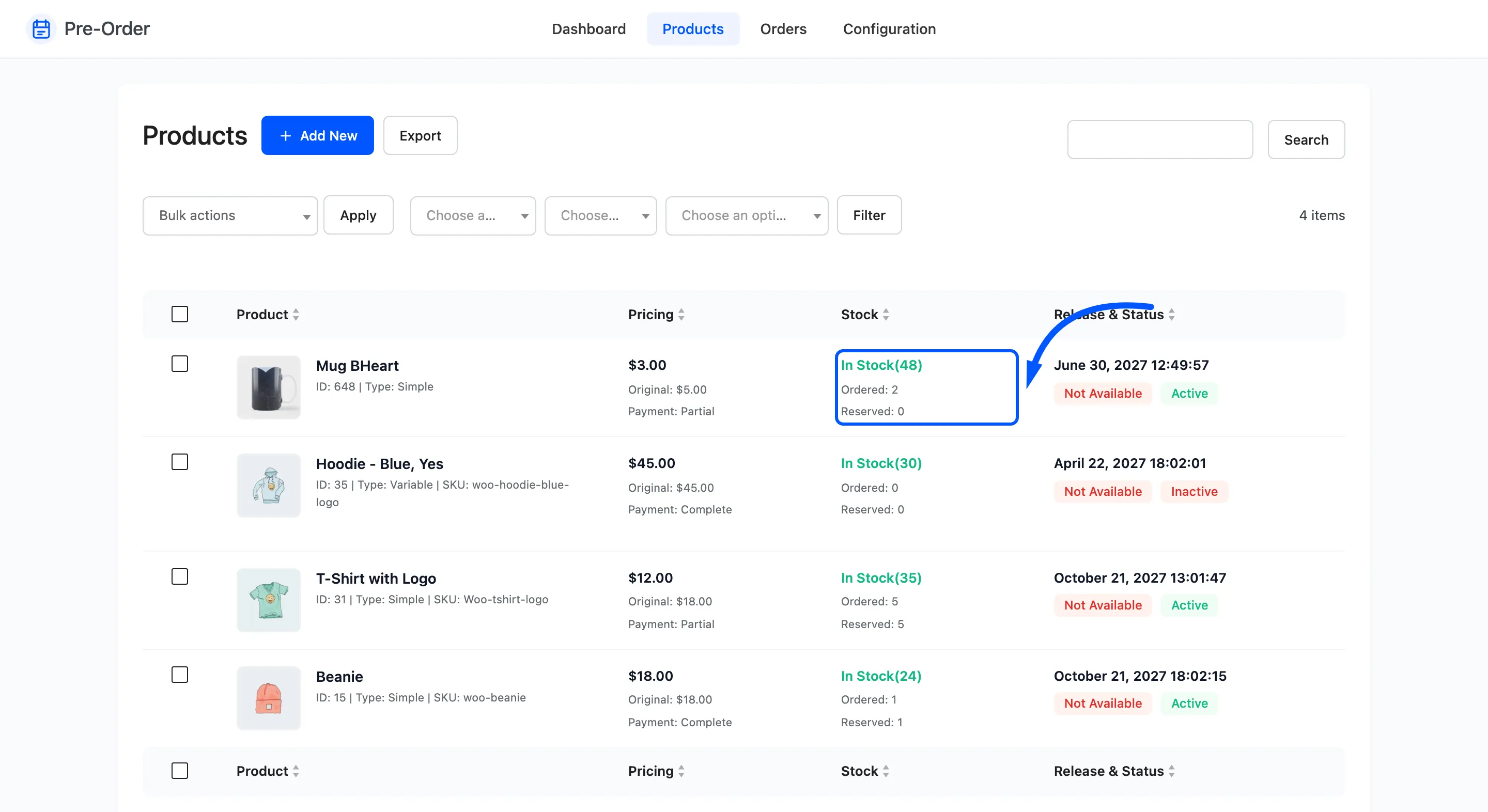
Ordered is everything ever reserved for that product. Reserved is what is still being held for a customer who owes a balance.
Two rules follow from that.
- Reserved only moves on deposit pre-orders. A full-payment pre-order is a finished sale, so it never appears here.
- Reserved should fall after a release, as customers pay their balances. If it does not, balances are not being collected.
That second one is the most useful signal in the plugin. Reserved stock stuck at its launch figure a week after release means the automatic charge is not working, and the usual cause is customers who paid by a method that stores no card. See How to Choose Payment Gateways for Pre-Orders (Pro).
Step 4: Work the release pipeline
Section titled “Step 4: Work the release pipeline”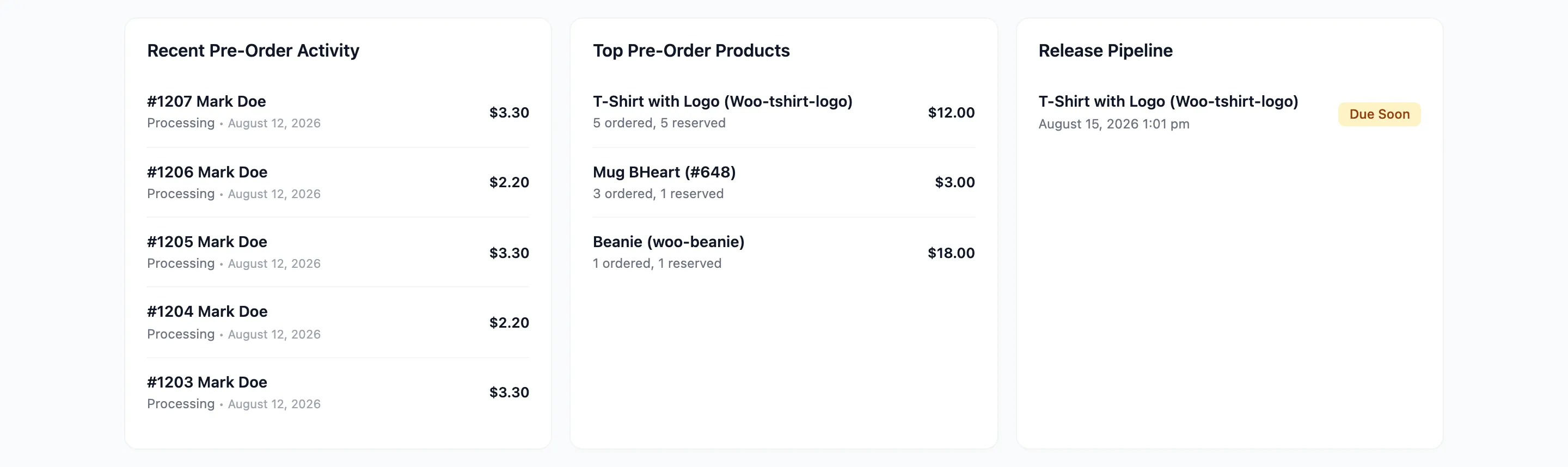
Due Soon is your production queue. Overdue is a problem: the date has passed and customers are still waiting.
Anything overdue is one of two things. Automatic releases are off, in which case release it by hand. Or the store is quiet and the hourly job has not run, in which case opening the product page releases it immediately.

Step 5: Chase the balances
Section titled “Step 5: Chase the balances”Go to Pre-Order → Orders.
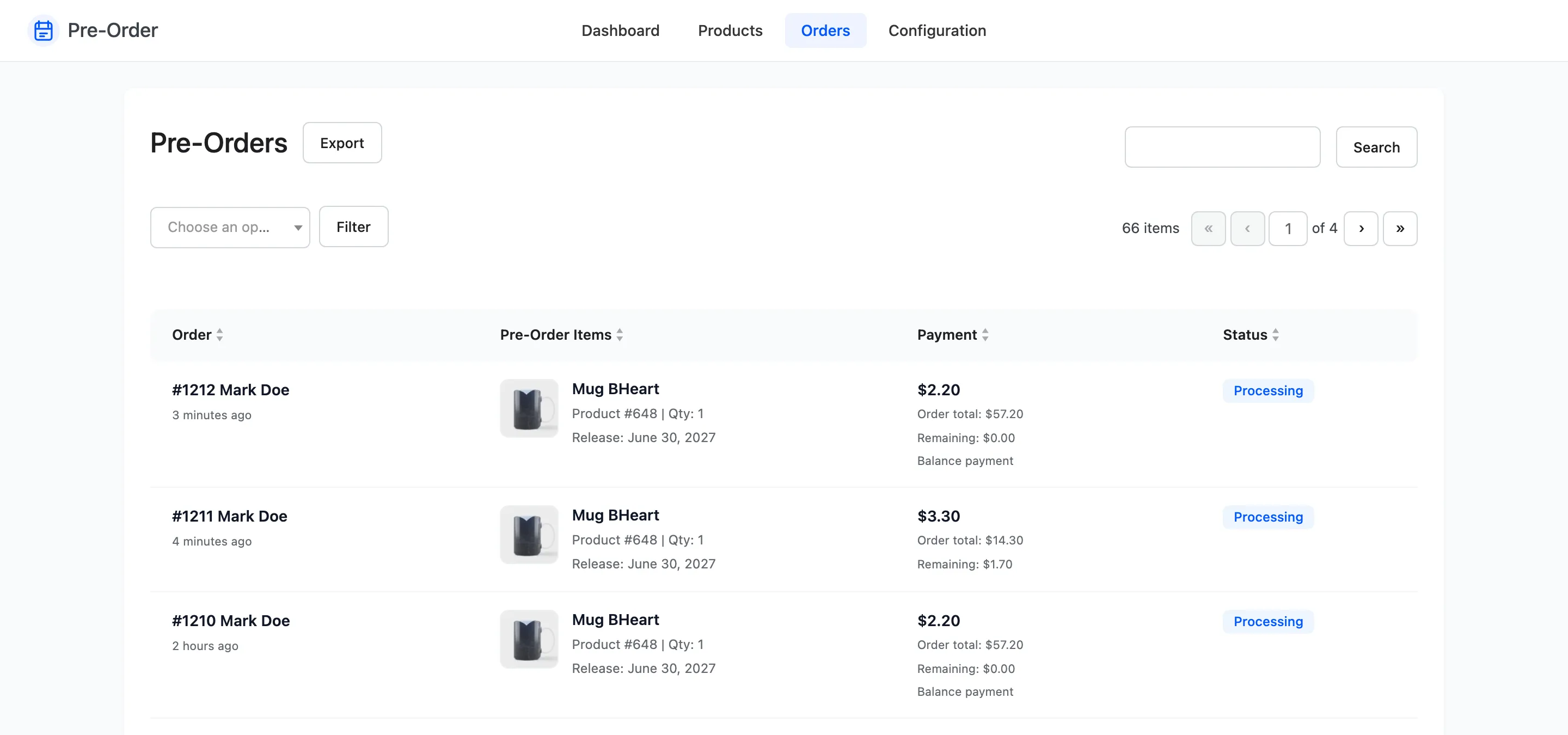
The Payment column shows what each order collected and what remains.
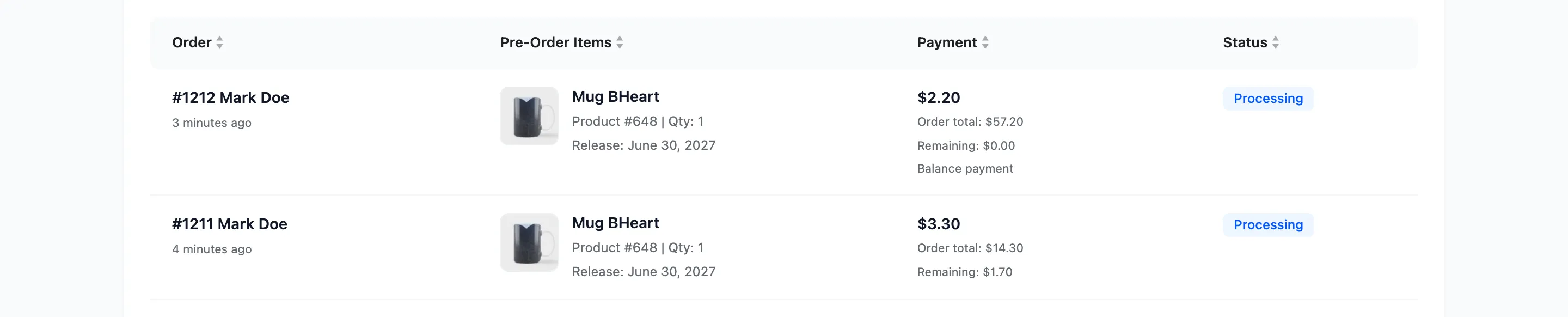
A row with a remaining balance on a product that has already released is a customer to contact. They have a Complete Pre-Order action waiting in their account; most just have not noticed the email.
Skip the rows marked Balance payment. Those are the settling orders, and they read zero because the money is already in.
For the whole list at once, export the orders and total the Remaining Amount column. See How to Export Pre-Order Data (Pro).
The number that is not on any screen
Section titled “The number that is not on any screen”How many people looked at a pre-order and did not reserve. The plugin counts reservations, not views, so the conversion rate of a launch page is not here.
If that matters, the shortcode makes it measurable: put the pre-order block on its own landing page and read that page’s traffic in your analytics against the orders here. See How to Show Pre-Order Details with a Shortcode.
A weekly routine
Section titled “A weekly routine”- Release Pipeline first. Clear anything overdue.
- Reserved stock on released products. Chase what has not been paid.
- The trend chart over the last month. Decide what to make more of.