

Display Settings
The Display tab controls everything a shopper sees, and all of it is free. Nothing here is gated.
Go to Configuration → Display.
Display Settings
Section titled “Display Settings”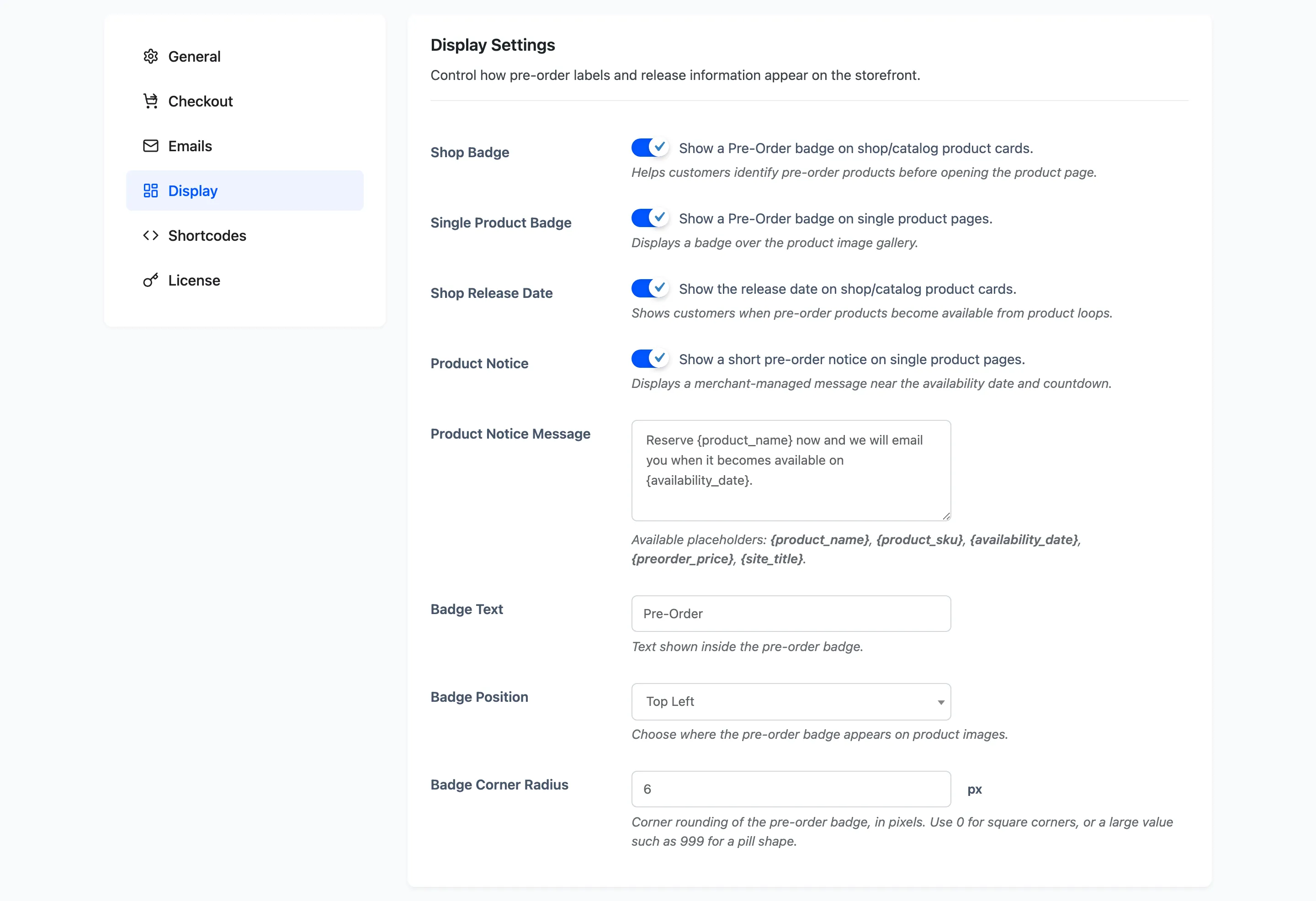
Shop Badge: Default on. Shows the badge on product cards in the shop, in categories and in product blocks.
Single Product Badge: Default on. Shows the badge over the gallery on a product page.
Shop Release Date: Default on. Prints Available <date> under the title in product listings.
Product Notice: Default on. Shows a short message on the product page, under the countdown.
Product Notice Message: The global wording.
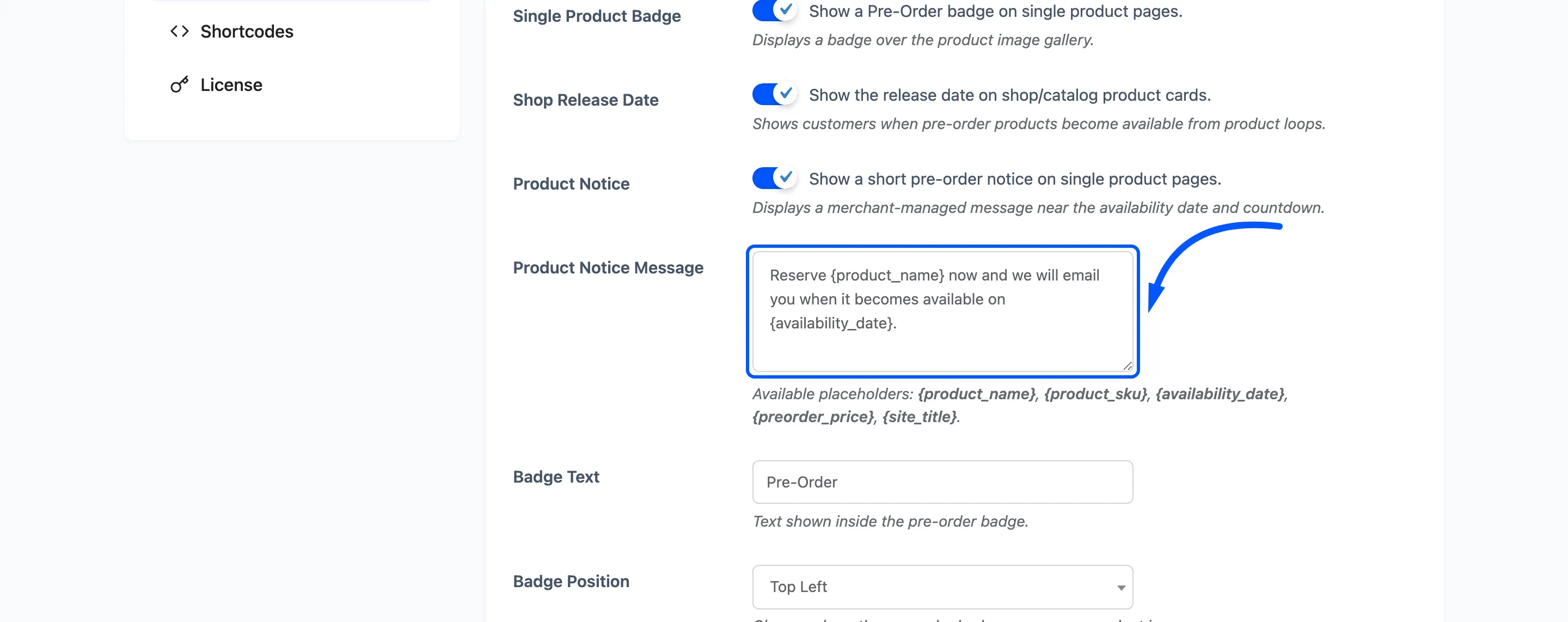
Default: Reserve {product_name} now and we will email you when it becomes available on {availability_date}.
Placeholders: {product_name}, {product_sku}, {availability_date}, {preorder_price},
{site_title}.
A product can override this with its own notice, set on the product’s pre-order form. The per-product message wins whenever it is filled in, so use the global one for the message that suits most of the catalogue.
Badge Text: Default Pre-Order. The words inside the badge. This is separate from the button wording on the General tab, so the two can differ.
Badge Position: Default Top Left. Which corner of the product image the badge sits in.
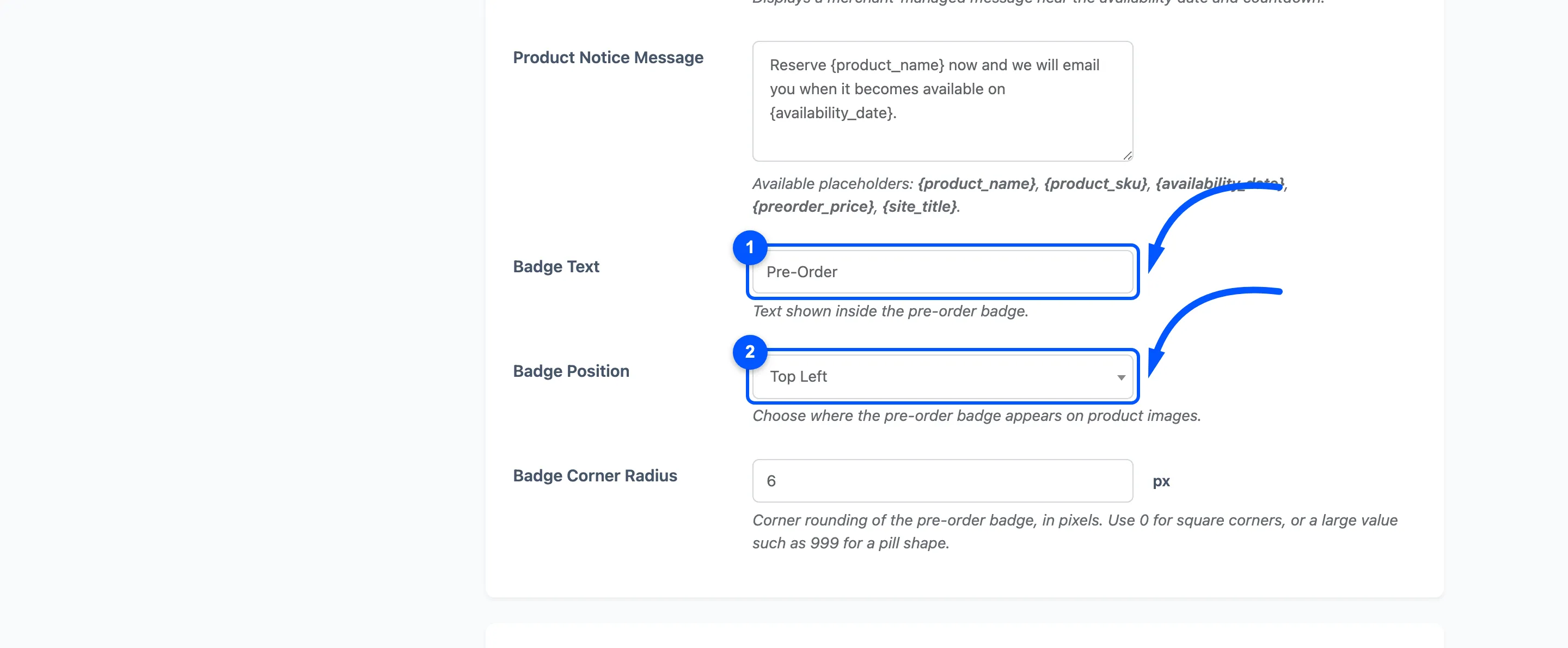
Badge Corner Radius: Default 6 pixels. Use 0 for square corners, or a large number such as 999 for a pill.
Storefront Colors
Section titled “Storefront Colors”Twelve colour pickers, each with a sensible default. Leaving one alone keeps the built-in palette.
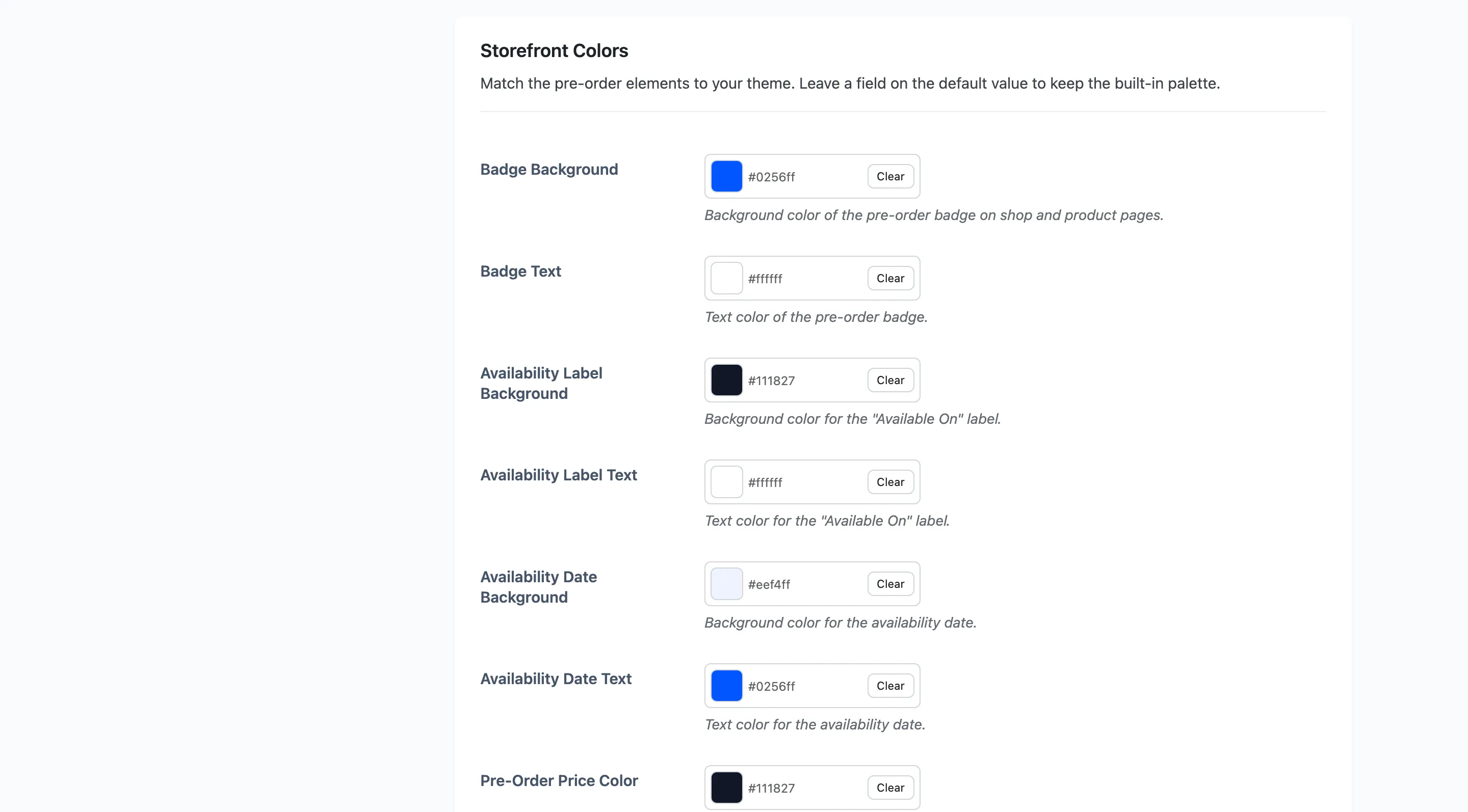
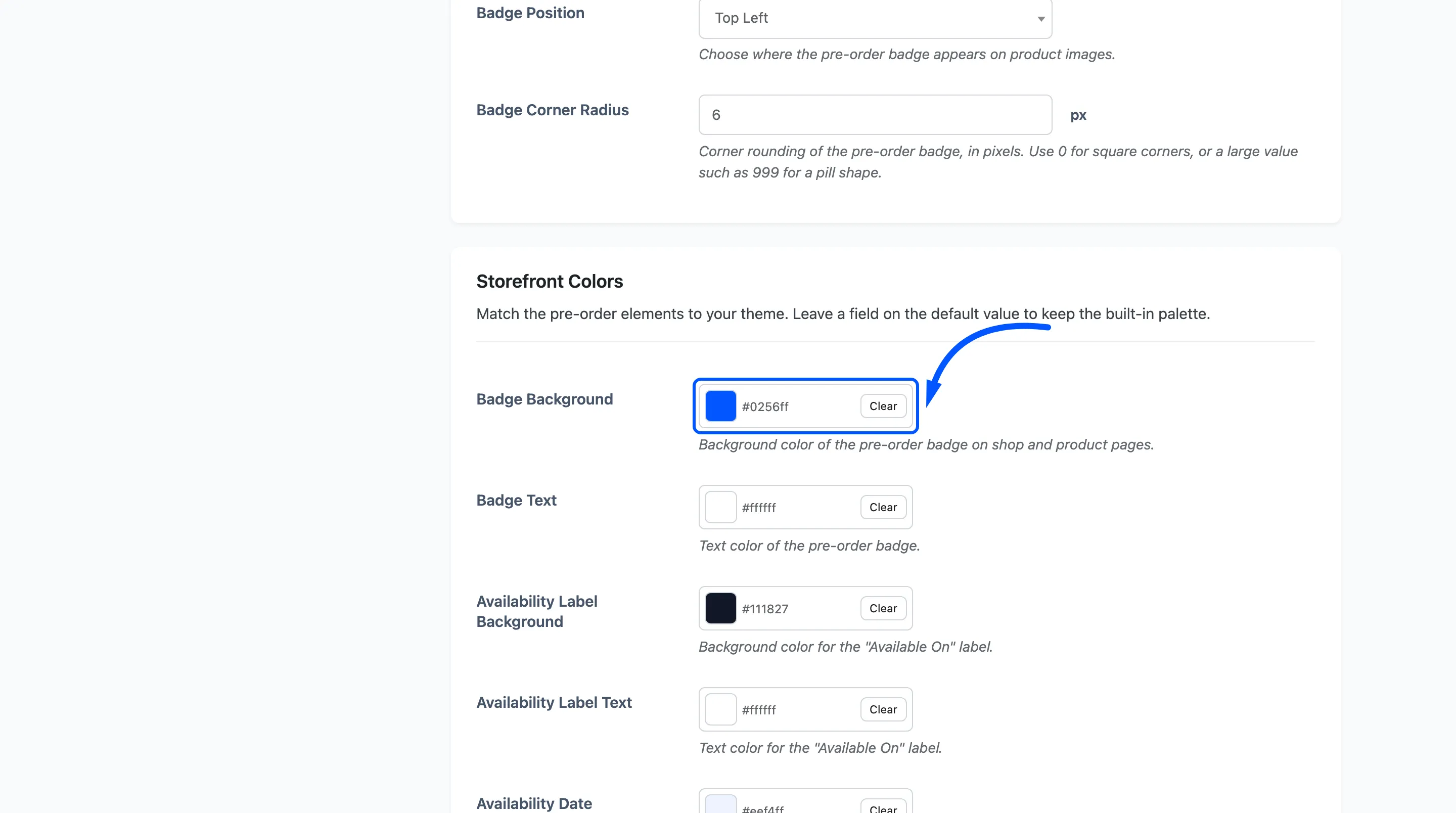
- Badge Background
#0256ffand Badge Text#ffffff. The badge itself. - Availability Label Background
#111827and Availability Label Text#ffffff. The “Available On” label. - Availability Date Background
#eef4ffand Availability Date Text#0256ff. The date beside it. - Pre-Order Price Color
#111827. The “Pre-Order Price” line. - Stock Status Color
#10b981. The stock line under the price. - Countdown Accent Color
#0256ff. Used by the minimal and boxed countdown styles.
The last three style the customer’s pre-order table.
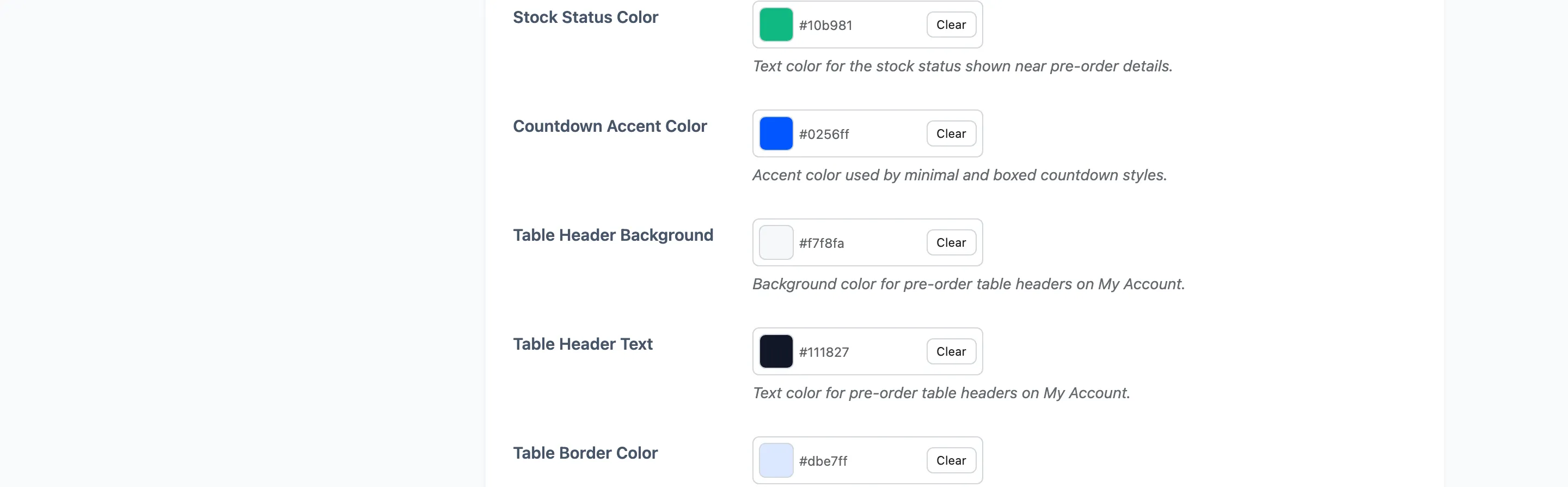
- Table Header Background
#f7f8faand Table Header Text#111827. - Table Border Color
#dbe7ff.
How the colours reach the page
Section titled “How the colours reach the page”The plugin writes them as CSS variables on the pages that need them, so a change takes effect as soon as you save. There is no cache to clear and no stylesheet to edit.
That also means the elements are styleable from your theme if you want to go further than the pickers allow.
Field summary
Section titled “Field summary”| Field | Default | Free |
|---|---|---|
| Shop Badge | On | Yes |
| Single Product Badge | On | Yes |
| Shop Release Date | On | Yes |
| Product Notice | On | Yes |
| Product Notice Message | Reserve {product_name} now… |
Yes |
| Badge Text | Pre-Order | Yes |
| Badge Position | Top Left | Yes |
| Badge Corner Radius | 6px | Yes |
| Twelve storefront colours | Brand palette | Yes |