

How to Change a Release Date
Dates move. What matters is that the people already holding a reservation hear it from you rather than noticing the countdown changed.
Step 1: Check the email is on
Section titled “Step 1: Check the email is on”Go to Configuration → Emails and find Release Date Changed Email.
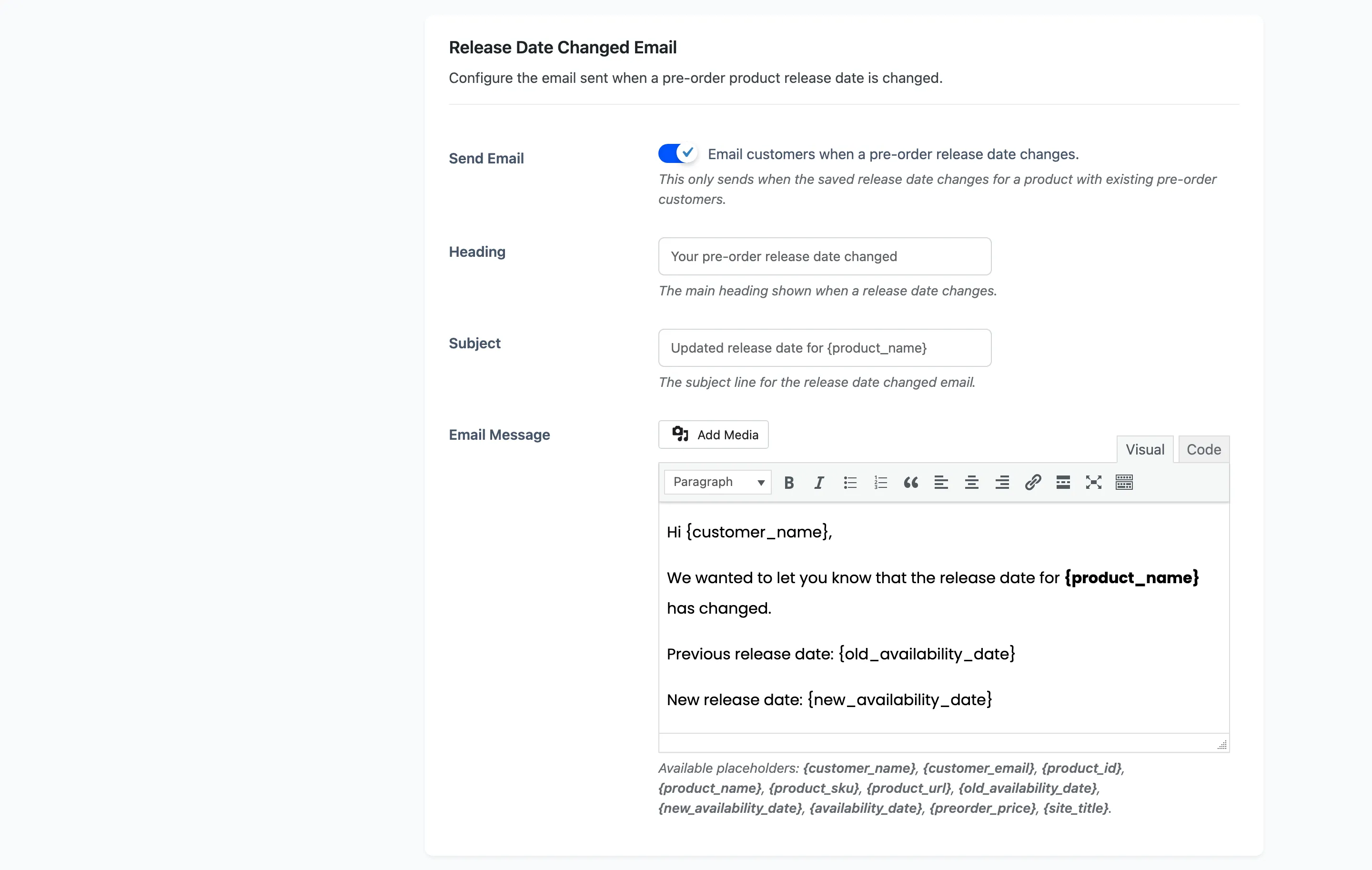
Send Email is on by default.
It only sends when the saved date really changes, and only for a product somebody has already reserved. Editing a date on a product with no customers sends nothing.
Step 2: Word the message
Section titled “Step 2: Word the message”The two placeholders that matter here are {old_availability_date} and {new_availability_date}.
Use both. A customer wants to see what they were promised next to what they are being given, and a message carrying only the new date reads as though nothing changed.
The rest of the product placeholders are available too: {customer_name}, {product_name},
{product_url}, {product_sku}, {preorder_price}, {site_title}.
A short version that works:
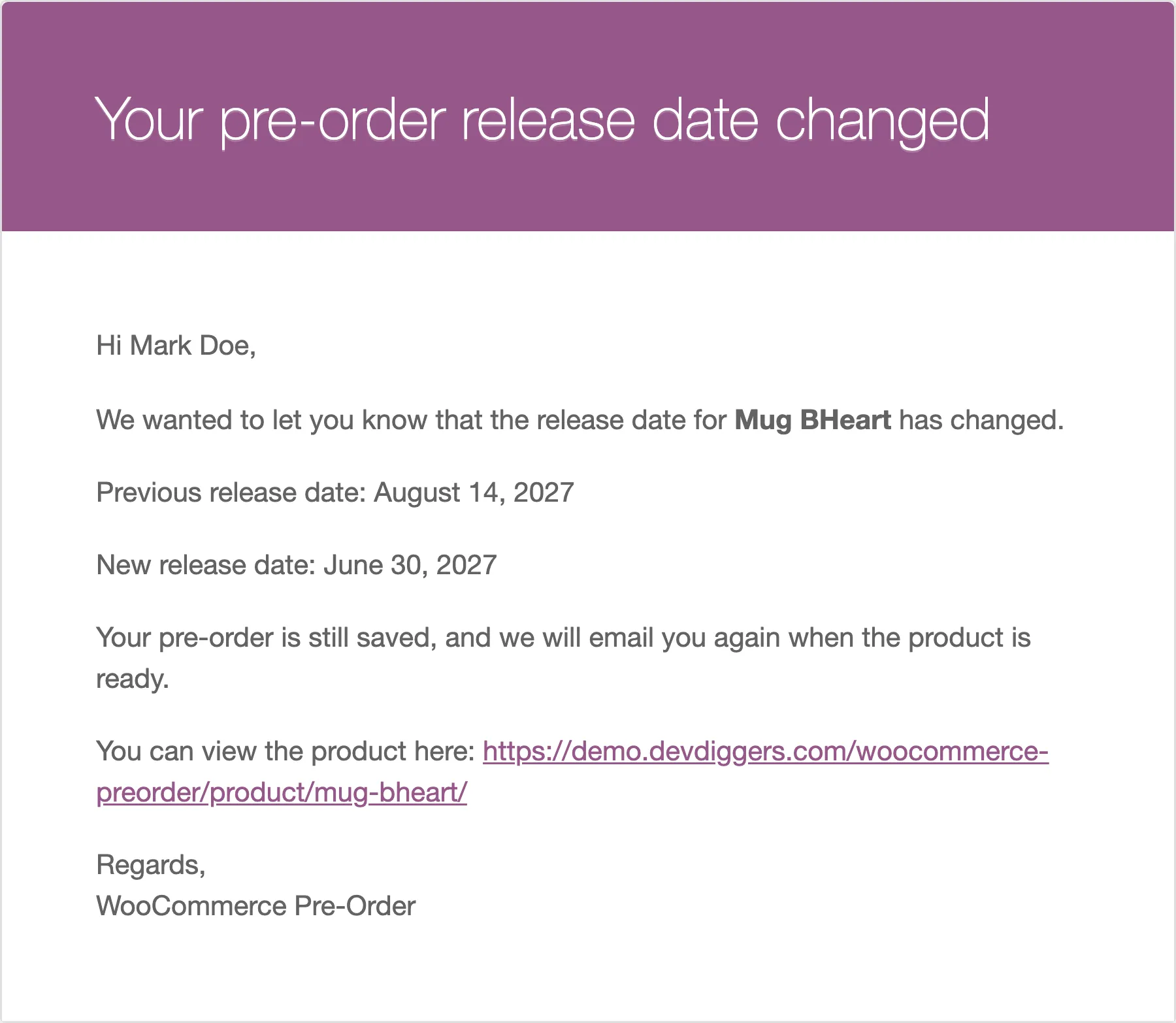
Hi {customer_name},
The release date for {product_name} has moved.
Previously: {old_availability_date}Now: {new_availability_date}
Your pre-order is still reserved and nothing is charged again.
That last line is the one customers actually want. A date change makes people wonder whether their order still stands.
Step 3: Open the product
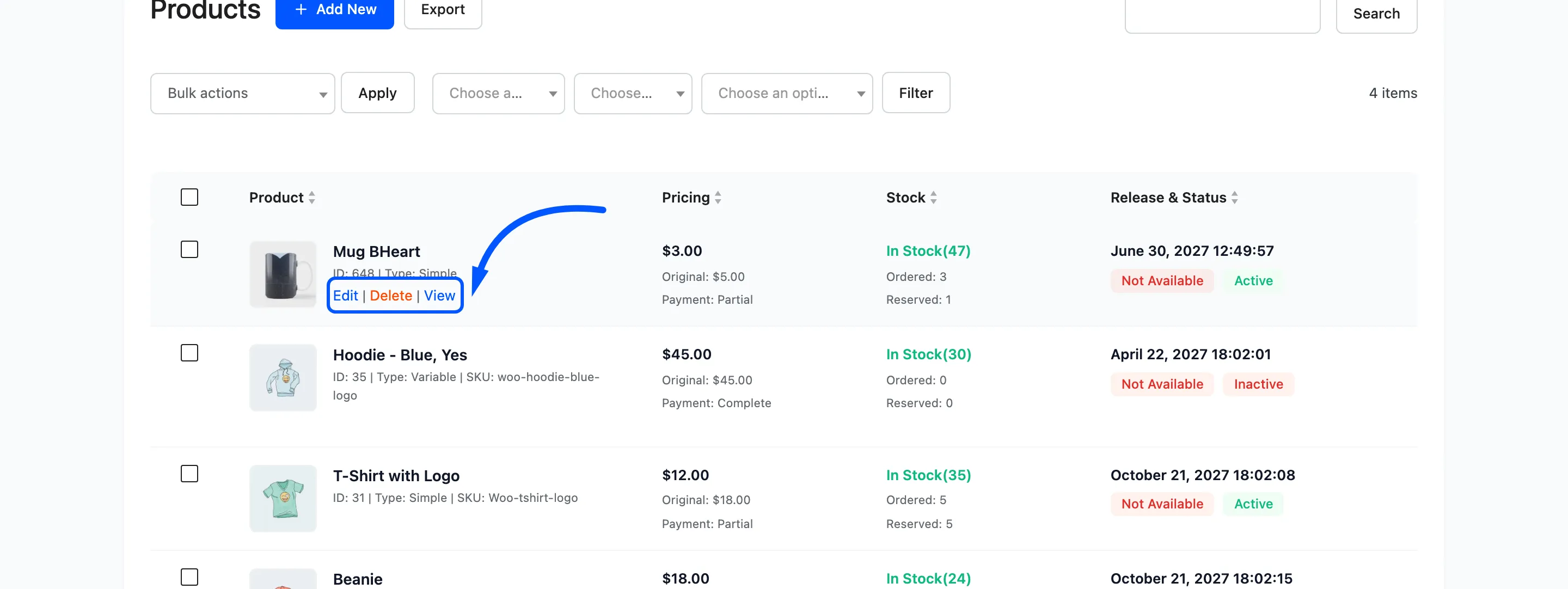
Section titled “Step 3: Open the product”Go to Pre-Order → Products and press Edit on the row.
Step 4: Change the date
Section titled “Step 4: Change the date”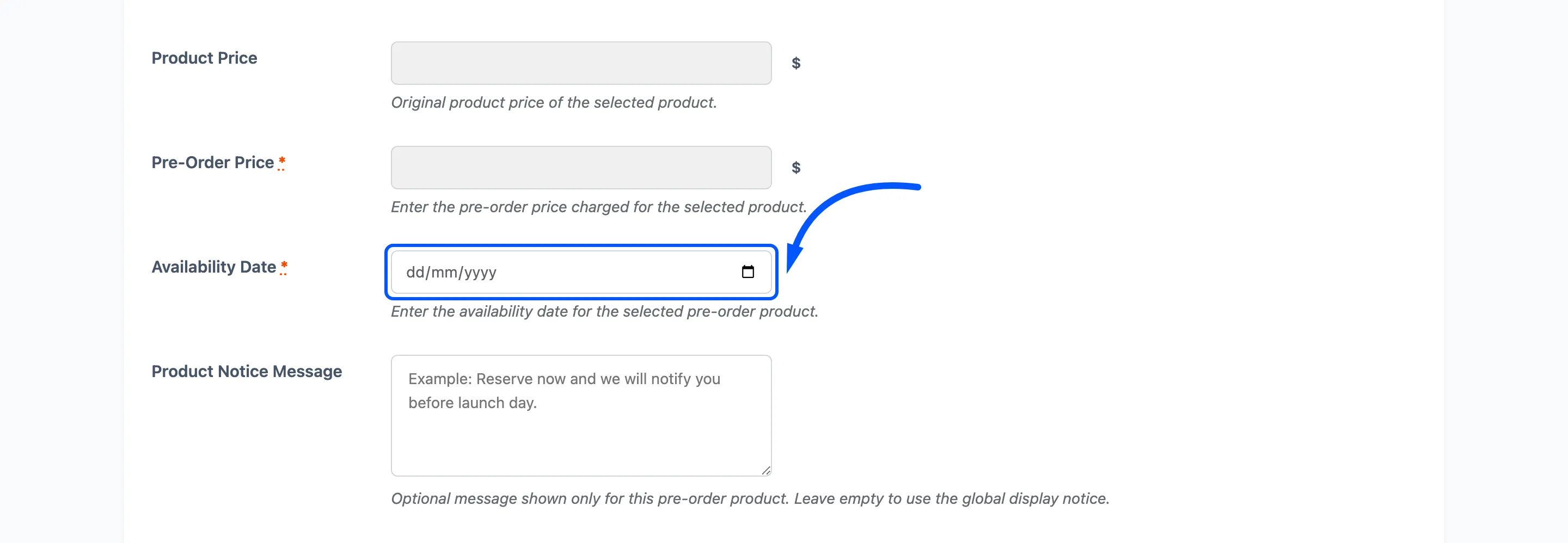
Set the new Availability Date and press Save.
The comparison is by day. Save a different day and the email goes out. Save the same day, even with a different time, and the plugin keeps the original timestamp and sends nothing.
Everything else survives the save: ordered quantity, reserved stock, and the list of customers to notify.
Step 5: Confirm
Section titled “Step 5: Confirm”The products list shows the new date, and so does every existing order on the Orders screen, because that column reads the product’s current date rather than the date at the time of the order.
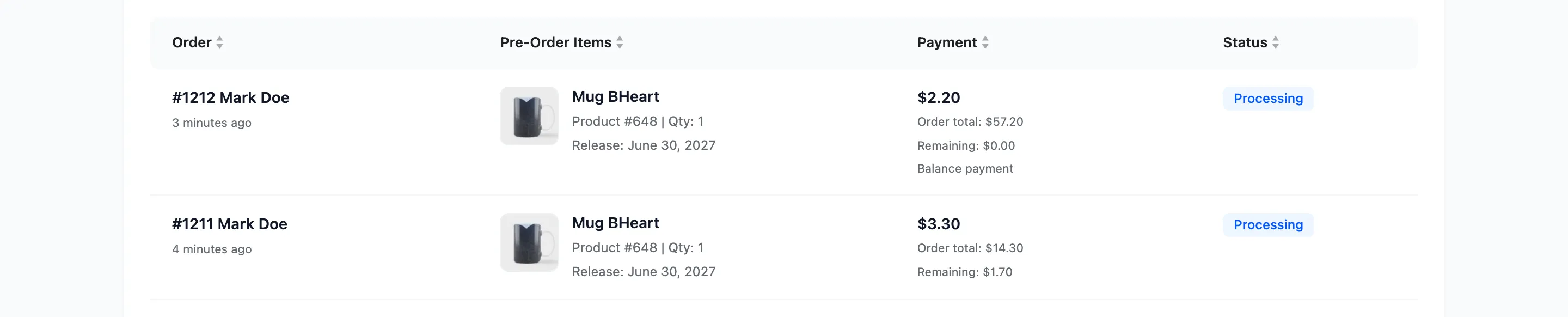
That is what you want when a customer emails asking what they are waiting for.
The email itself is one per customer who reserved. Unlike the availability email there is no “already told” flag, so moving a date three times emails them three times. Batch your changes.
Moving a date backwards
Section titled “Moving a date backwards”Bringing a release forward works the same way, with one thing to watch: if the new date is already in the past and Automatically Set Available is on, the next hourly run releases the product.
That is usually what you meant. If it is not, set the date and switch the product to Inactive in the same save.