

How to Charge a Pre-Order Fee (Pro)
A pre-order fee covers what a reservation actually costs you: holding stock, an early production run, or the payment processing on two orders instead of one.
Step 1: Open the Checkout tab
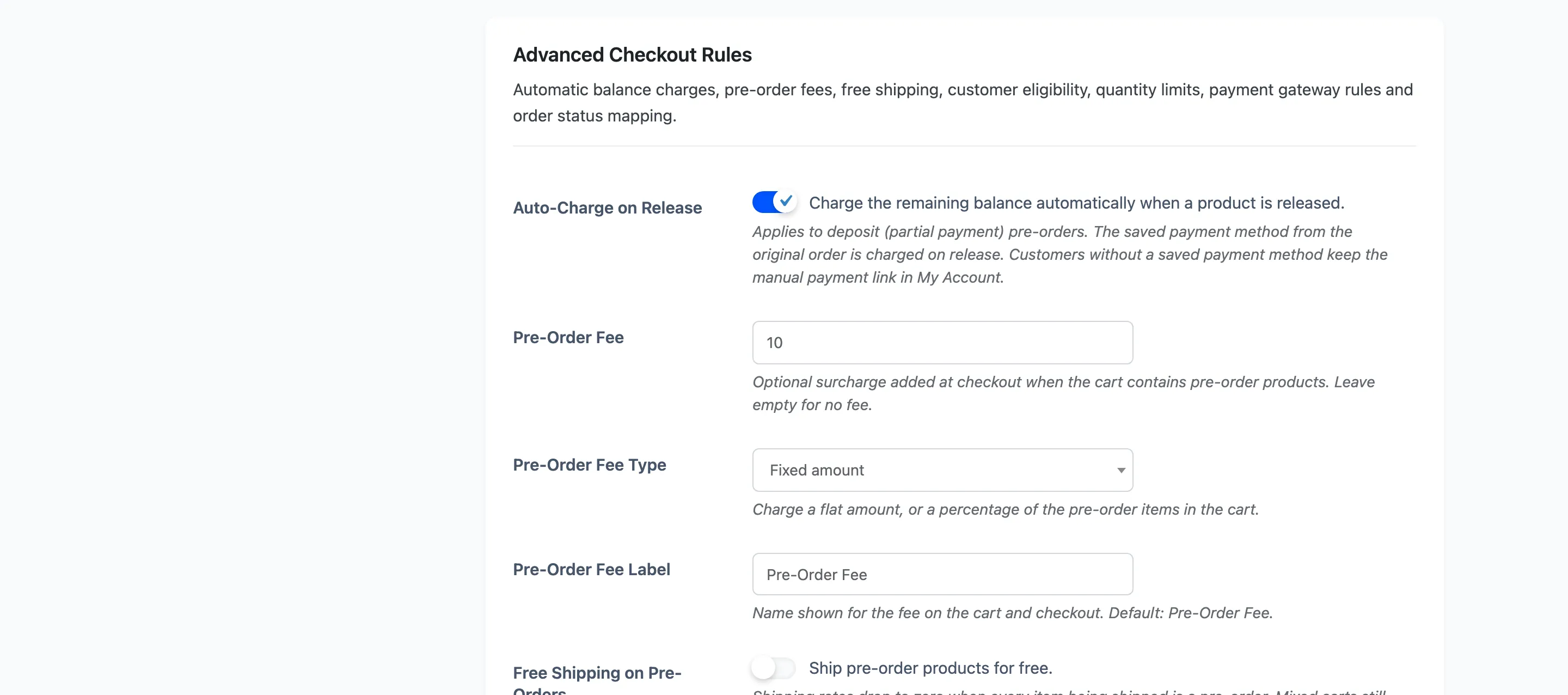
Section titled “Step 1: Open the Checkout tab”Go to Configuration → Checkout and scroll to Advanced Checkout Rules.
Step 2 and 3: Enter the fee and its type
Section titled “Step 2 and 3: Enter the fee and its type”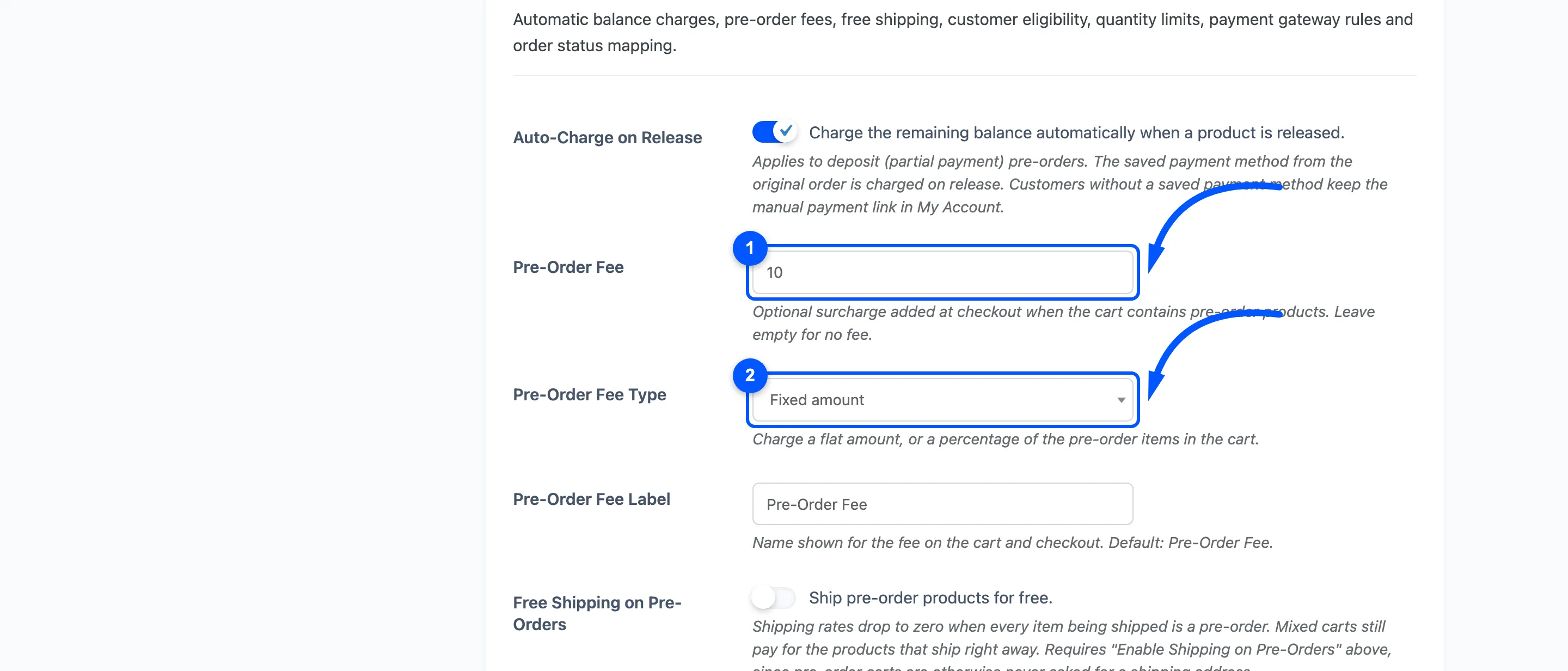
Pre-Order Fee is the amount. Leave it empty for no fee.
Pre-Order Fee Type is Fixed amount or Percentage of pre-order total.
- Fixed adds the same amount to any qualifying cart, whatever is in it.
- Percentage works it out from the pre-order lines only. Ordinary products in a mixed cart never inflate it.
The fixed fee is per cart, not per item. Reserving three of something adds the fee once, so a flat fee on a low-value product is proportionally heavy on a single unit and light on ten.
Percentage is usually the fairer choice on a catalogue with a wide price range.
Step 4: Name the line
Section titled “Step 4: Name the line”Pre-Order Fee Label, default Pre-Order Fee. This is what the customer reads in the totals, so say what it is for rather than what it is. “Reservation fee” and “Early access fee” both land better than a bare “Fee”.
Press Save Changes.
Step 5: Test it
Section titled “Step 5: Test it”Put a pre-order product in the cart.
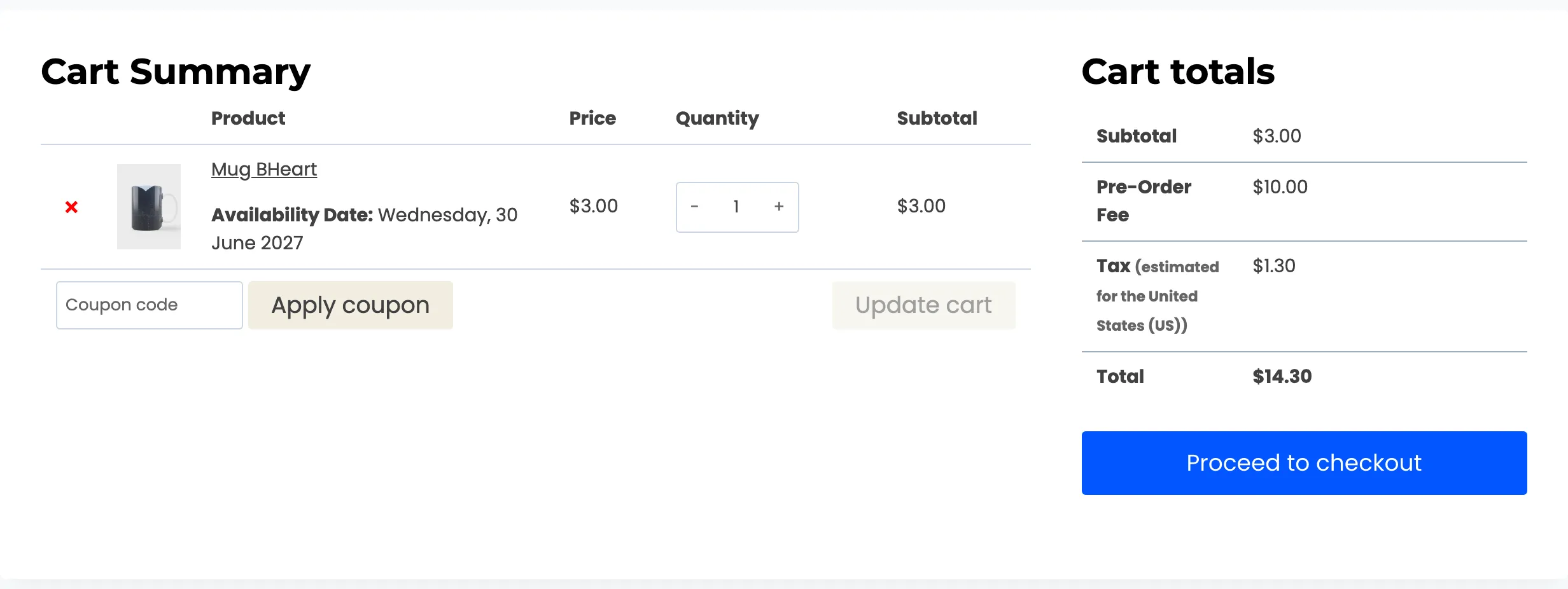
The fee appears as its own line under the subtotal, and carries through to the checkout summary.
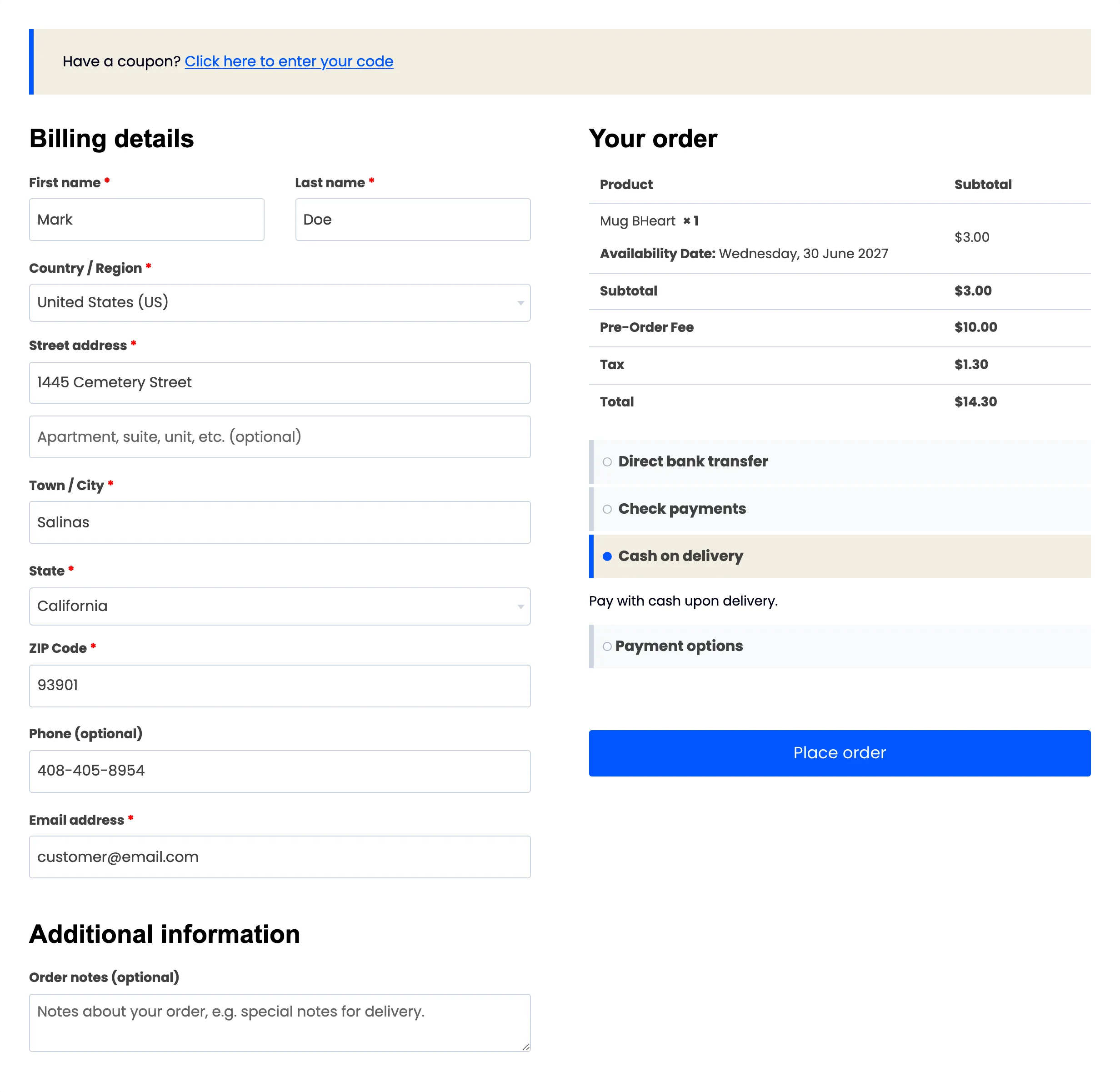
Check three things while you are here:
- The label reads well at the size your theme prints totals.
- Tax is what you expect. The fee is added as a taxable line, so it picks up your store’s tax rules.
- The total makes sense next to the deposit, if you take deposits. A $10 fee on a $3 deposit is arithmetically fine and reads badly.
When the fee does not apply
Section titled “When the fee does not apply”- No pre-order in the cart. The fee keys off pre-order lines, so an ordinary cart never sees it.
- A pre-order total of zero: A percentage of nothing is nothing.
The fee is charged once, even on a deposit
Section titled “The fee is charged once, even on a deposit”A deposit pre-order produces two orders, and only the first one carries the fee. The fee belongs to the reservation, not to every order that touches it.
Here is the same customer’s balance checkout, taken straight after the deposit above:
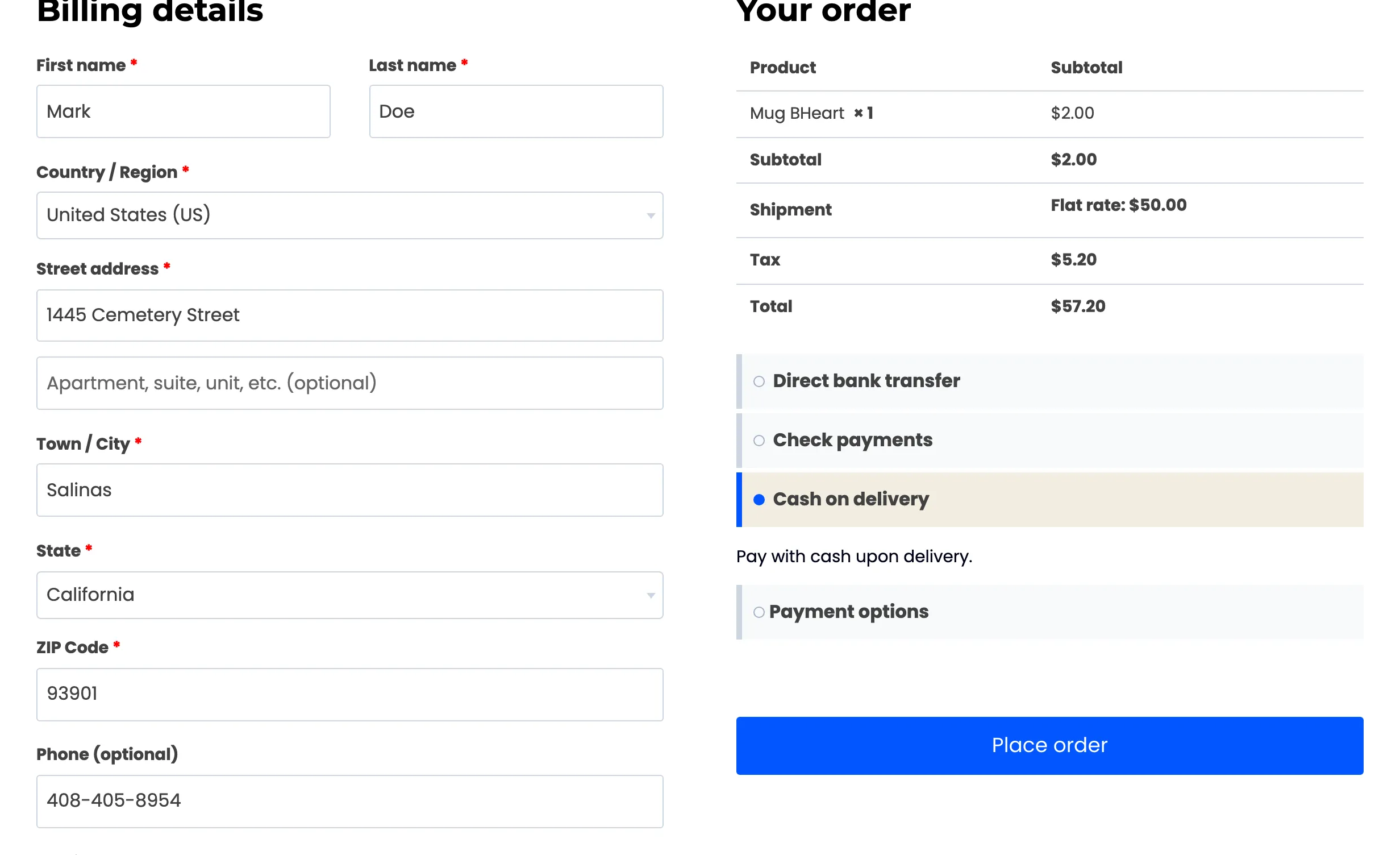
Subtotal, shipping, tax, total. No fee line, because the fee was already paid on the deposit.
So a $10.00 fixed fee costs a deposit customer $10.00, once, on the order where they expect it. Set the fee to what one reservation is worth to you and it needs no adjusting for deposits.