

General Settings
The General tab holds the switch that turns the whole plugin on, the wording customers read, and the release automation.
Go to DevDiggers Plugins → Pre-Order → Configuration → General.
Global Settings
Section titled “Global Settings”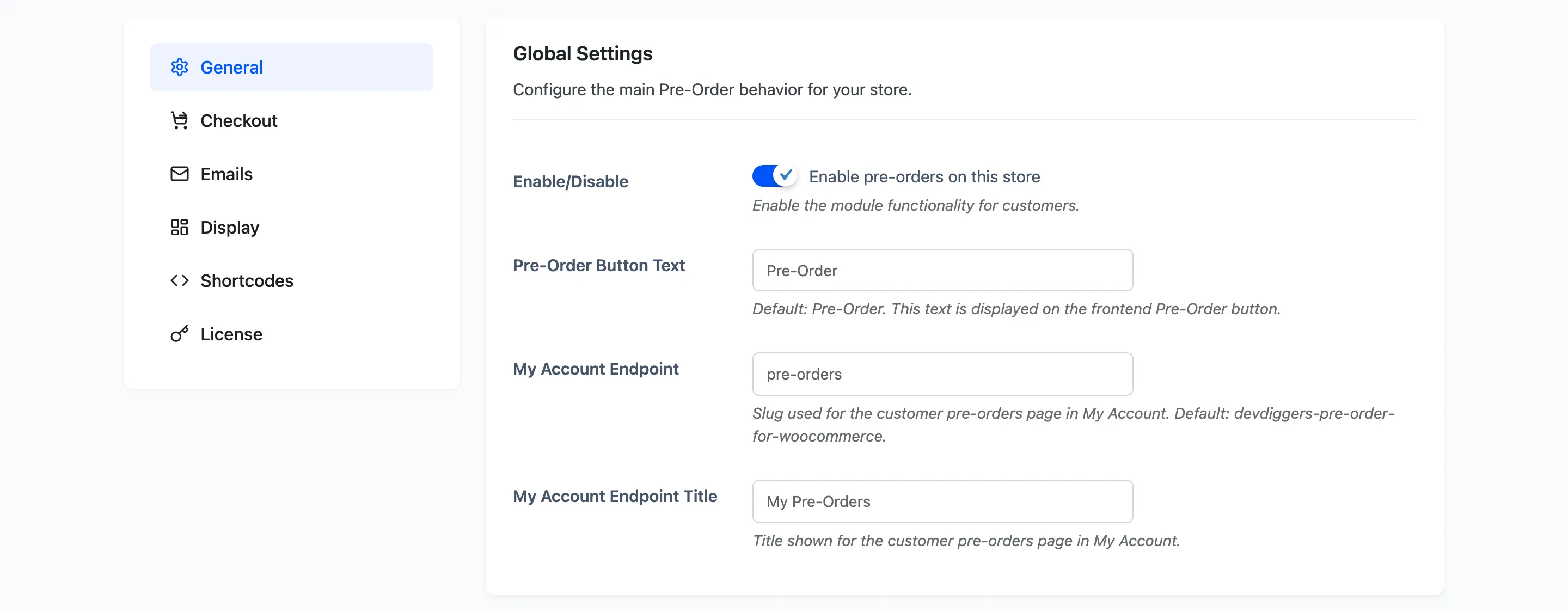
Enable/Disable: Default off on a fresh install. With this unticked the plugin adds nothing to the storefront: no badge, no countdown, no pre-order button, and the release schedule does not run. Pre-order products behave like ordinary products.
Pre-Order Button Text: Default Pre-Order. This one string appears in four places: the shop grid button, the product page button, the “Login to …” prompt when an account is required, and the customer’s Complete … action. Keep it short enough not to wrap on a phone.
My Account Endpoint: Default pre-orders. The URL segment for the customer’s pre-order page, so
it becomes /my-account/pre-orders/.
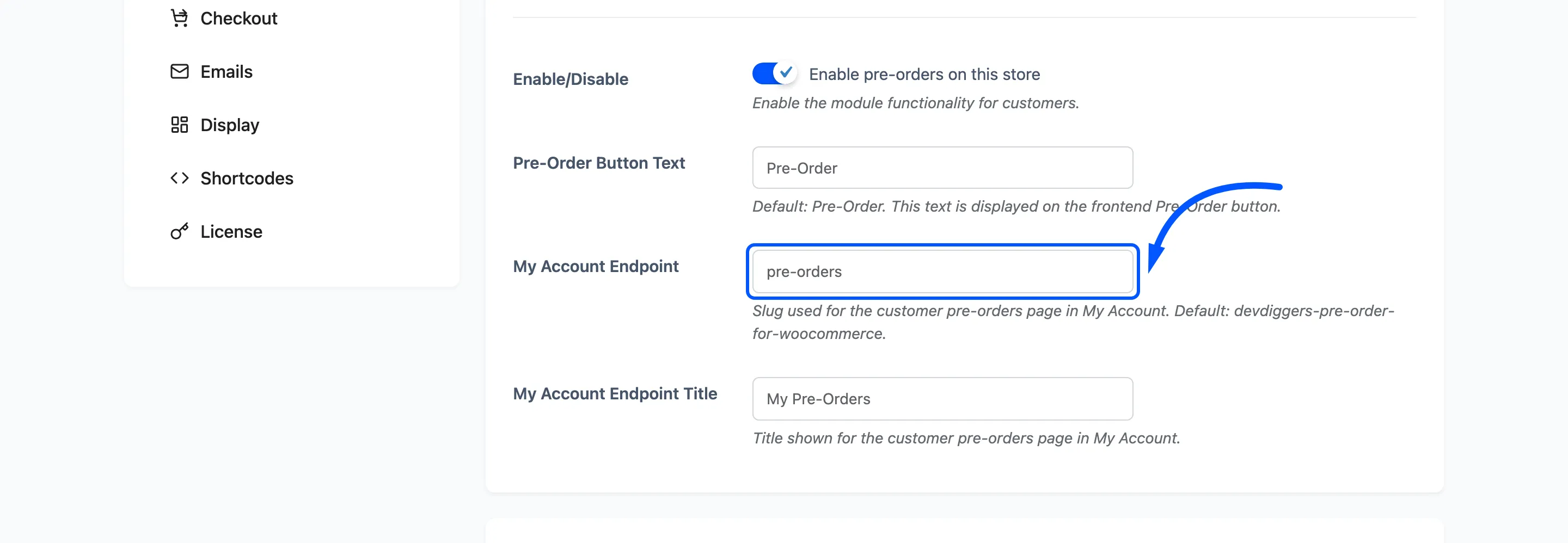
Changing this rewrites permalinks as soon as you save, so the new address works immediately. The old one stops working, which matters if you have linked to it from an email or a menu.
My Account Endpoint Title: Default My Pre-Orders. The label in the account menu and the heading on that page.
Release Automation
Section titled “Release Automation”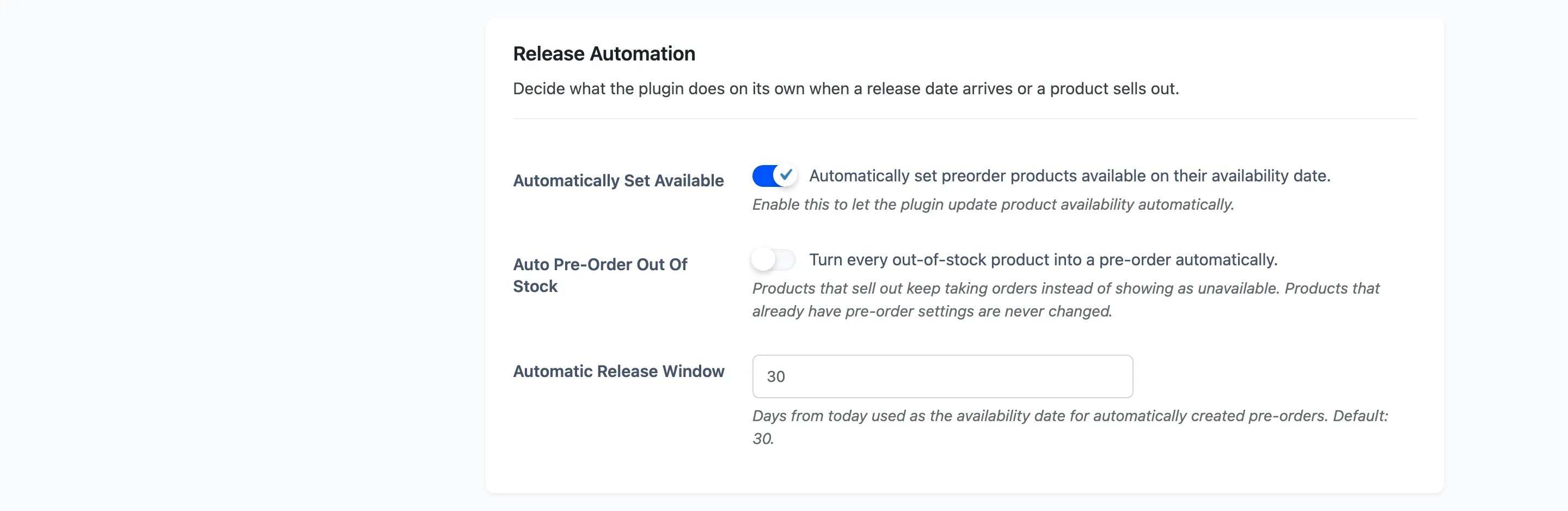
Automatically Set Available: Default off. Ticked, the plugin releases a pre-order product once its date has passed: availability flips to Available, the pre-order switches itself off, the product’s original stock comes back, and everyone who reserved it is emailed.
Leave this off only if you want to release products by hand. The Release Pipeline widget will then show overdue products until you act on them.
The check runs hourly, not at midnight. It is a WordPress cron event, so a quiet store releases a product some time after its date rather than on the minute. A product page view also triggers the release for that one product, which is why a customer sometimes sees it live before you do.
Auto Pre-Order Out Of Stock: Default off. Ticked, any product that sells out is turned into a pre-order automatically instead of showing as unavailable.
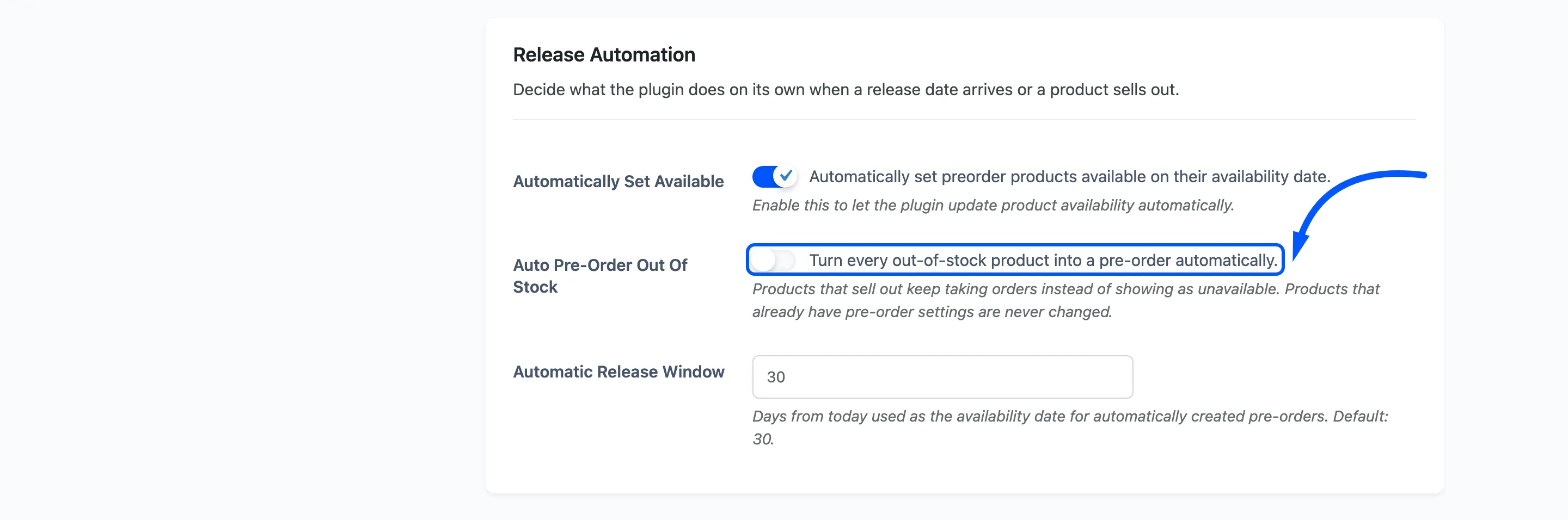
Three things about it are worth knowing before you switch it on.
- It never touches a product that already has pre-order settings, so your own configuration is safe.
- It applies to simple products and variations only, and only ones that are purchasable.
- The pre-order it creates takes full payment, uses the product’s own price, and shows a countdown.
Automatic Release Window: Default 30, range 1 to 365. How many days ahead the release date is set for those automatically created pre-orders. It has no effect on products you set up yourself.
Field summary
Section titled “Field summary”| Field | Default | Free |
|---|---|---|
| Enable/Disable | Off | Yes |
| Pre-Order Button Text | Pre-Order | Yes |
| My Account Endpoint | pre-orders | Yes |
| My Account Endpoint Title | My Pre-Orders | Yes |
| Automatically Set Available | Off | Yes |
| Auto Pre-Order Out Of Stock | Off | No |
| Automatic Release Window | 30 days | No |