

How to Use Coupons With Tiered Prices
Tiered pricing and coupons do different jobs. The tier price needs no code and shows on the product page. A coupon is a code the customer types in.
The plugin has no coupon settings of its own. A coupon behaves the way WooCommerce makes it behave on the price it finds in the cart.
This tutorial applies two coupons to tiered carts and reads the result.
Step 1: Create the coupon in WooCommerce
Section titled “Step 1: Create the coupon in WooCommerce”Go to Marketing → Coupons → Add coupon. Enter a code, choose Percentage discount as the Discount type and enter 10 as the Coupon amount. Click Publish.
The coupon in this tutorial is ddwelcome10. A second one, ddfullprice10, is the same except that
Exclude sale items is ticked on the Usage restriction tab.
Step 2: Add a tiered quantity to the cart
Section titled “Step 2: Add a tiered quantity to the cart”Add 12 Polo shirts to the cart. The Polo costs $20.00, and the Bulk 10+ tier takes 5 percent off.
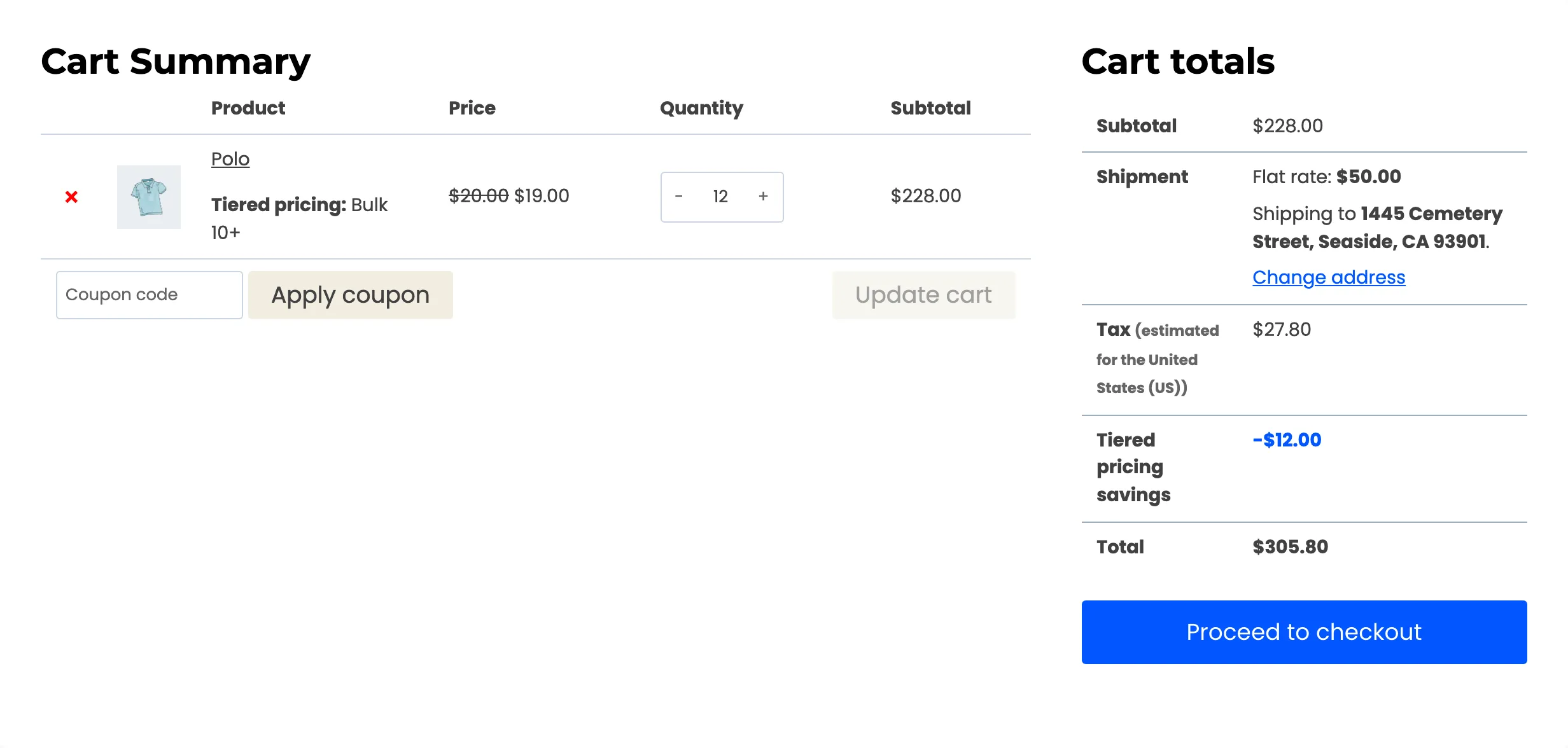
The line shows $19.00 each and a subtotal of $228.00. The Tiered pricing savings row shows -$12.00, which is 12 units at $1.00.
Step 3: Apply the coupon
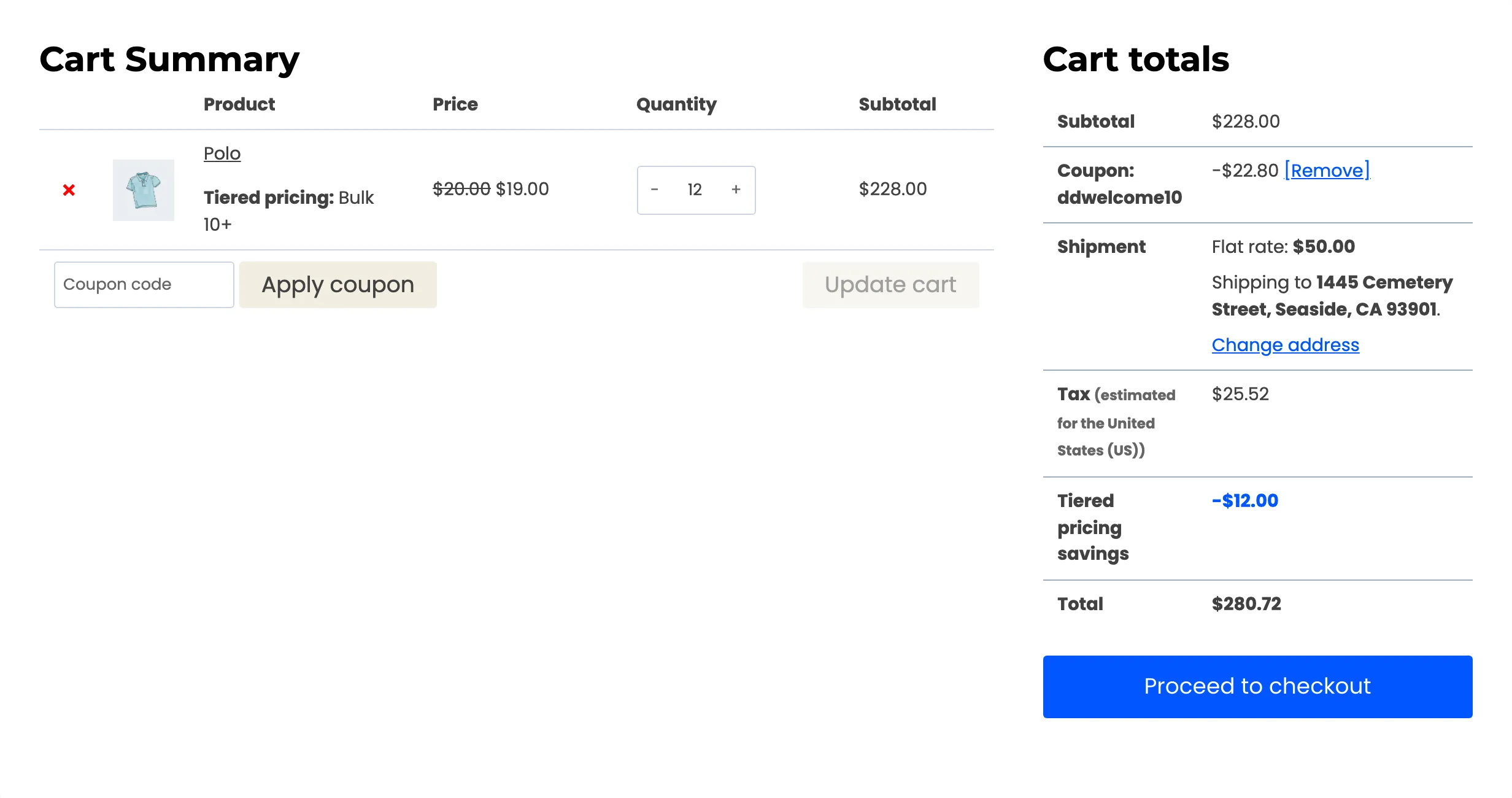
Section titled “Step 3: Apply the coupon”Type ddwelcome10 into Coupon code and click Apply coupon.
Step 4: Read the totals
Section titled “Step 4: Read the totals”The coupon takes 10 percent of the tier subtotal, not of the normal price. That is 10 percent of $228.00, which is $22.80. The two discounts stack, and each keeps its own row.
- Coupon: -$22.80, with a Remove link.
- Tiered pricing savings: -$12.00. The coupon does not change this row.
- Total: $280.72 with shipping and tax.
The savings row only reports what the tier took off. It does not include the coupon.
Step 5: Decide how Exclude sale items should behave
Section titled “Step 5: Decide how Exclude sale items should behave”Exclude sale items keeps a coupon off products that are on sale. A tier price does not count as a sale. WooCommerce asks the product whether it has a sale price, and the tier price is set later, in the cart.
Add 12 Polos, which have no sale price, and 12 Beanies, which are on sale. Apply ddfullprice10.
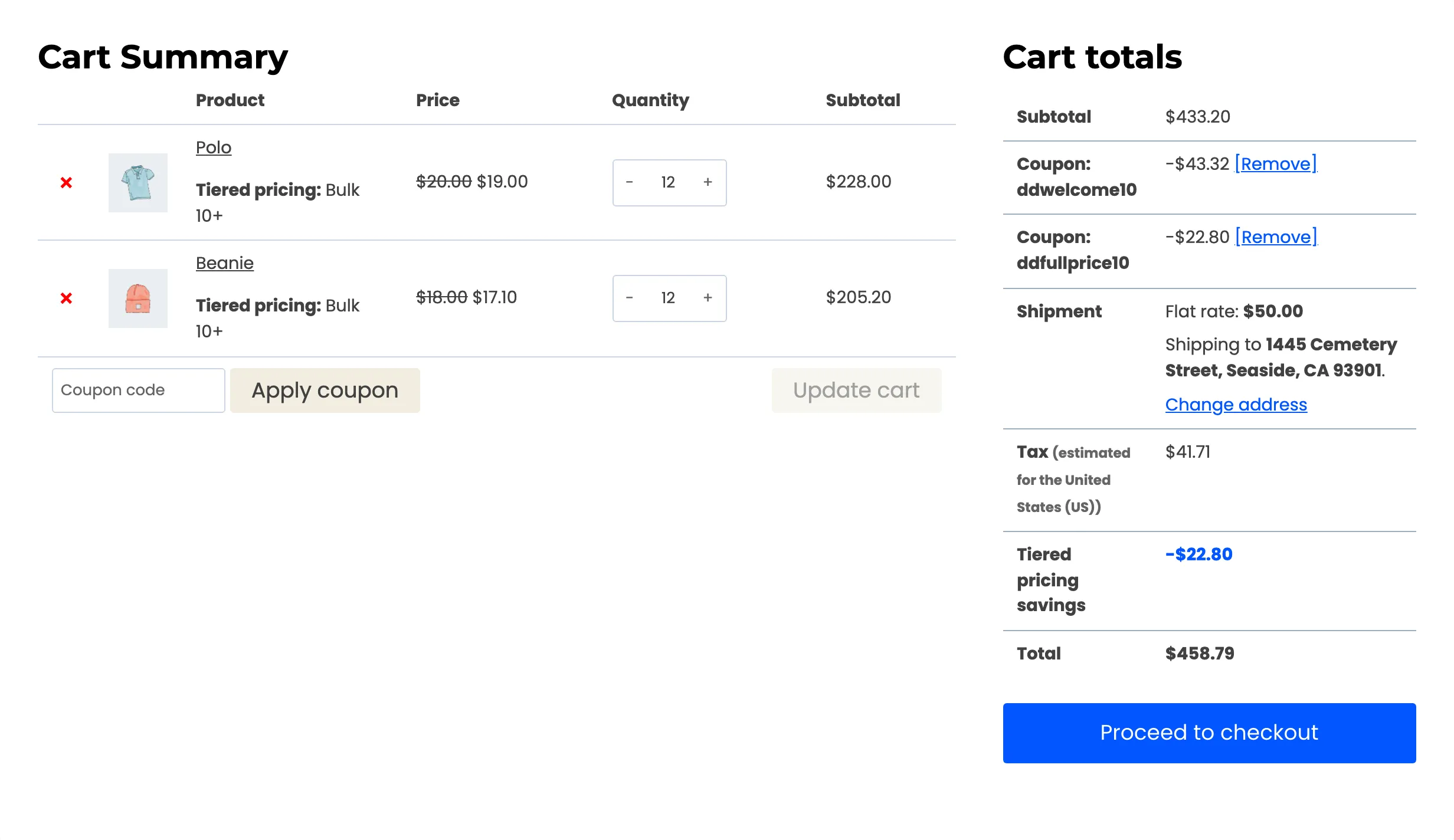
The coupon is $22.80, which is 10 percent of the Polo line alone. The Beanie line gets nothing, because the Beanie has a sale price. The Polo line, which has a tier price but no sale price, is discounted as if the tier were not there.
A coupon treats a tier line like any other line. To stop a coupon stacking on a tier, restrict the coupon in WooCommerce. Or leave the product out of tiered pricing with the store wide exclusions on the General tab.