

How to Count Quantity Across the Whole Cart
A per-product tier rewards a customer who buys 10 of the same shirt. It does nothing for a customer who buys 3 shirts, 3 polos and 4 hoodies. Across the cart counting fixes that.
The rule adds up every line it targets, and a mixed basket can reach a tier together.
Step 1: Choose the products the rule counts
Section titled “Step 1: Choose the products the rule counts”The rule only adds up lines it applies to. A rule for All products would count everything in the basket. This tutorial uses a Mix and match 6+ rule for the Clothing category, which holds hoodies, shirts and accessories through its sub categories.
Under Targeting, set Applies To to Selected categories and pick Clothing.
Step 2: Set Count Quantity to Across the cart
Section titled “Step 2: Set Count Quantity to Across the cart”In Discount, open Count Quantity.
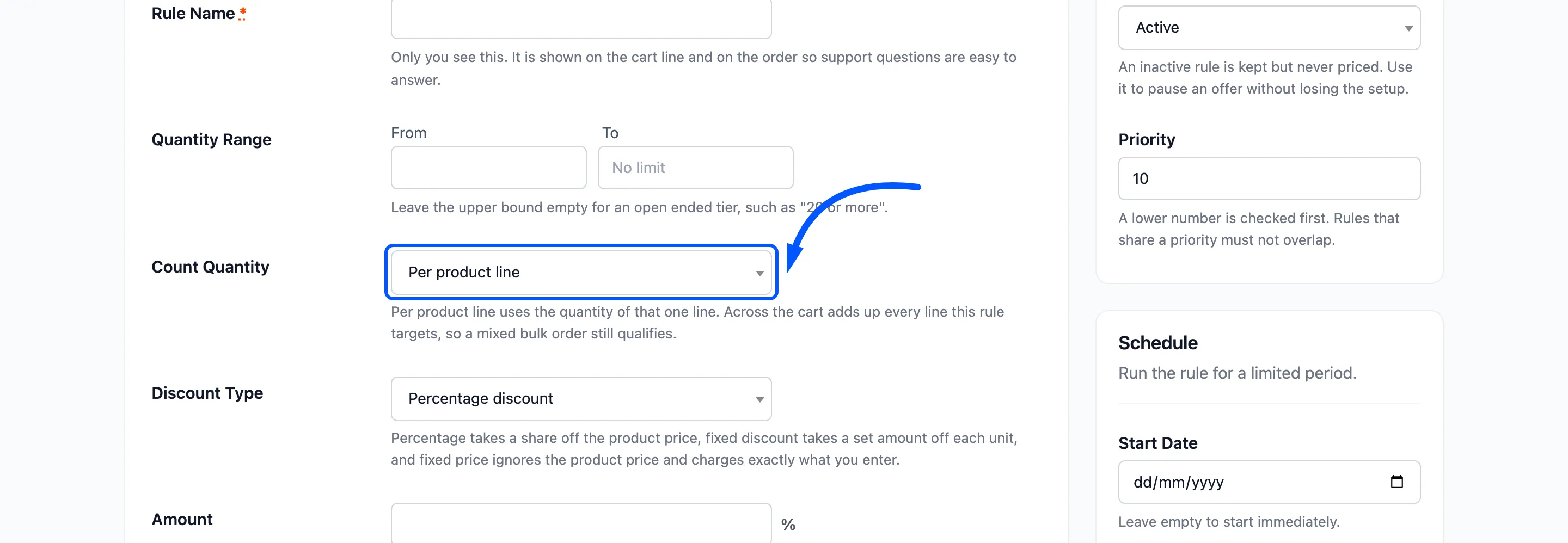
- Per product line: Each cart line is judged on its own quantity. This is the default.
- Across the cart: The rule uses the total quantity of every line it targets, and never less than the line itself.
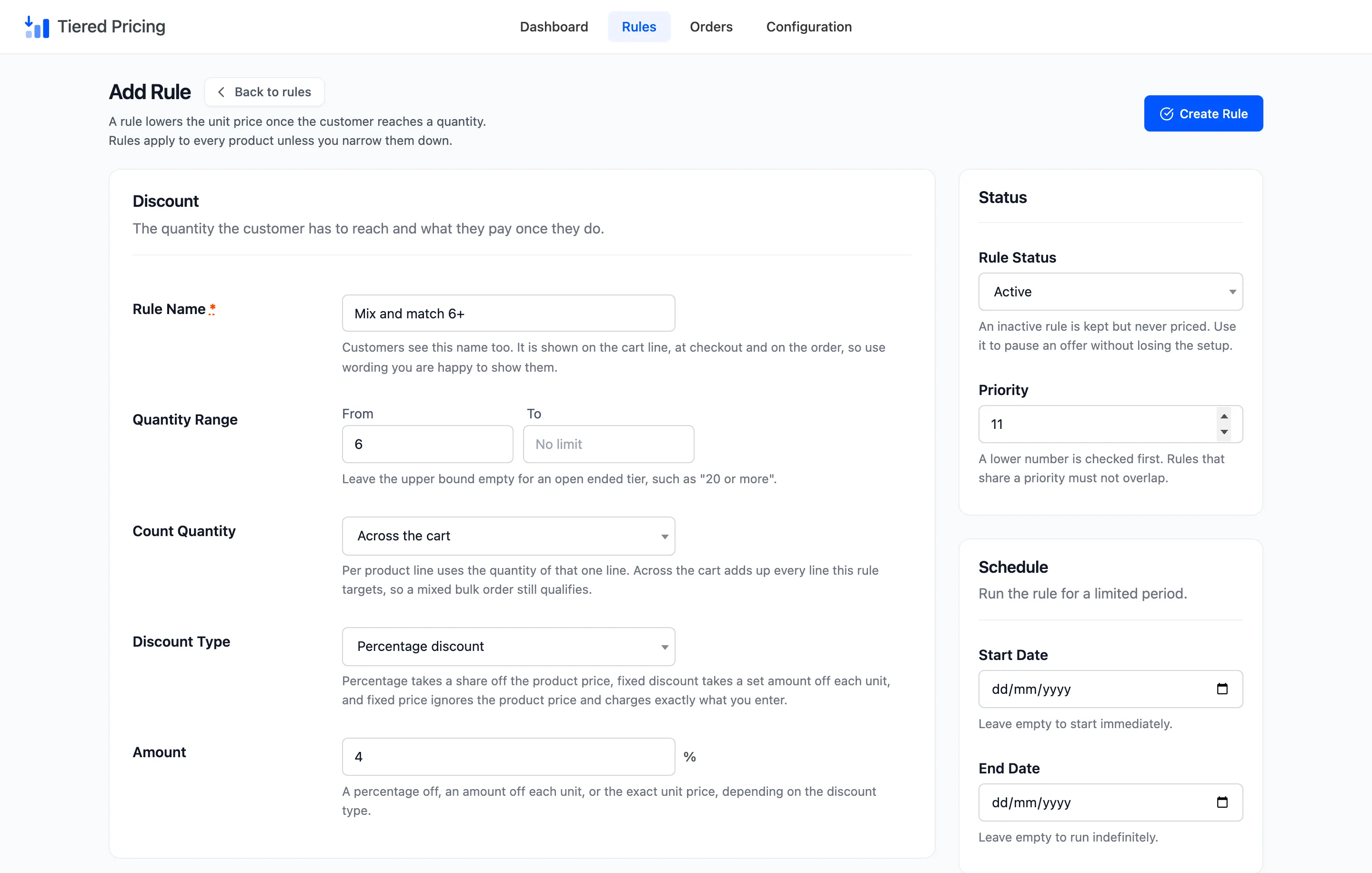
Set From to 6, leave To empty, and enter a 4 percent discount.
Step 3: Give it a higher priority number than the ladder
Section titled “Step 3: Give it a higher priority number than the ladder”Set Priority to 11. The per product ladder sits at 10, so it is checked first.
The order matters. Suppose the mix rule had a lower number than the ladder. A customer buying 50 shirts would meet the 4 percent rule first and never reach the 15 percent tier.
At priority 11, a line that qualifies for the ladder uses the ladder. A mixed basket that qualifies for nothing else falls through to the mix rule.
Step 4: Test a mixed cart
Section titled “Step 4: Test a mixed cart”The Polo and the Long Sleeve Tee are both under Clothing. Add three of each. Neither line reaches 10, but together they make 6.
Each product page lists the mix tier. A customer sees what the basket can earn before adding anything.
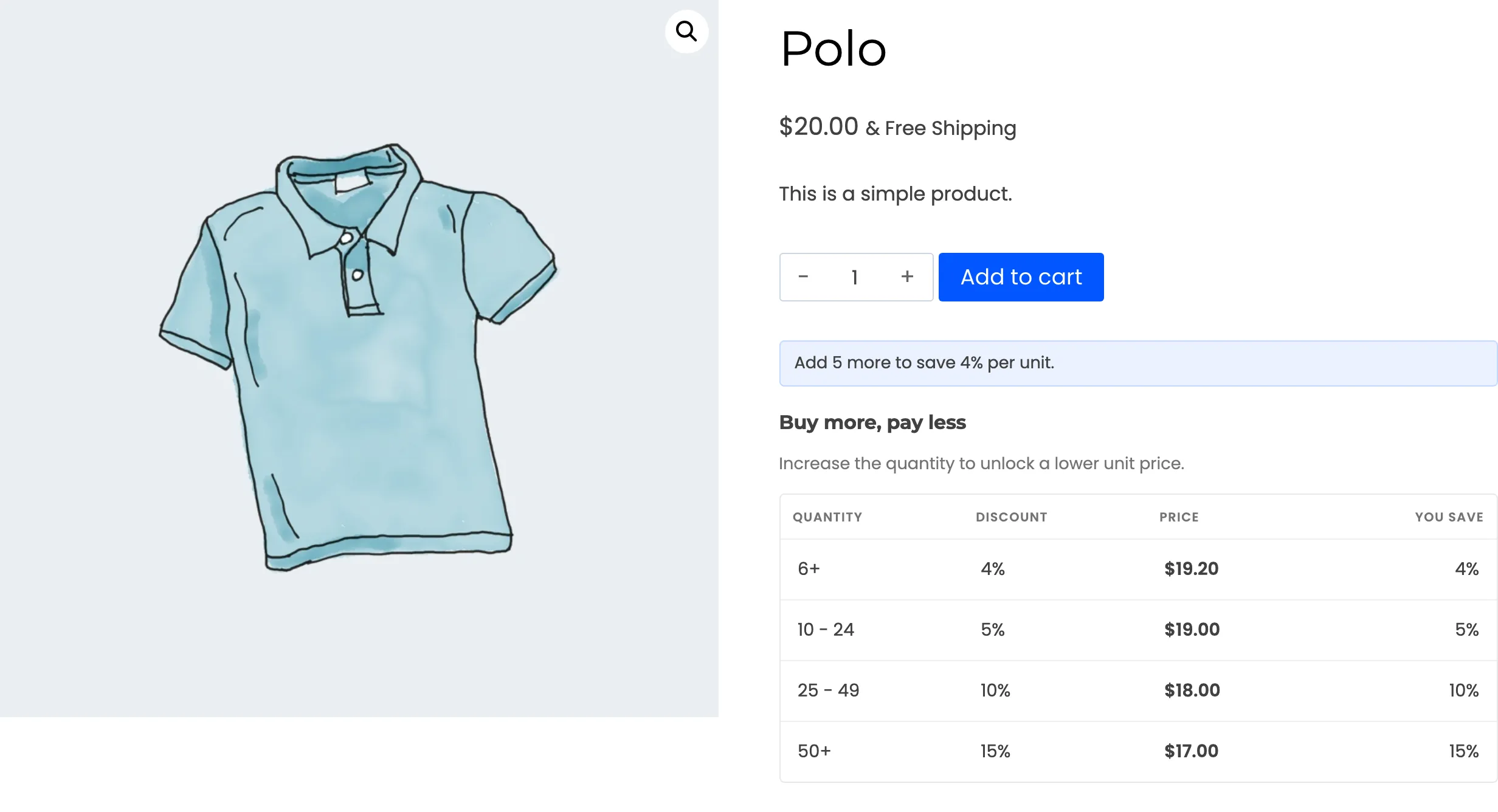
In the cart, both lines carry Tiered pricing: Mix and match 6+.
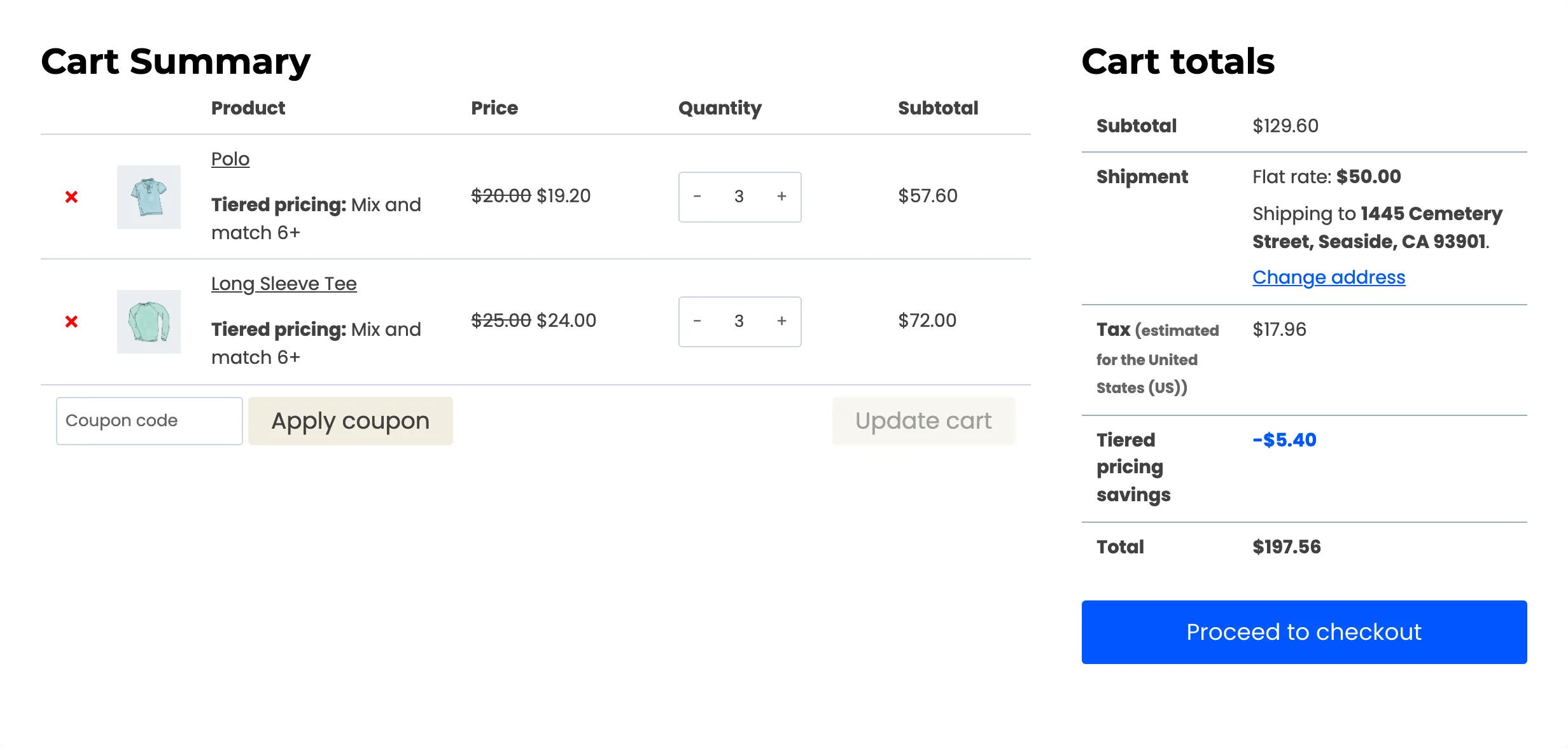
The Polo drops from $20.00 to $19.20 and the Long Sleeve Tee from $25.00 to $24.00. The savings row adds up $5.40 across the two lines.
Step 5: Test just below the threshold
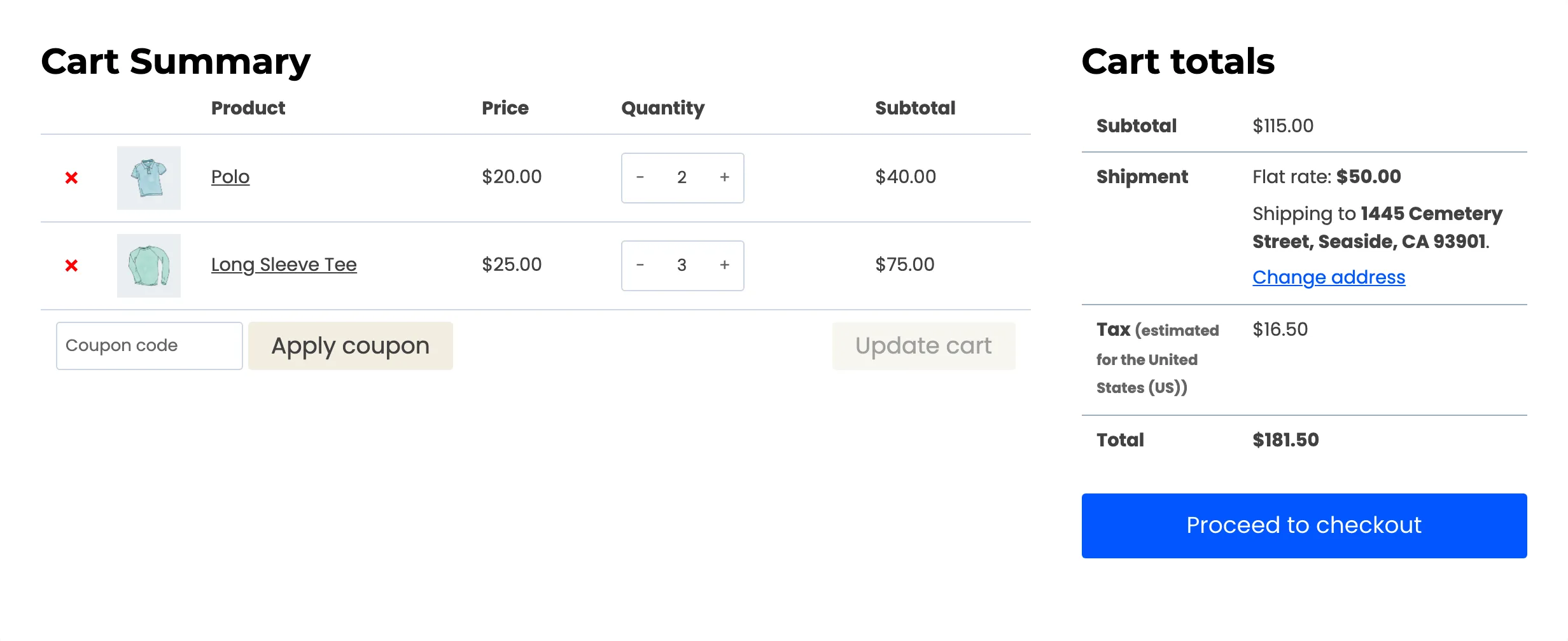
Section titled “Step 5: Test just below the threshold”Put two Polos and three Long Sleeve Tees in the cart. That is five units, one short of the threshold, and the discount is gone.
What counts as the same basket
Section titled “What counts as the same basket”- Sub categories count. A rule on Clothing also counts items in Hoodies, Tshirts and Accessories. A belt and a cap add to the same total.
- Variations count with their product. Each variation line adds its own quantity.
- Excluded products do not count. A product on the store wide exclusion list, or in the rule’s own Exclude Products, is left out of the total.
One caution
Section titled “One caution”A cart wide rule changes the price of every line it targets as soon as the total is reached. Put the threshold where it makes commercial sense, because one more unit can lower the price of everything already in the basket.