

Introduction to Tiered Pricing
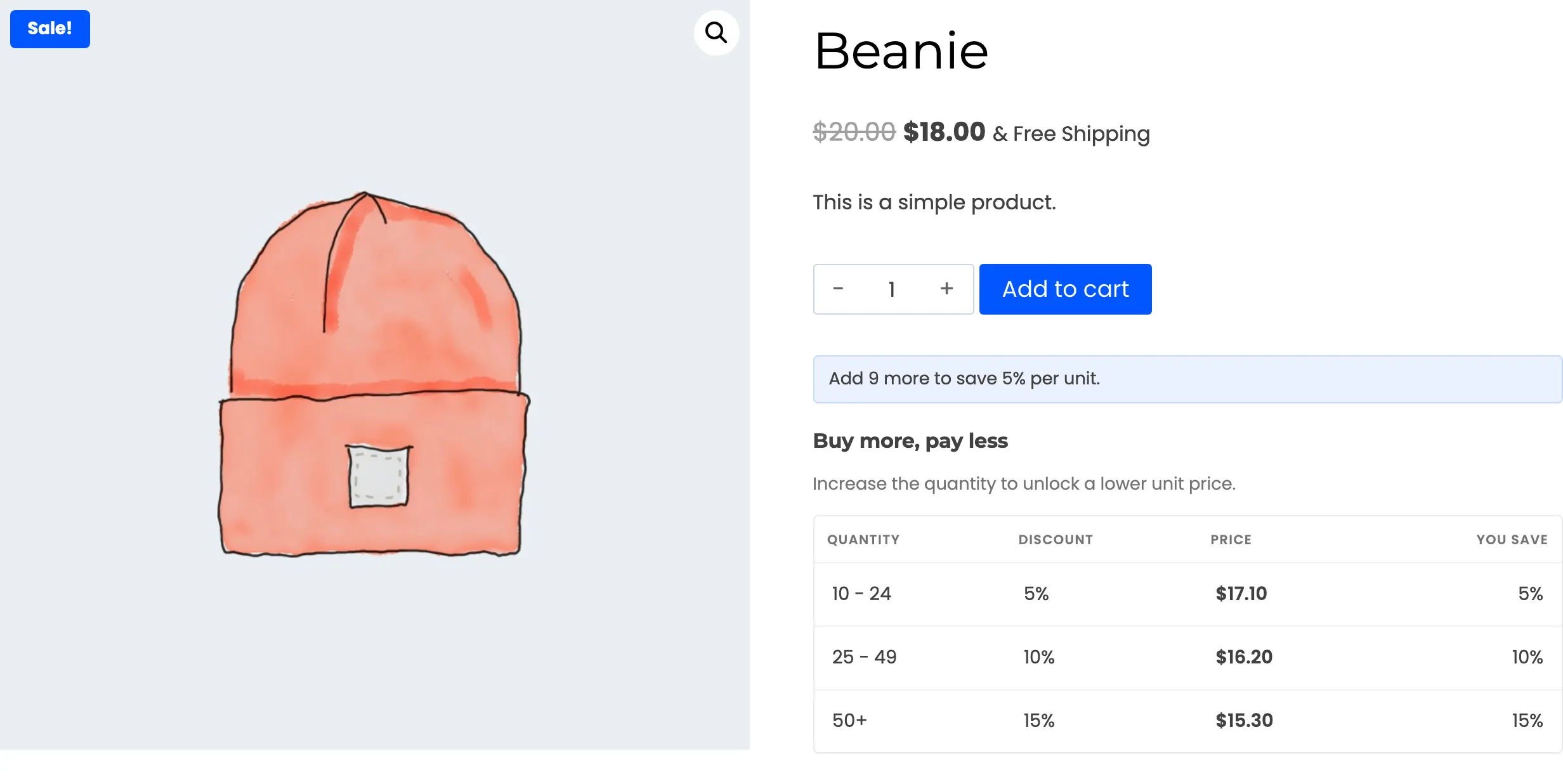
WooCommerce Tiered Pricing lowers the unit price once a customer buys enough. You set the quantity a customer has to reach and what they pay when they get there. The product page then shows the whole price ladder, and the cart charges the tier price.
What it does
Section titled “What it does”- Sets prices by quantity. A tier is a quantity range and a price. Buy 10 and save 5 percent, buy 25 and save 10 percent, buy 50 and pay a flat price per unit.
- Shows the ladder. A table, a grid of cards or a compact list sits on the product page. The tier that matches the quantity in the box is highlighted.
- Nudges the customer. A line under the Add to cart button says how many more units earn the next discount, and updates as the quantity changes.
- Prices the cart. The cart and checkout charge the tier price. The line shows which rule applied, and a savings row in the cart totals adds up what the customer saved.
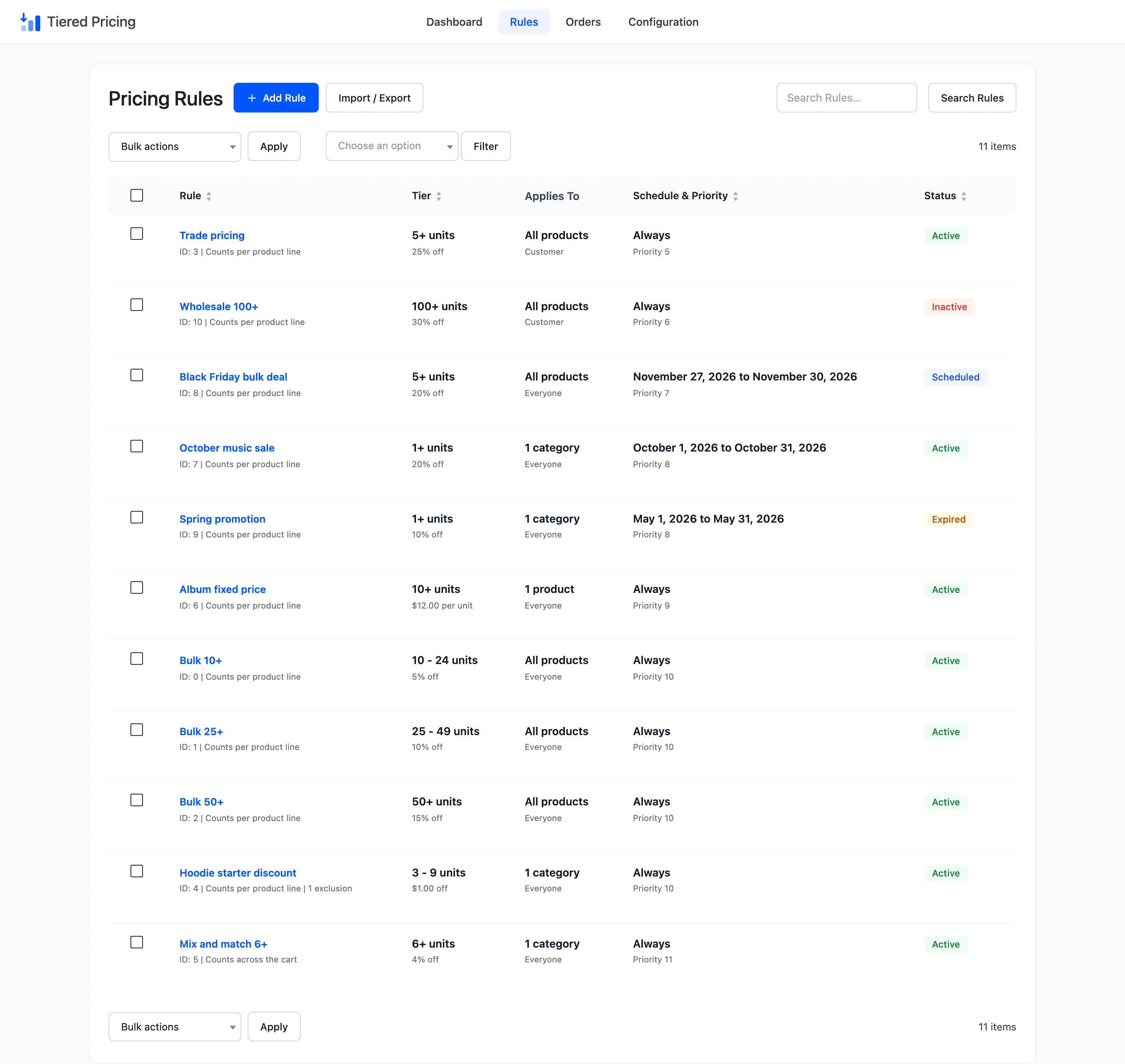
- Targets what you choose. A rule covers the whole store, selected products or selected categories. It can be limited to a user role and to a start and end date.
- Records every discount. Each order keeps the rule, the unit price and the saving for every line. The Tiered Orders screen and the dashboard read from those records.
Who it is for
Section titled “Who it is for”Stores that sell in volume. Wholesale and trade shops use it to give a business customer a price list. Retail shops use it to lift the basket size with a visible “buy more, save more” offer.
A seasonal sale is a rule with an end date.
It does not replace a coupon. A coupon is a code a customer types in.
A tiered price needs no code, and it appears on the product page before the customer decides how many to buy. The two stack: see How to Use Coupons With Tiered Prices.
One version, no free edition
Section titled “One version, no free edition”WooCommerce Tiered Pricing is a paid plugin and has no free edition. Everything these docs describe is in the one build, so there are no Pro markers to look for. A licence key switches the storefront features on.
See License Activation.
Where things are
Section titled “Where things are”The plugin adds one menu item, DevDiggers Plugins → Tiered Pricing. Its top bar has four screens.
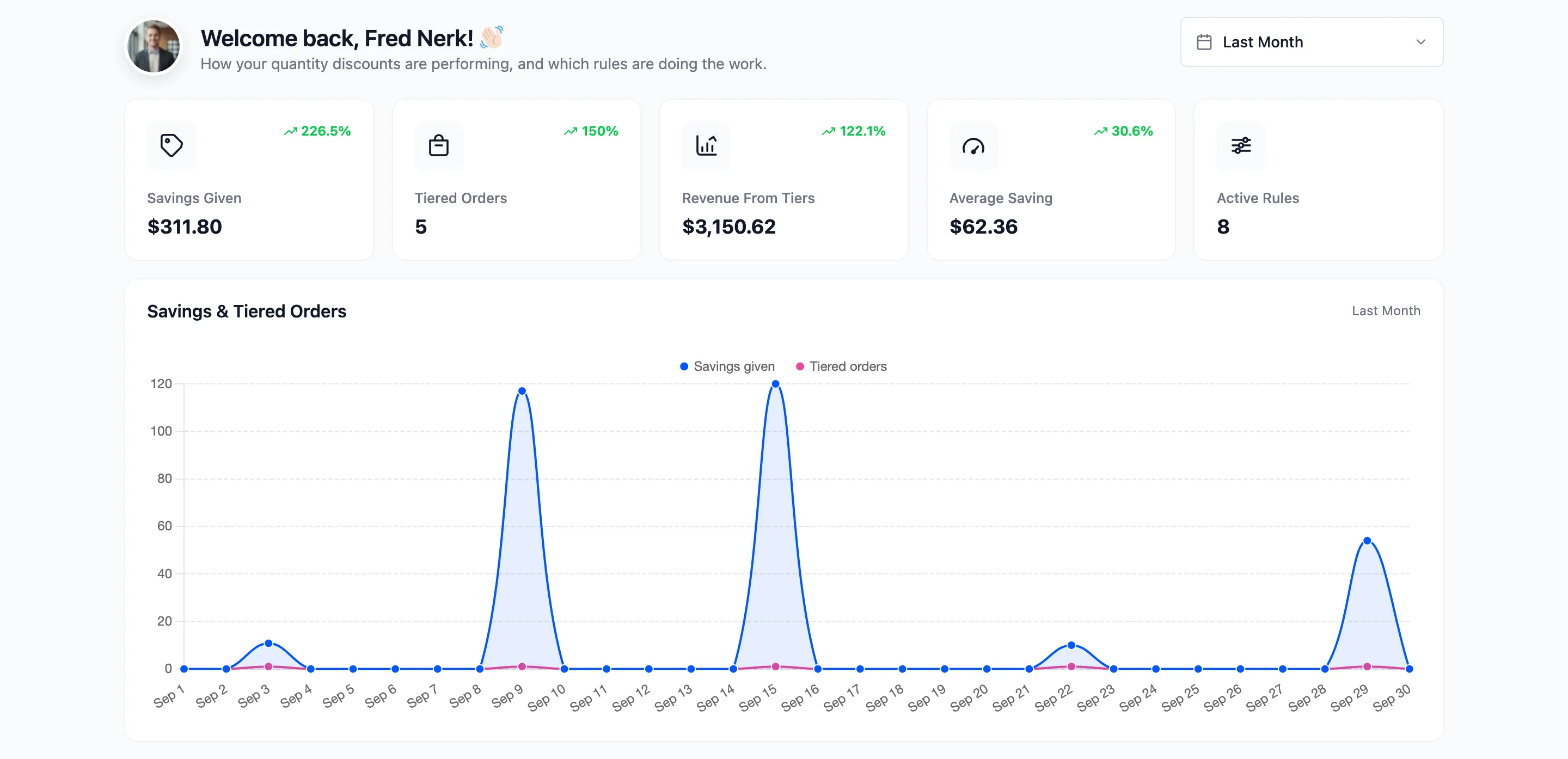
- Dashboard: Savings given, tiered orders and the rules doing the work. See Dashboard Overview.
- Rules: Every pricing rule, with the editor and the import and export tools. See The Rules Screen.
- Orders: Every order that received a tier price. See Tiered Orders.
- Configuration: The General, Display and License tabs.
A product can also carry its own rules. They sit under the price fields on the product edit screen. See Product and Variation Rules.
Requirements
Section titled “Requirements”- WordPress 5.0 or newer.
- WooCommerce 5.0 or newer.
- An active licence.
The plugin declares support for High-Performance Order Storage and for the WooCommerce Cart and Checkout blocks. It works with the classic cart and checkout pages as well.
Where to go next
Section titled “Where to go next”- Installing and Activating to get it running.
- How Tiered Pricing Works for how one price is chosen.
- How to Create Your First Tiered Pricing Rule for a first discount in five minutes.