

How to Export Selected Posts as an Ebook
When you are already browsing your posts, the bulk action is the quickest way into an ebook.
Step 1: Tick the posts
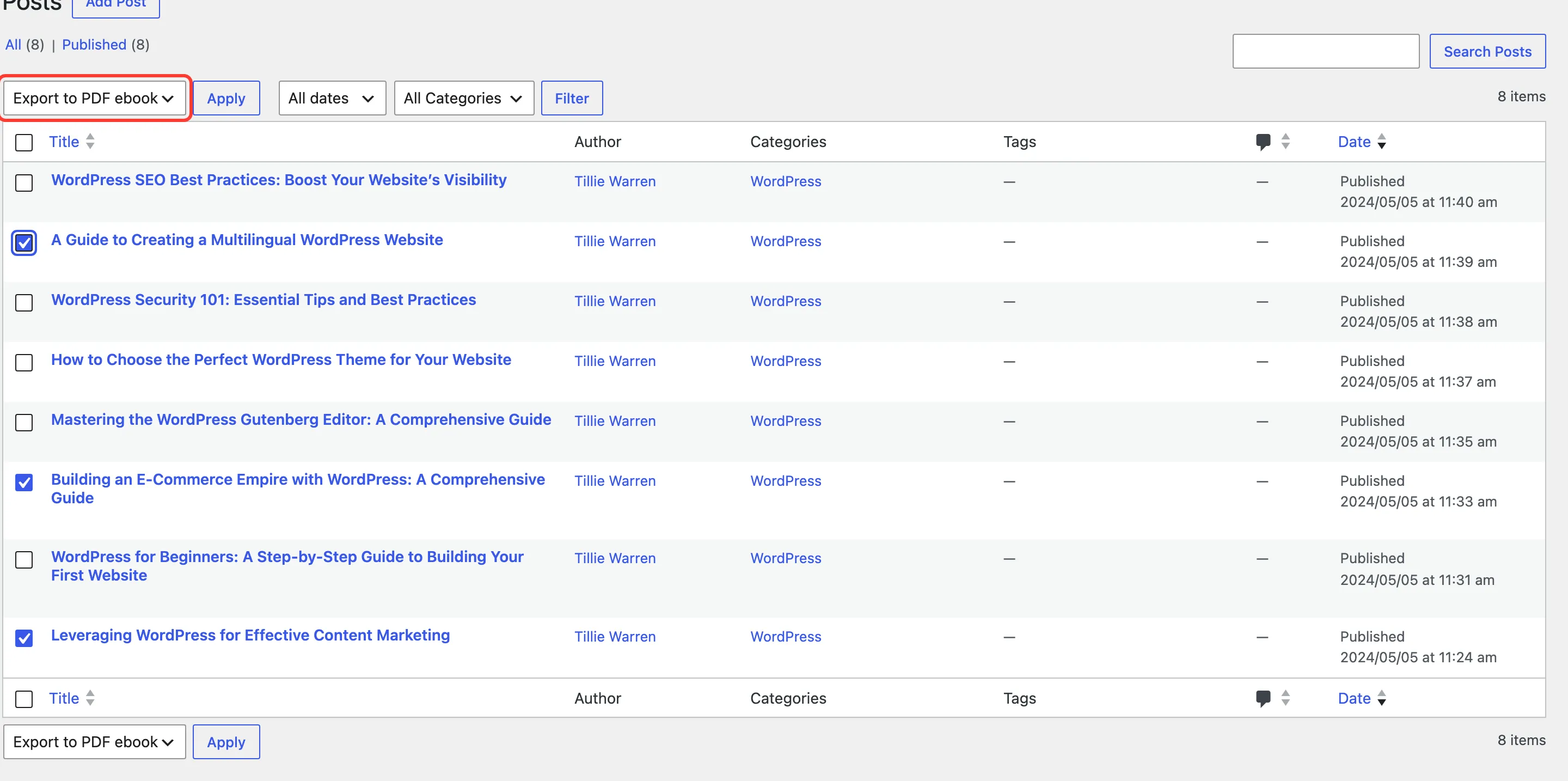
Section titled “Step 1: Tick the posts”Go to Posts → All Posts and tick the posts you want. The same action is on Pages and Products when they are in Allowed Post Types.
Step 2: Choose the bulk action
Section titled “Step 2: Choose the bulk action”In Bulk actions, choose Export to PDF ebook and click Apply.
Step 3: Finish in the Ebook Builder
Section titled “Step 3: Finish in the Ebook Builder”The Ebook Builder opens with the same three posts ticked, in the order the Posts screen listed them.
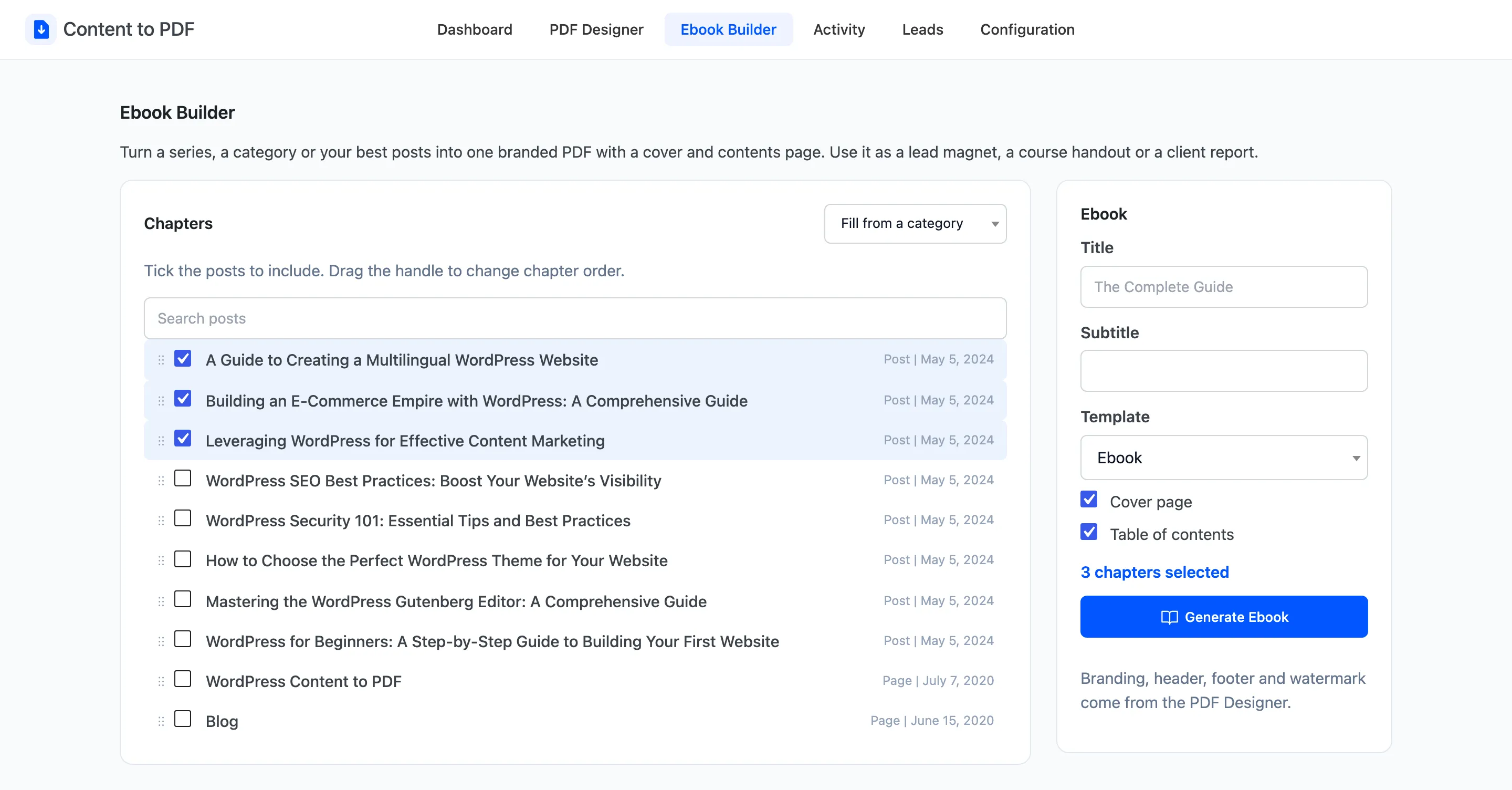
Drag rows to reorder, add a Title, and click Generate Ebook.