

How to Add a Custom PDF Template
The eight templates cover most needs. When a brand needs its own look, a developer can add a template in a few lines. This one was added to the demo, and the screenshots show the result.
Step 1: Write the CSS file
Section titled “Step 1: Write the CSS file”Create a CSS file somewhere the theme or a small plugin controls. It is loaded after the plugin’s base styles, so you only write what differs. Four tokens are filled in for you:
{{accent}}: The accent color, from the template or the PDF Designer.{{accent_soft}}and{{accent_faint}}: Lighter tints of it.{{font}}and{{size}}: The body typeface and text size.
The demo’s file:
/* Brand: a dark cover and accent rules under each section heading. */h2, h3 { color: #101828; }h2 { border-bottom: 1.5pt solid {{accent}}; padding-bottom: 3pt; margin-top: 22pt; }a { color: {{accent}}; }.ddcpdf-cover-kicker { color: {{accent}}; letter-spacing: 1pt; text-transform: uppercase; font-size: 9pt; }blockquote { border-left: 3pt solid {{accent}}; background: {{accent_faint}}; padding: 8pt 12pt; }/* A dark cover needs light text: the plugin does not flip it for you. */.ddcpdf-cover-title { color: #ffffff; }.ddcpdf-cover-excerpt { color: #d0d5dd; }.ddcpdf-cover-brand, .ddcpdf-cover-foot td, .ddcpdf-cover-byline { color: #f2f4f7; }.ddcpdf-cover-link, .ddcpdf-qr-label { color: #98a2b3; }PDFs are drawn by a PDF engine, not a browser, so keep to simple CSS: colors, borders, padding, fonts
and sizes. Use pt for sizes.
Step 2: Register the template
Section titled “Step 2: Register the template”Add the template with the ddcpdf_templates filter, in your theme’s functions.php or a small plugin:
add_filter( 'ddcpdf_templates', function ( $templates ) { $templates['brand'] = [ 'label' => 'Brand', 'description' => 'Our house style: dark cover, orange rules.', 'font' => 'sans', // sans or serif 'accent' => '#f97316', 'cover' => '#101828', // optional: accent, soft or a hex color 'numbered' => true, // optional: number the H2 sections 'css' => get_stylesheet_directory() . '/pdf/brand.css', ]; return $templates;} );- cover: Leave it out for a white cover.
accentpaints it in the accent color,softin a light tint, or give a hex color. - numbered: Puts 01, 02, 03 before each section heading, as Mono and Corporate Report do.
Step 3: Pick it in the PDF Designer
Section titled “Step 3: Pick it in the PDF Designer”Open Content to PDF → PDF Designer. The new card sits after the built-in eight. It has no thumbnail image, so it shows its accent color instead.
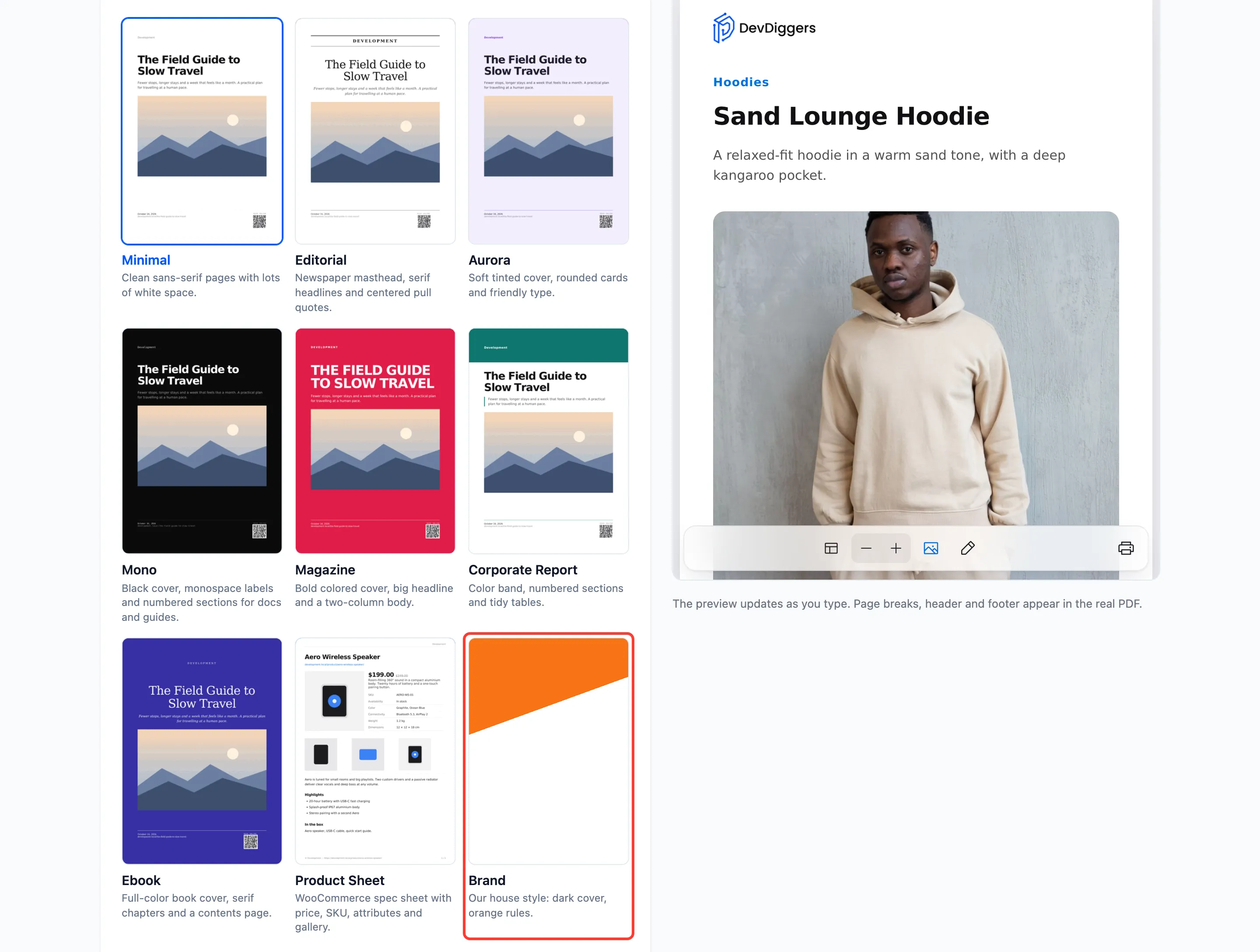
Select it and click Save Changes, or pick it for one content type under Rules. Readers also see it in the reader’s template menu.
Step 4: Download a PDF
Section titled “Step 4: Download a PDF”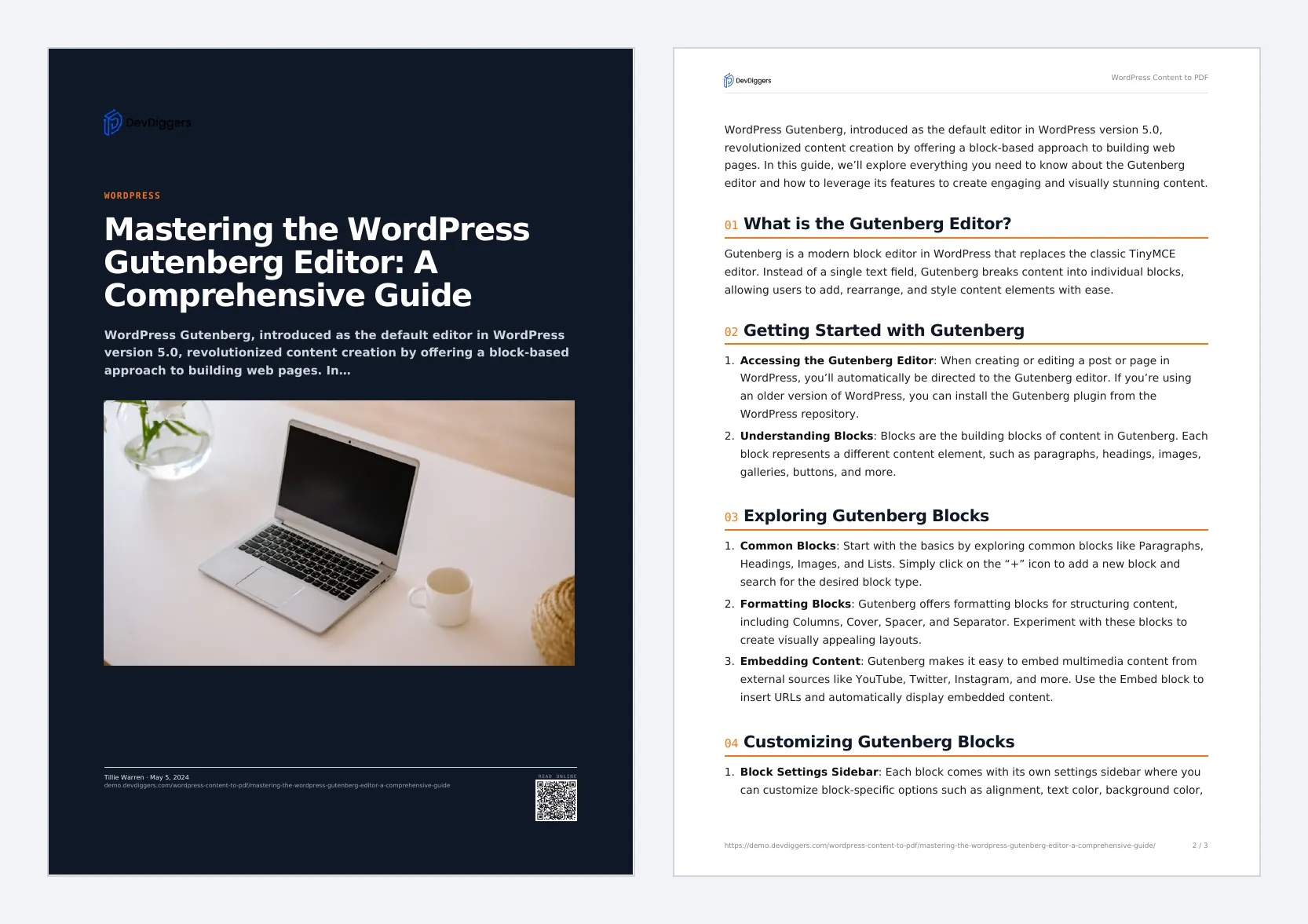
Things to know
Section titled “Things to know”- Finished PDFs are kept and reused, but an edited CSS file is noticed: the next download is made with it.
- Other hooks:
ddcpdf_documentchanges the cover, header, footer or body HTML before the PDF is made.ddcpdf_is_post_eligibledecides per post whether PDFs are offered.ddcpdf_pdf_generatedfires after each download, print or email.