

How to Change Paper Size and Margins
PDFs start on A4 portrait with 18 mm margins. Readers in North America usually print on US Letter.
Step 1: Open the Pages section
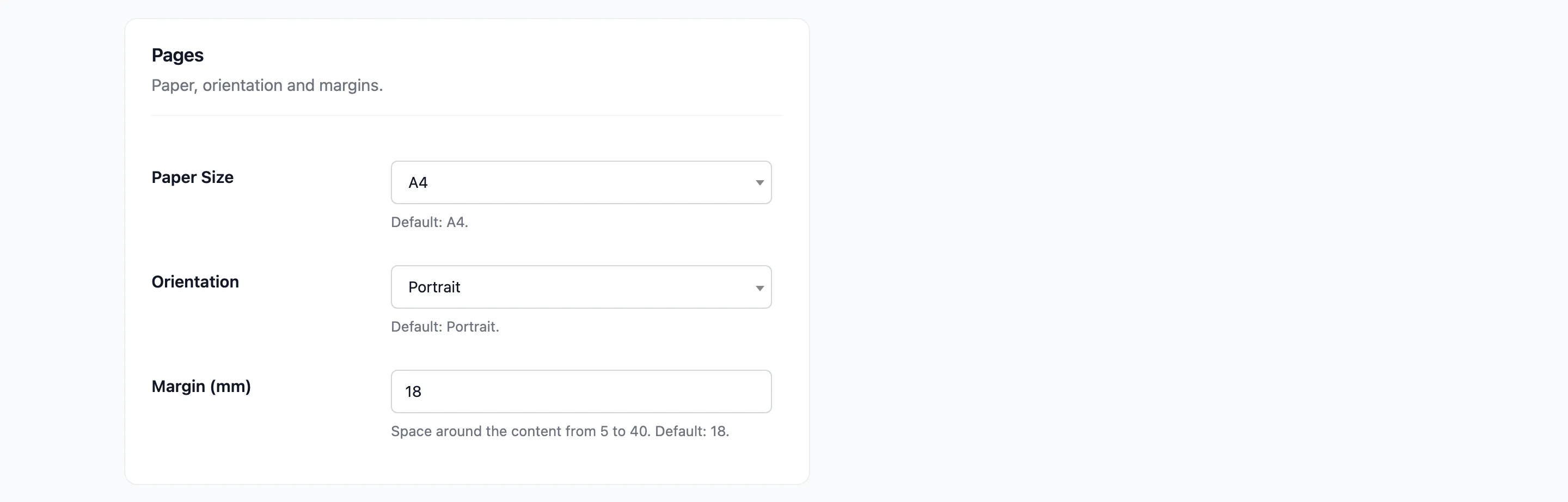
Section titled “Step 1: Open the Pages section”Go to Content to PDF → PDF Designer and scroll to Pages.
Step 2: Pick the paper and orientation
Section titled “Step 2: Pick the paper and orientation”- Paper Size: A4, US Letter, US Legal, A3 or A5.
- Orientation: Portrait or Landscape.
Step 3: Set the margin
Section titled “Step 3: Set the margin”Margin (mm) is the space around the content, from 5 to 40. Smaller margins fit more on a page. The header and footer sit inside the margin.
Step 4: Save and open a real PDF
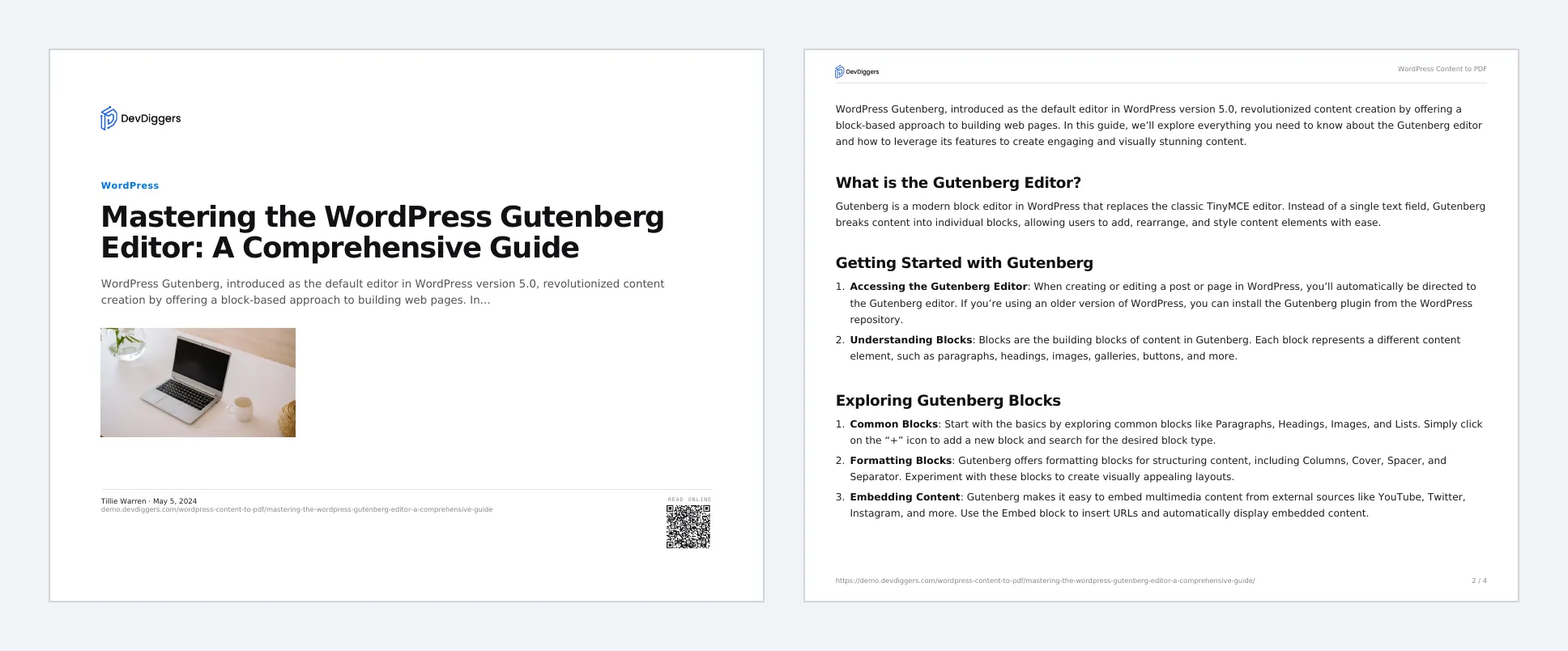
Section titled “Step 4: Save and open a real PDF”Click Save Changes, then Open real PDF. On the demo, US Letter in landscape with 12 mm margins looked like this:
Things to know
Section titled “Things to know”- Landscape suits wide tables. The cover image is sized down on a landscape page, so it stays clear of the author line. Portrait suits most articles.
- The setting applies to every PDF and ebook. Readers cannot change it.