

The Dashboard
The dashboard shows what readers do with your PDFs. Open Content to PDF → Dashboard.
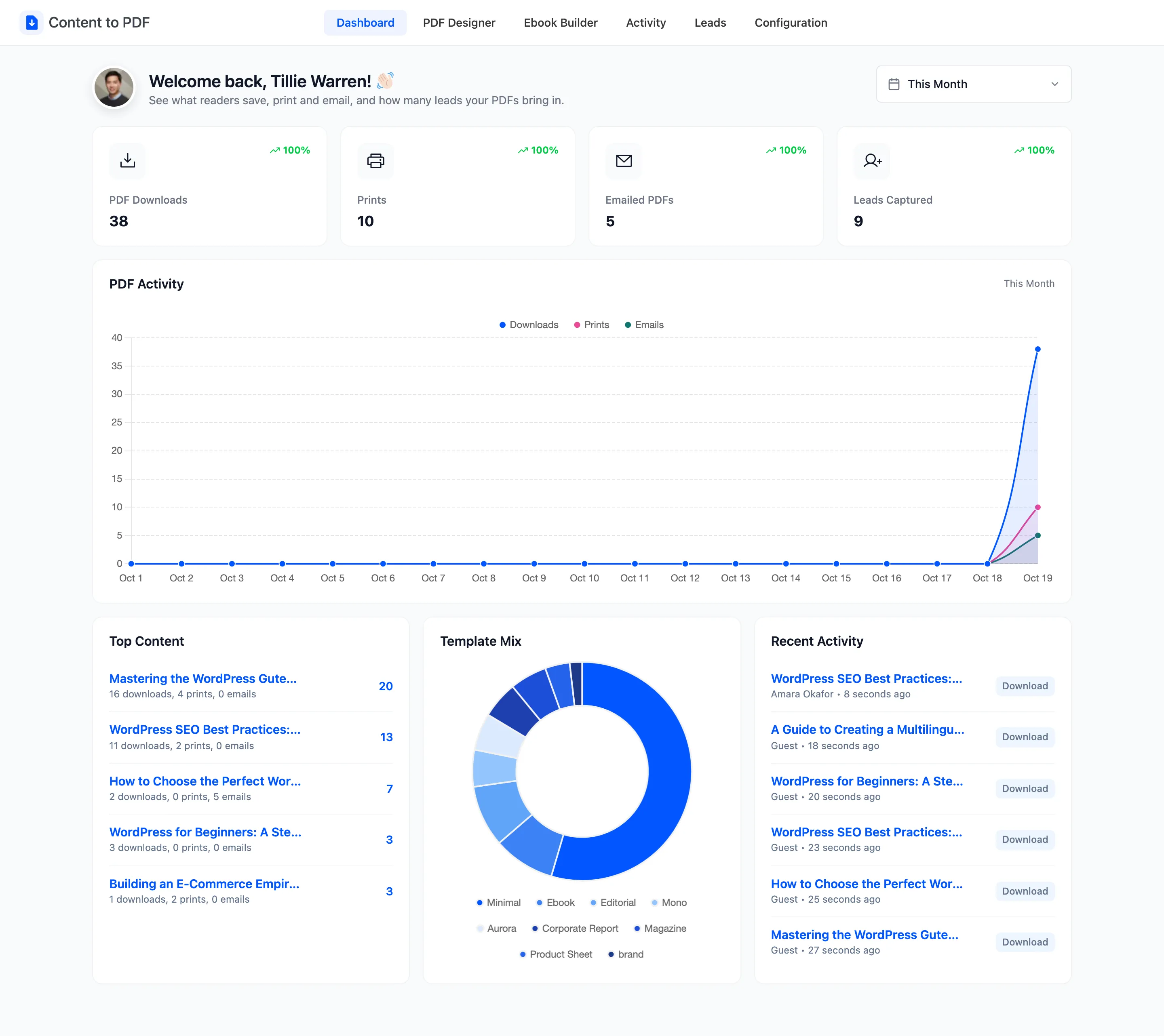
The date picker at the top right sets the period for everything on the page. It starts on This Month.
The four counters
Section titled “The four counters”
- PDF Downloads: PDFs saved from the reader, or straight from the button in instant mode.
- Prints: Times a reader pressed Print.
- Emailed PDFs: PDFs sent to an inbox from the reader.
- Leads Captured: Names and emails collected by the lead form and the email form.
The percentage on each card compares this period with the one before it, of the same length.
PDF Activity
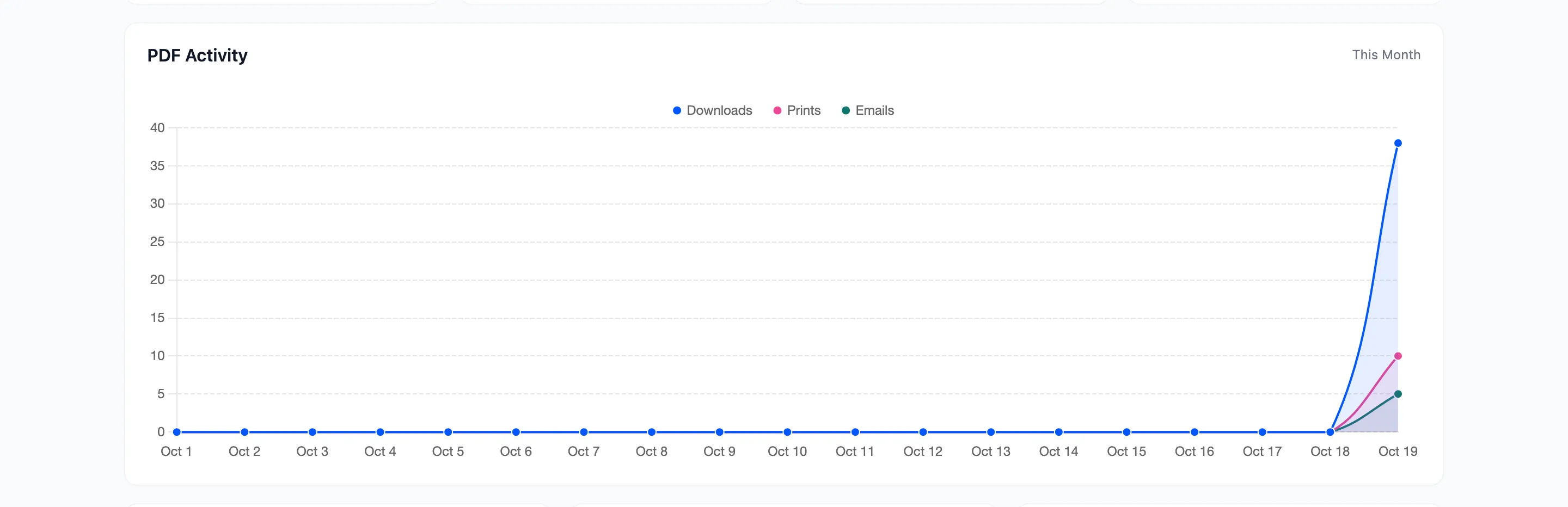
Section titled “PDF Activity”A daily line for downloads, prints and emails across the period.
Top Content, Template Mix and Recent Activity
Section titled “Top Content, Template Mix and Recent Activity”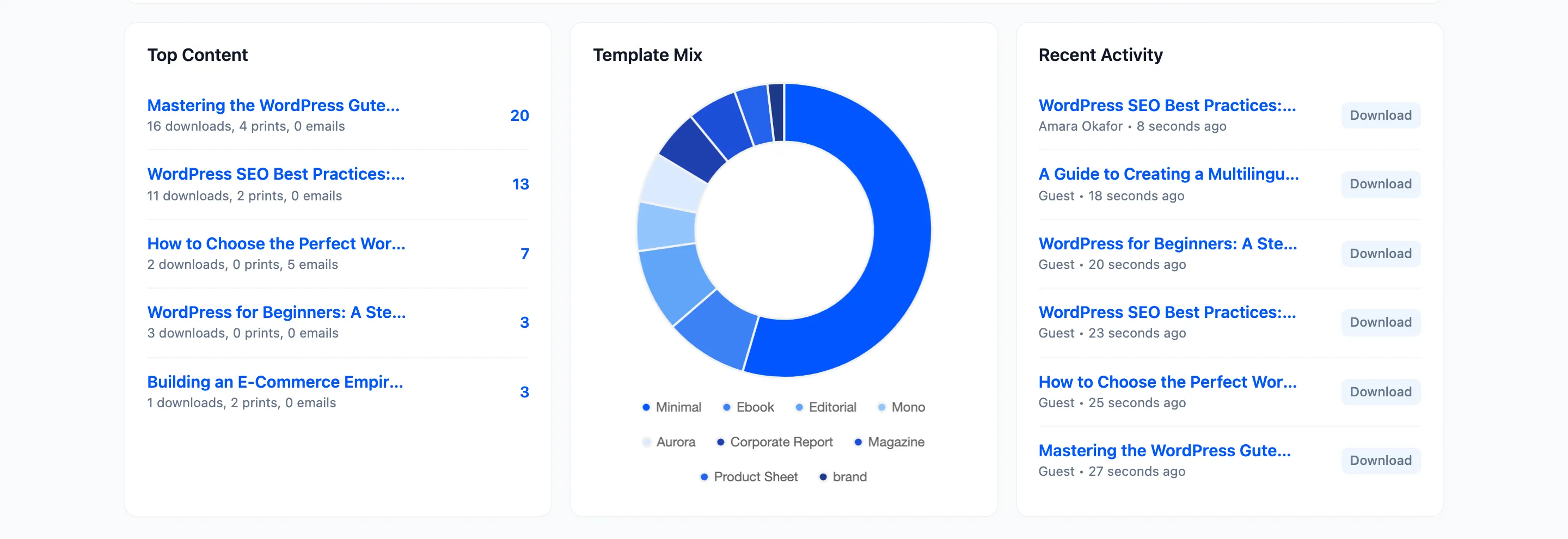
- Top Content: The five posts exported most, with their downloads, prints and emails.
- Template Mix: Which templates readers used. A reader who switches template in the reader counts under the one they saved.
- Recent Activity: The last six actions, with the reader’s name, or Guest, and how long ago.
Ebooks built in the admin count under Recent Activity as Ebook. The full history, with filters, is on the Activity screen.