

How to Find a Conversation
Step 1: Open the Inbox
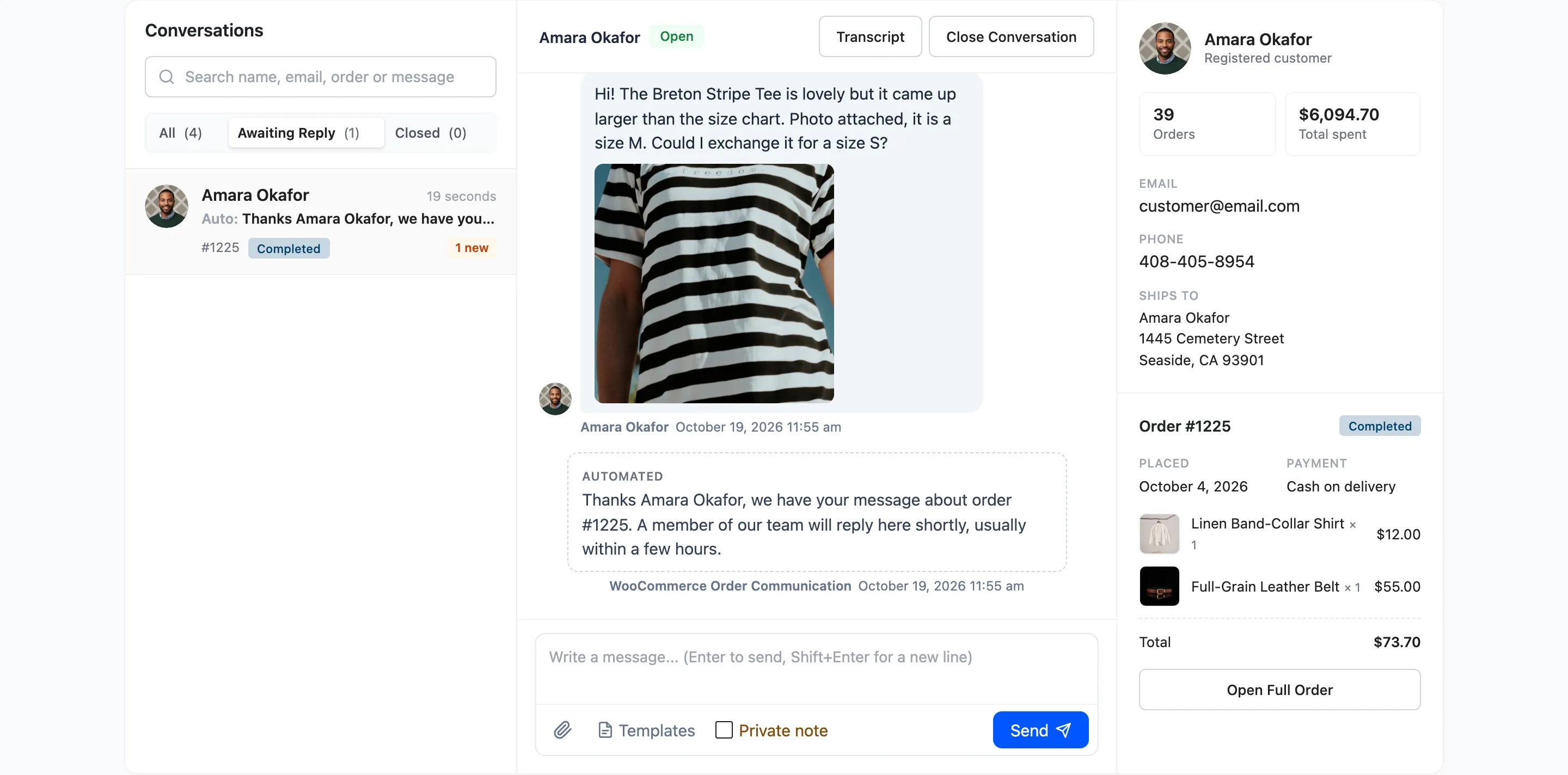
Section titled “Step 1: Open the Inbox”Go to Order Communication → Inbox. The list shows the 50 most recently active conversations.
Step 2: Pick a filter
Section titled “Step 2: Pick a filter”- Awaiting Reply for what still needs an answer.
- Closed for settled conversations.
- All for everything.
Step 3: Search
Section titled “Step 3: Search”Type in Search name, email, order or message and press Enter. The search looks at the customer’s name and email, the order number and the words of every message. It keeps the filter you picked.
Step 4: Use Communications for older ones (Pro)
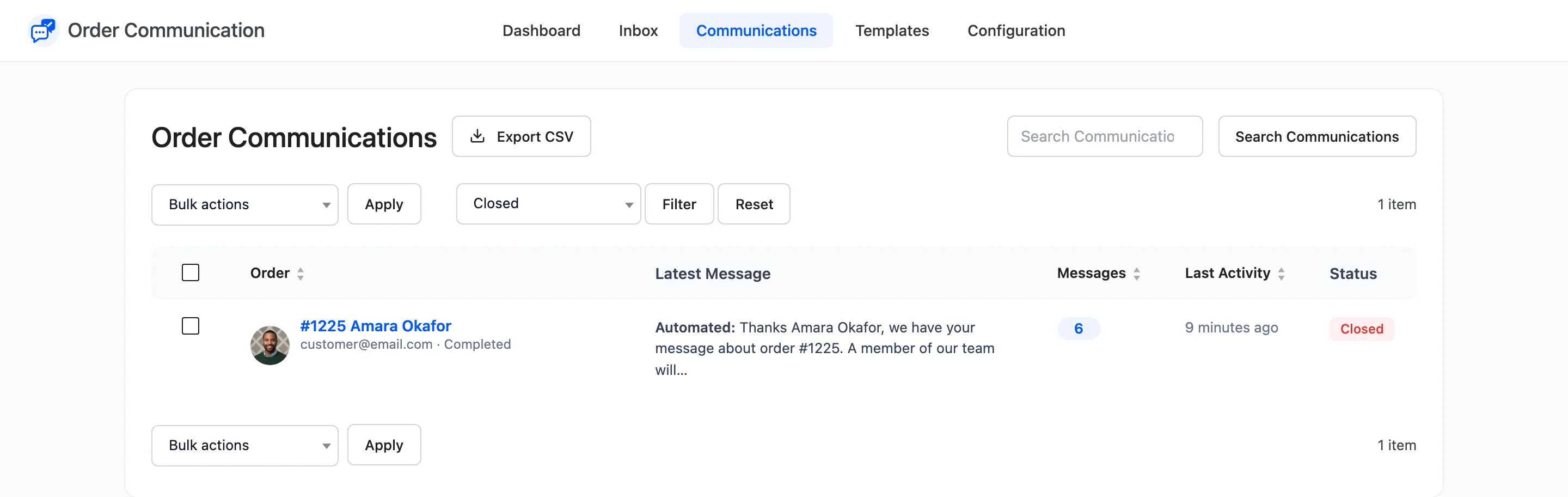
Section titled “Step 4: Use Communications for older ones (Pro)”Order Communication → Communications pages through every conversation. Filter by Awaiting Reply, Read, Replied or Closed, and sort by order, message count or last activity.
From the order instead
Section titled “From the order instead”If you already know the order, open it in WooCommerce → Orders. Its Messages column links straight to the conversation.