

Chat Settings
The Chat tab styles the conversation and sets how live it feels. Both versions have every field. Open Order Communication → Configuration → Chat.
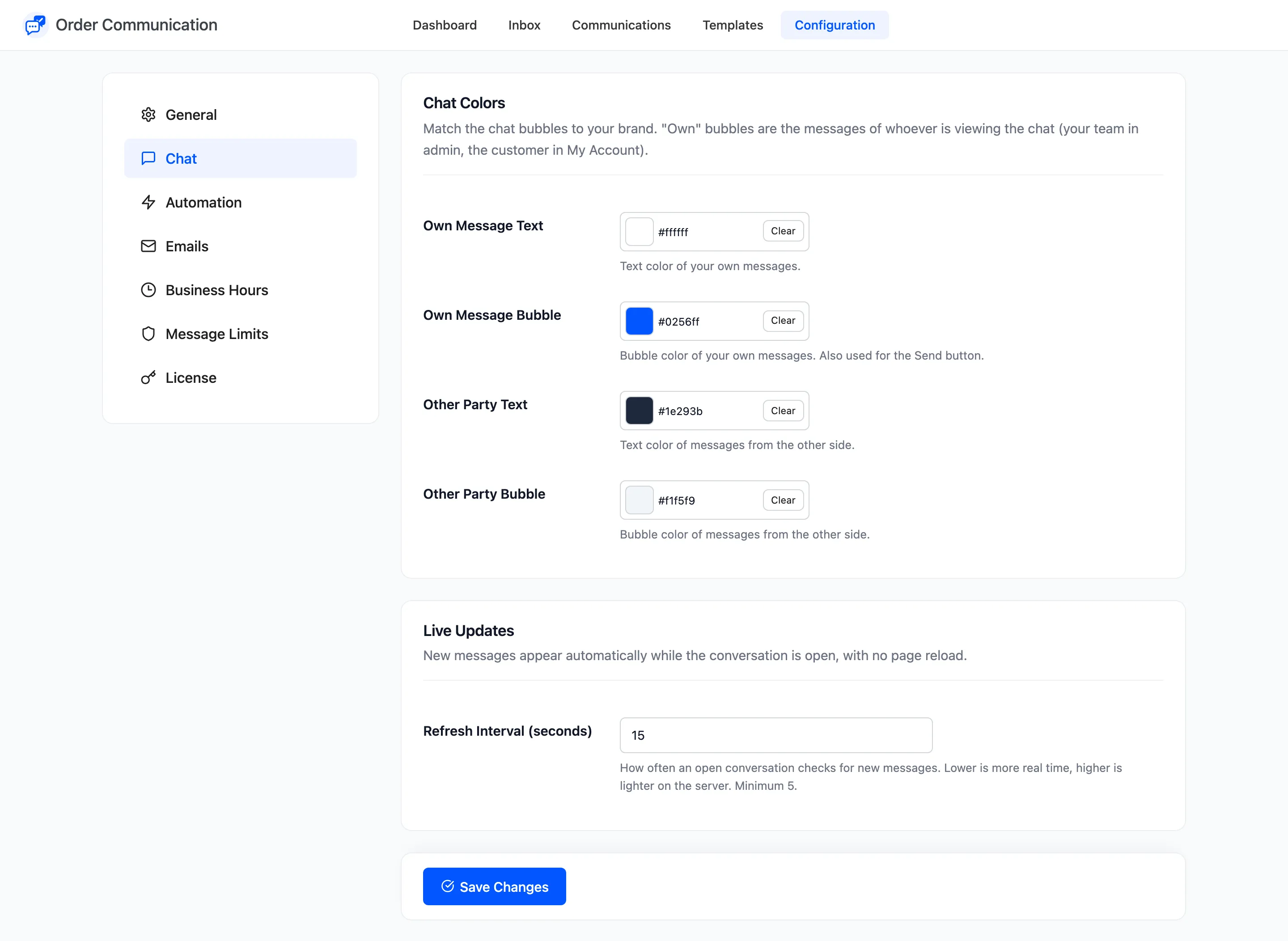
Chat Colors
Section titled “Chat Colors”“Own” means the messages of whoever is looking at the conversation: your team in the admin, the customer in My Account. So each side sees its own messages in the same colour.
| Field | Default | What it colours |
|---|---|---|
| Own Message Text | #ffffff |
Text of your own messages |
| Own Message Bubble | #0256ff |
Your own messages, and the Send button |
| Other Party Text | #1e293b |
Text of the other side’s messages |
| Other Party Bubble | #f1f5f9 |
The other side’s messages |
Automated messages and private notes keep their own styles: a dashed box and a pale yellow note.
Live Updates
Section titled “Live Updates”Refresh Interval (seconds) sets how often an open conversation asks your server for new messages. Default 15, minimum 5. A lower number feels more like a live chat, a higher one is lighter on your server. A conversation in a hidden browser tab does not check at all.
How to Match the Chat Colors to Your Brand has advice on picking readable pairs.