

The Inbox
The Inbox is where your team spends its day. Open Order Communication → Inbox. It has three columns: the conversations, the open thread, and the order it belongs to.
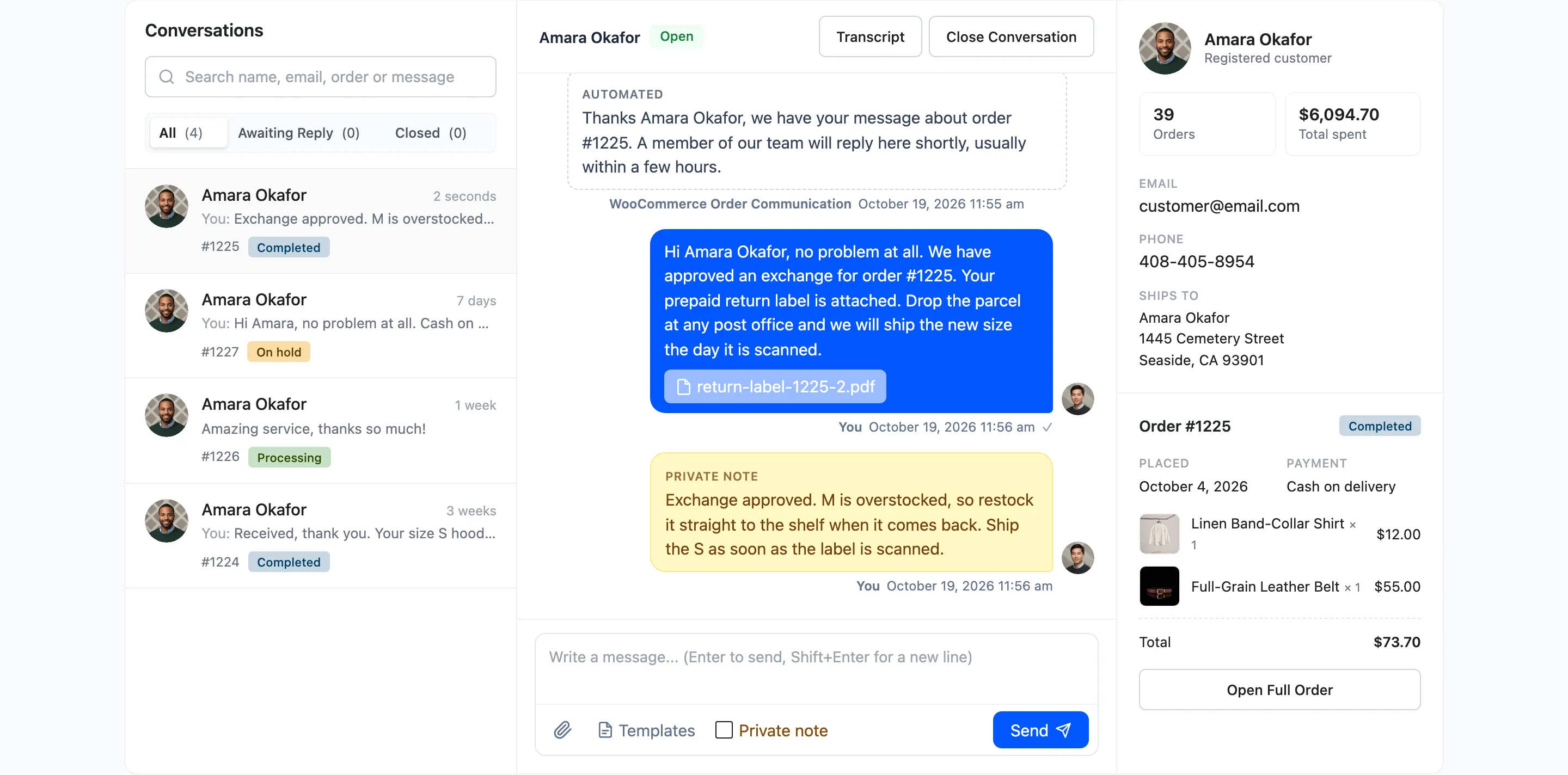
The conversation list
Section titled “The conversation list”Each row shows the customer, how long ago the last message arrived, a preview of it, the order number and the order status. The preview starts with You: when your team wrote last and Auto: when an automation did. A blue 2 new badge counts unread customer messages.
The list shows the 50 most recently active conversations. Use search, or the Communications screen (Pro), to reach older ones.
Search and filters
Section titled “Search and filters”The search box matches the customer’s name, email, the order number and the words of any message. Press Enter to search.
The three filters under it each show a count:
- All: Every conversation.
- Awaiting Reply: Conversations with an unread customer message, closed ones excluded. When it is empty it says “You are all caught up”.
- Closed: Conversations you closed.
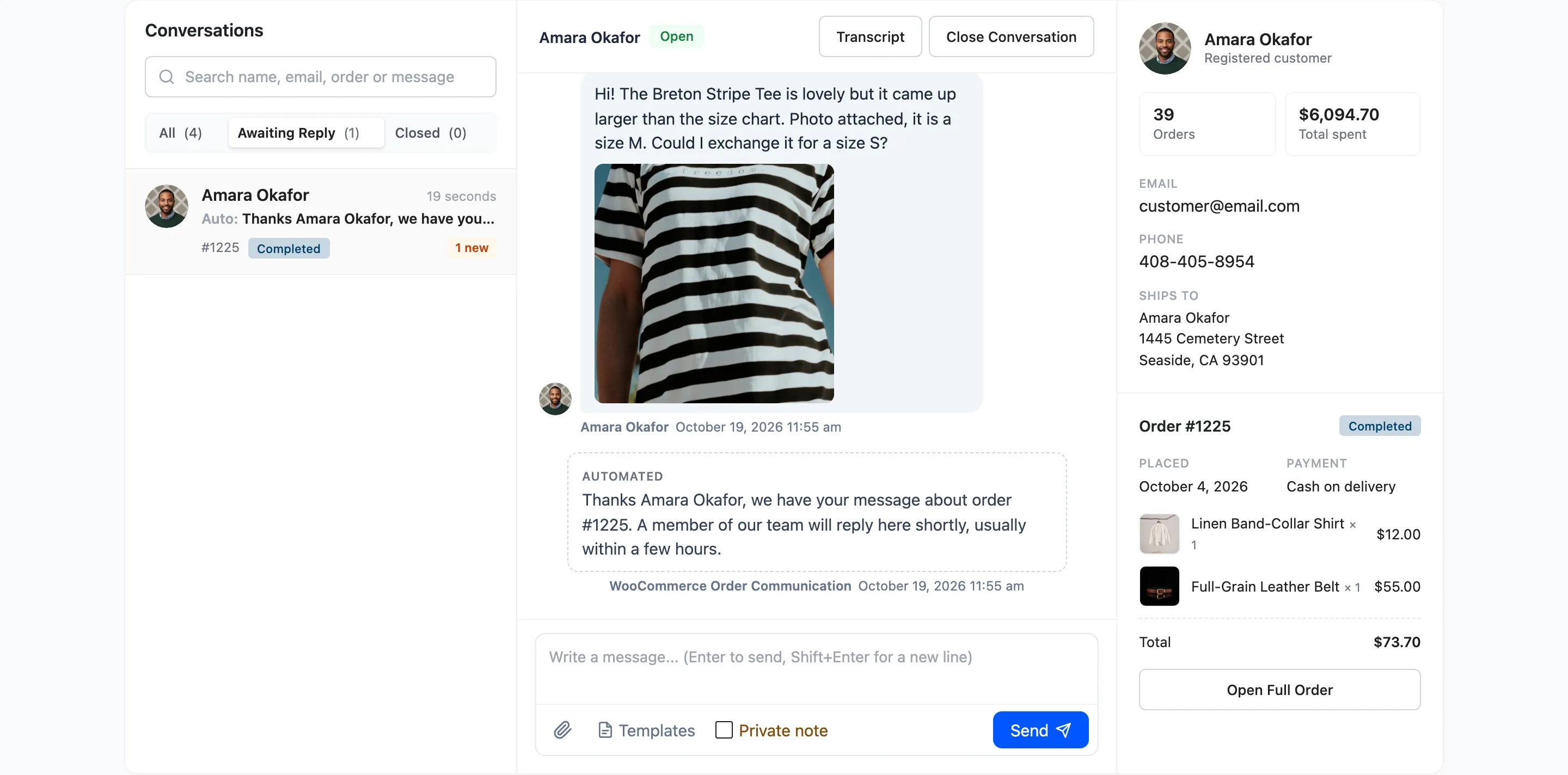
The thread
Section titled “The thread”The middle column is the conversation itself, with Transcript (Pro) and Close Conversation in its header. Opening a thread marks the customer’s messages as read, and the customer sees your blue ticks.
The composer works like the customer’s, plus three Pro tools in its toolbar:
- Paperclip: Attach files. You can also drag files onto the thread or paste an image.
- Templates: Insert a saved reply. See Templates.
- Private note: Tick it before sending to write a note only your team sees.
In the free version the three tools show a Pro tag and do nothing.
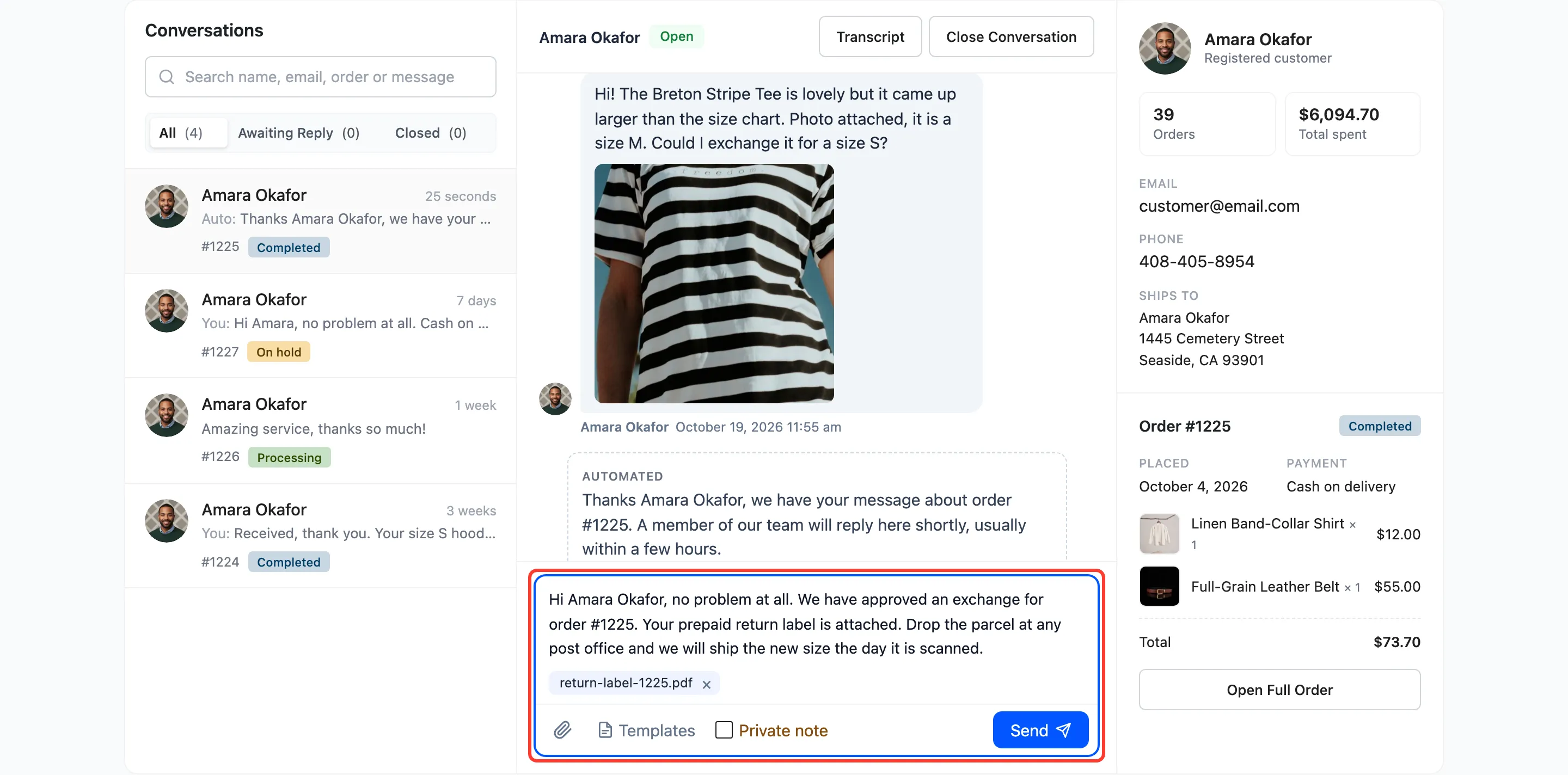
The order panel
Section titled “The order panel”The right column shows who you are talking to and what they bought:
- The customer’s name, and Registered customer with their order count and total spent.
- Email and phone, both clickable, and the shipping address.
- The order number, status, date, payment method, every line with its thumbnail, and the total.
- Open Full Order, which opens the WooCommerce order screen.
Open the Inbox at one order
Section titled “Open the Inbox at one order”Every link to a conversation in the plugin lands here: the dashboard lists, the Messages column on the orders list, Open in Inbox on Communications, and the button in the store notification email.