

The Customer Experience
Customers never install or learn anything. The conversation lives where they already look for their order: My Account → Orders.
The orders list
Section titled “The orders list”The Messages column sits before the actions on each order. It reads:
- Message us on an order with no conversation yet.
- 3 messages, with a speech bubble, when there is history and nothing new.
- 1 new reply, highlighted, when your team or an automation has written since they last looked.
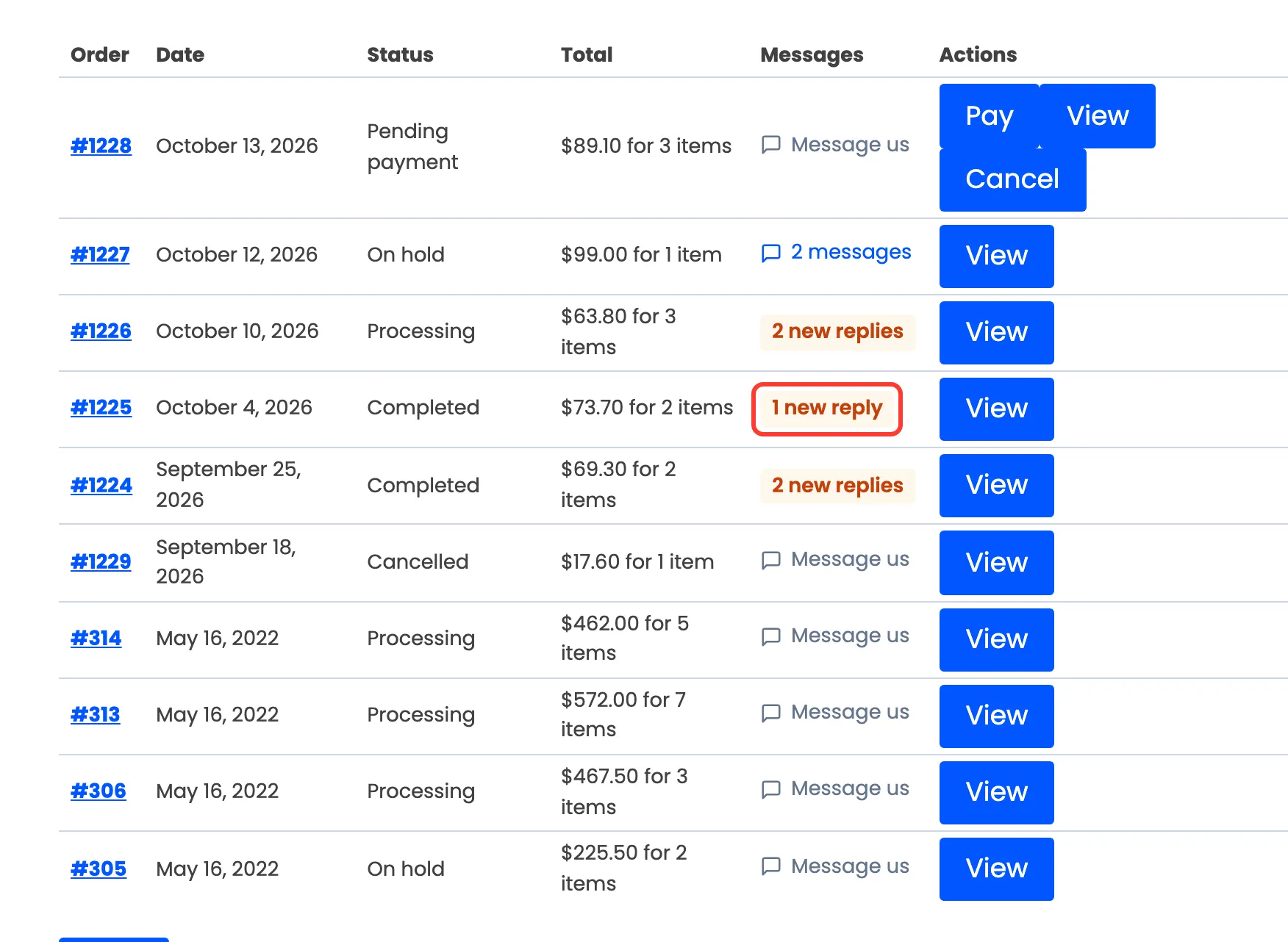
Every link opens the order straight at the conversation.
The conversation
Section titled “The conversation”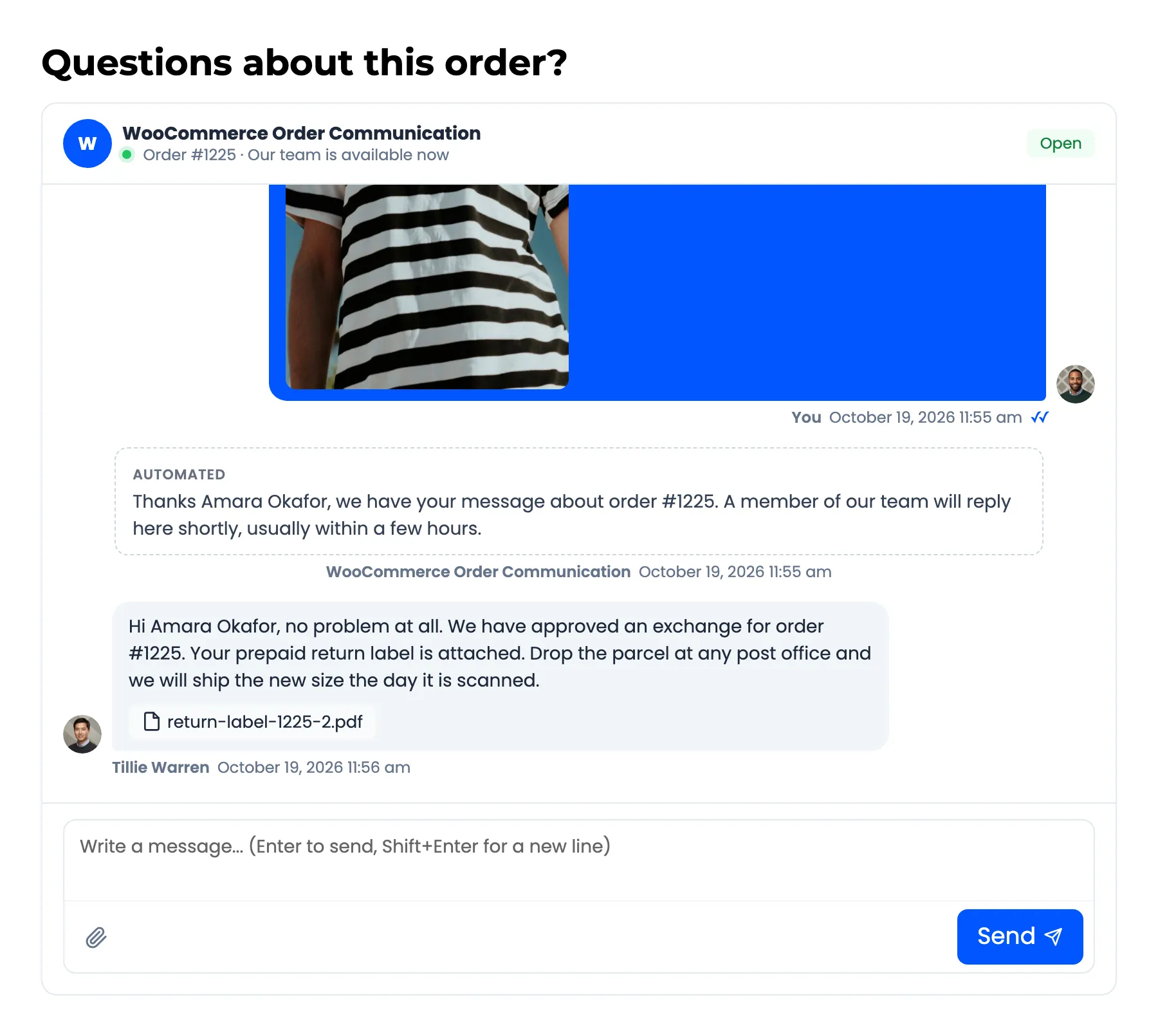
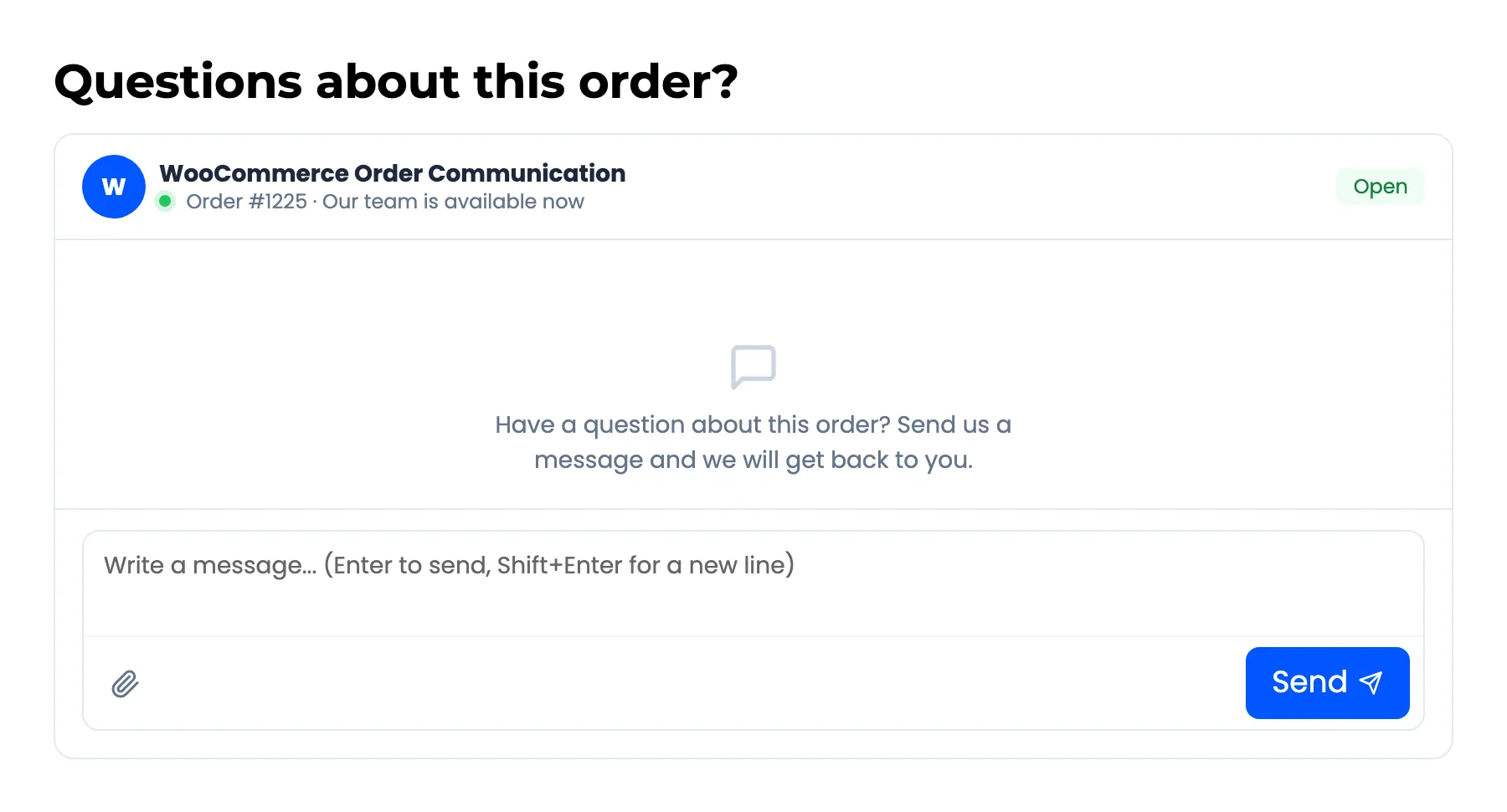
- Header: Your store’s site icon, or its first letter, and your store name. Pro adds an availability line: “Our team is available now”, or “Away, we reply from 9:00 am” outside your business hours. The Open or Closed badge sits on the right.
- Messages: The customer’s own messages on the right in your brand colour, everything else on the left. Automated messages sit in a dashed box marked Automated. Private notes never appear here.
- Composer: Enter sends, Shift+Enter starts a new line. With attachments on (Pro), the paperclip picks files, and files can also be dragged onto the conversation or pasted into it.
Notices
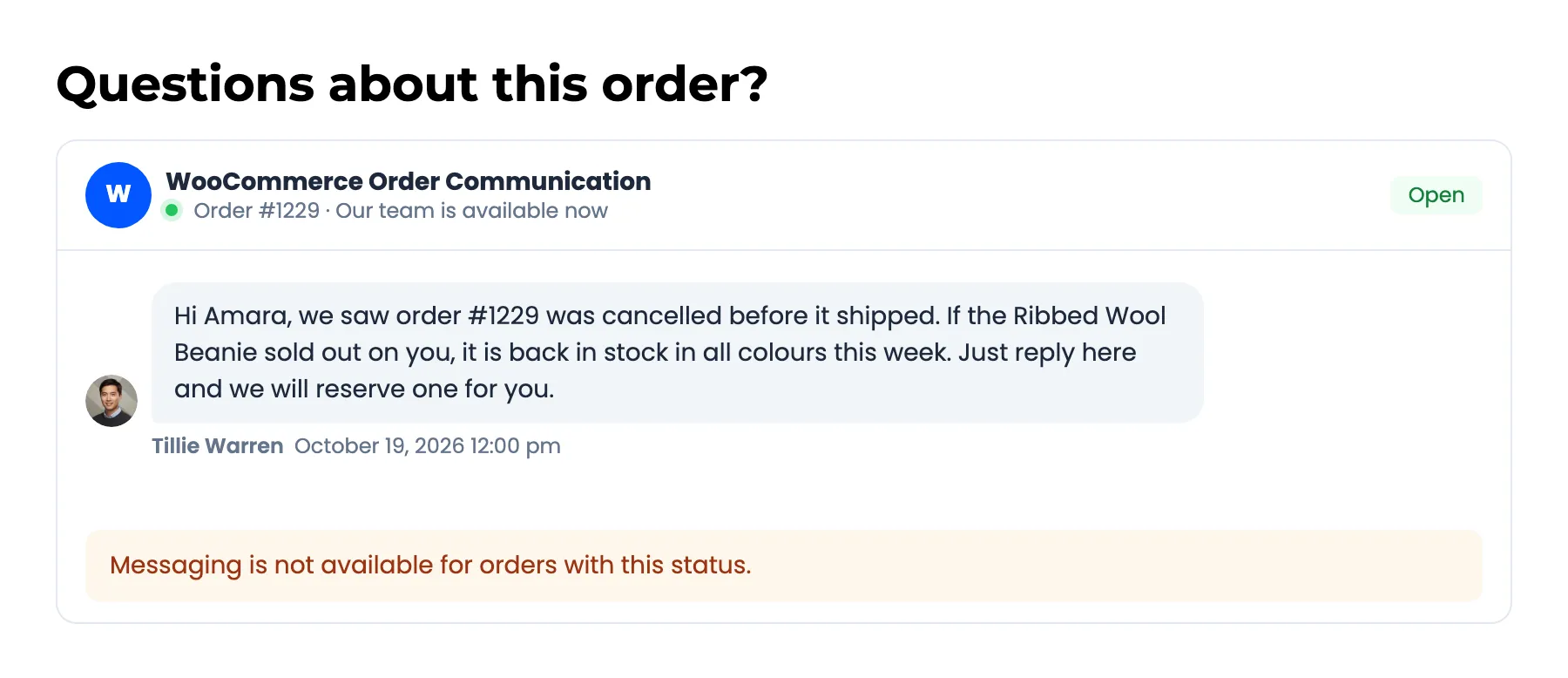
Section titled “Notices”When a message cannot be sent, the conversation says why instead of the composer:
- Closed by the store: “This conversation has been closed by the store. Contact us if you still need help.”
- Order status not allowed: “Messaging is not available for orders with this status.”
- Outside business hours (Pro): Your Outside Business Hours Message.
- Daily limit reached (Pro): Your Limit Exceeded Message.
The reply email
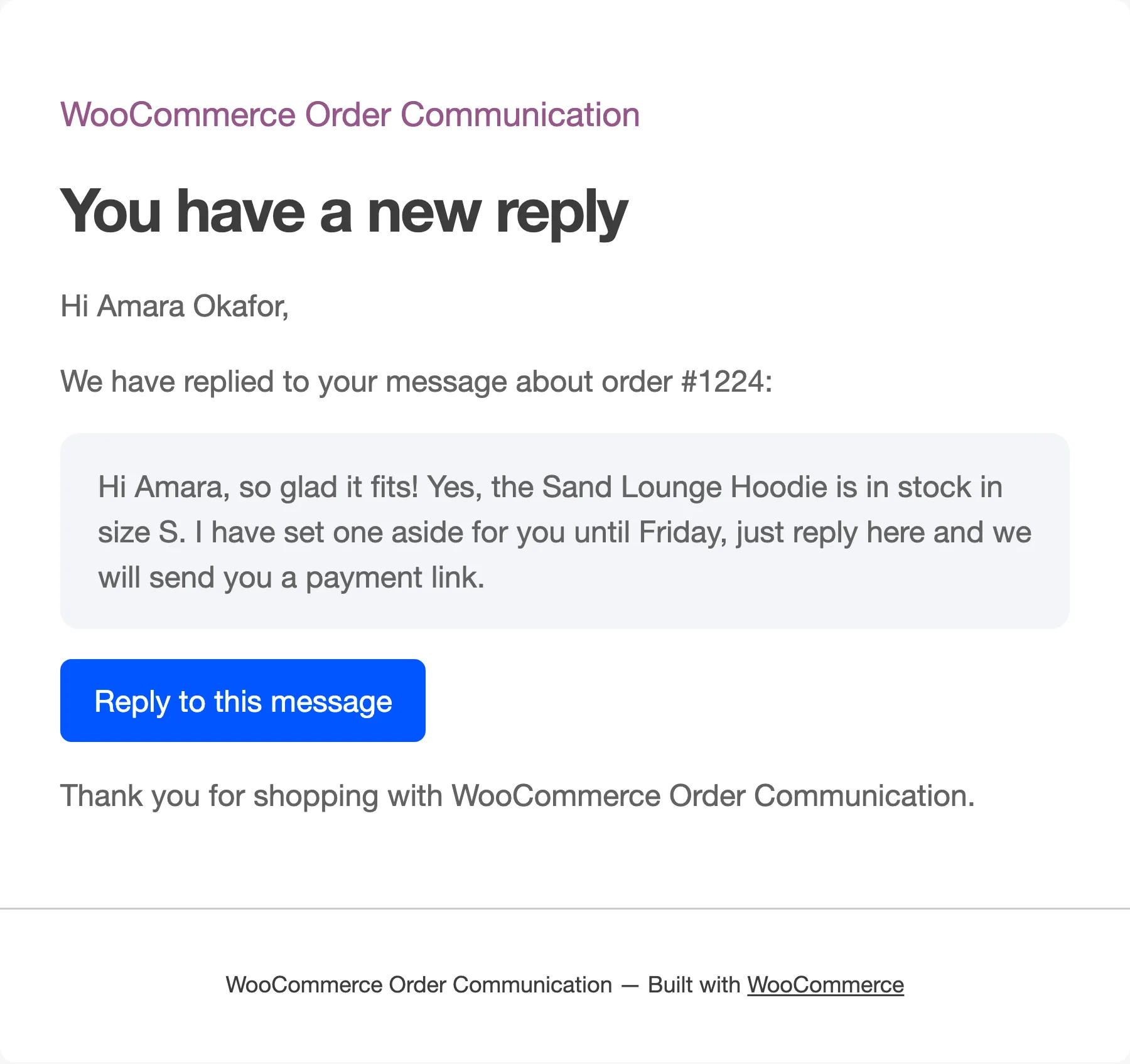
Section titled “The reply email”When your team replies, the customer gets an email quoting the reply, with a Reply to this message button that opens the conversation. The customer has to be logged in to see it, so the button lands on the login form first if they are not.
Private notes, automatic replies and the business hours notice never send an email. Order status messages (Pro) do.