

How to Restrict Messaging by Order Status
Some stores want questions while an order is open and not months later. Allowed Order Statuses decides that. It is in both versions.
Step 1 and 2: Choose the statuses
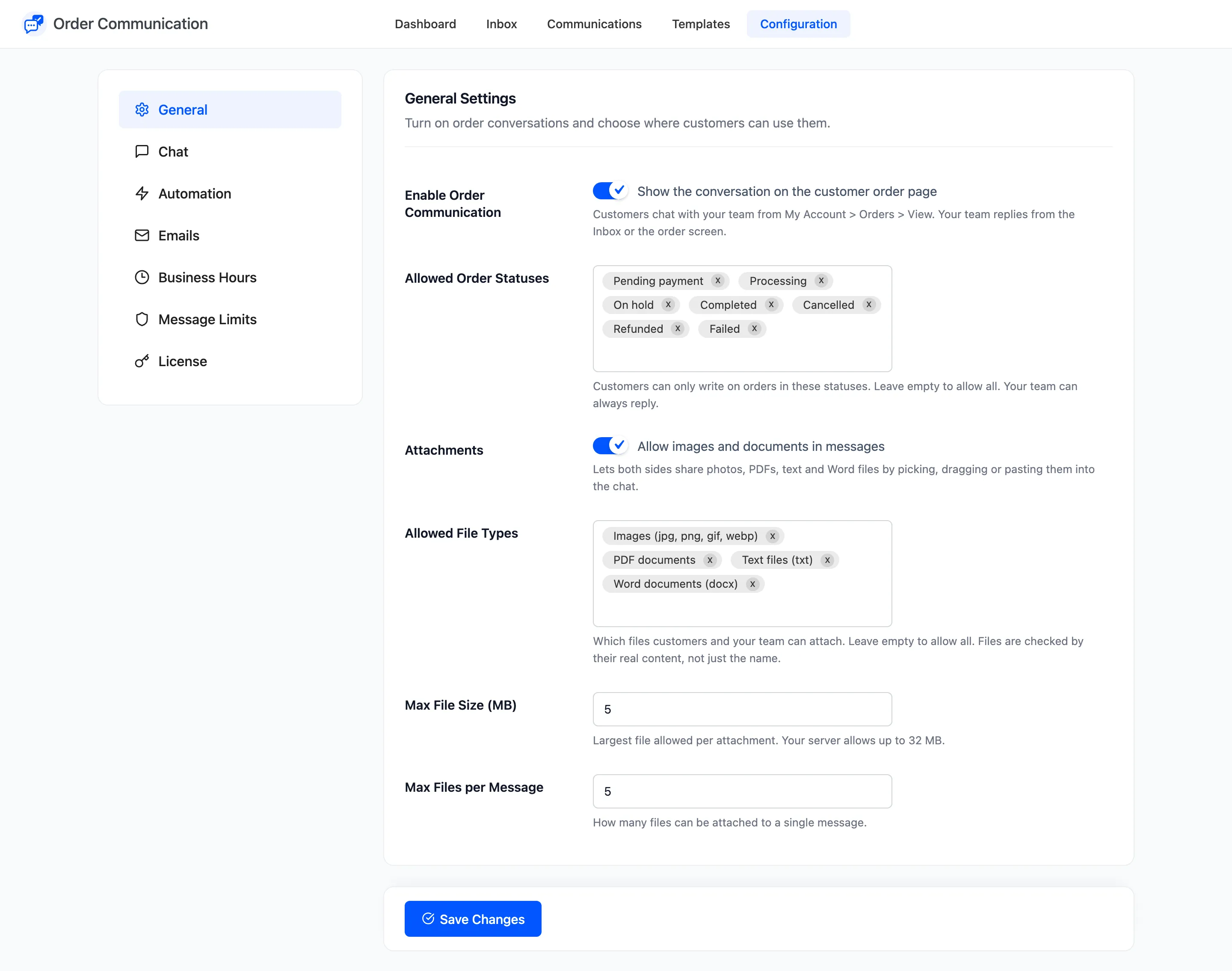
Section titled “Step 1 and 2: Choose the statuses”Go to Order Communication → Configuration → General. In Allowed Order Statuses, remove a status with its cross, or click in the field to add one back. An empty field allows every status.
Step 3: Save
Section titled “Step 3: Save”Click Save Changes.
Step 4: Check an order in another status
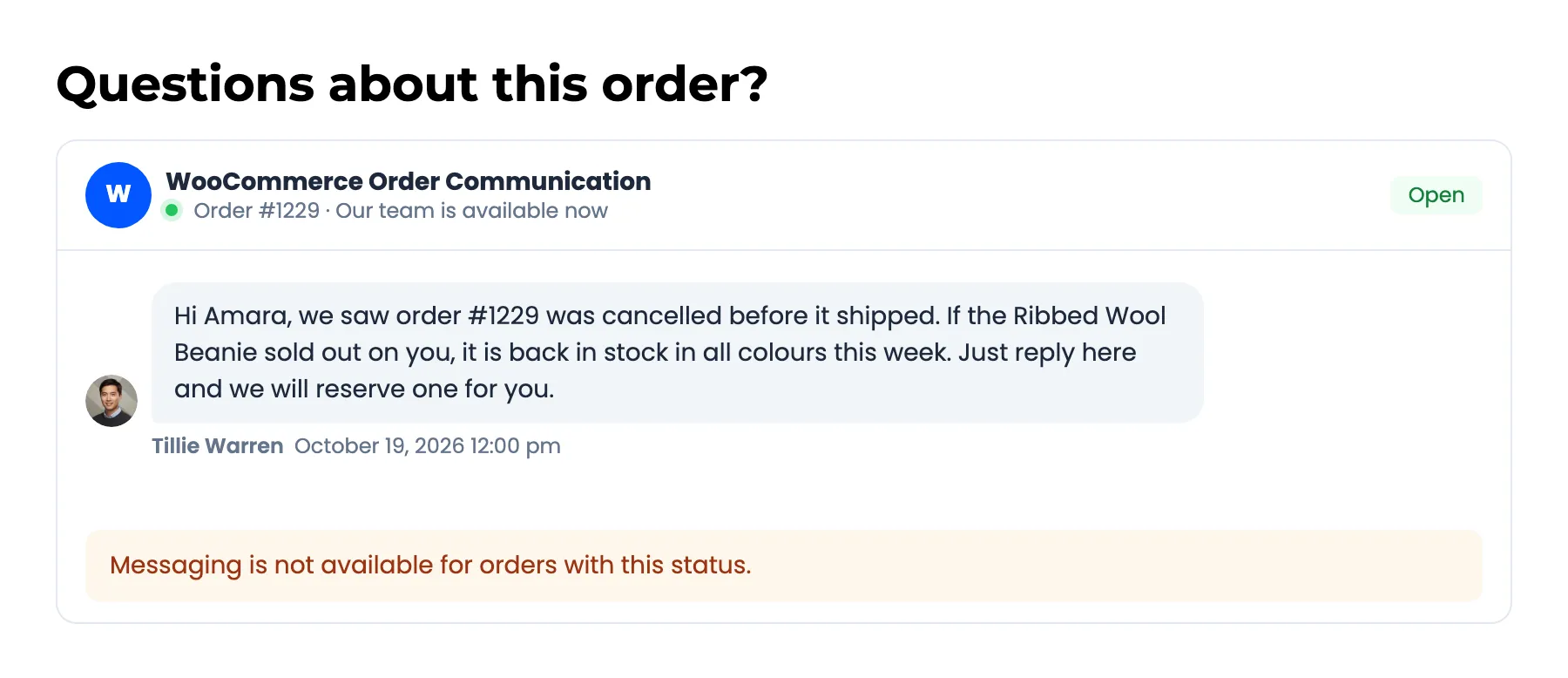
Section titled “Step 4: Check an order in another status”On the demo, Cancelled was removed. Amara’s cancelled order #1229 still shows the conversation, so she can read your messages, but the composer is replaced by “Messaging is not available for orders with this status.”
Things to know
Section titled “Things to know”- Your team can always write, on any order in any status.
- The rule follows the order. If the order moves back to an allowed status, the customer can write again.
- Common choices: Pending payment, Processing and On hold for pre-delivery questions only, or add Completed for after-sales help.