

Business Hours Settings (Pro)
Business hours tell customers when to expect an answer. Open Order Communication → Configuration → Business Hours.
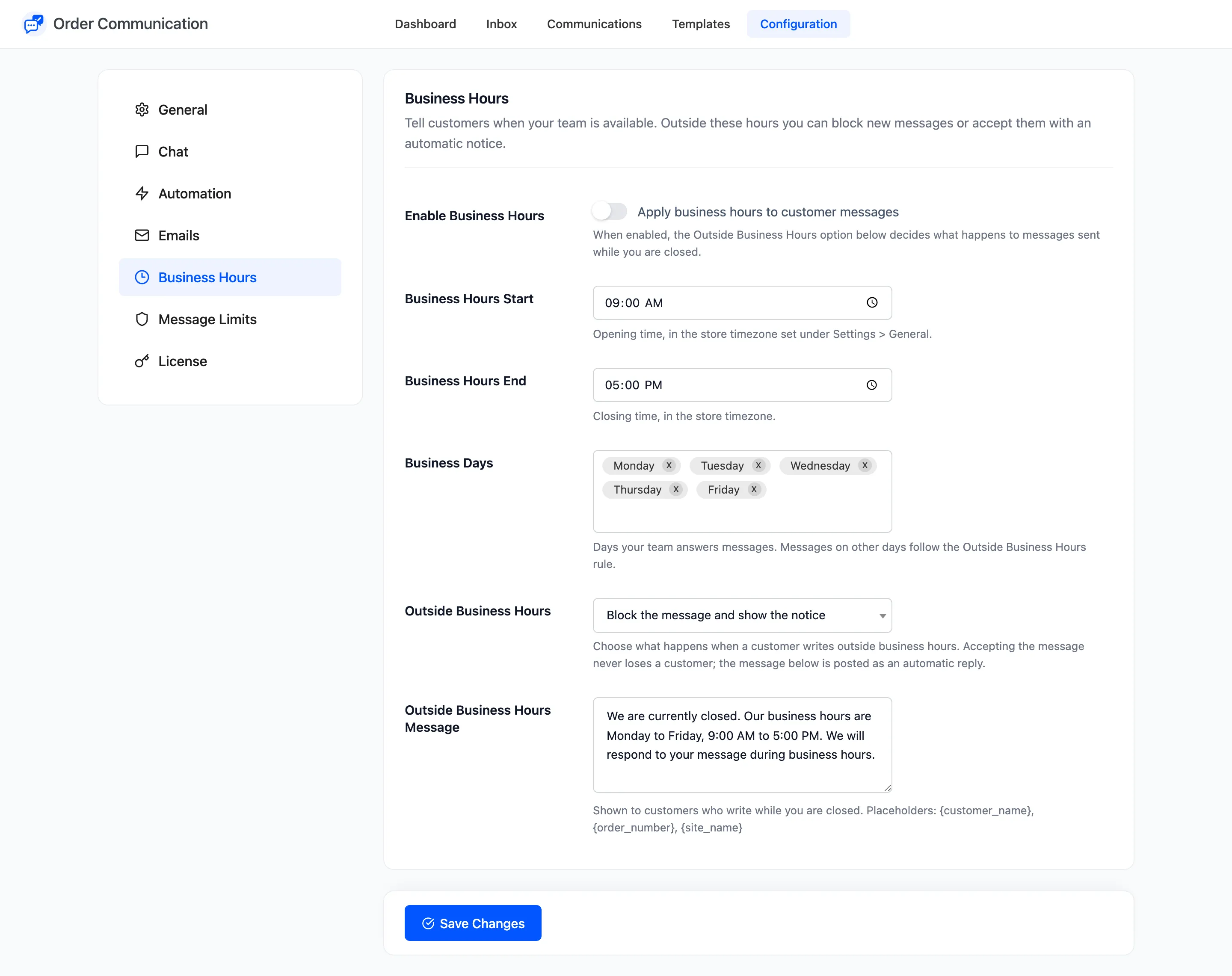
The fields
Section titled “The fields”- Enable Business Hours: “Apply business hours to customer messages”. Off by default.
- Business Hours Start: Opening time. Default 09:00, in the timezone under Settings → General.
- Business Hours End: Closing time. Default 17:00.
- Business Days: The days your team answers. Default Monday to Friday. Any other day counts as closed all day.
- Outside Business Hours: What happens to a message sent while you are closed:
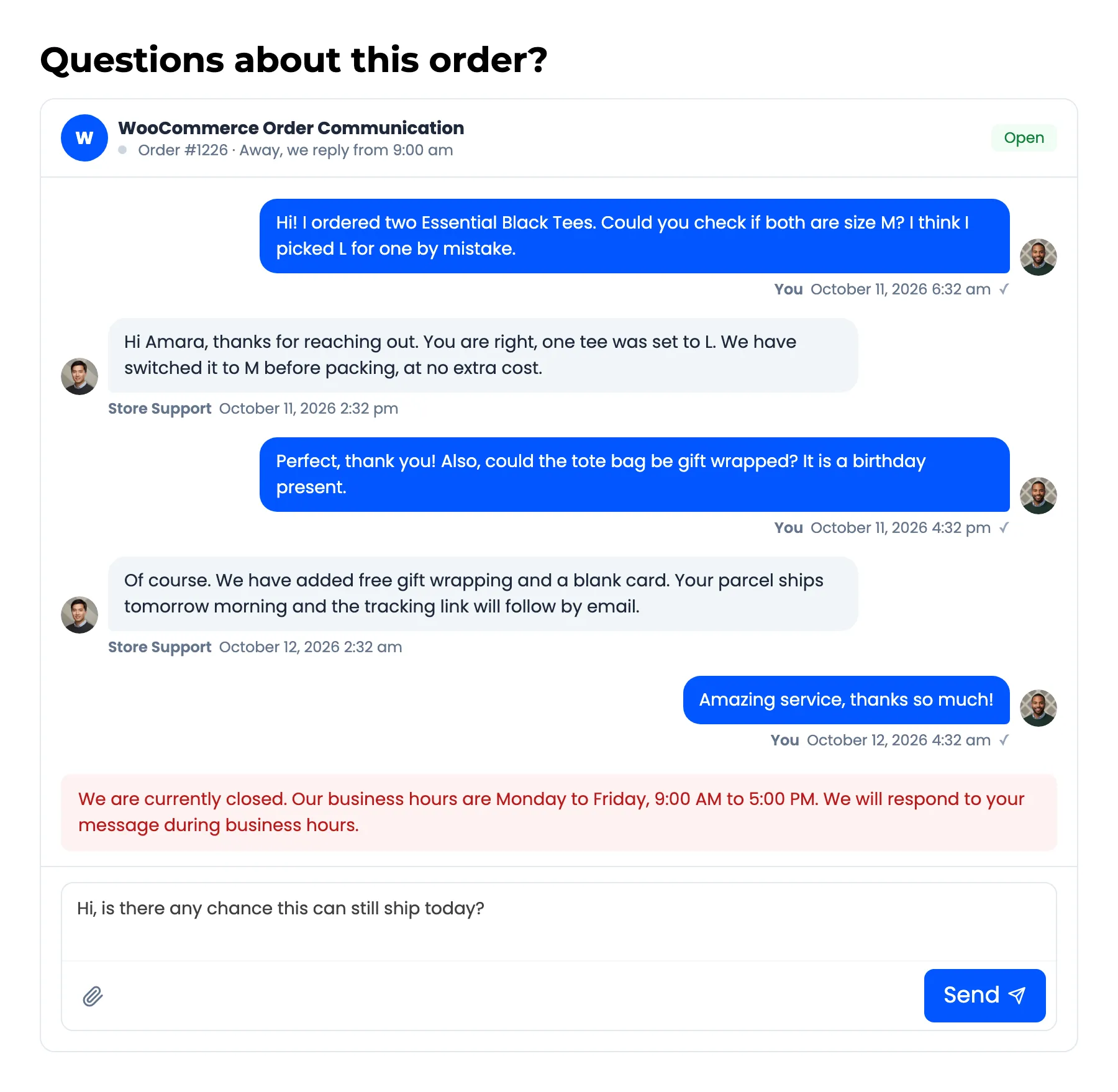
- Block the message and show the notice (default): the message is refused and the customer sees the notice instead.
- Accept the message and auto-reply with the notice: the message goes through and the notice is posted under it as an Automated message.
- Outside Business Hours Message: The notice. Placeholders
{customer_name},{order_number}and{site_name}work.
What the customer sees
Section titled “What the customer sees”With business hours on, the chat header says “Our team is available now” while you are open, and “Away, we reply from 9:00 am” while you are closed.
Three things to know
Section titled “Three things to know”- The default notice names fixed hours. It reads “Monday to Friday, 9:00 AM to 5:00 PM” whatever you set above. Rewrite it whenever you change the hours or days.
- Opening and closing must fall on the same day. Hours that cross midnight, such as 22:00 to 06:00, are never treated as open.
- Your team is never blocked. Staff can write at any hour.
Business hours replace the instant auto-reply while you are closed. With Accept chosen, the customer gets your closed notice, not both.
How to Set Business Hours (Pro) shows both modes on a real order.