

Message Limits Settings (Pro)
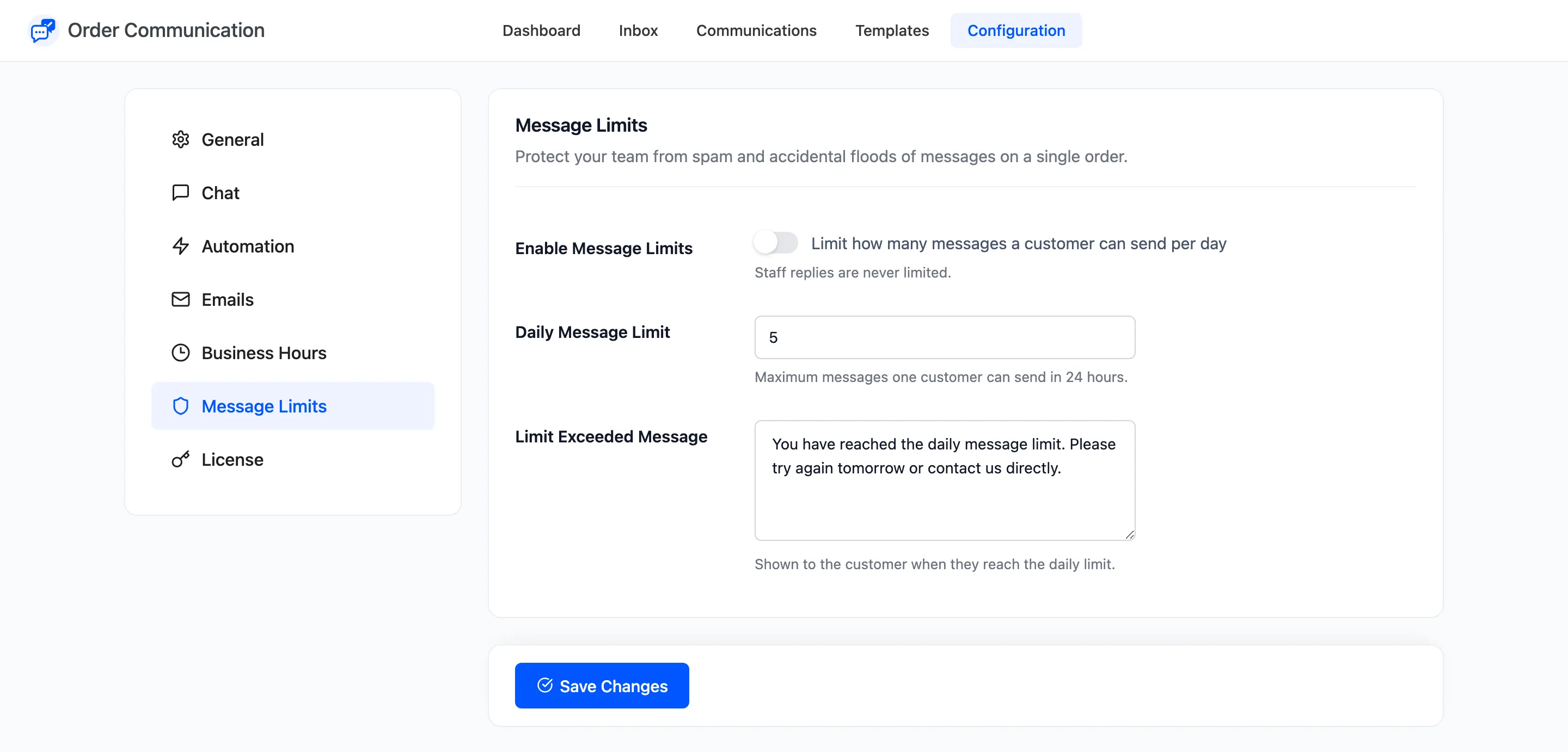
A daily limit protects your team from spam and from a customer sending twenty messages in a row. Open Order Communication → Configuration → Message Limits.
The fields
Section titled “The fields”- Enable Message Limits: “Limit how many messages a customer can send per day”. Off by default. Staff replies are never limited.
- Daily Message Limit: Default 5, from 1 to 50.
- Limit Exceeded Message: What the customer sees when they reach it. Default “You have reached the daily message limit. Please try again tomorrow or contact us directly.”
How the count works
Section titled “How the count works”- It counts one customer’s messages across all their orders, not per order.
- It resets at midnight in your store’s timezone. The field says “in 24 hours”, but a customer who writes five times at 23:50 can write again at 00:00.
- Messages from before you switched the limit on count too.
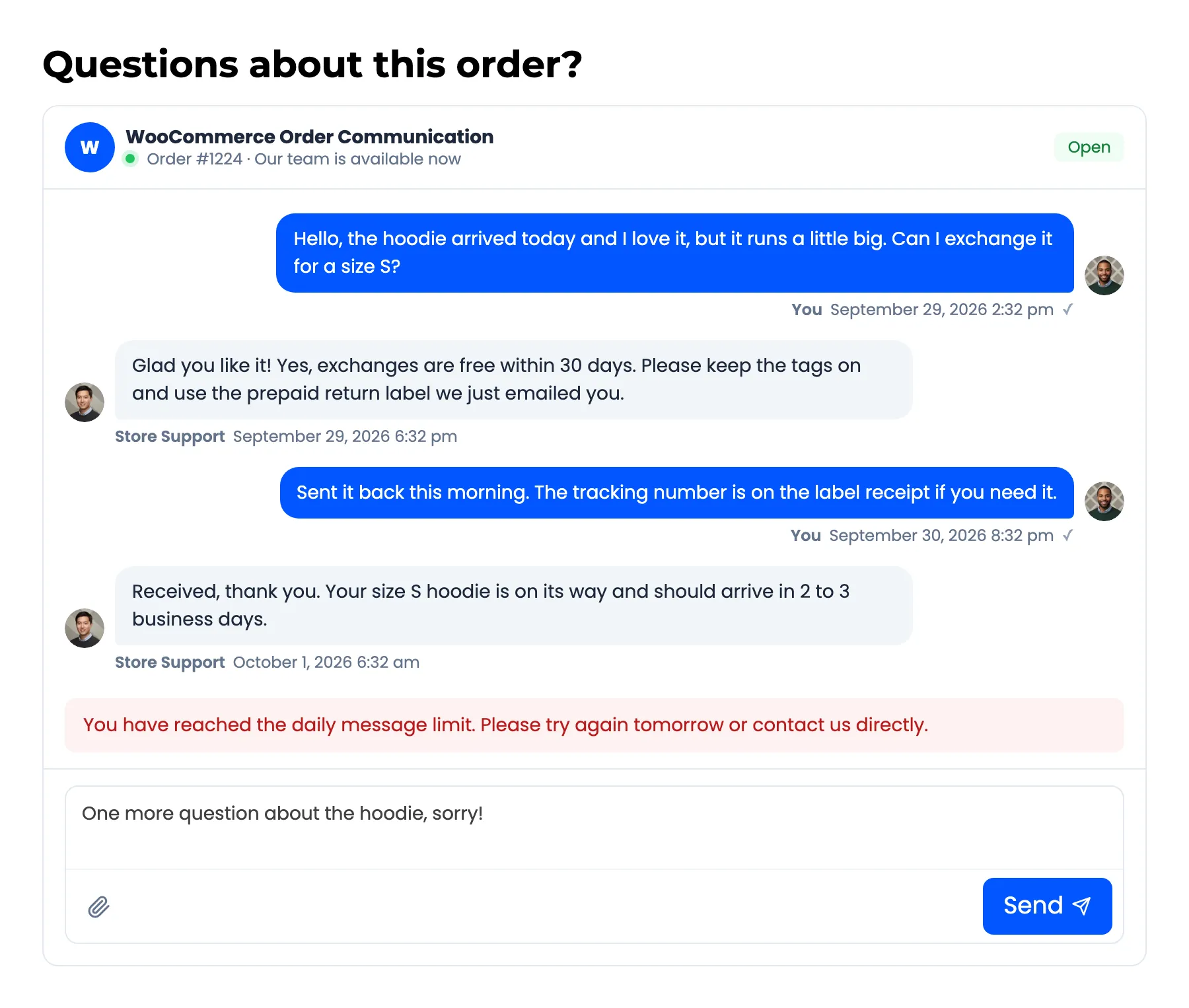
How to Limit How Many Messages a Customer Sends (Pro) walks through it.