

Introduction to Order Communication
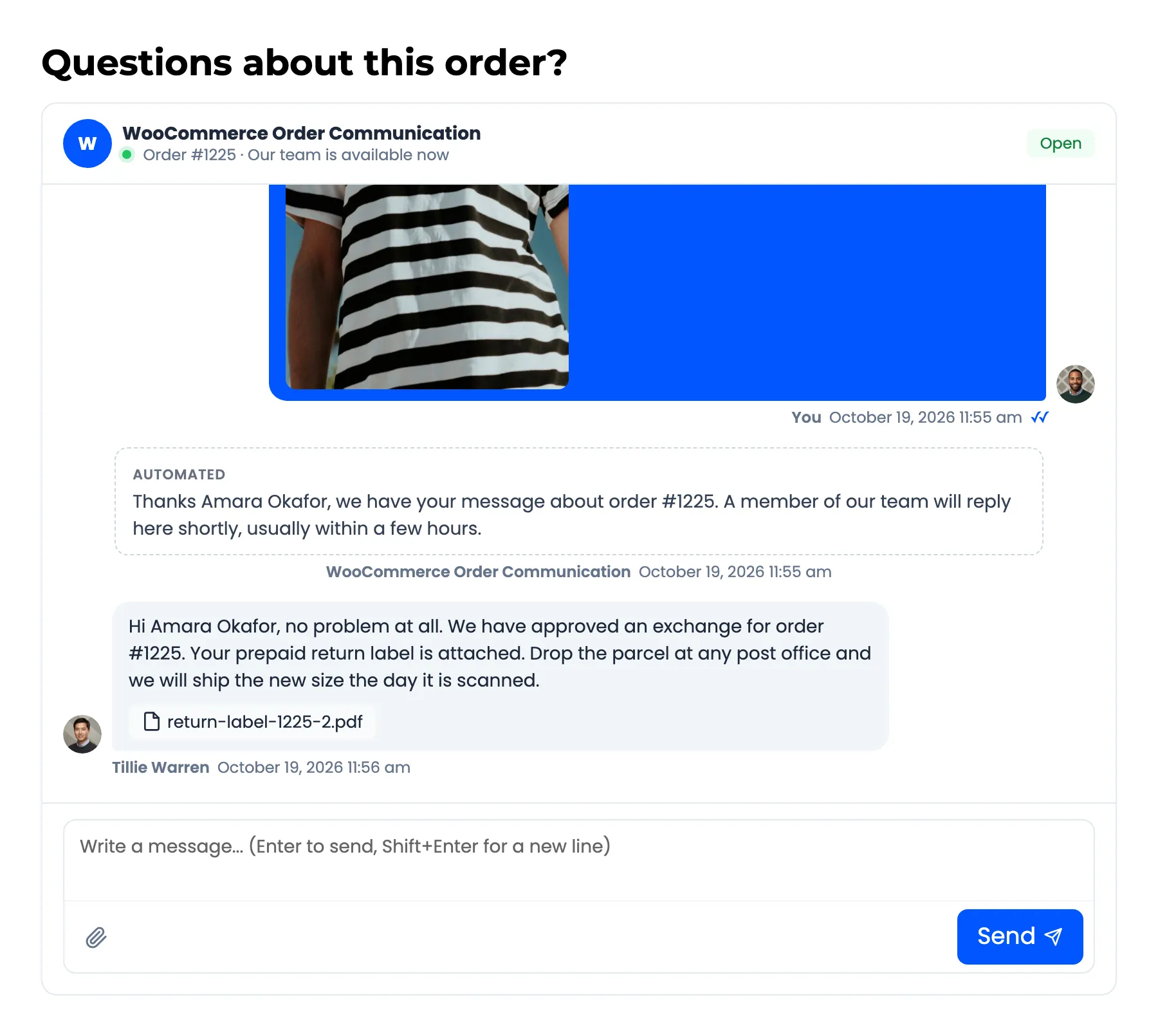
WooCommerce Order Communication gives every order its own private conversation. The customer writes from the order page in My Account. Your team answers from one shared Inbox in the admin, or from the order screen itself.
Every message stays attached to the order it is about. Nobody has to search an email inbox for an order number, and the customer never has to explain which order they mean.
Who it is for
Section titled “Who it is for”- Stores that answer order questions by email today: Sizes, delivery dates, gift notes, payment questions. Each one lands in the right order, with the order details beside it.
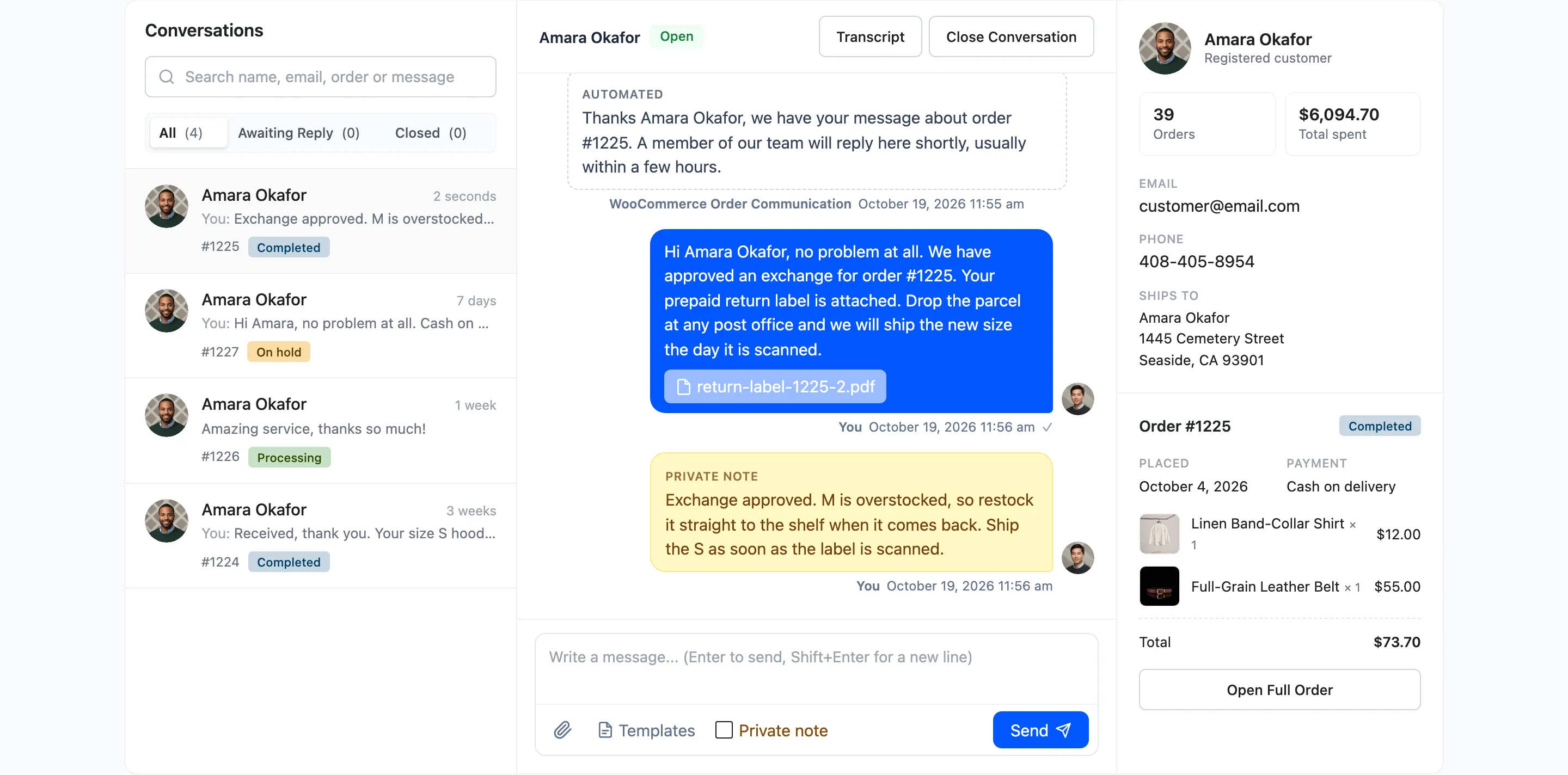
- Small teams sharing support: Everyone works from the same Inbox. Unread counts, an Awaiting Reply filter and read receipts show what still needs an answer.
- Stores that want fewer “where is my order?” messages: Pro posts an update into the conversation each time an order changes status, and emails it to the customer.
How a conversation works
Section titled “How a conversation works”The full loop is in How Order Conversations Work. In short:
- The customer opens an order in My Account → Orders and writes under Questions about this order?
- Your team gets an email, and the order shows an unread count in the Inbox, the orders list and the admin menu.
- Someone on your team replies. The customer gets an email with a button back to the conversation.
- Both sides see when the other has read their messages. When the question is settled you can close the conversation.
Free and Pro
Section titled “Free and Pro”The free version is DevDiggers Order Communication for WooCommerce on WordPress.org. It covers the whole conversation between your store and the customer. Pro adds the tools a busy team needs on top.
| What you get | Free | Pro |
|---|---|---|
| Conversation on every order in My Account | Yes | Yes |
| Shared Inbox with search and the Awaiting Reply and Closed filters | Yes | Yes |
| Conversation box on the order screen, Messages column on the orders lists | Yes | Yes |
| Live updates, read receipts and unread counts | Yes | Yes |
| Close and reopen a conversation | Yes | Yes |
| Allowed order statuses and chat colours | Yes | Yes |
| Store and customer notification emails, with your own recipients | Yes | Yes |
| Rewrite the email subject, heading and message | No | Yes |
| Photos and documents in messages | No | Yes |
| Saved reply templates | No | Yes |
| Private notes only your team can see | No | Yes |
| Communications table with filters, bulk actions, CSV export and transcripts | No | Yes |
| Instant auto-reply and automatic order status messages | No | Yes |
| Business hours with an online or away status | No | Yes |
| Daily message limit per customer | No | Yes |
| Response time, reply rate and conversation status on the dashboard | No | Yes |