

How to Mark a Bank Transfer Contribution as Paid
Card payments mark an order paid straight away, so their contributions count at once. A bank transfer, cheque or cash on delivery order waits On hold until you confirm the money. Until then it is not in the campaign total, the supporter is not on the wall and no thank you email is sent.
The demo store only offers bank transfer and cheque for contributions, so every contribution there goes through this.
Step 1: Find the contribution
Section titled “Step 1: Find the contribution”Go to Crowdfunding → Contributions. A new bank transfer contribution shows On hold and Not counted.
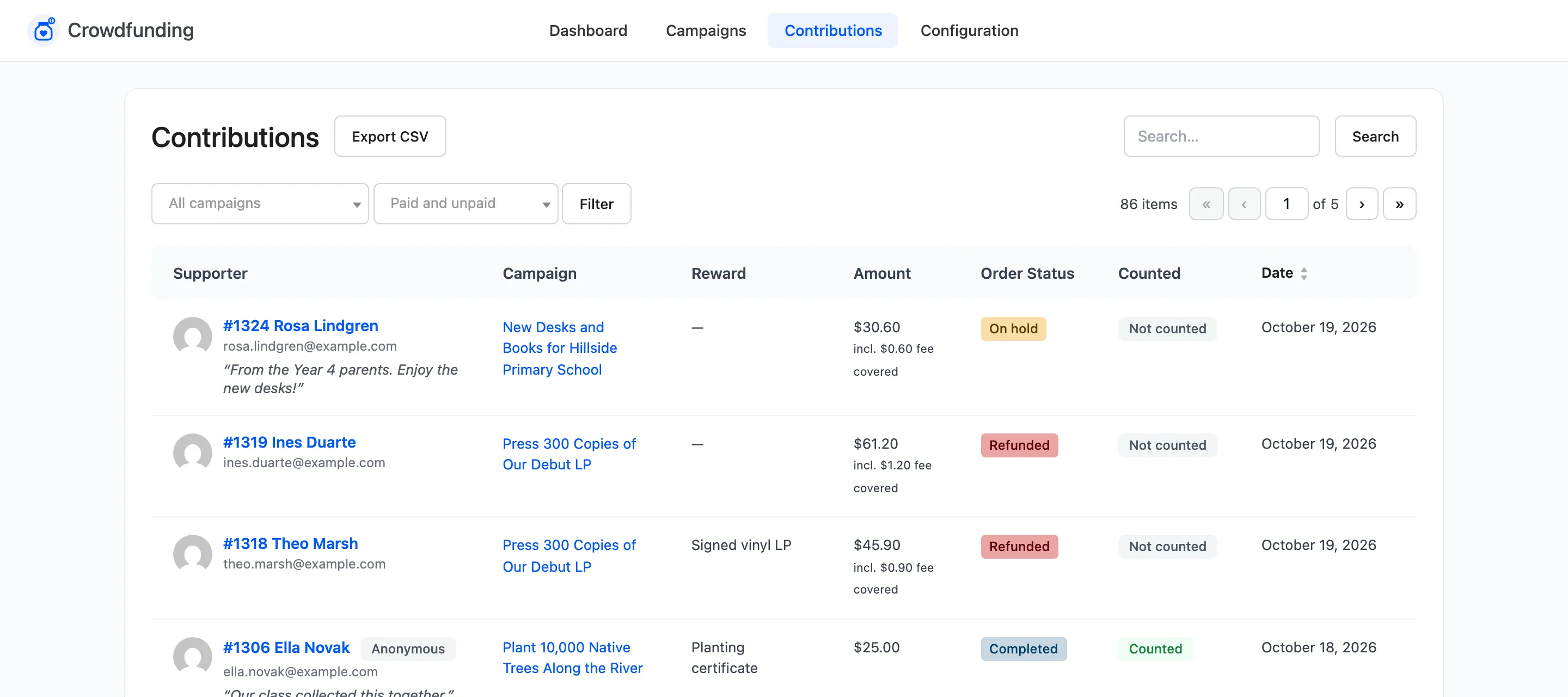
To see only these, set the second filter to Not counted.
Step 2: Check the money arrived
Section titled “Step 2: Check the money arrived”The supporter’s reference on the transfer is the order number. Match it to your statement before going on.
Step 3: Complete the order
Section titled “Step 3: Complete the order”Click the order number. In WooCommerce’s order screen, set Status to Completed, or Processing if there is something to deliver, and click Update.
Step 4: Check it counted
Section titled “Step 4: Check it counted”Back on Contributions, the row reads Counted.
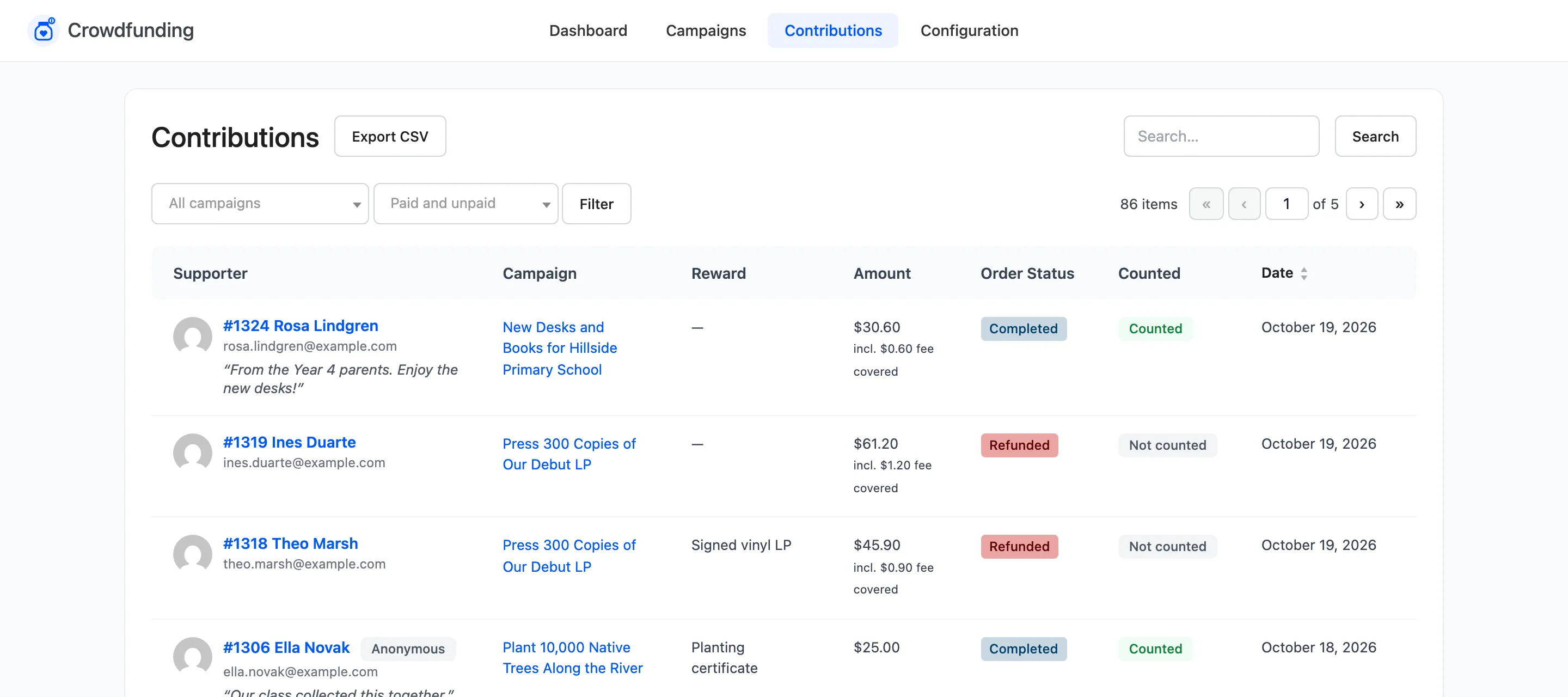
At that moment:
- The amount is added to the campaign and the supporter to its wall.
- A chosen reward’s count goes up.
- The supporter gets the thank you email and the creator gets the new contribution email.
- If it reaches the goal, the Goal Reached email goes out, and with Close on goal on, the campaign stops taking contributions.
On the demo store, this $30.60 transfer took the school campaign from $870 to $900.60 against a $900 goal. The campaign page switched to Funded and closed.

If the money never arrives
Section titled “If the money never arrives”Set the order to Cancelled. If it had already been counted, the contribution is taken back out. See What a Cancelled or Refunded Contribution Does.