

How to Charge a Platform Fee (Pro)
If customers raise money through your store, a platform fee covers your costs. It is taken when a creator is paid out, never from the supporter’s contribution.
Step 1: Set the store fee
Section titled “Step 1: Set the store fee”Go to Configuration → Payouts & Fees.
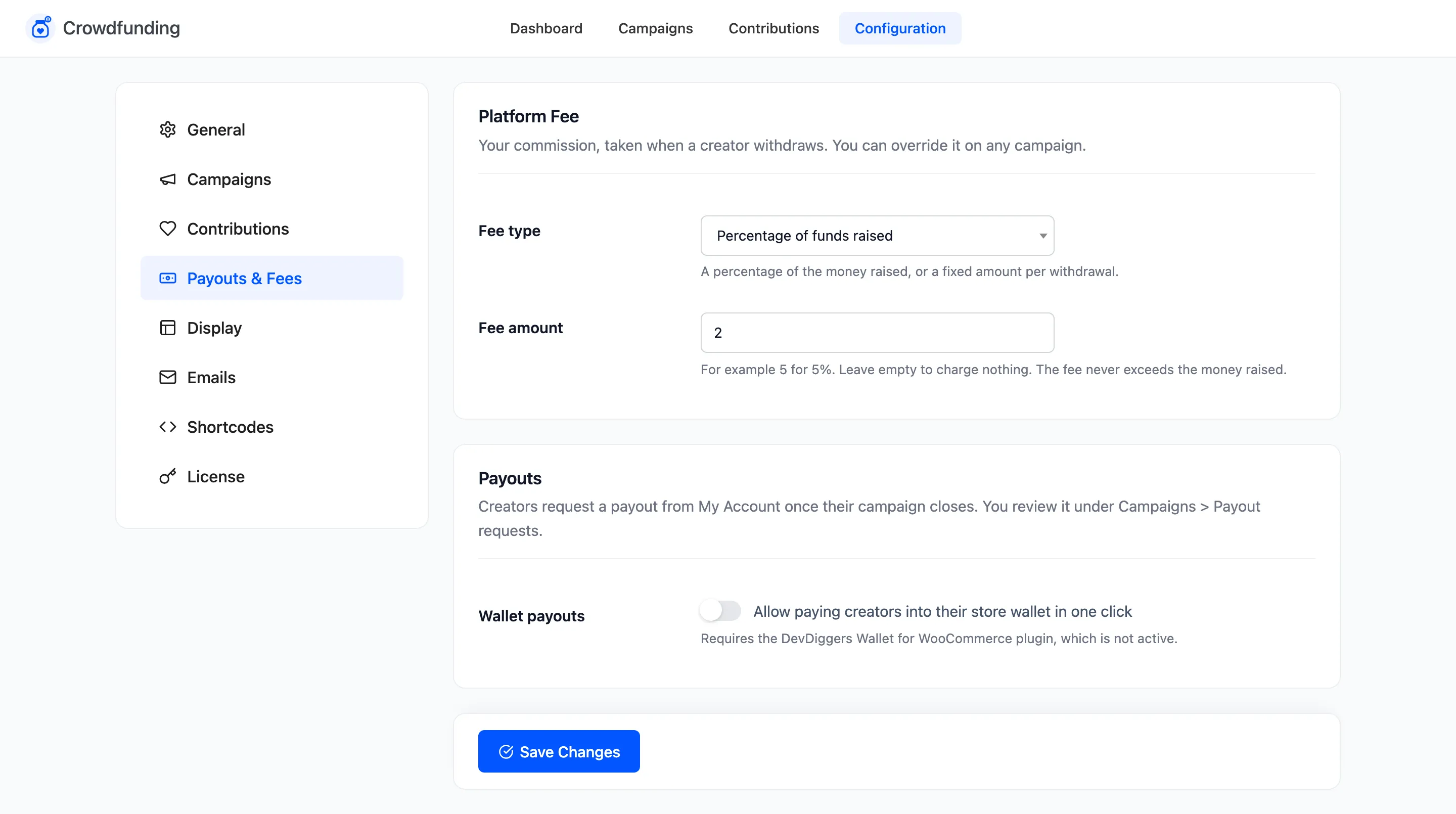
- Fee type: Percentage of funds raised or Fixed amount per withdrawal.
- Fee amount: For example 5 for 5%. Leave it empty for no fee.
Click Save Changes. The setup wizard’s Platform fee (%) sets the same value.
Step 2: Override it on one campaign
Section titled “Step 2: Override it on one campaign”To waive it for a charity, or charge a partner less, open the campaign in the editor. In the Payout box, set Platform fee to:
- Use store setting: the default.
- Custom percentage or Custom fixed amount, with the amount in Custom fee.
- No fee.
The field’s note shows the current store fee, for example “Override the store fee (2%) for this campaign”.
Step 3: See it at payout
Section titled “Step 3: See it at payout”The payout request shows Platform fee and Amount to pay.
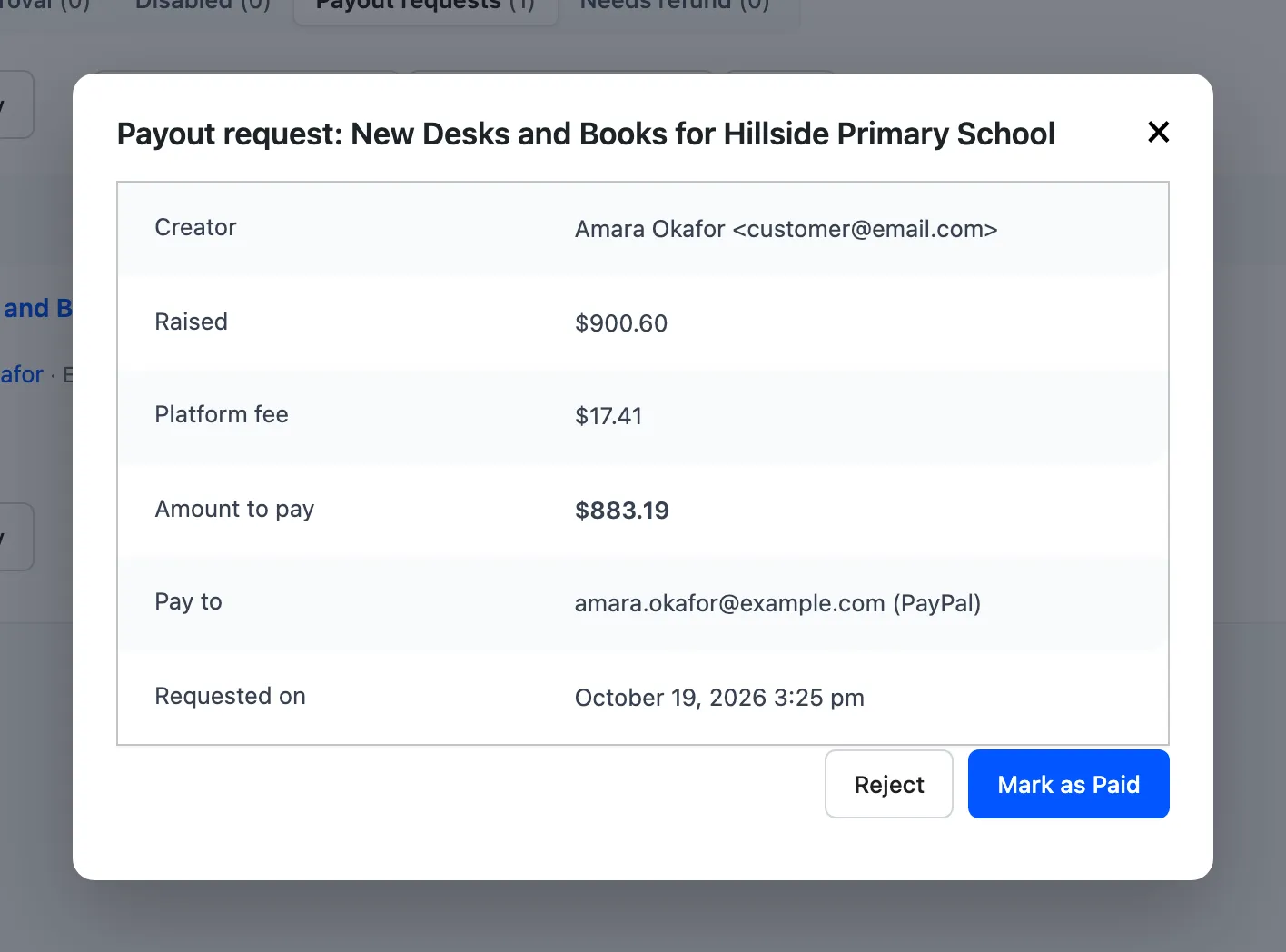
The fee never exceeds the money raised.
Where others see it
Section titled “Where others see it”- Creators see “A platform fee of 2% applies to withdrawals.” on their Start a Campaign form.
- Supporters can cover a percentage fee themselves, so the creator gets the full gift. See How to Let Supporters Cover the Fee.