

The Creator Experience (Pro)
A creator is the person a campaign raises money for. Campaigns you create are yours by default. With Pro and Customer campaigns on, customers can start their own from My Account, and they become creators. This page shows their side.
My Campaigns
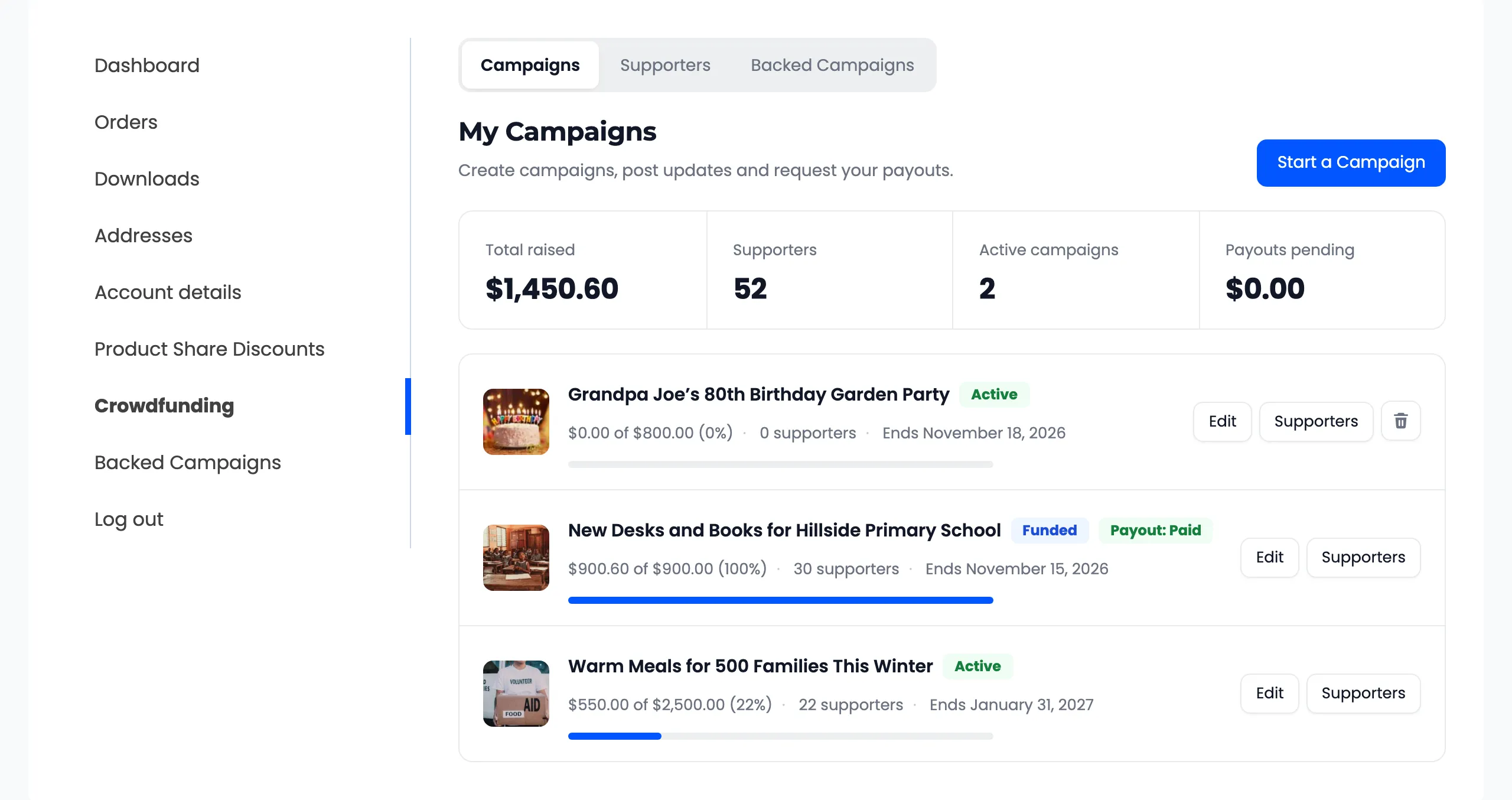
Section titled “My Campaigns”Creators get a page in My Account, called My Campaigns by default. Its name and URL are set on the Display tab. On the demo store it is called Crowdfunding.
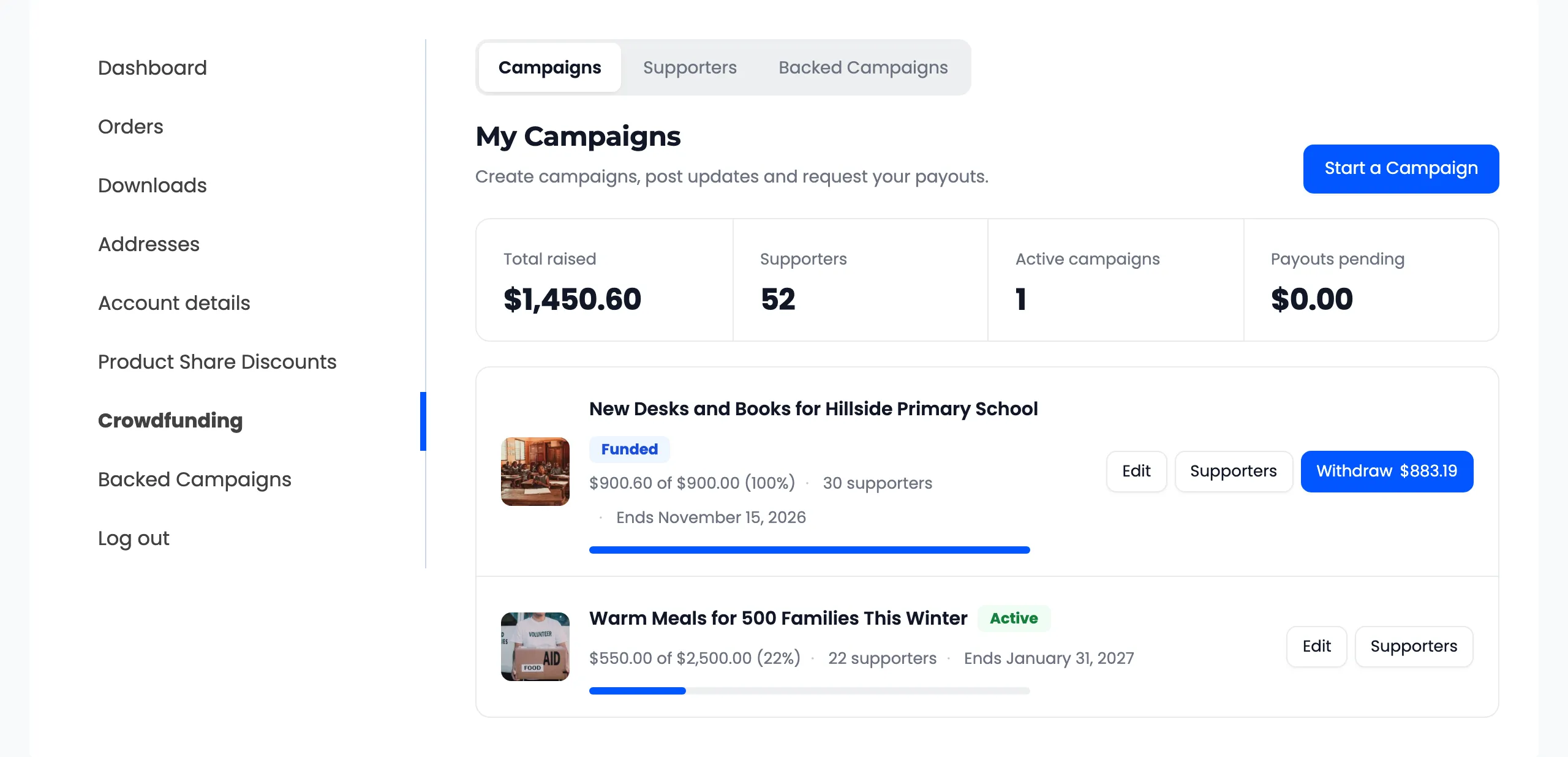
- Total raised, Supporters, Active campaigns and Payouts pending across all their campaigns.
- One row per campaign: progress, supporters, end date and state, with Edit and Supporters.
- Withdraw, with the amount, once a campaign can be paid out.
- A delete button on a campaign with no contributions. A campaign that has had contributions cannot be deleted, only disabled.
The three tabs at the top are Campaigns, Supporters and Backed Campaigns.
Starting a campaign
Section titled “Starting a campaign”Start a Campaign opens the form.
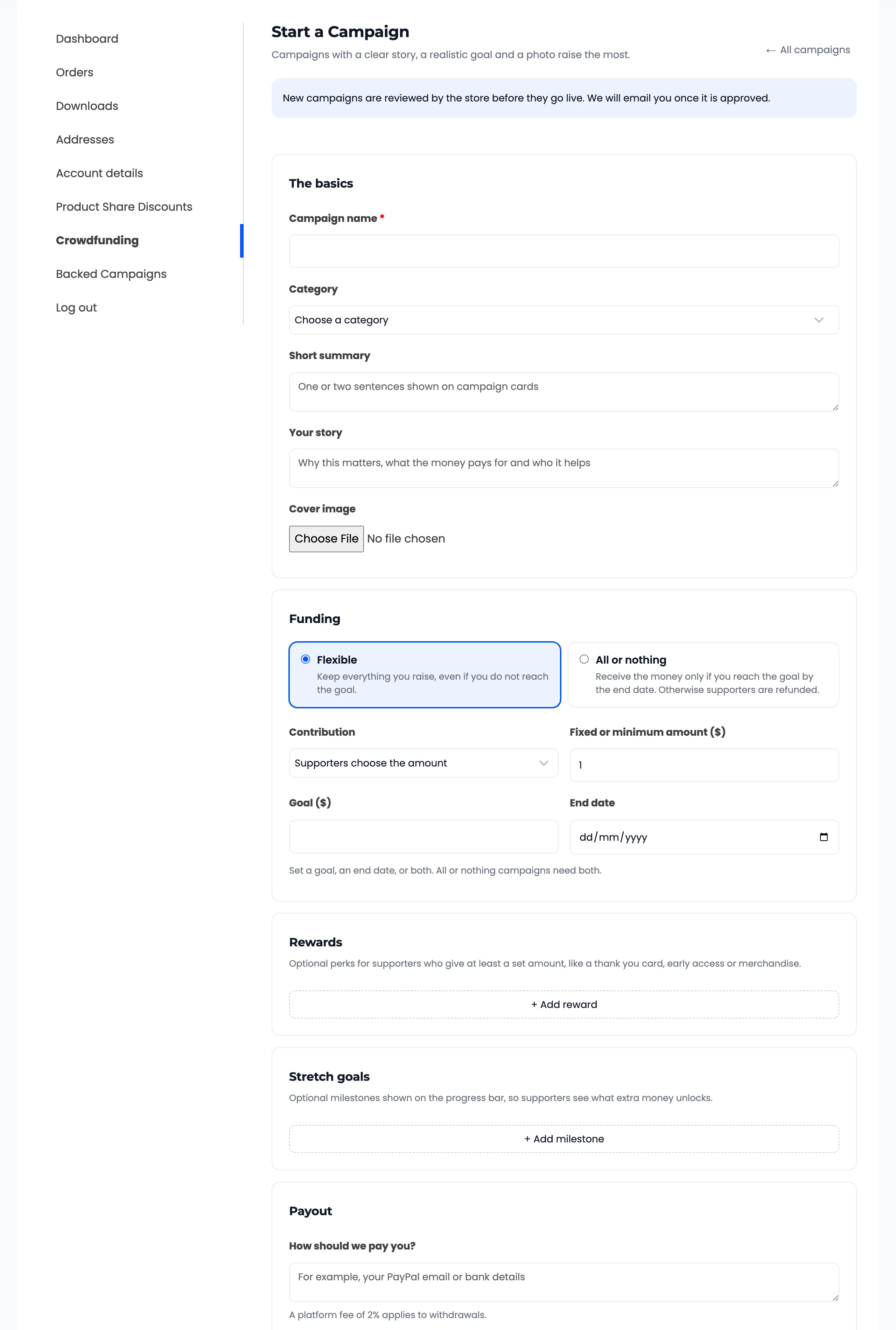
It has the same parts as your editor: the basics, funding, rewards, stretch goals and payout. A cover image is uploaded from the form, since customers have no media library. See How to Let Customers Start Campaigns.
With approval on, a new campaign waits for you. The creator sees “Campaign submitted. It goes live once the store approves it.”
Supporters
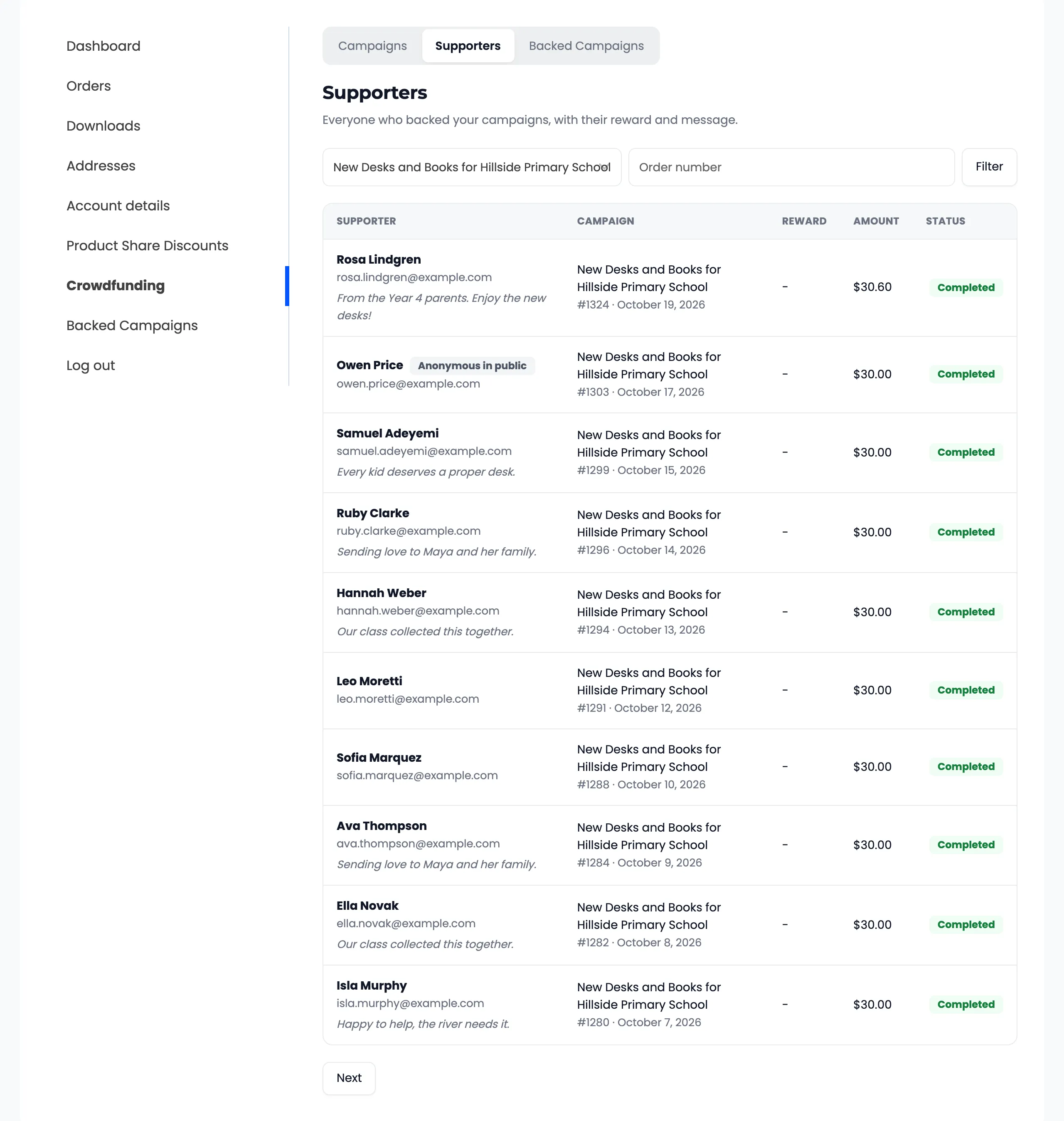
Section titled “Supporters”Supporters lists everyone who backed the creator’s campaigns, with the order number, reward, amount, message and status. A creator sees an anonymous supporter’s real name, marked “Anonymous in public”.
Updates
Section titled “Updates”From Edit, a creator can post an update and email it to every supporter, if you allow updates.
Getting paid
Section titled “Getting paid”When a campaign closes with money to release, its row shows Withdraw with the amount. One click sends you a payout request.
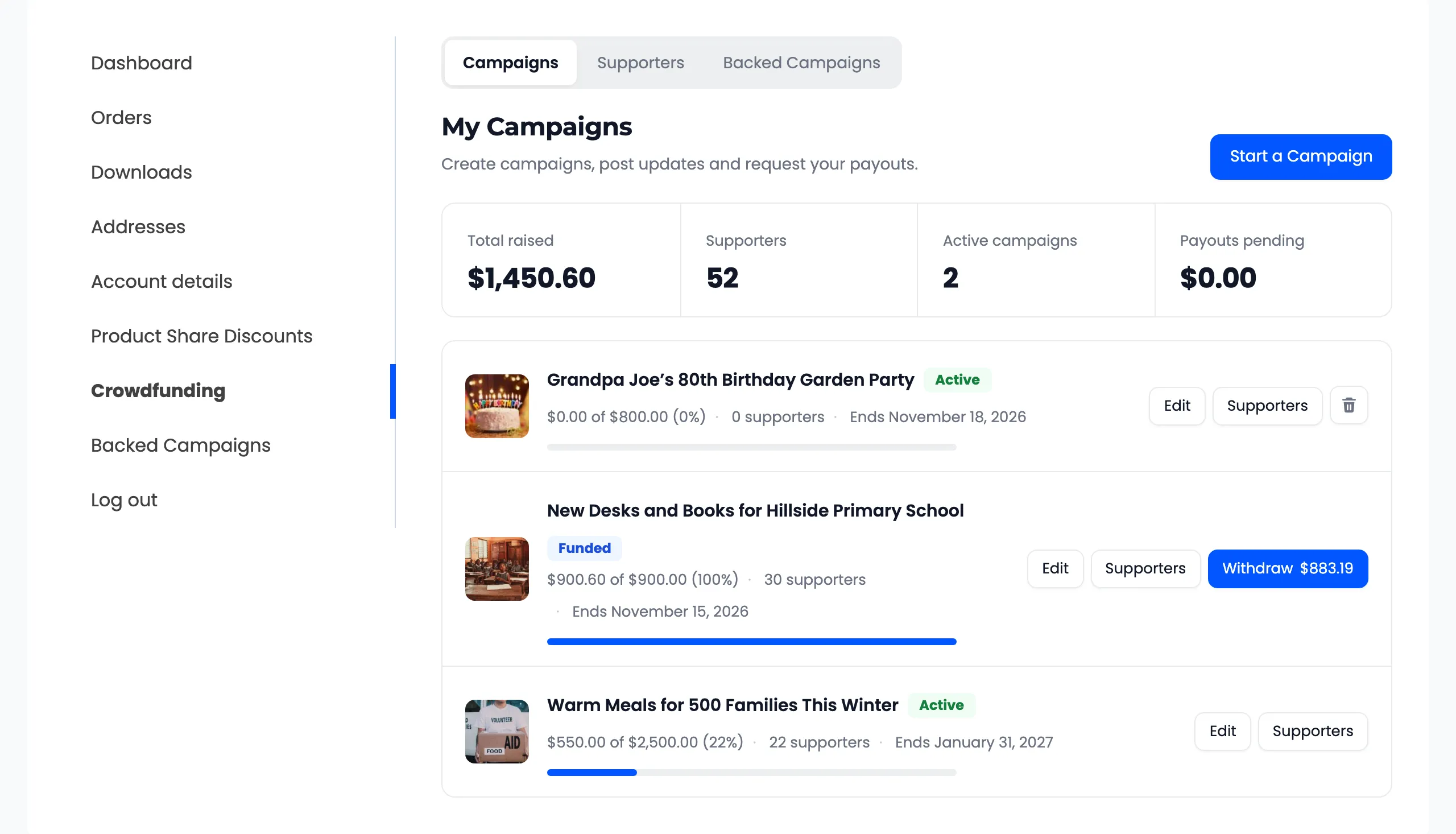
The row then reads Payout Requested. Once you mark it paid, it reads Payout Paid and the creator gets an email.
Emails a creator receives
Section titled “Emails a creator receives”- New Contribution to Creator, for every paid contribution.
- Campaign Approved to Creator, when you approve their campaign.
- Goal Reached and Campaign Ended.
- Withdrawal Paid or Withdrawal Rejected.