

How to Refund Supporters When a Goal Is Missed (Pro)
When an all or nothing campaign misses its goal, every supporter is owed their money back. One button does it for all of them.
Step 1: Open Needs refund
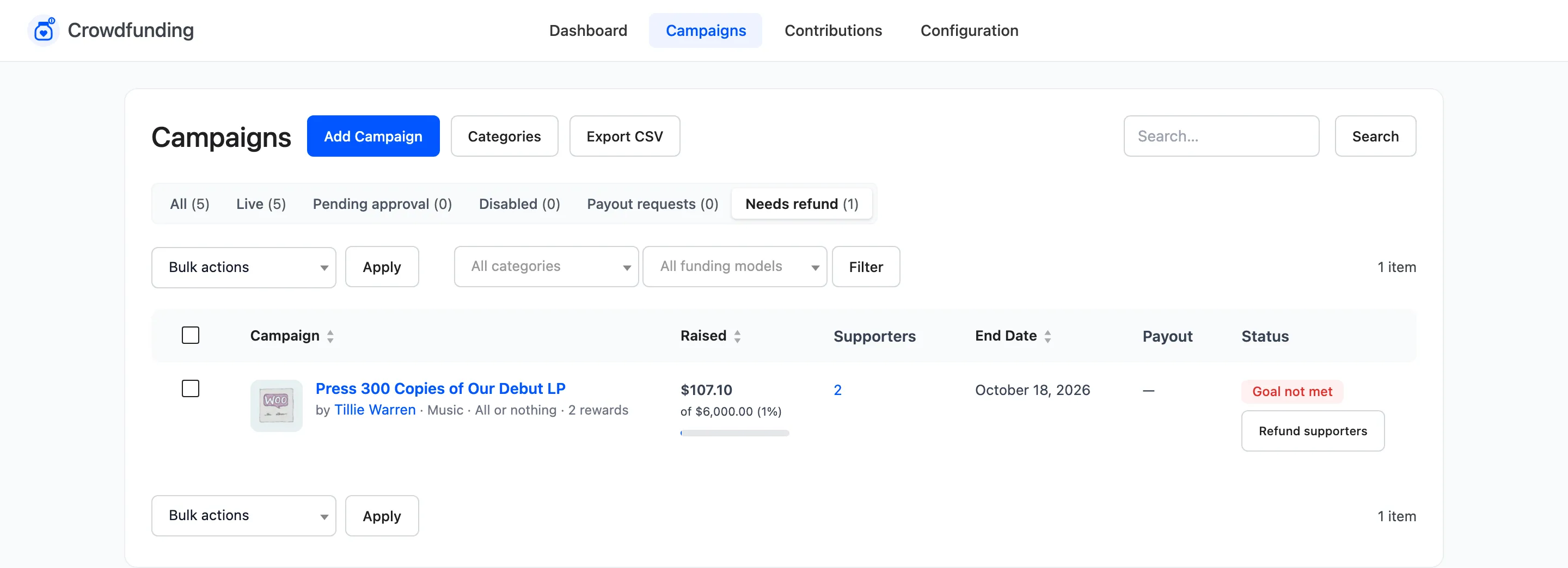
Section titled “Step 1: Open Needs refund”Go to Campaigns and click Needs refund. It lists all or nothing campaigns past their end date, below their goal and still holding contributions. The dashboard’s Needs Attention list links here too.
Step 2: Refund supporters
Section titled “Step 2: Refund supporters”In the Payout column, click Refund supporters and confirm the prompt.
The plugin works through the contributions ten at a time, showing “Refunding… 4 contributions left.” until it says “All contributions have been refunded.”
Step 3: Check the result
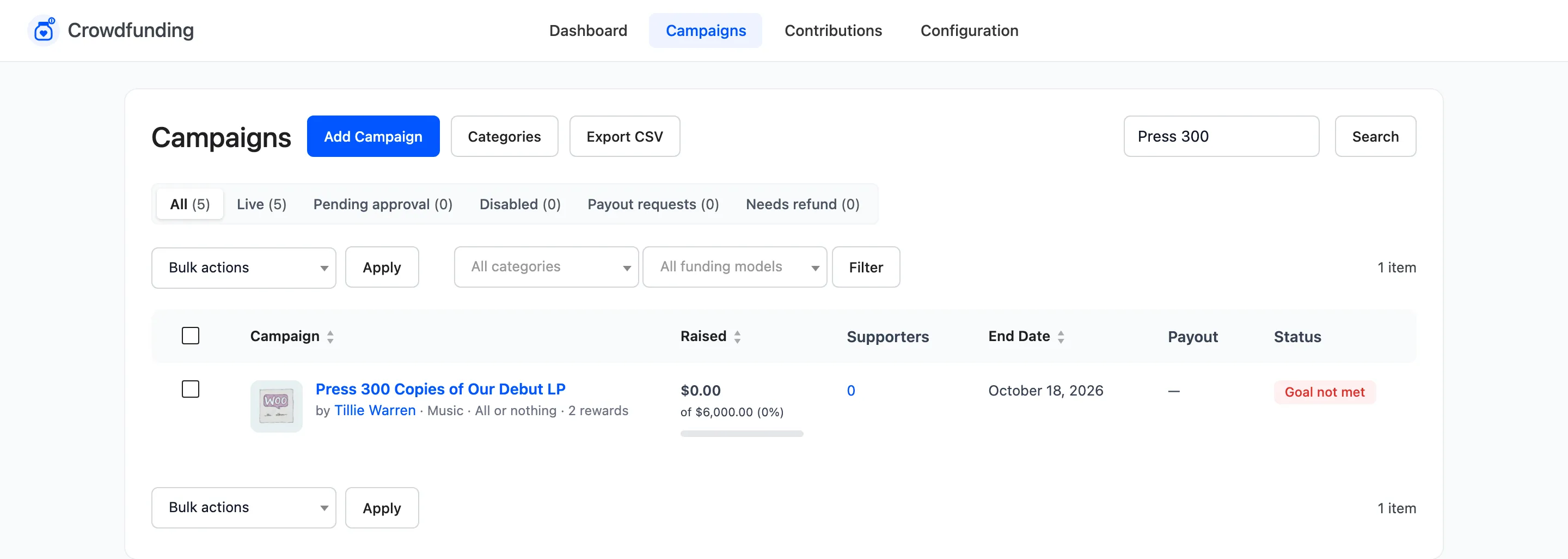
Section titled “Step 3: Check the result”The campaign leaves Needs refund. Its raised total and supporters drop to zero.
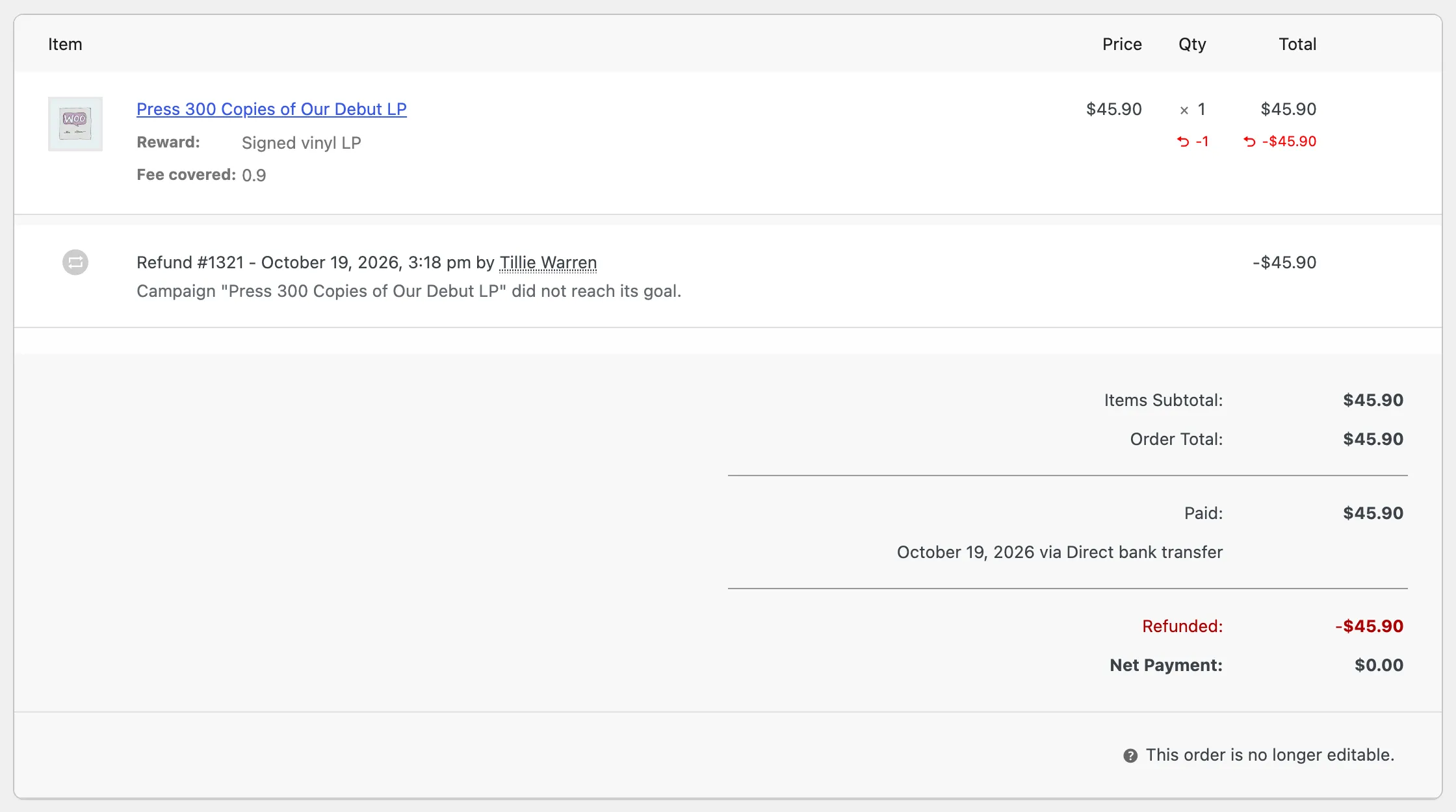
Each order gets a WooCommerce refund for the campaign line, with the reason “Campaign did not reach its goal”, and moves to Refunded. The supporter gets WooCommerce’s refunded order email.
Step 4: Send manual refunds
Section titled “Step 4: Send manual refunds”For each order, the plugin first asks the payment gateway to refund. When a gateway cannot, such as bank transfer or cheque, the refund is recorded without money moving. The order gets a note: “Crowdfunding: the gateway could not refund automatically. Return the money to the supporter manually.”
On the demo store both orders were bank transfers, so both got that note. Send those refunds from your bank, then nothing else is needed: the orders are already marked refunded.
If something fails
Section titled “If something fails”An order that cannot be refunded at all is named in the message, for example “Order #1234” and the reason, and stays in the queue. Fix the cause and click Refund supporters again. Orders already done are not refunded twice.
Only all or nothing campaigns that missed their goal can be refunded this way. For one contribution on any campaign, refund its order in WooCommerce. See What a Cancelled or Refunded Contribution Does.