

Payout Requests (Pro)
When a creator asks to be paid, the campaign appears under Campaigns → Payout requests, and in Needs Attention on the dashboard. You also get the Withdrawal Requested email.
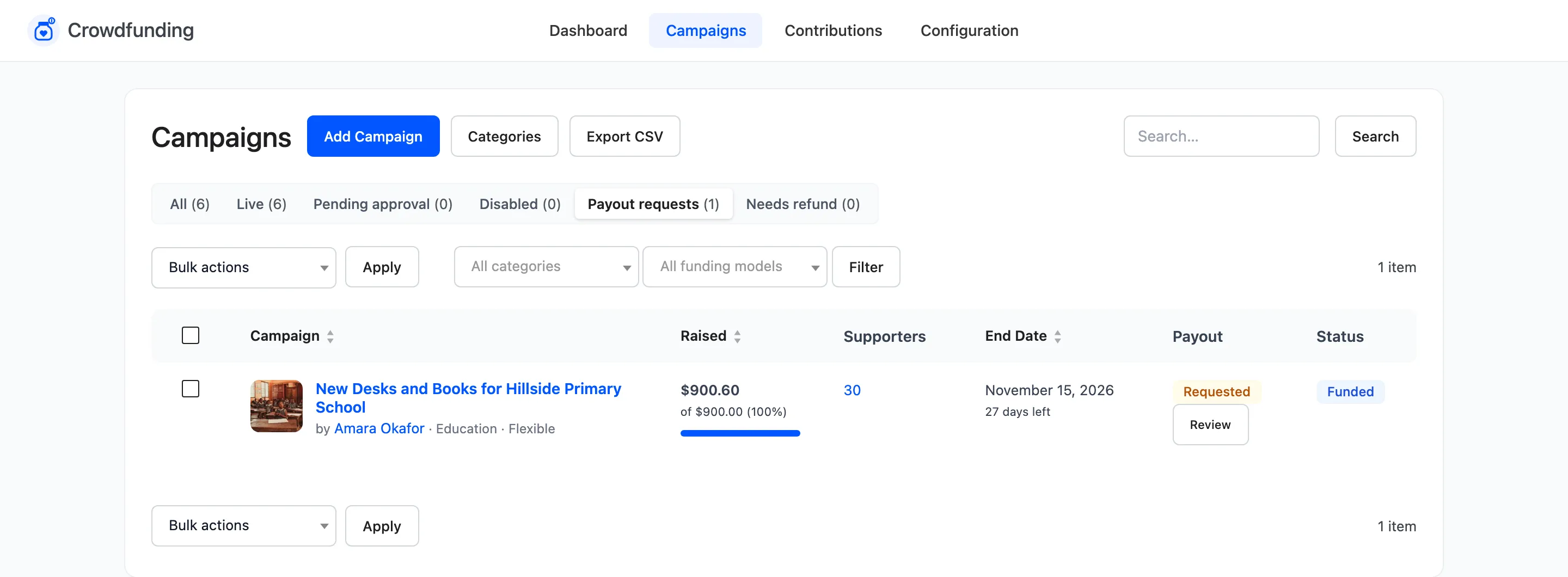
The Payout column reads Requested, with a Review button.
The review window
Section titled “The review window”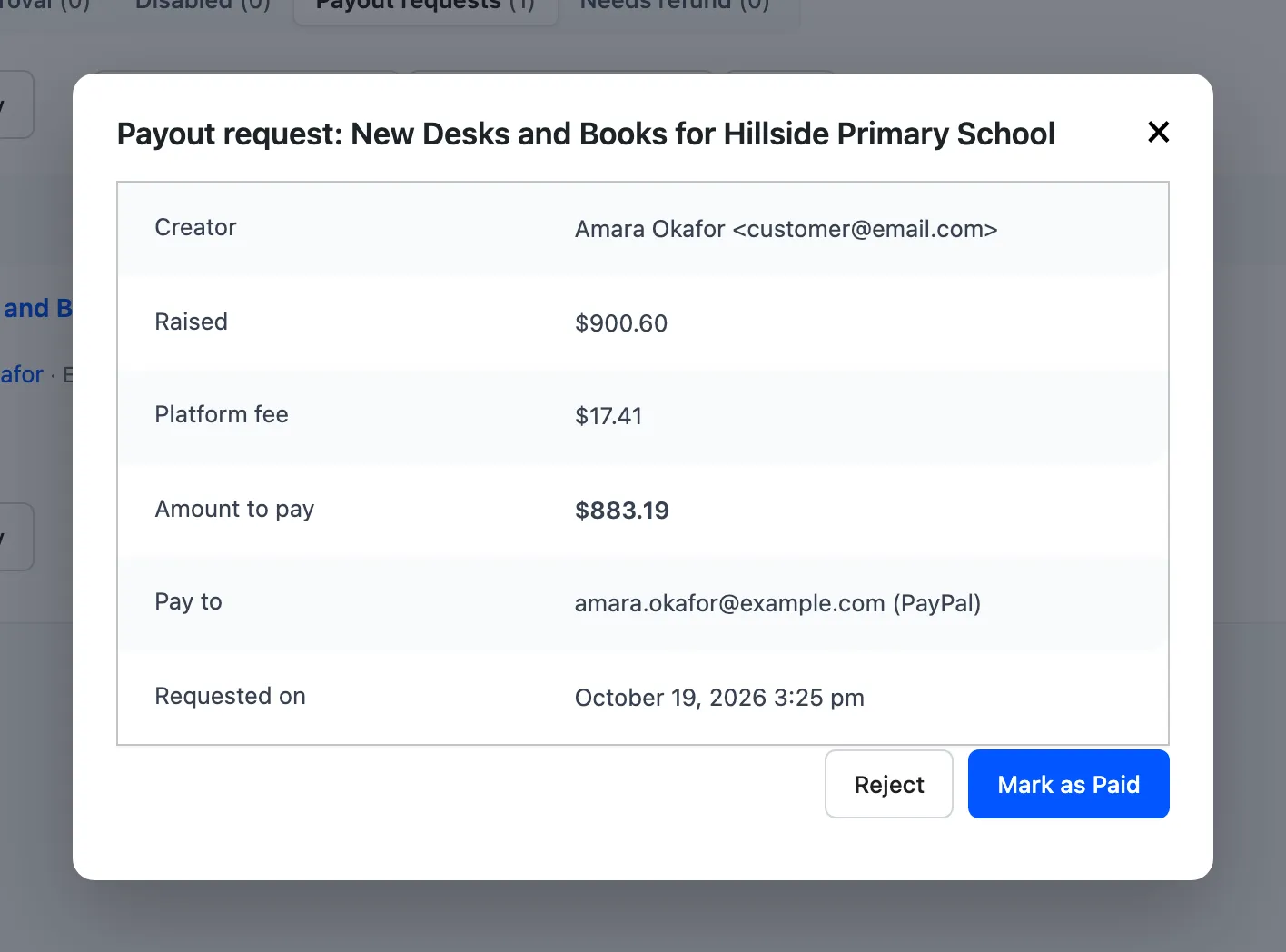
- Creator: Their name and email.
- Raised: What the campaign collected.
- Platform fee: Your fee, after any fee supporters covered.
- Amount to pay: Raised minus the fee.
- Pay to: The payout details from the campaign.
- Requested on: The date and time.
The three actions
Section titled “The three actions”- Mark as Paid: You have sent the money yourself, for example by PayPal or bank transfer. Confirm the prompt. The payout is recorded as Paid and the creator gets the Withdrawal Paid email.
- Pay to Wallet: Only with Wallet payouts on and DevDiggers Wallet for WooCommerce active. The amount is credited to the creator’s store wallet, with the note “Crowdfunding payout for” and the campaign name, and the creator is emailed.
- Reject: The request is marked Rejected and the creator gets an email asking them to check their payout details. They can request again.
The plugin does not send money itself. Mark as Paid records a payment you made outside it.
When a creator can request
Section titled “When a creator can request”The Withdraw button appears in their My Account once:
- the campaign has money raised,
- it has closed, by its end date, by reaching its goal with Close on goal on, or by being disabled,
- for all or nothing, the goal was met, and
- no request is waiting or already paid.
A creator without payout details sees “Add your withdrawal method to the campaign before requesting a withdrawal.”
The walk through is in How to Pay Out a Campaign.