The Supporter Experience
A supporter is anyone who contributes, signed in or not. This page walks through what they see, from the campaign page to the follow up in My Account.
The campaign page
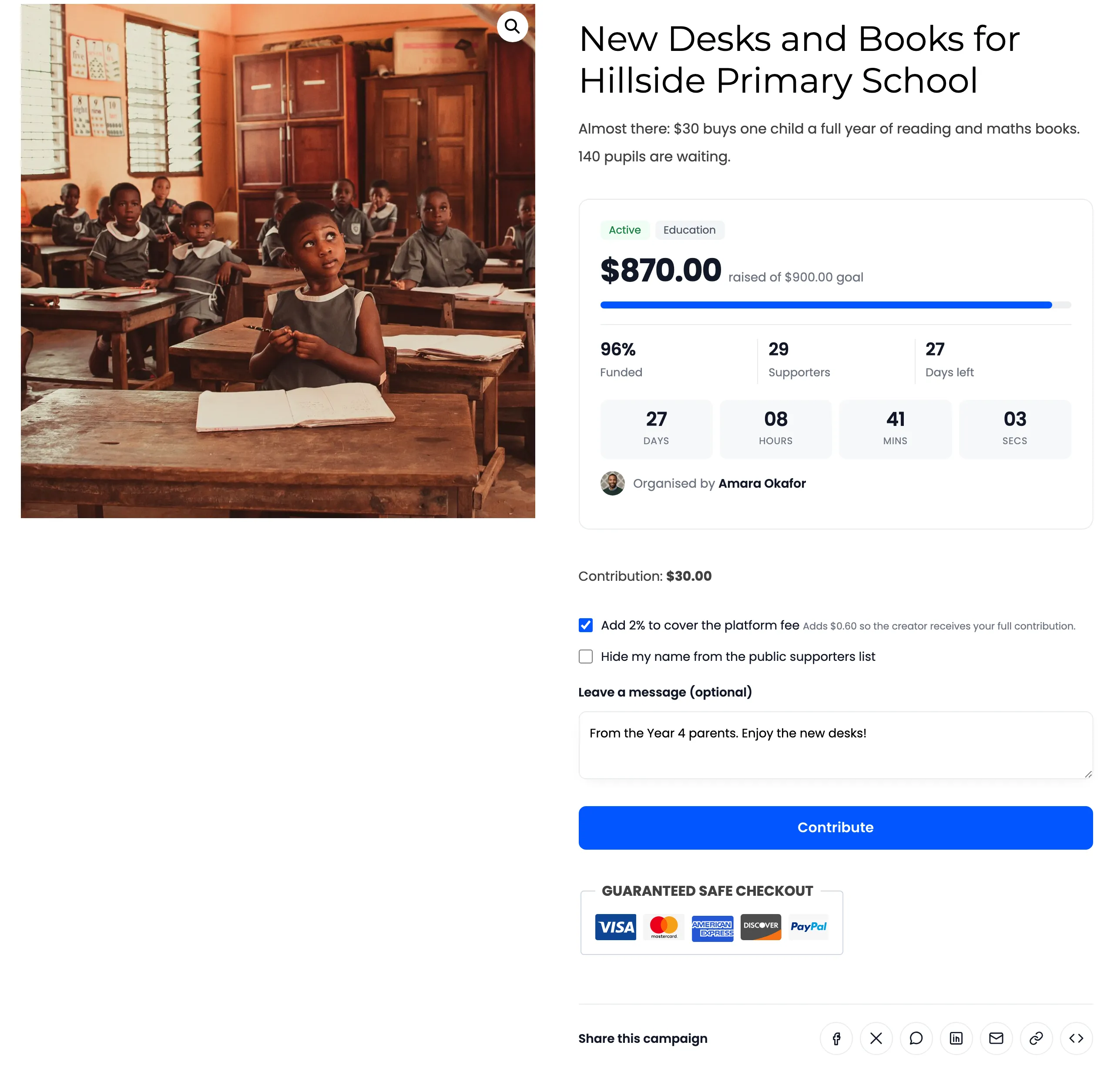
Section titled “The campaign page”The top of the page carries the campaign’s name, its short summary and the progress card.
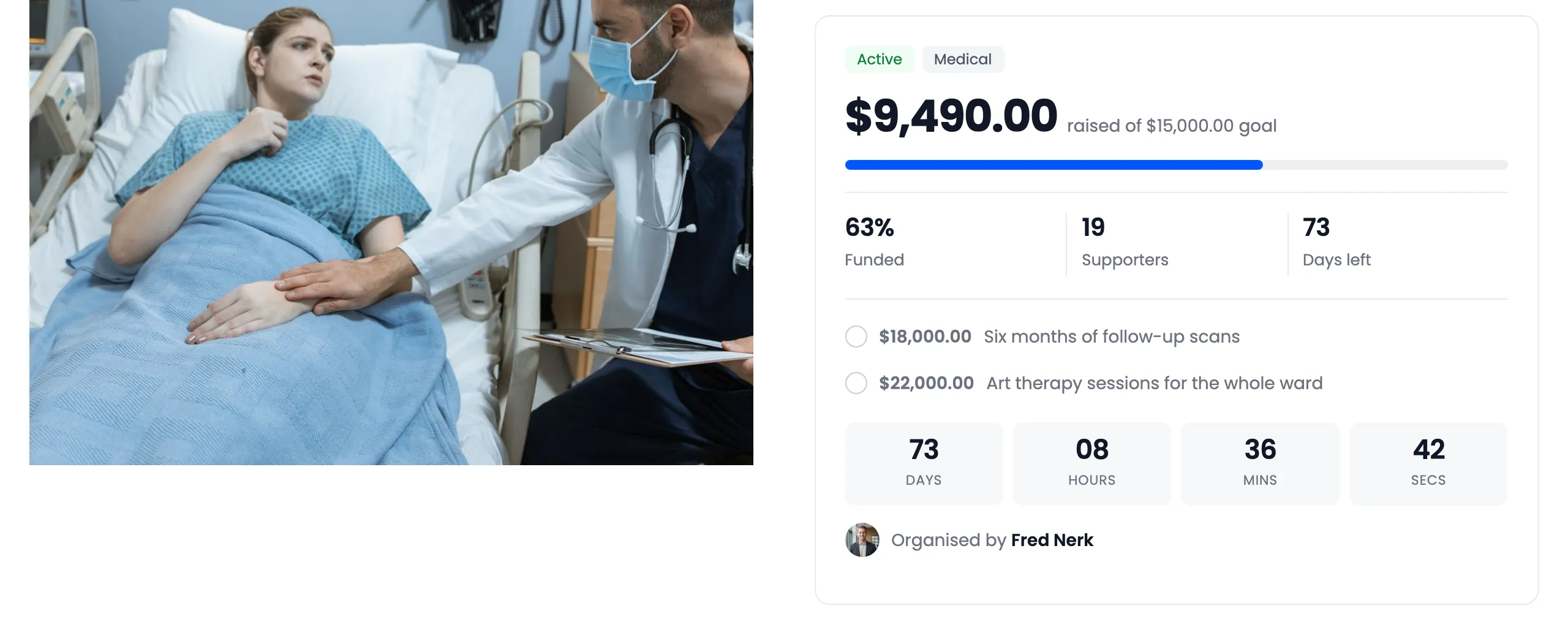
- Badges: the state (Active, Funded and so on), All or nothing when it applies, and the category.
- Raised and goal: “raised of $15,000.00 goal”, with a progress bar in your accent colour.
- Funded, Supporters and Days left.
- Stretch goals (Pro): each milestone with a tick once it is reached.
- Countdown: days, hours, minutes and seconds to the end date.
- Organised by: the campaign creator’s name and avatar.
Choosing a reward and an amount
Section titled “Choosing a reward and an amount”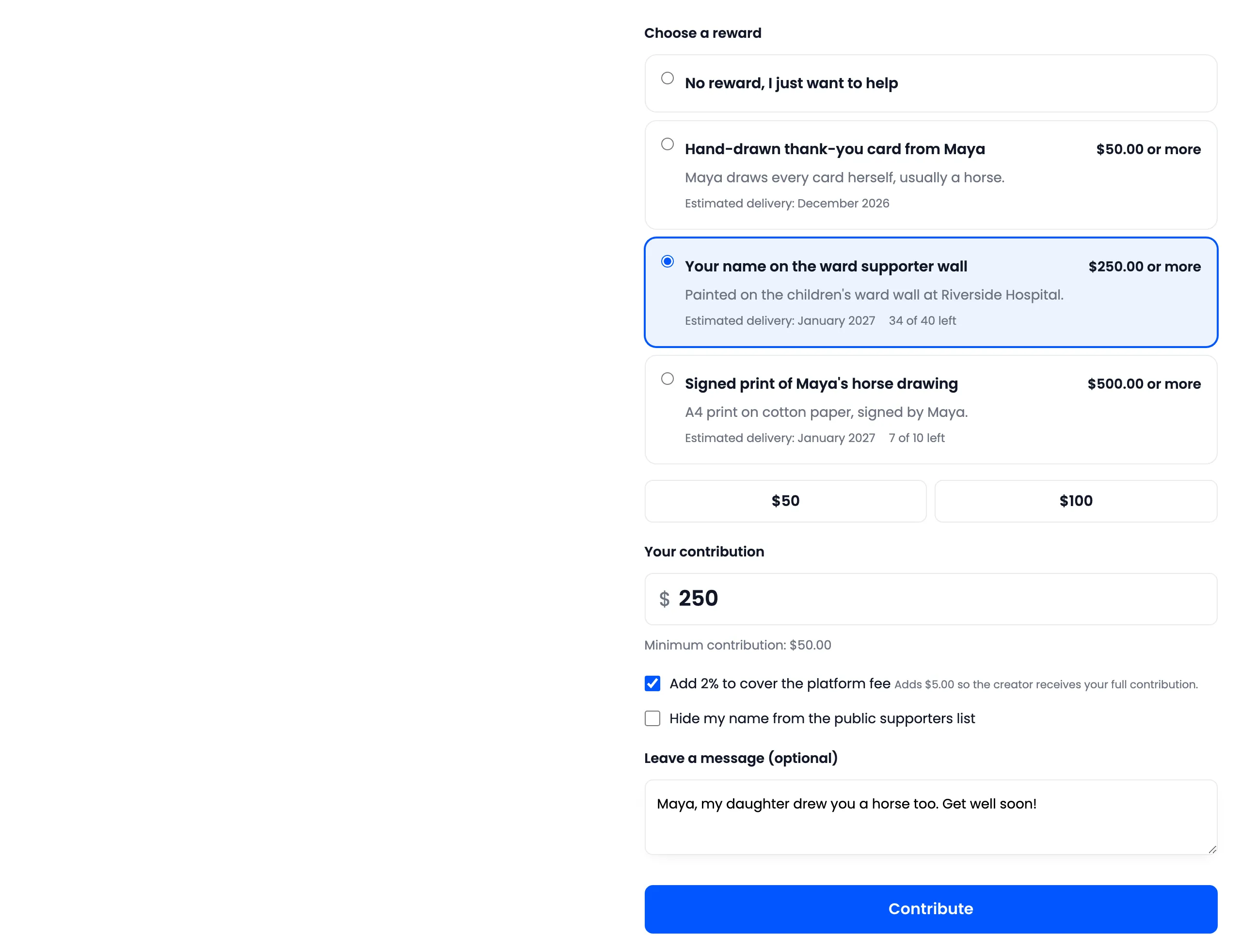
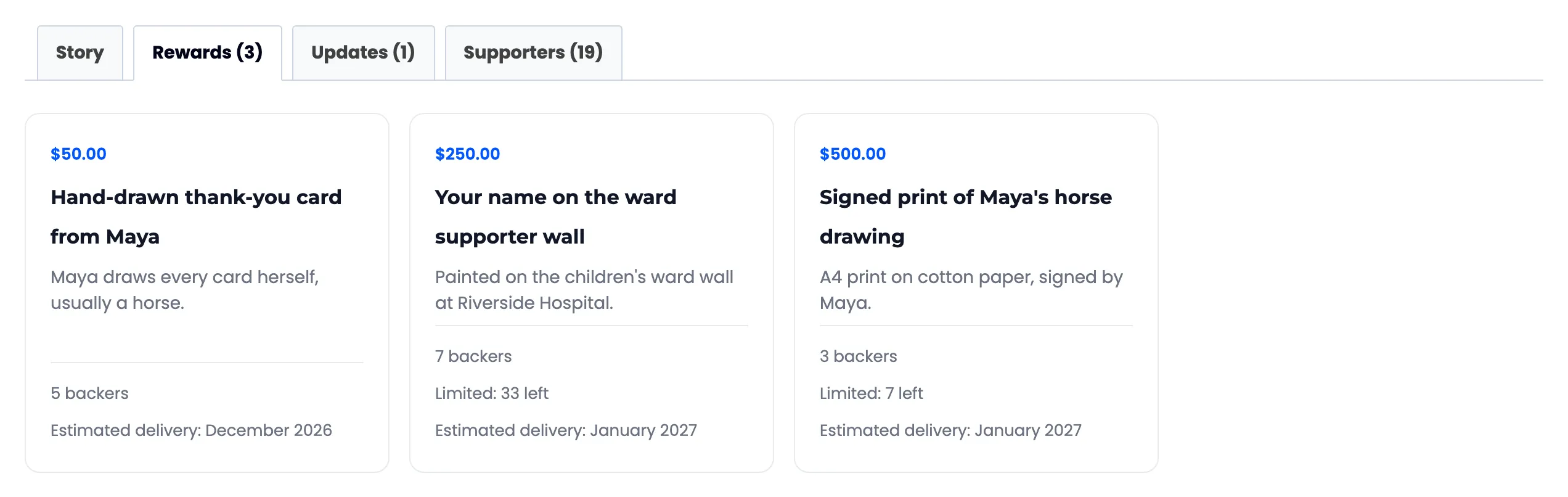
- Choose a reward: The first option is “No reward, I just want to help”. Each reward shows its minimum, what it includes, its estimated delivery and, if limited, how many are left. A sold out reward cannot be picked.
- Suggested amounts: Quick pick buttons. Amounts below the campaign’s minimum are not shown.
- Your contribution: The amount, with the minimum under it. Picking a reward raises the amount to that reward’s minimum.
- Add 2% to cover the platform fee (Pro): Shows when you charge a percentage fee. It shows the extra in money, for example “Adds $5.00 so the creator receives your full contribution.”
- Hide my name from the public supporters list.
- Leave a message (optional): Up to 300 characters.
A fixed amount campaign has no amount field. The button contributes that amount.
The tabs
Section titled “The tabs”The campaign’s own tabs replace the product tabs: Story, Rewards, Updates (Pro) and Supporters. Each shows its count.
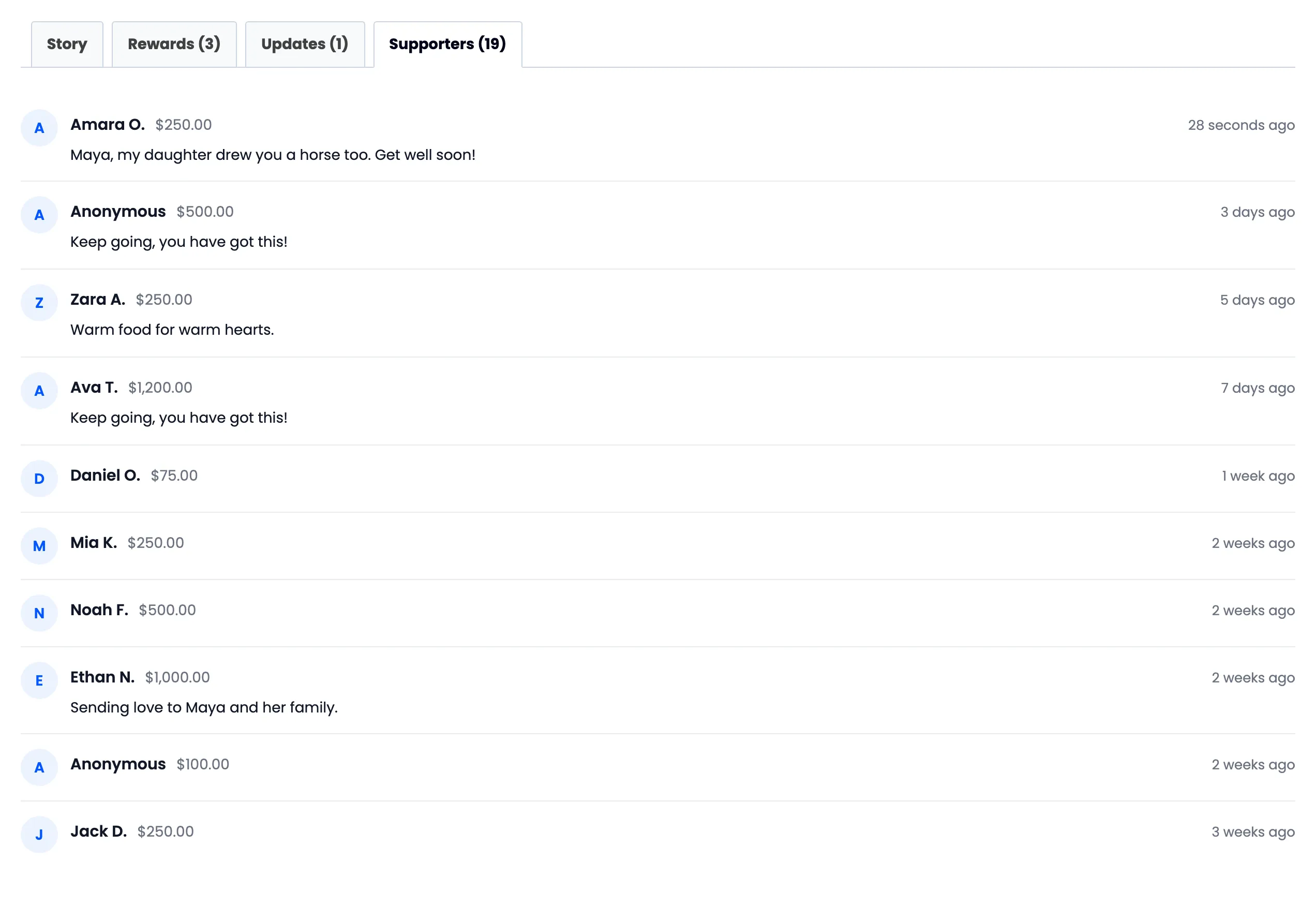
The supporters wall shows a first name and last initial, the amount, the message and how long ago they gave. An anonymous supporter shows as Anonymous. Emails are never shown.
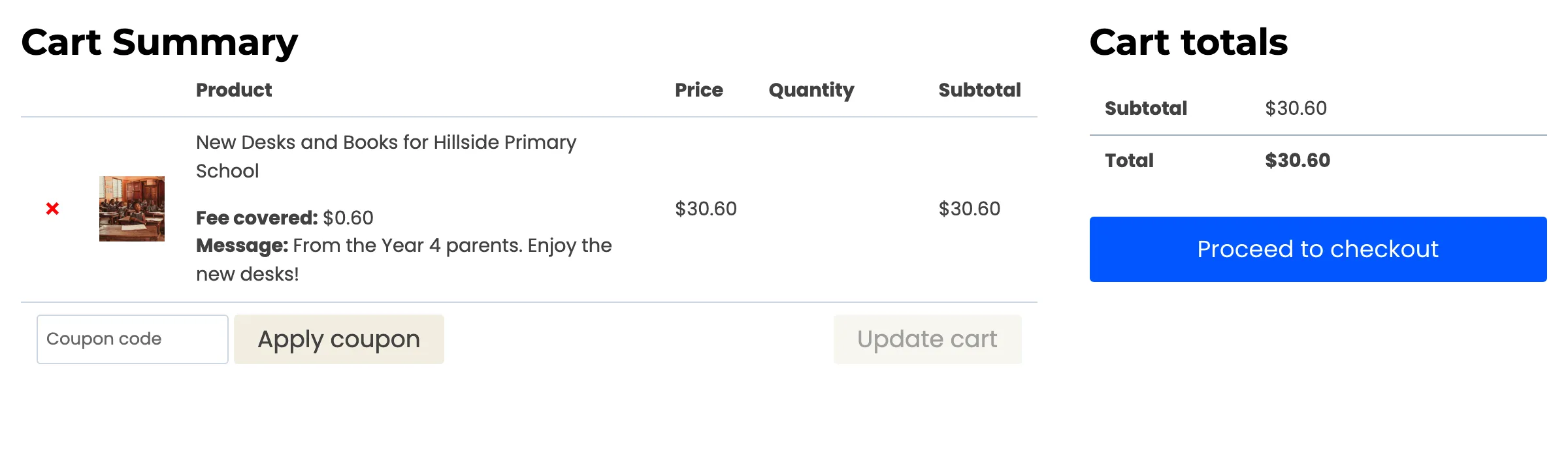
Checkout and the order
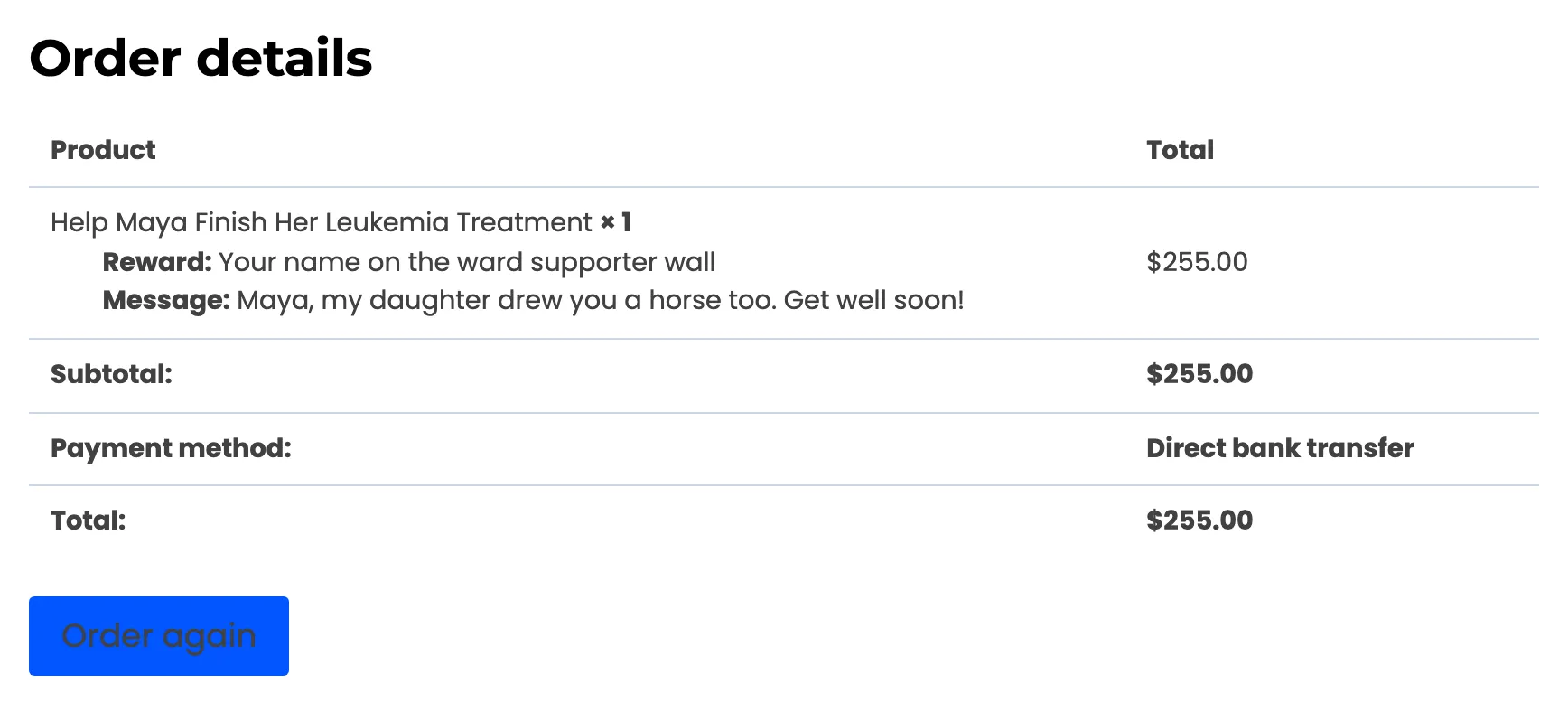
Section titled “Checkout and the order”The cart and checkout are WooCommerce’s own. Under the contribution they list the reward, the covered fee and the message.
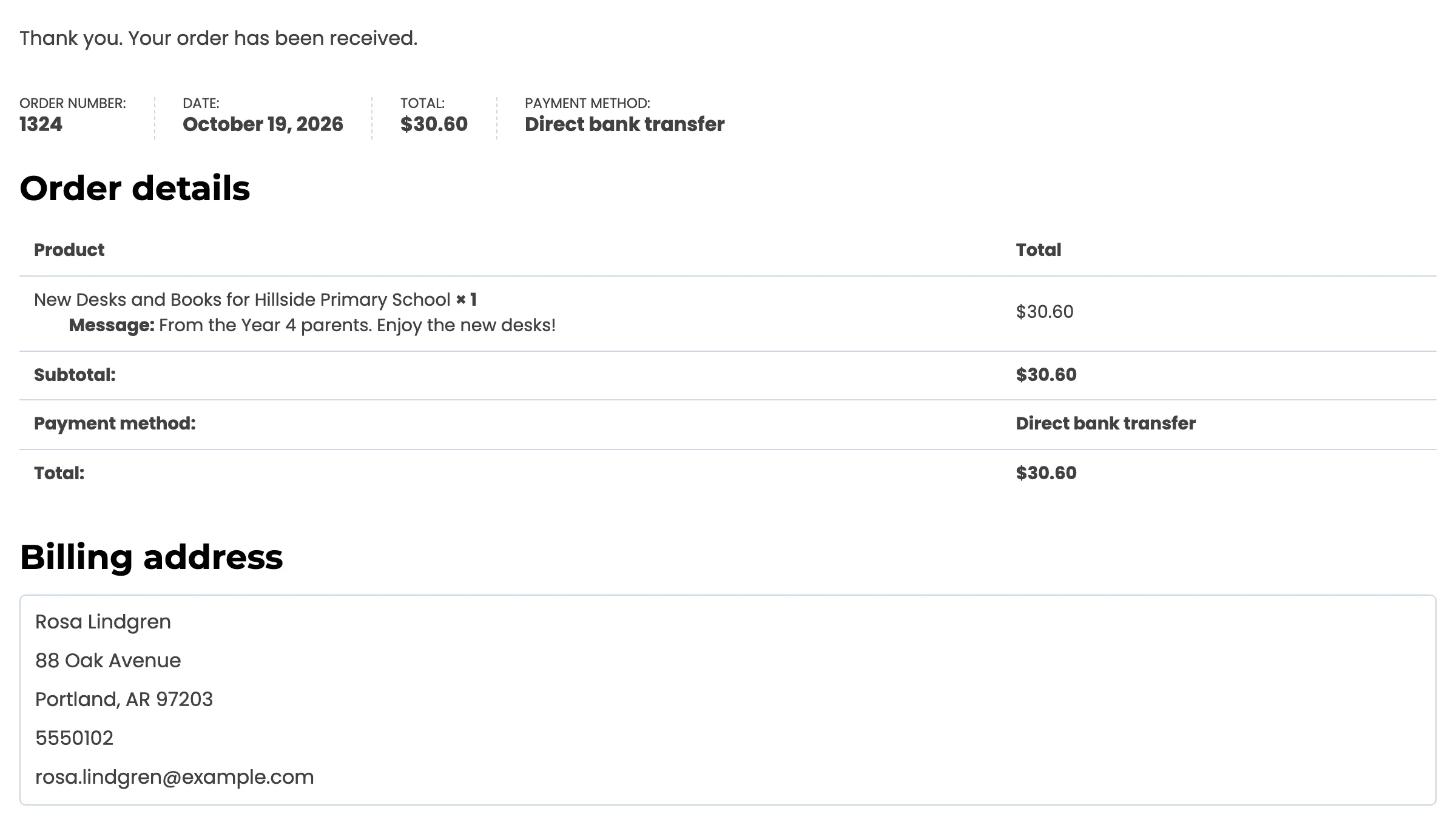
The supporter’s order in My Account → Orders shows the reward and message too.
Backed Campaigns
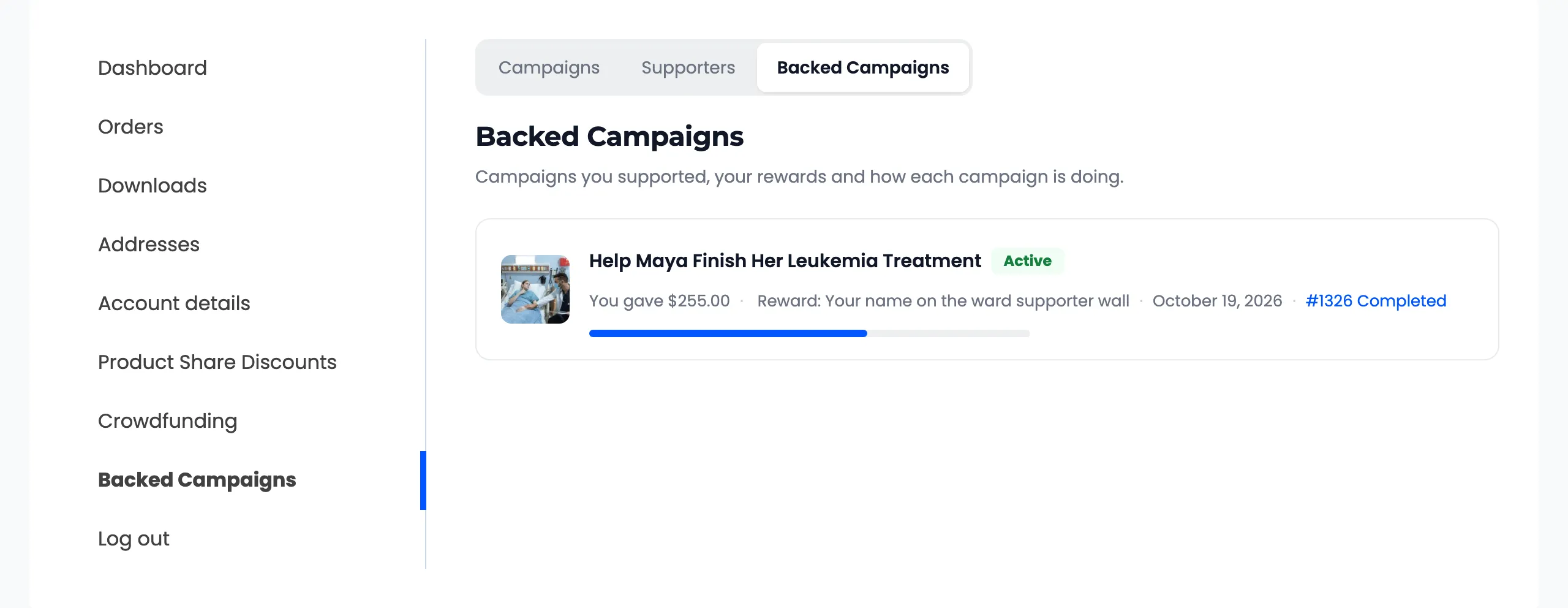
Section titled “Backed Campaigns”Signed-in supporters get a Backed Campaigns page in My Account. It lists every campaign they backed, with its progress, what they gave, the reward they chose and a link to the order.
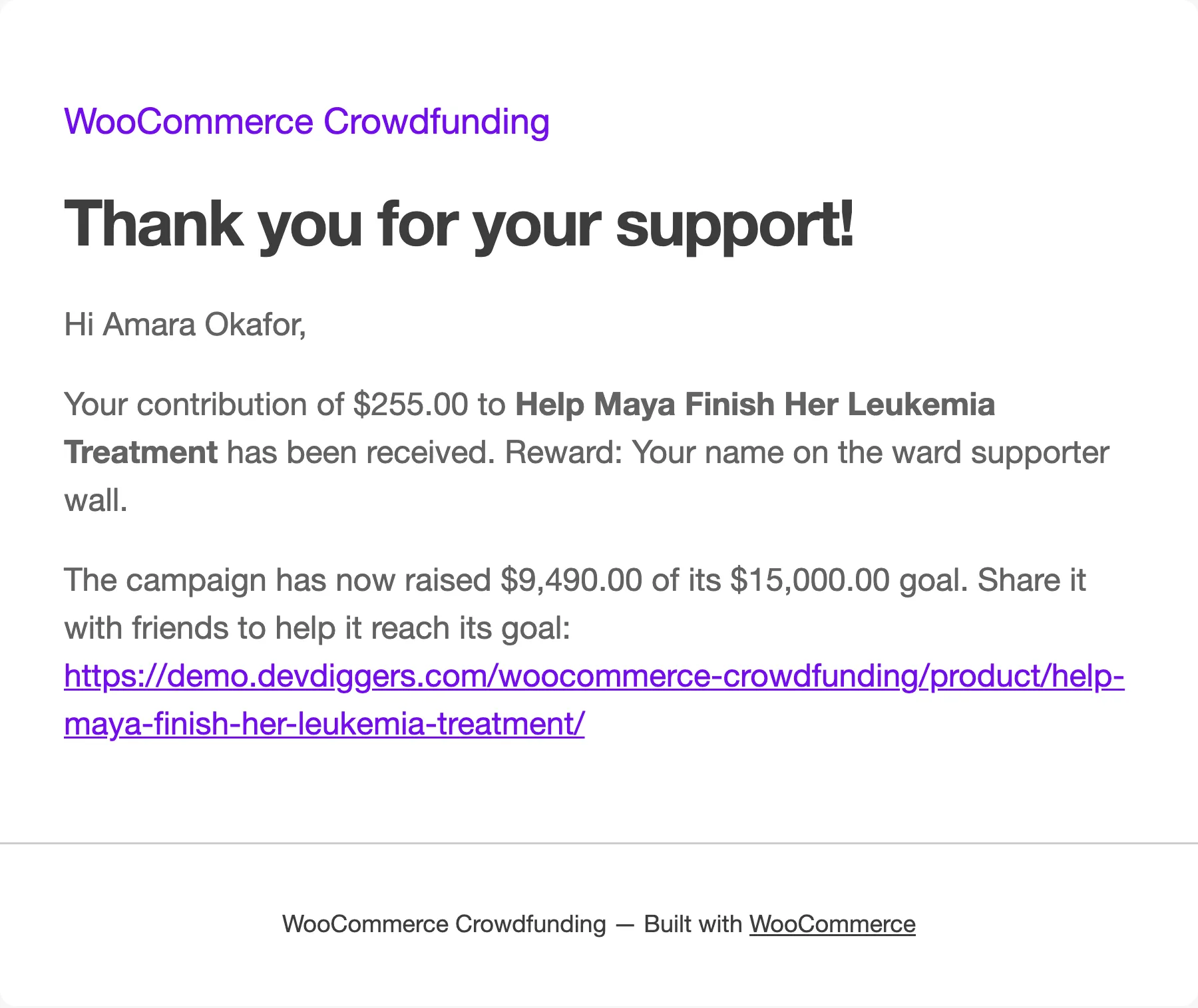
Guests get the thank you email instead.
Emails a supporter receives
Section titled “Emails a supporter receives”- Thank You to Supporter, when the contribution is paid.
- Campaign Update to Supporters (Pro), when the creator posts an update and chooses to email it.
When a campaign has closed
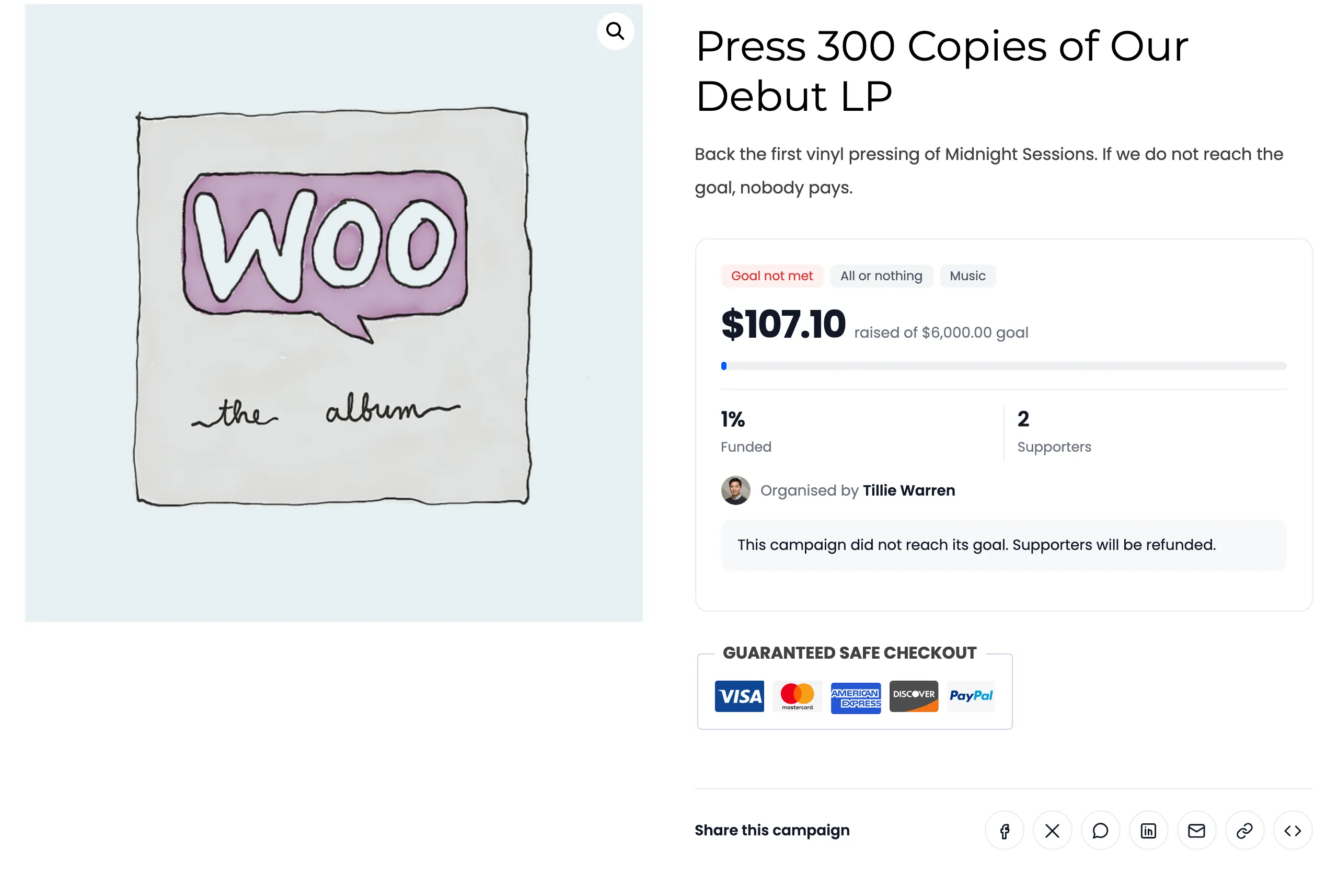
Section titled “When a campaign has closed”The form is replaced by a message. A funded or ended campaign says “This campaign is no longer accepting contributions. Thank you to everyone who supported it!” An all or nothing campaign that missed its goal says its supporters will be refunded.