

Introduction to Crowdfunding
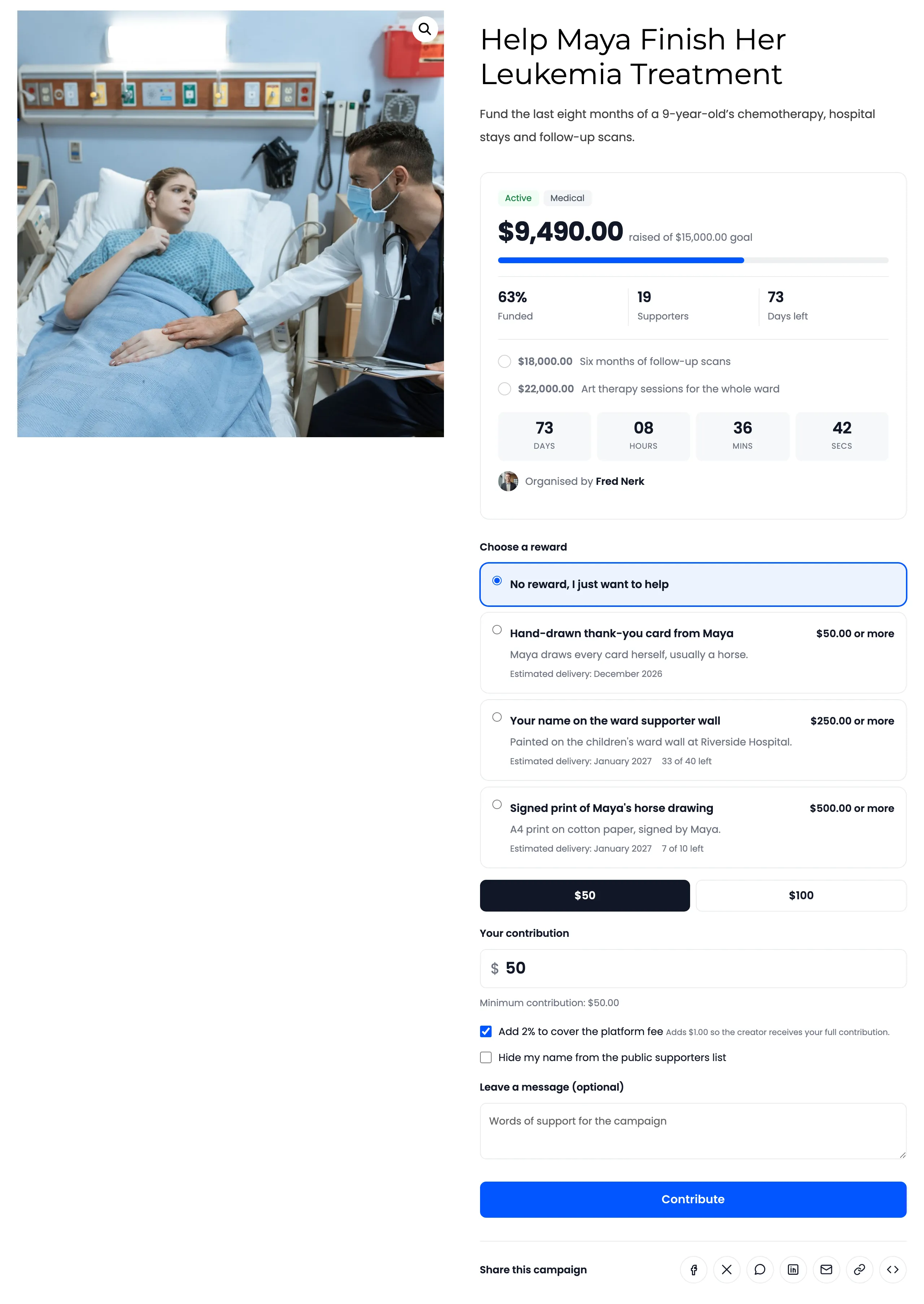
WooCommerce Crowdfunding turns a fundraising campaign into a page in your own store. Each campaign has a goal, an end date, a live progress bar and a Back this campaign button. Supporters pay through your normal WooCommerce checkout, so the money lands in your account, not on someone else’s platform.
What it does
Section titled “What it does”- Campaigns with a goal and an end date. Set either one or both. The progress card shows the amount raised, the percentage funded, the number of supporters and the days left.
- Contributions through WooCommerce. A contribution is a cart item. Supporters choose an amount, or pay a fixed one, and check out with any payment method you allow.
- Rewards. Perks for supporters who give at least a set amount, with optional quantity limits and delivery dates.
- Social proof. A live countdown, a supporters wall with messages, and share buttons.
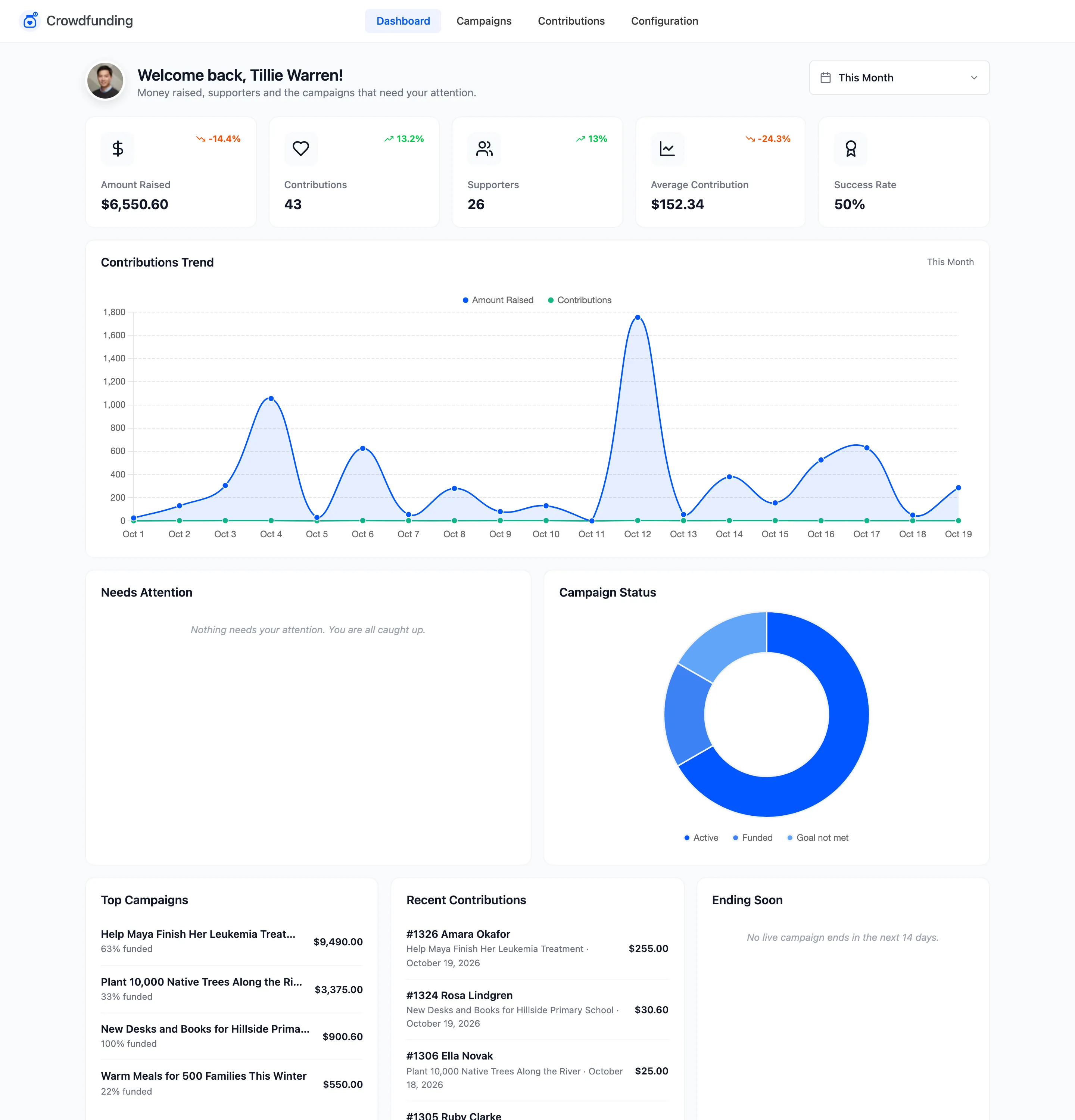
- A dashboard. Money raised, contributions, supporters, success rate and the campaigns that need you.
- Emails. A thank you to the supporter, a note to the campaign creator, and alerts when a goal is reached or a campaign ends.
Free and Pro
Section titled “Free and Pro”Crowdfunding comes as a free plugin and a Pro add-on that runs on top of it. The free plugin is a complete tool for campaigns you run yourself. Pro turns your store into a fundraising platform where customers run their own campaigns and you pay them out.
| Feature | Free | Pro |
|---|---|---|
| Campaigns you create, with goal, end date, fixed or chosen amount and minimum | Yes | Yes |
| Suggested amounts, maximum contribution, payment method limits, close on goal | Yes | Yes |
| Progress card, countdown, Story, Rewards and Supporters tabs | Yes | Yes |
| Reward tiers per campaign | Up to 3 | Unlimited |
| Anonymous giving, messages, supporters wall, share buttons | Yes | Yes |
| Backed Campaigns page in My Account | Yes | Yes |
| Dashboard, Campaigns and Contributions screens | Yes | Yes, plus Needs Attention, payout and refund views and CSV export |
| Emails | 4, on or off | 10, with your own wording |
| Shortcodes for a campaign grid and a single campaign | Yes | Yes, plus filters, category, featured and creator options |
| All or nothing funding, with one click refunds | No | Yes |
| Stretch goals and campaign updates | No | Yes |
| Customer campaigns from My Account, with approval | No | Yes |
| Platform fee, cover the fee, payout requests, wallet payouts | No | Yes |
| Campaign categories, featured campaigns, embed code, share button styles | No | Yes |
Every flexible campaign works in the free version. All or nothing is the one funding model that needs Pro.
Who it suits
Section titled “Who it suits”- A store raising money for its own project, such as a new product run or a first vinyl pressing.
- A charity or school collecting donations through a WooCommerce site it already has.
- A community platform where members raise money for their own causes and the store takes a small fee. This one needs Pro.
How these docs are organised
Section titled “How these docs are organised”- Getting started: installing, the setup wizard, the dashboard, how a contribution is counted, and what supporters and creators see.
- Configuration: every settings tab, field by field, with its default.
- Management: the Campaigns, campaign editor, Contributions, Payout requests and Categories screens.
- Tutorials: one task per page, from creating a campaign to paying a creator.
- FAQs: short answers to common questions.
Start with How Crowdfunding Works.