

How to Create a Campaign
A campaign takes about five minutes to set up. This walk through creates one with a goal, an end date and a minimum contribution. Rewards come after, in How to Add Reward Tiers.
Step 1: Open Add Campaign
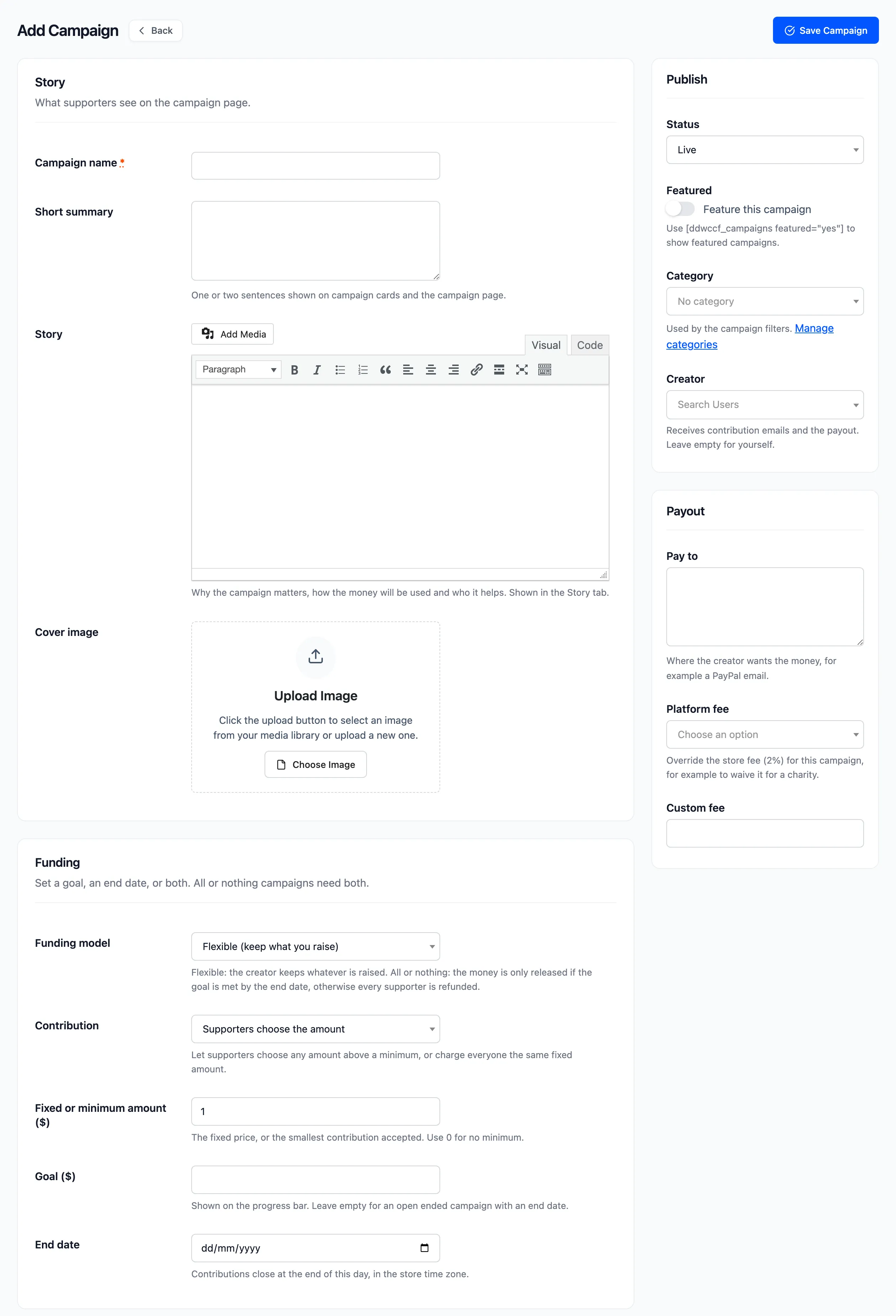
Section titled “Step 1: Open Add Campaign”Go to DevDiggers Plugins → Crowdfunding → Campaigns and click Add Campaign.
Step 2: Write the story
Section titled “Step 2: Write the story”- Campaign name: What people will search and share. It must not match an existing product’s name.
- Short summary: One or two sentences. It sits under the name on the campaign page and on cards.
- Story: Why the campaign matters, what the money pays for and who it helps. Supporters read this in the Story tab.
- Cover image: Pick an image from the media library. Campaigns with a photo look far more credible on cards.
Step 3: Set the funding
Section titled “Step 3: Set the funding”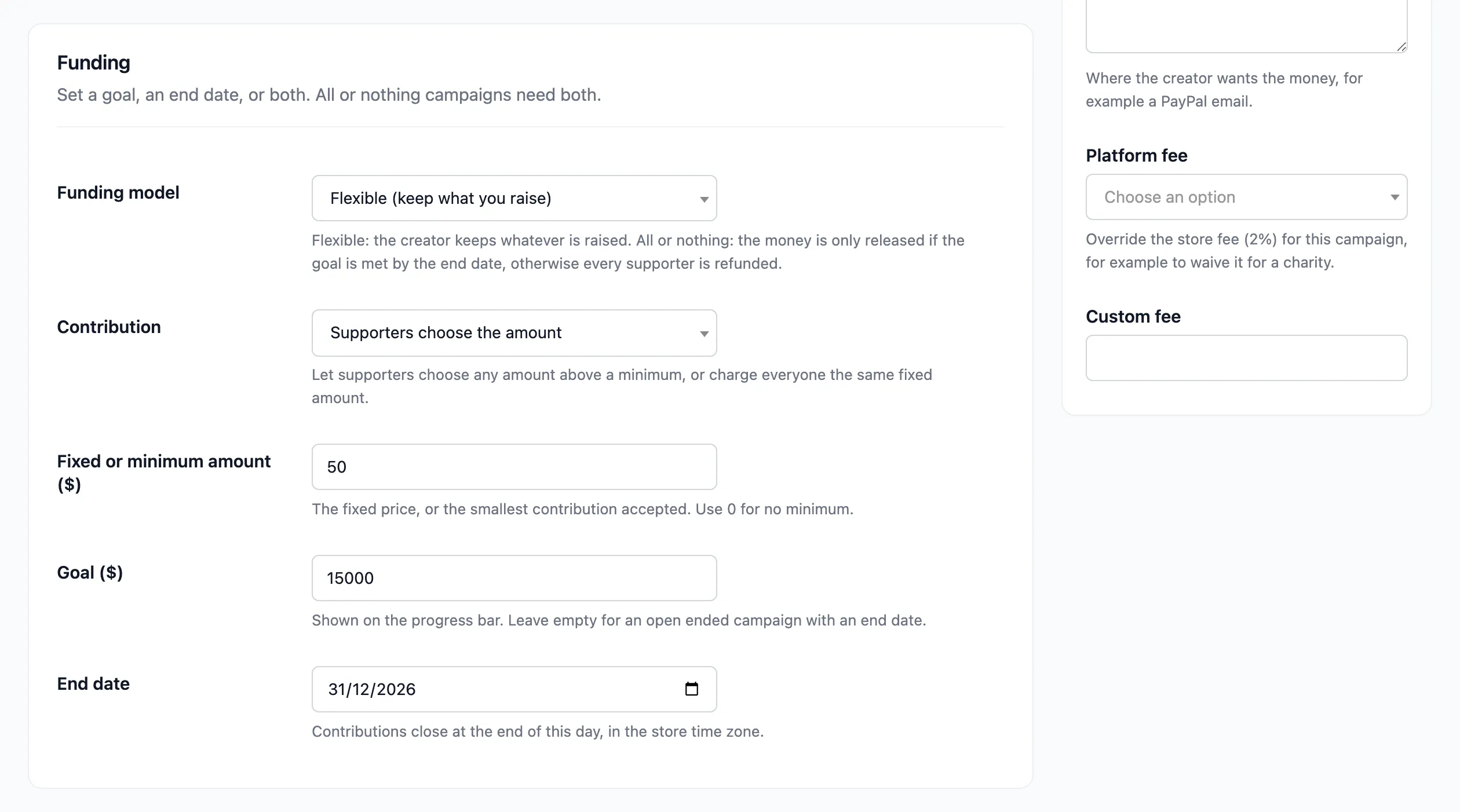
- Contribution: Supporters choose the amount suits donations. Fixed amount suits “$30 buys a child a full set of books”.
- Fixed or minimum amount: The price of a fixed contribution, or the smallest one accepted.
- Goal: The amount on the progress bar.
- End date: The last day to contribute. Contributions close at the end of that day.
You need a goal, an end date or both. With a goal and no end date, the campaign runs until it is funded.
In Pro, also pick the Funding model. Leave it on Flexible unless you want all or nothing.
Step 4: Publish and save
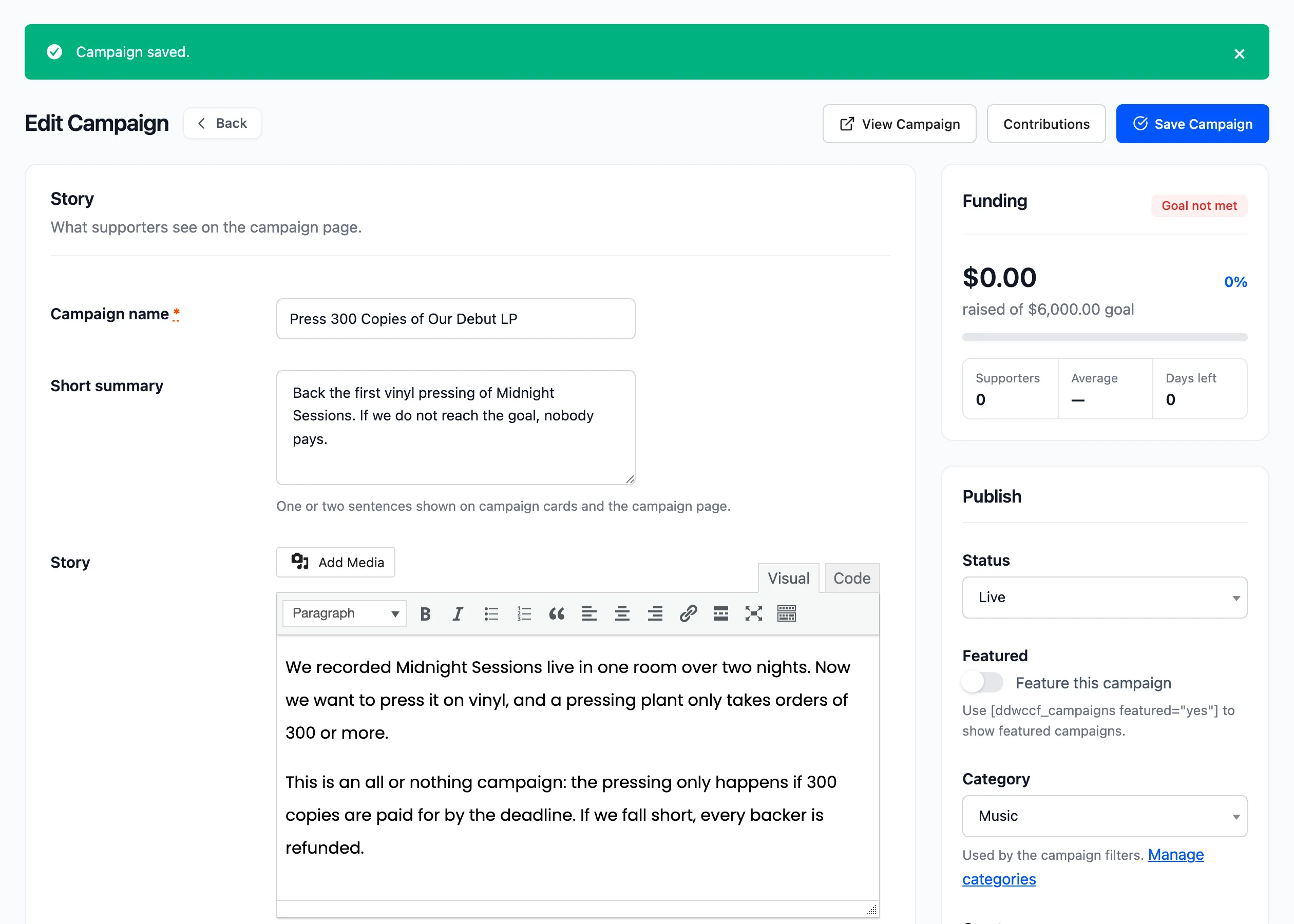
Section titled “Step 4: Publish and save”In the side column, leave Status on Live. Disabled saves it hidden, for later.
Click Save Campaign. The page reloads with “Campaign saved.”
Step 5: Check the campaign page
Section titled “Step 5: Check the campaign page”Click View Campaign. You see the progress card at $0.00, the countdown and the contribution form.
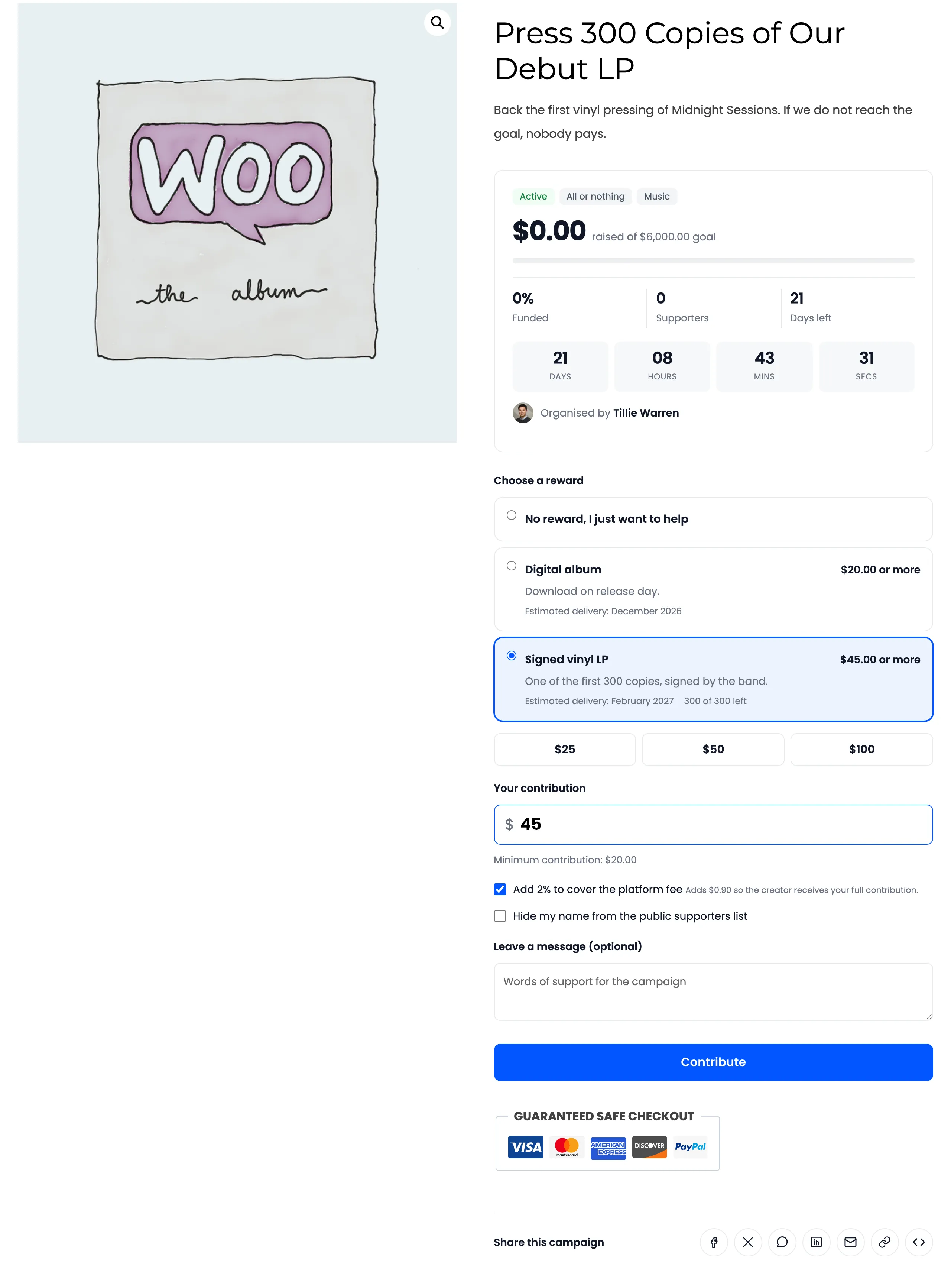
The campaign is not in the shop. Link to it directly, or list it with the campaigns shortcode.
Things to know
Section titled “Things to know”- Contributions are cart items. They go through your normal checkout and payment methods.
- A campaign is a product. It is created hidden, virtual and without tax, so it needs no shipping and does not appear in your catalog.
- Renaming keeps the money. Totals follow the campaign itself. Orders placed before a rename still show the old name on their line, as any WooCommerce order does.