

How Crowdfunding Works
A campaign is a WooCommerce product with a goal. A contribution is that product in an order. This page follows one contribution from the button to the payout, so you know when the numbers move and why.
1. A supporter contributes
Section titled “1. A supporter contributes”On the campaign page the supporter picks a reward or an amount and clicks the contribute button. The contribution goes into the cart like any product, with its reward, message and covered fee listed under it.
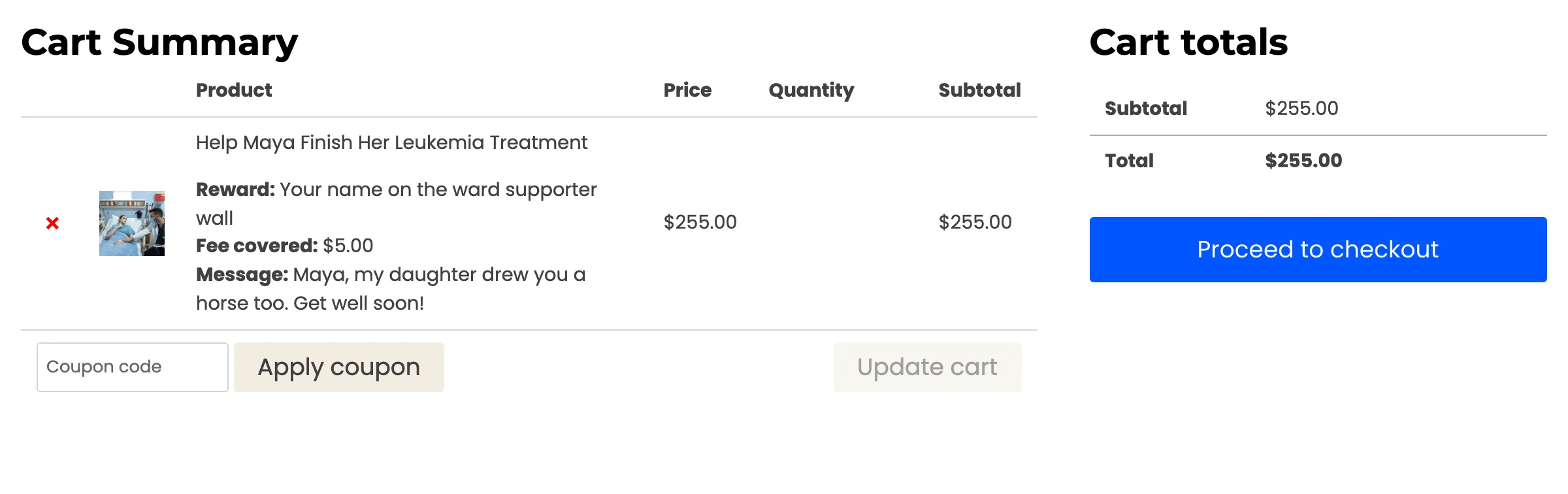
While the cart holds a contribution, the store shows “Your cart holds a contribution. Complete or remove it before adding other products.” Campaigns never appear in the shop. They live on their own pages and wherever you place the campaign shortcodes.
2. The order is placed
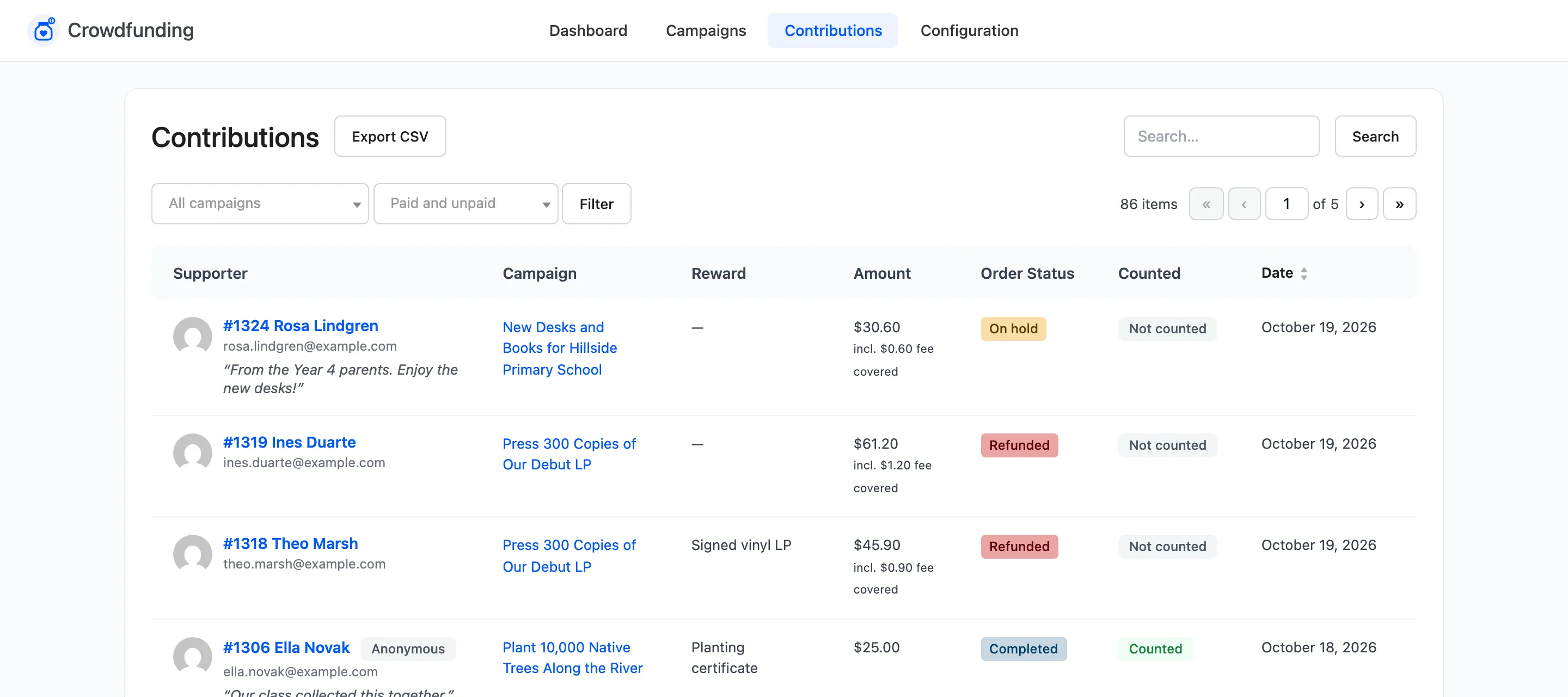
Section titled “2. The order is placed”The supporter checks out with a payment method you allow. The order is created, but the contribution does not count yet.
3. Payment counts it
Section titled “3. Payment counts it”A contribution counts when its order reaches Processing or Completed. Card payments get there on their own. A bank transfer, cheque or cash on delivery order waits On hold until you mark it paid. See How to Mark a Bank Transfer Contribution as Paid.
When it counts:
- The amount is added to the campaign’s Raised total and the order to its supporters.
- A reward’s claimed count goes up by one, and a limited reward sells out when the limit is reached.
- The supporter gets the Thank You to Supporter email and the creator gets New Contribution to Creator.
- If this contribution takes the campaign past its goal, the Goal Reached email goes out.
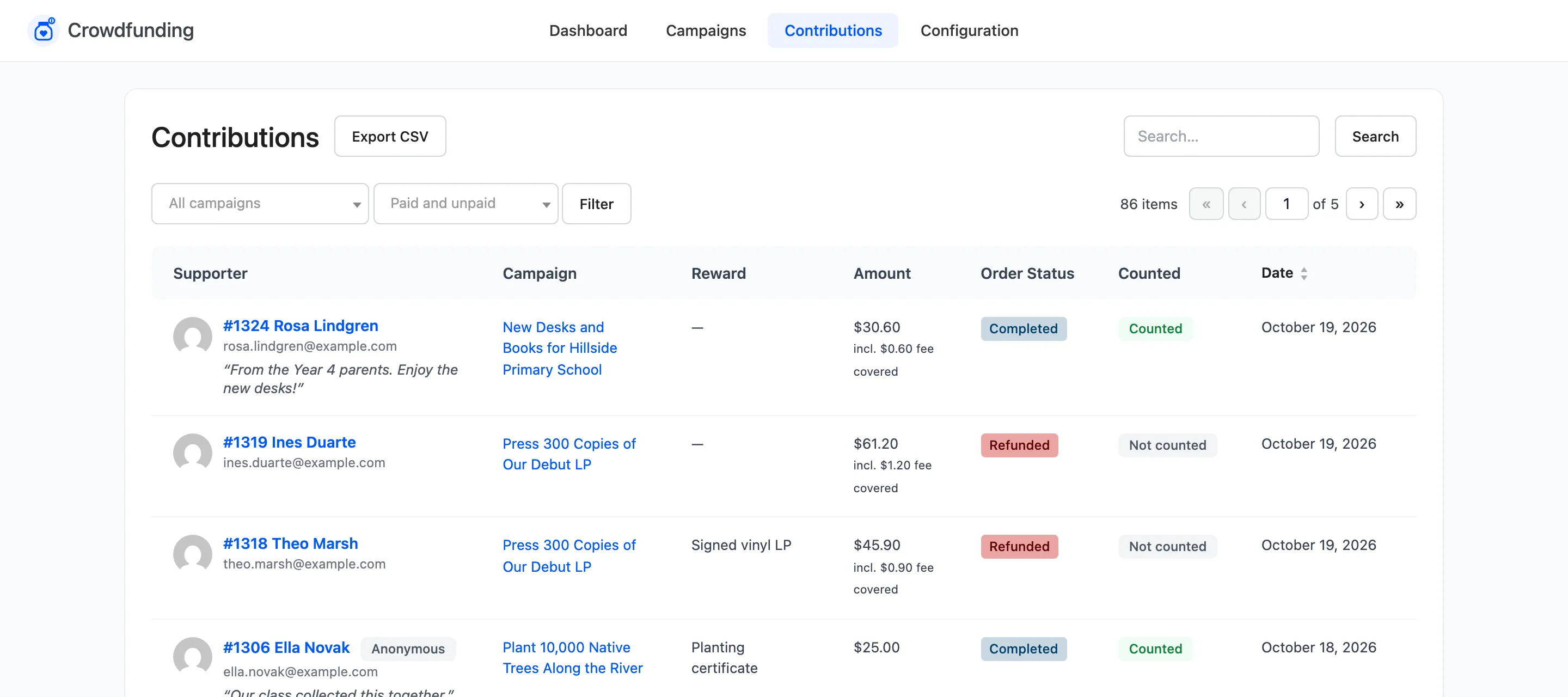
Each order counts once. Moving it between Processing and Completed does not count it twice.
4. What reverses it
Section titled “4. What reverses it”If the order later becomes Cancelled, Refunded or Failed, the contribution is taken back out: the amount, the supporter and the reward claim. On the demo store, cancelling a contribution to Maya’s campaign took the total from ,590 back to ,235, the supporters from 19 to 18, and returned the reward. See What a Cancelled or Refunded Contribution Does.
5. The campaign closes
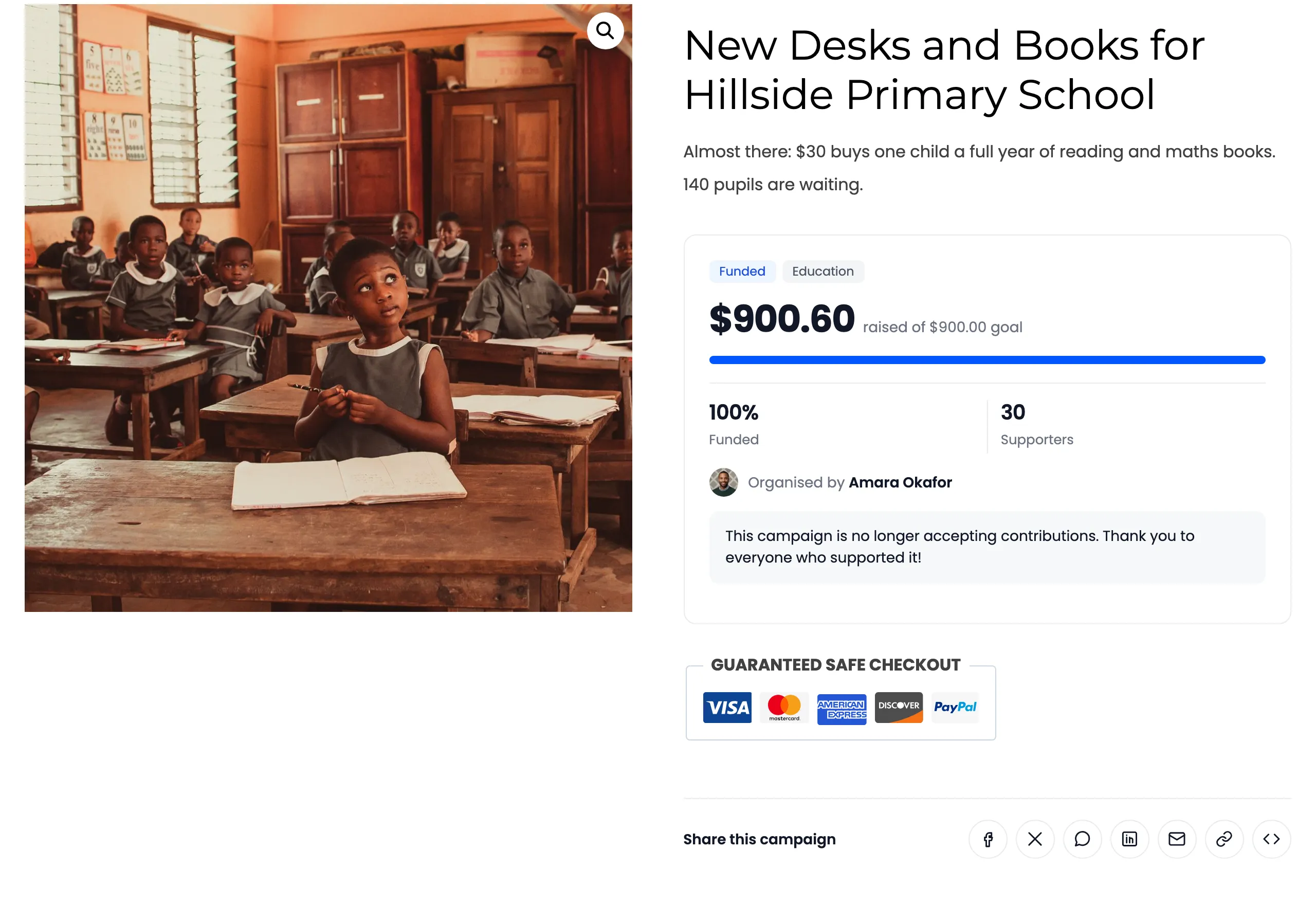
Section titled “5. The campaign closes”A campaign stops taking contributions when any of these is true:
- Its end date has passed. Contributions close at the end of that day, in your store’s time zone.
- It reached its goal and Close on goal is on, which is the default. An all or nothing campaign with an end date ignores this and stays open until its end date.
- It is set to Disabled or is waiting for approval.
The page then says so in place of the form.
6. Ended, funded or goal not met
Section titled “6. Ended, funded or goal not met”Each campaign has a state, shown as a badge on its page and in the Campaigns list:
| State | Means |
|---|---|
| Active | Live and taking contributions. |
| Funded | Raised at least its goal. |
| Ended | Its end date passed without a goal, or below its goal on flexible funding. |
| Goal not met | Pro. An all or nothing campaign whose end date passed below its goal. |
| Pending | Pro. A customer campaign waiting for your approval. |
| Disabled | Switched off. Hidden from supporters. |
The day after a campaign’s end date passes, the creator gets the Campaign Ended email, with a copy to you. A daily task runs this check shortly after midnight.
7. The money (Pro)
Section titled “7. The money (Pro)”In the free version, contributions are ordinary orders, paid to you. What happens next is up to you.
In Pro, the money is held for the campaign’s creator:
- Flexible: once the campaign closes, the creator requests a payout from My Account. You pay it and mark it paid. See How to Pay Out a Campaign.
- All or nothing: a payout is only possible if the goal was met. If it was not, you refund every supporter from the Campaigns screen. See How to Refund Supporters When a Goal Is Missed.
A platform fee, if you charge one, is taken off at payout.