

How to Add Stretch Goals (Pro)
A stretch goal is a milestone with a label, such as “$18,000: six months of follow-up scans”. It gives a campaign close to its goal something new to aim for.
Step 1: Open the campaign
Section titled “Step 1: Open the campaign”Go to Campaigns and click Edit.
Step 2: Add milestones
Section titled “Step 2: Add milestones”In Stretch goals, click + Add milestone. Enter the amount and a short label of what it unlocks.
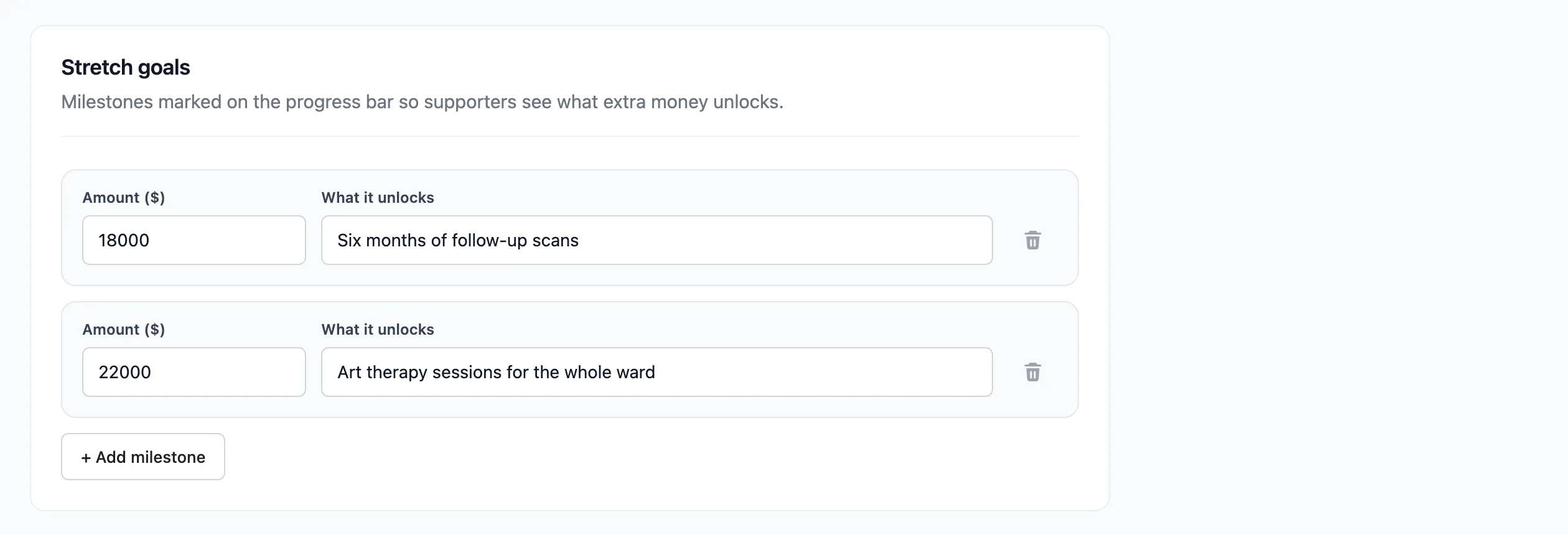
Milestones are sorted by amount when you save. A milestone with no amount is dropped.
Step 3: Save and check
Section titled “Step 3: Save and check”Click Save Campaign and open the campaign. The milestones are listed under the progress bar with their amount and label, and marked on the bar.
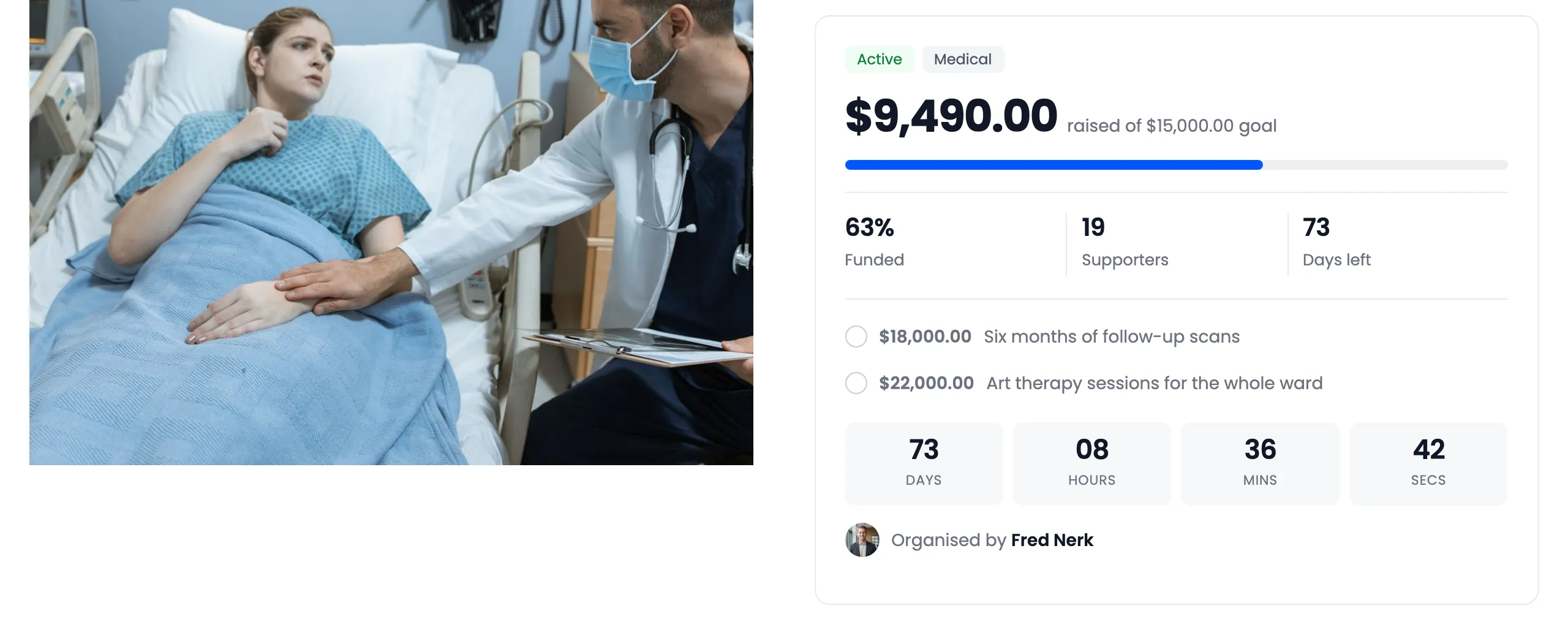
Each milestone is ticked once the raised total reaches it.
Make room to reach them
Section titled “Make room to reach them”Stretch goals usually sit above the goal. With Close on goal on, the default, a flexible campaign stops at its goal and can never reach them. Either turn Close on goal off on the Contributions tab, or run the campaign all or nothing, which stays open until its end date anyway.