

How to Run an All or Nothing Campaign (Pro)
All or nothing is the model where the money only moves if the goal is met. Supporters know a half funded project will not take their money, which often makes them give sooner. On the demo store, a band uses it to pre-sell the first pressing of their LP: no 300 copies sold, no pressing.
Step 1: Create the campaign
Section titled “Step 1: Create the campaign”Go to Campaigns → Add Campaign and fill in the story as for any campaign. Set Funding model to All or nothing.
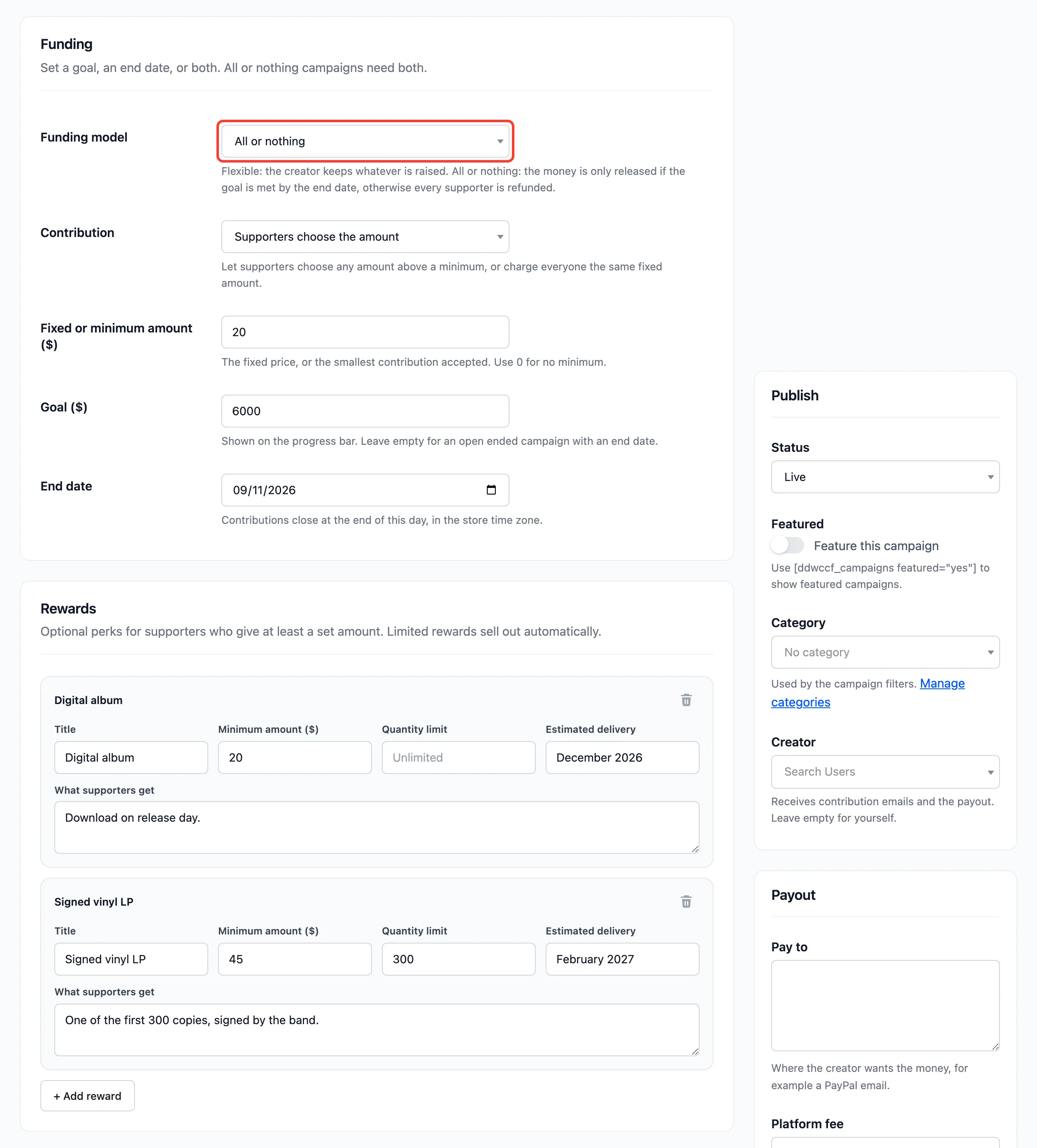
To make it the default for every new campaign, set Default funding model on the Campaigns tab.
Step 2: Set a goal and an end date
Section titled “Step 2: Set a goal and an end date”All or nothing needs both. Without them, saving fails with “All or nothing campaigns need both a target amount and an end date.” The demo campaign asks for $6,000 in 21 days, with a $20 minimum and two rewards.
Click Save Campaign.
Step 3: Check the campaign page
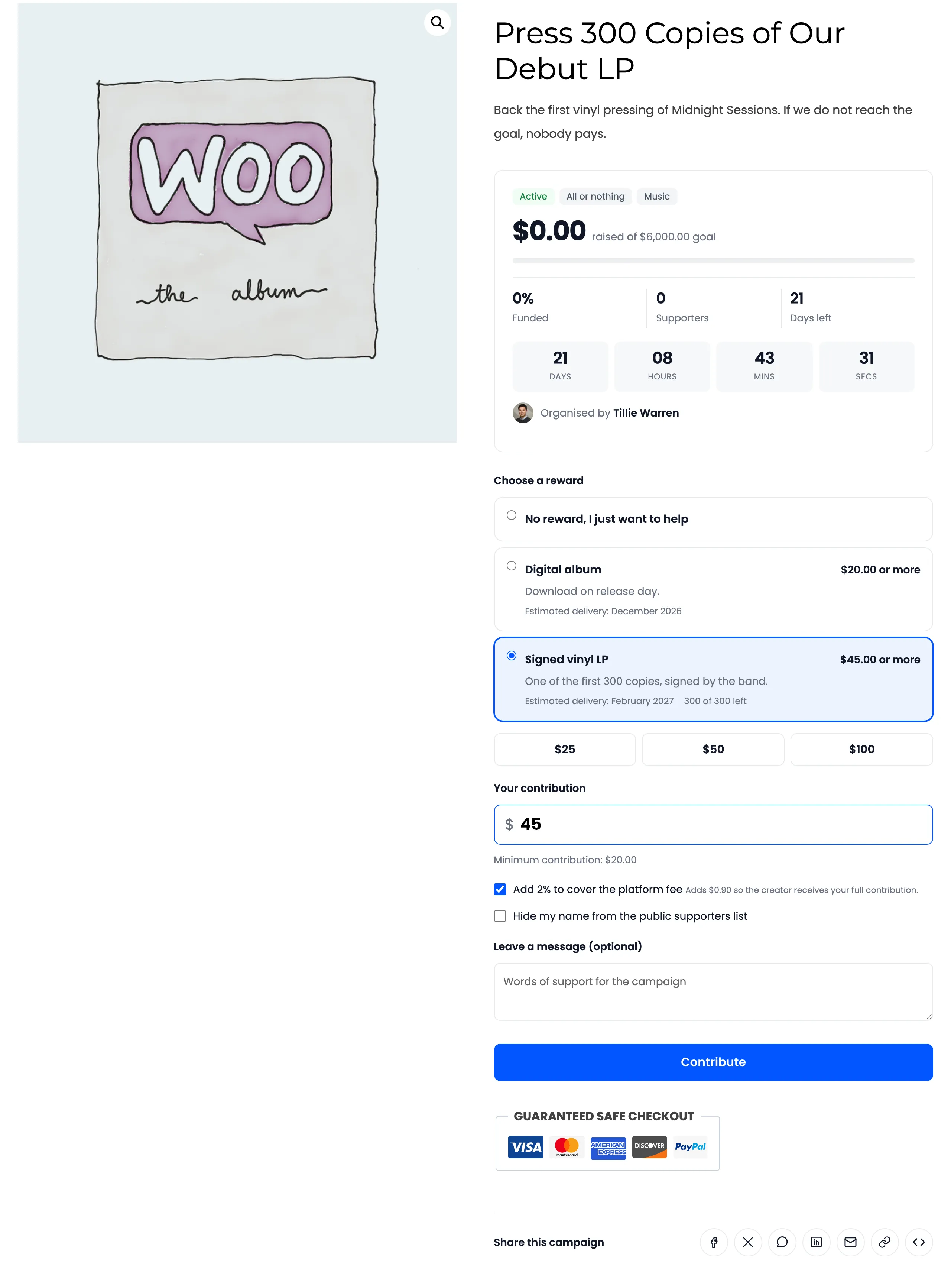
Section titled “Step 3: Check the campaign page”The progress card carries an All or nothing badge next to Active.
Step 4: Wait for the deadline
Section titled “Step 4: Wait for the deadline”Contributions count and show as usual. One difference: the campaign keeps taking contributions after it reaches its goal, until its end date. Close on goal does not apply.
Step 5: Pay out or refund
Section titled “Step 5: Pay out or refund”The day after the end date:
- Goal met: the campaign is Funded. The creator can request a payout as with any campaign. See How to Pay Out a Campaign.
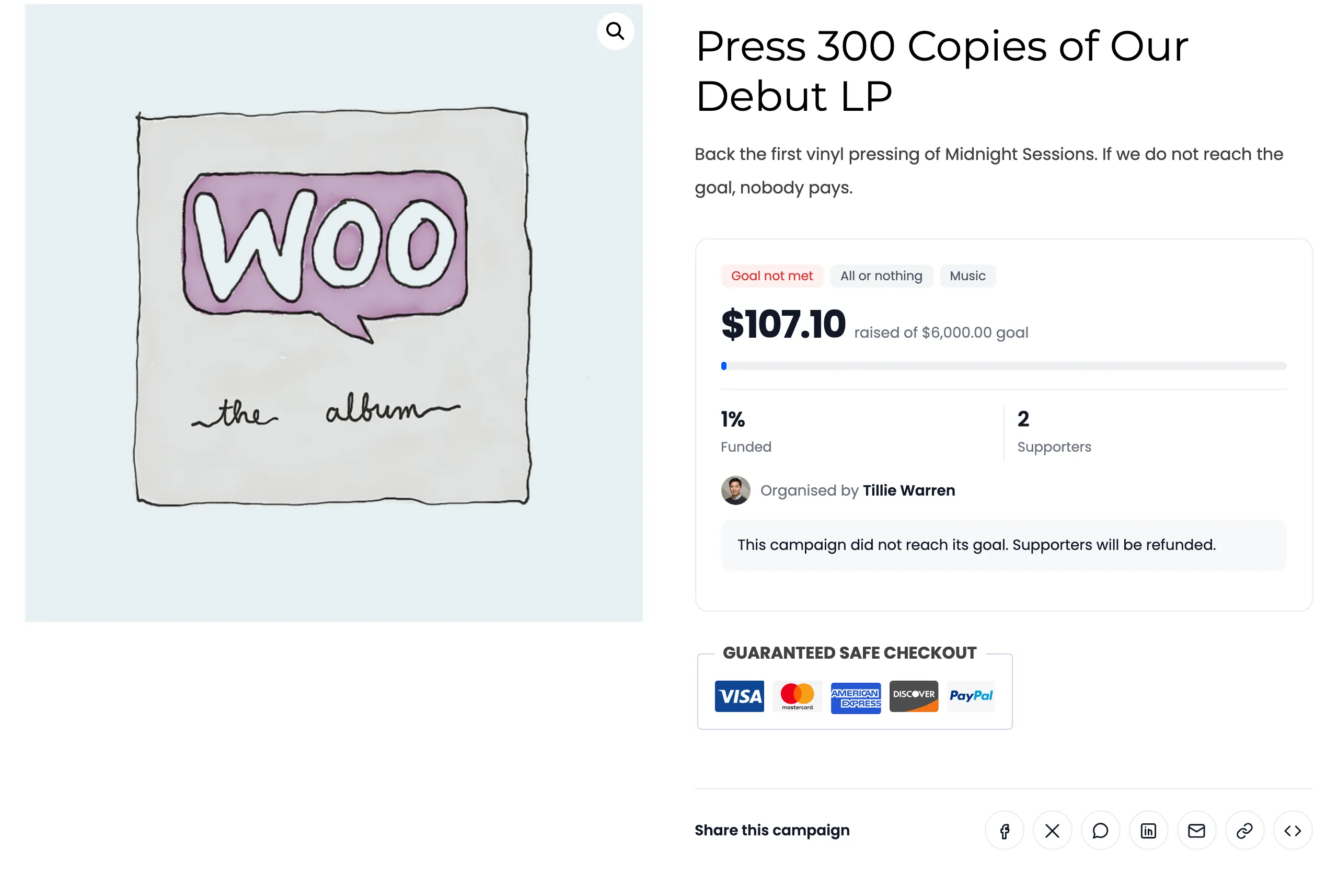
- Goal missed: the campaign is Goal not met. No payout is possible. The page tells supporters “This campaign did not reach its goal. Supporters will be refunded.” The campaign appears under Needs refund and in Needs Attention on the dashboard.
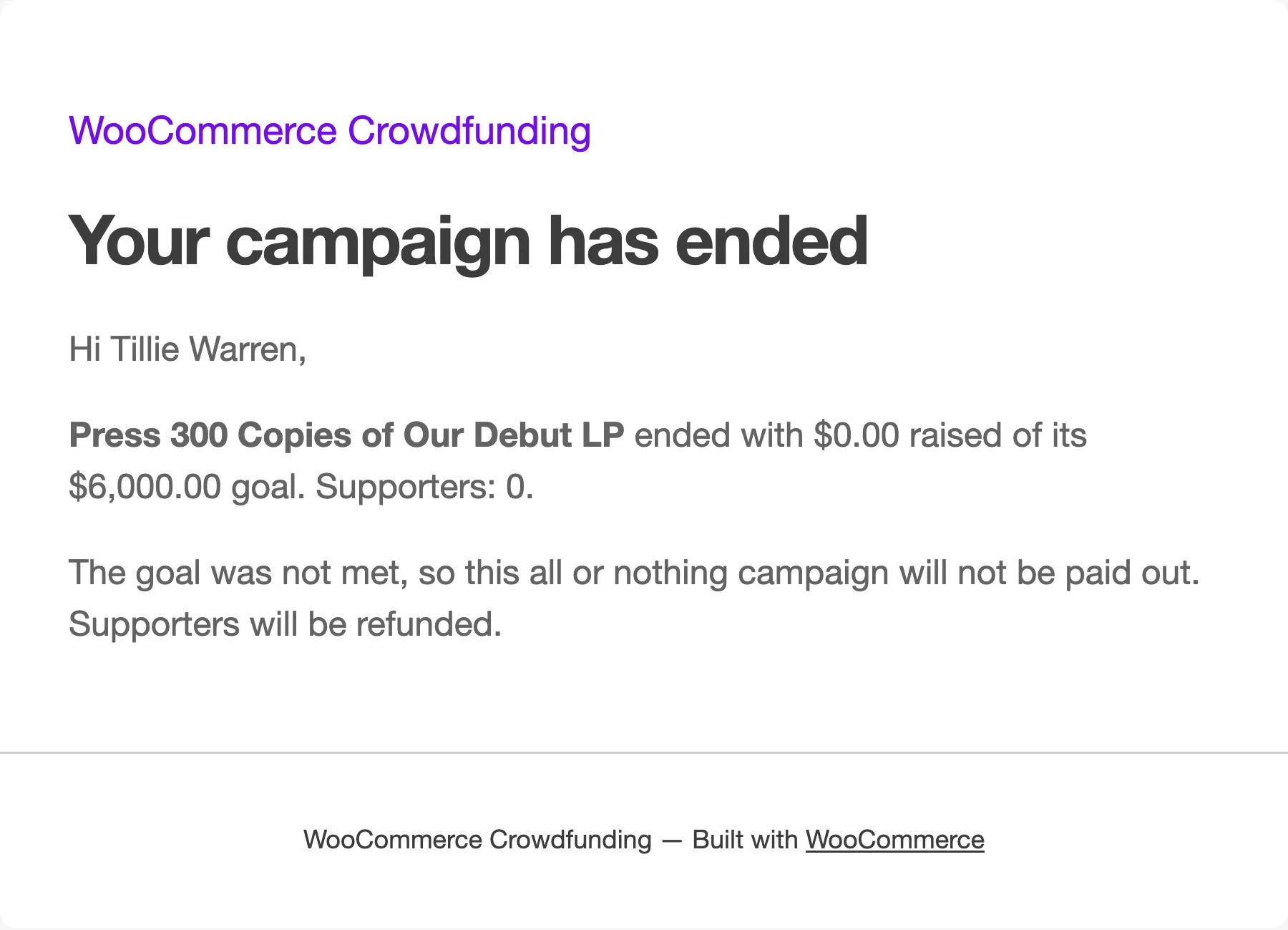
The creator gets Campaign Ended, which says the campaign will not be paid out and supporters will be refunded.
Then refund them: How to Refund Supporters When a Goal Is Missed.
Things to know
Section titled “Things to know”- Payment is taken at checkout. All or nothing here means “refund if missed”, not “charge only if met”. Supporters pay when they contribute, and are refunded if the goal is missed.
- Pick refundable payment methods. Limit contributions to gateways that refund through WooCommerce on the Contributions tab.
- Customers cannot switch models later. Once a customer campaign has a contribution, its creator can no longer change the funding model. You still can, from the editor.