

How to Set Suggested Amounts and Limits
Suggested amounts nudge supporters toward a typical gift. A minimum keeps contributions worth processing. A maximum stops a typo turning $50 into $5,000.
Step 1: Set suggested amounts
Section titled “Step 1: Set suggested amounts”Go to Configuration → Contributions and fill in Suggested amounts, for example 25, 50, 100. The
default is 10, 25, 50, 100.
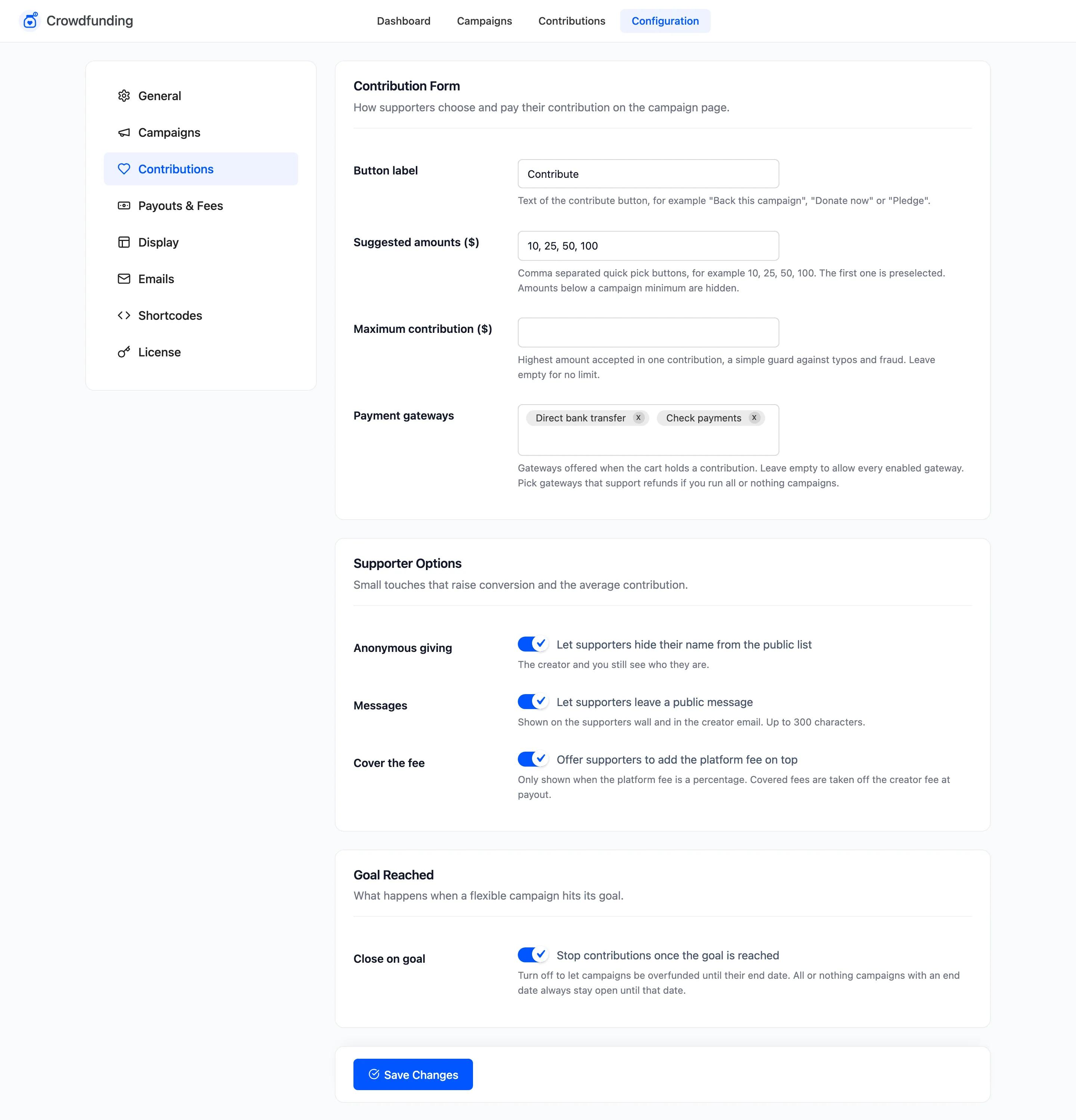
The first amount is preselected. Amounts below a campaign’s minimum are hidden on that campaign.
Step 2: Set a maximum
Section titled “Step 2: Set a maximum”Enter Maximum contribution, or leave it empty for no limit. A larger amount is refused at add to cart with “Contribution amount cannot be more than” and the limit.
Click Save Changes.
Step 3: Set a minimum per campaign
Section titled “Step 3: Set a minimum per campaign”Open the campaign in the editor. With Supporters choose the amount, the Fixed or minimum amount is the smallest contribution. Use 0 for no minimum.
Step 4: Check the form
Section titled “Step 4: Check the form”On the demo store Maya’s minimum is $50, so of the four suggested amounts only $50 and $100 show.
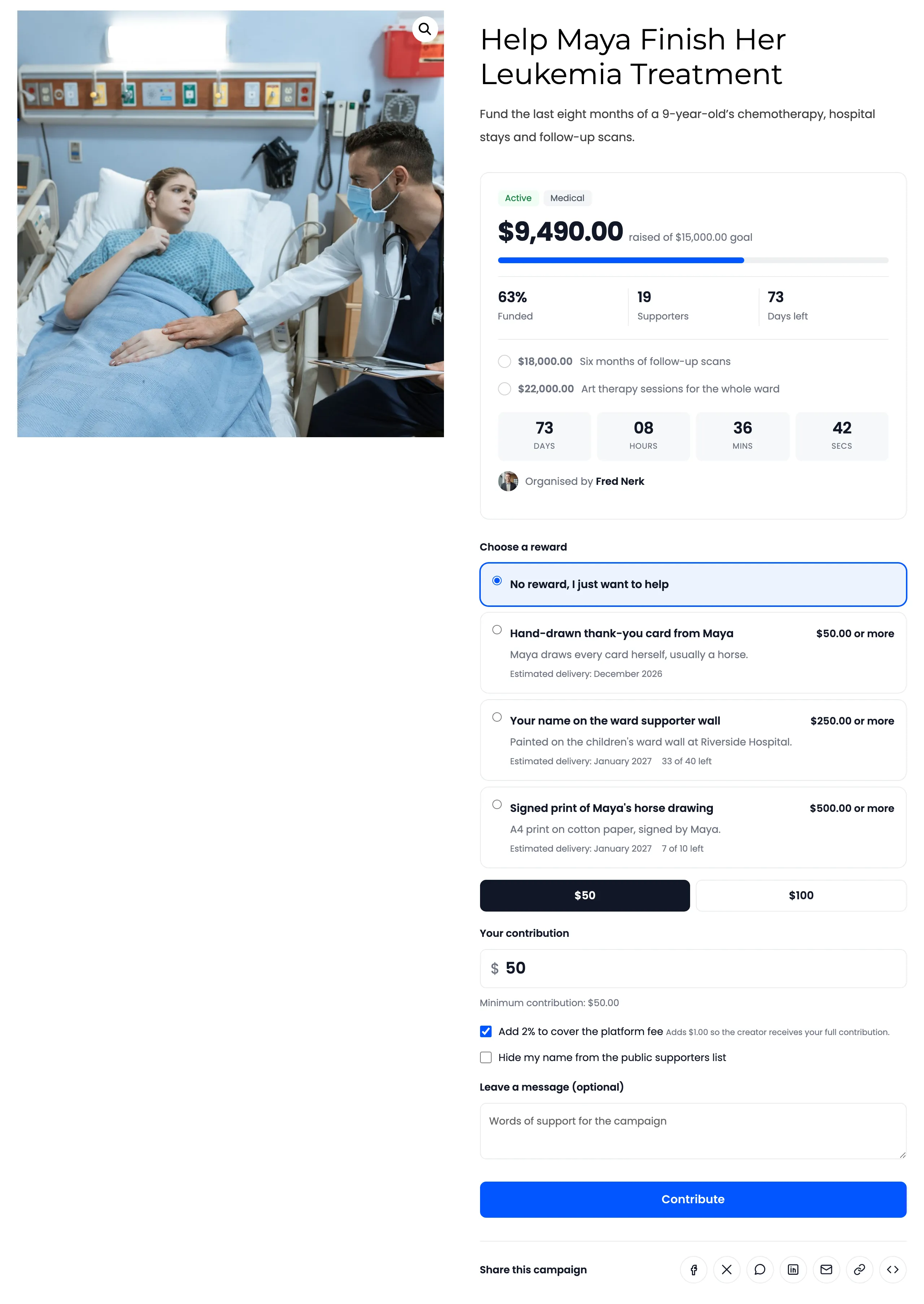
Under the amount, the form says “Minimum contribution: $50.00”. A smaller amount is refused with “Contribution amount must be at least $50.00.”
A reward has its own minimum. Choosing it raises the amount to match.