

Payouts and Fees Settings (Pro)
Open Configuration → Payouts & Fees.
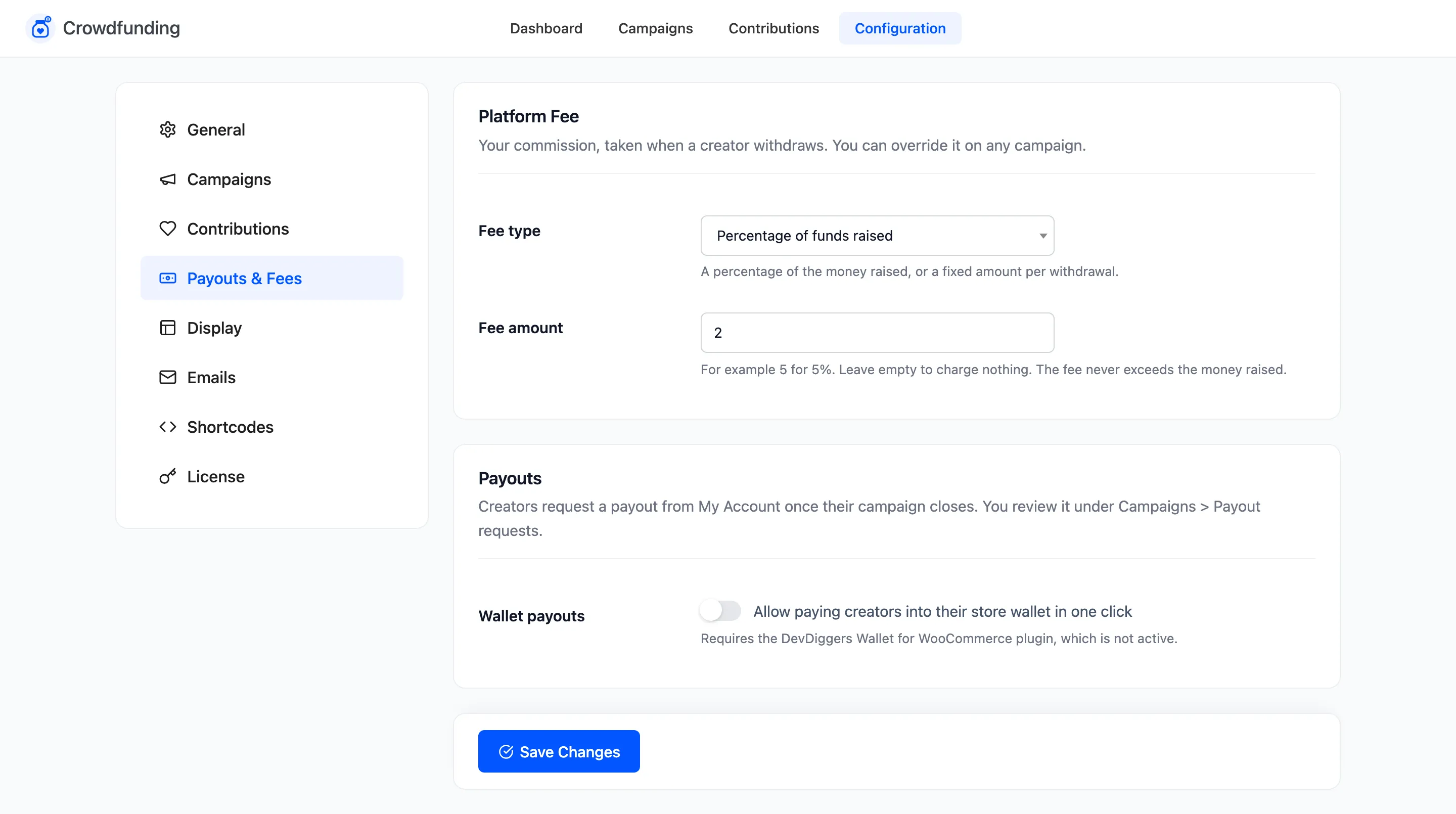
Platform Fee
Section titled “Platform Fee”Your commission, taken when a creator is paid out. You can override it on any campaign.
- Fee type: Percentage of funds raised, the default, or Fixed amount per withdrawal.
- Fee amount: For example 5 for 5%. Empty, the default, charges nothing. The fee never exceeds the money raised.
The demo store charges 2%. Its school campaign raised $900.60, so the fee came to $18.01. Supporters had covered $0.60 of it, so the payout request showed a fee of $17.41 and $883.19 to pay.
A campaign’s own Platform fee setting in the editor replaces this one: Custom percentage, Custom fixed amount or No fee.
Payouts
Section titled “Payouts”Creators request a payout from My Account once their campaign closes. You review it under Campaigns → Payout requests.
- Wallet payouts: “Allow paying creators into their store wallet in one click”. Off by default. It adds a Pay to Wallet button to payout requests, which credits the amount to the creator through DevDiggers Wallet. Without the DevDiggers Wallet for WooCommerce plugin active, the field says so and the button does not appear.
Related: How to Charge a Platform Fee and How to Pay Out a Campaign.