

The Crowdfunding Dashboard
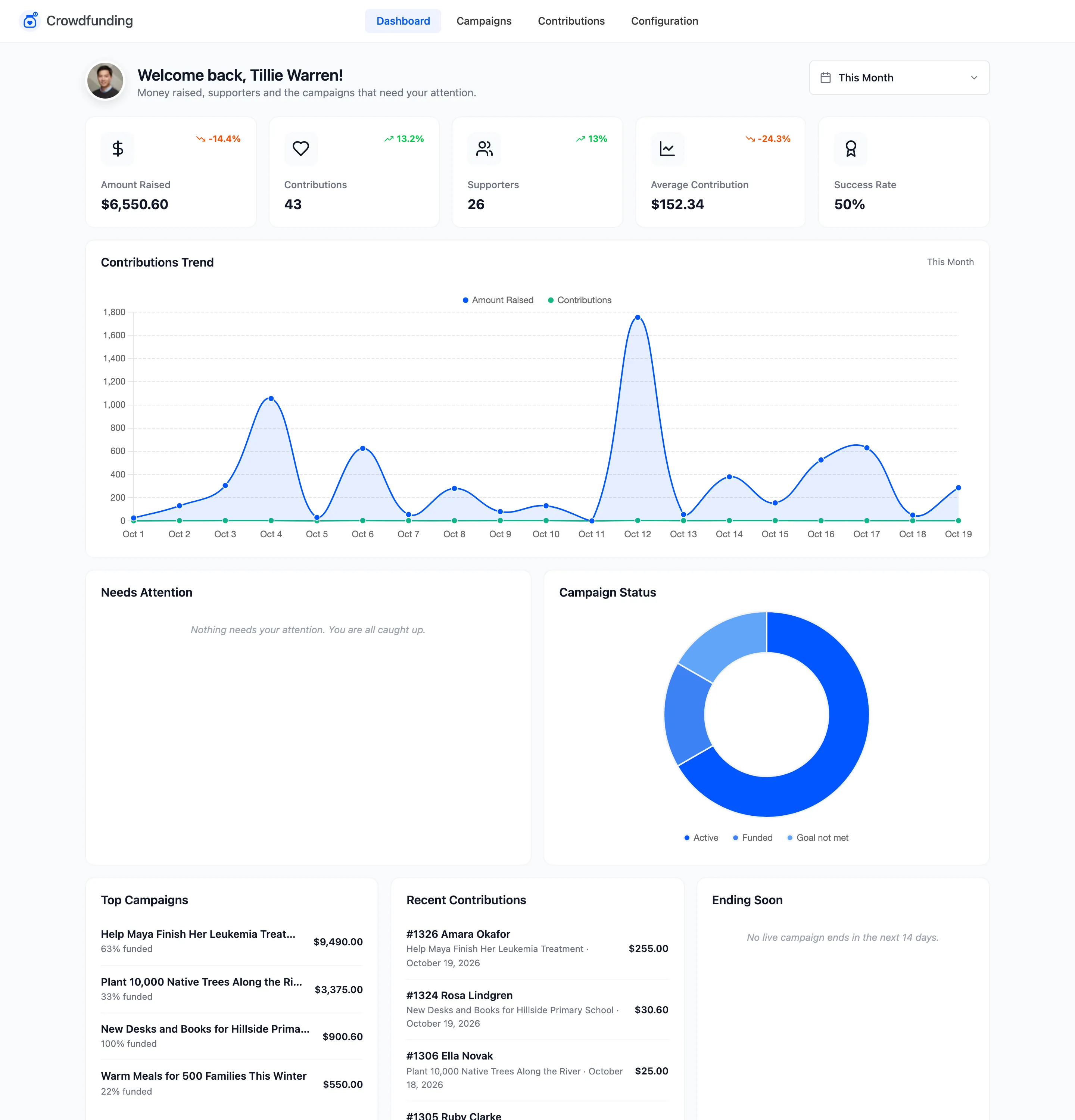
The dashboard is the first tab under DevDiggers Plugins → Crowdfunding. It answers three questions: how much has been raised, how campaigns are doing, and what needs you now.
The date range
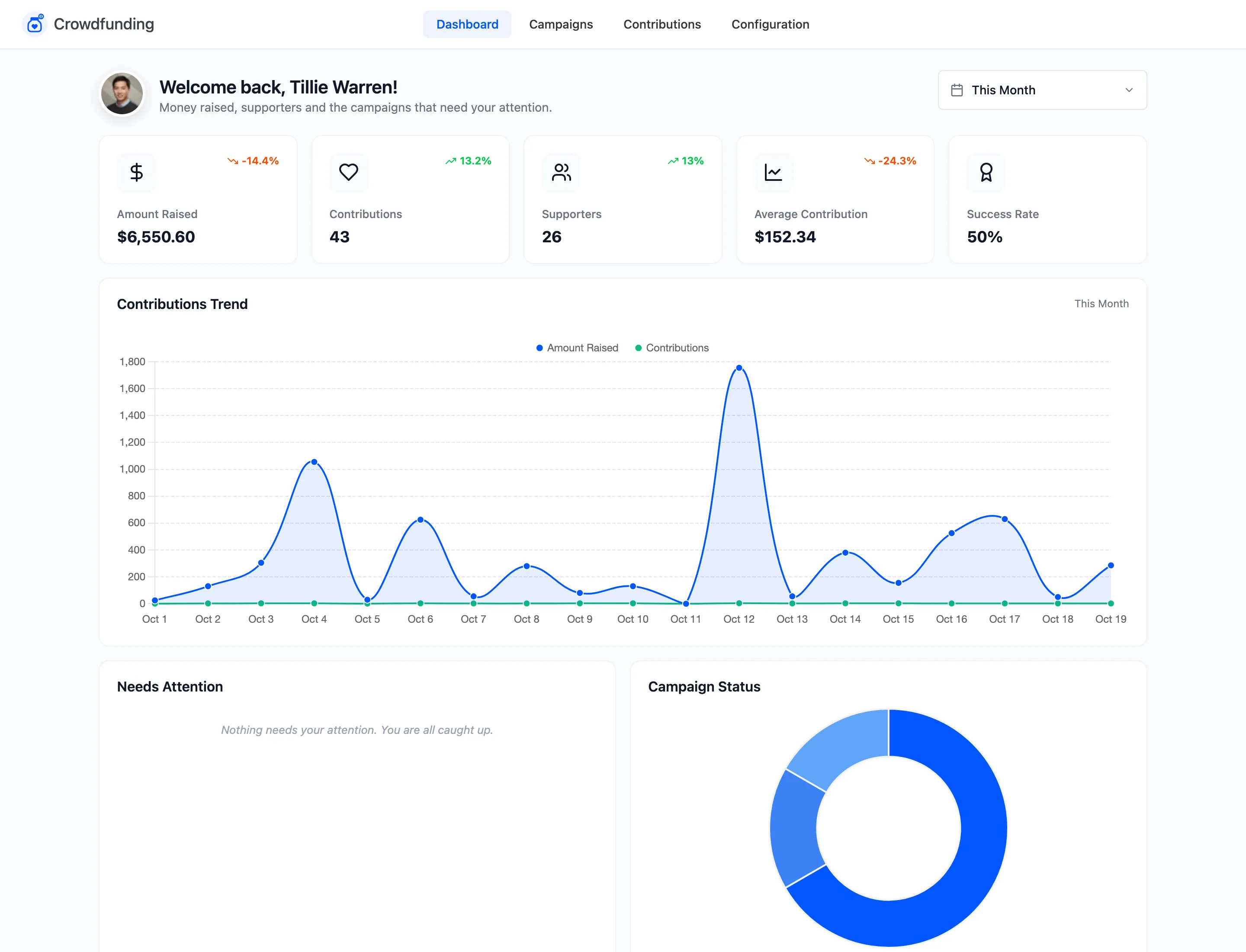
Section titled “The date range”The picker at the top right sets the period for the cards, the trend and the recent contributions. It defaults to This Month. Pick a preset or a custom range.
Only paid contributions count. An order waiting for a bank transfer is not money raised yet, so it appears here once you mark it paid. See How Crowdfunding Works.
Summary cards
Section titled “Summary cards”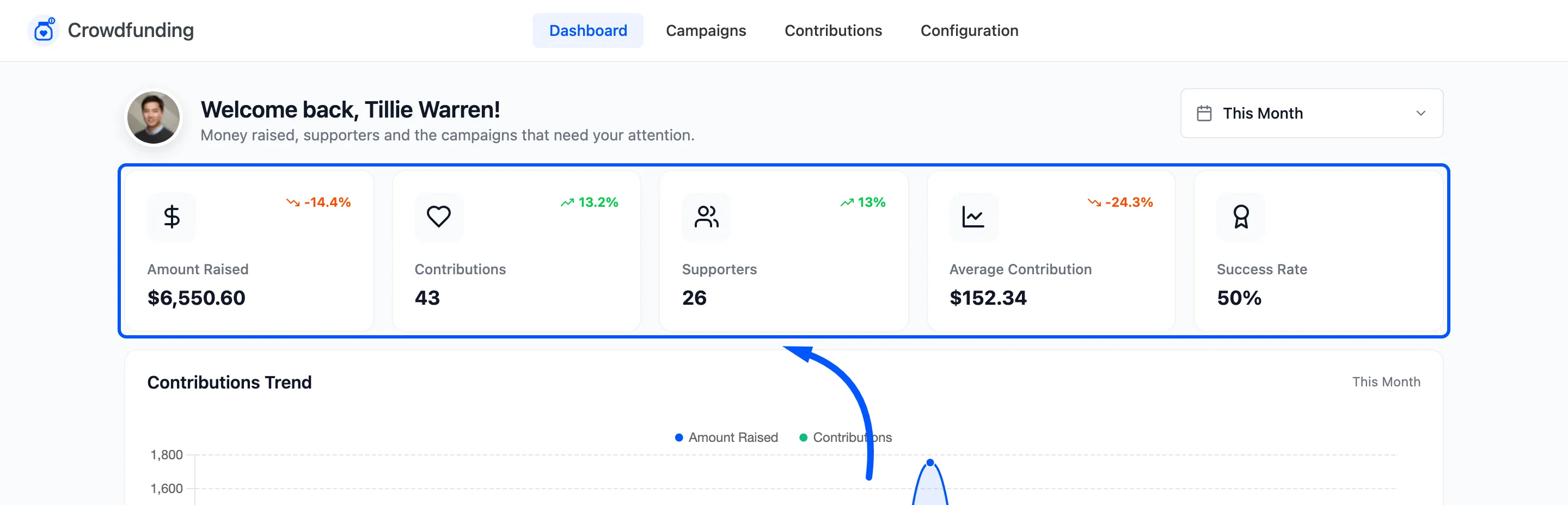
- Amount Raised: Paid contributions in the period.
- Contributions: How many paid contributions.
- Supporters: How many different people gave.
- Average Contribution: Amount raised divided by contributions.
- Success Rate: Of the campaigns with a goal that have either reached it or ended, the share that reached it. A dash means none has got that far yet.
Each card compares itself with the period before, as a percentage up or down.
Contributions Trend
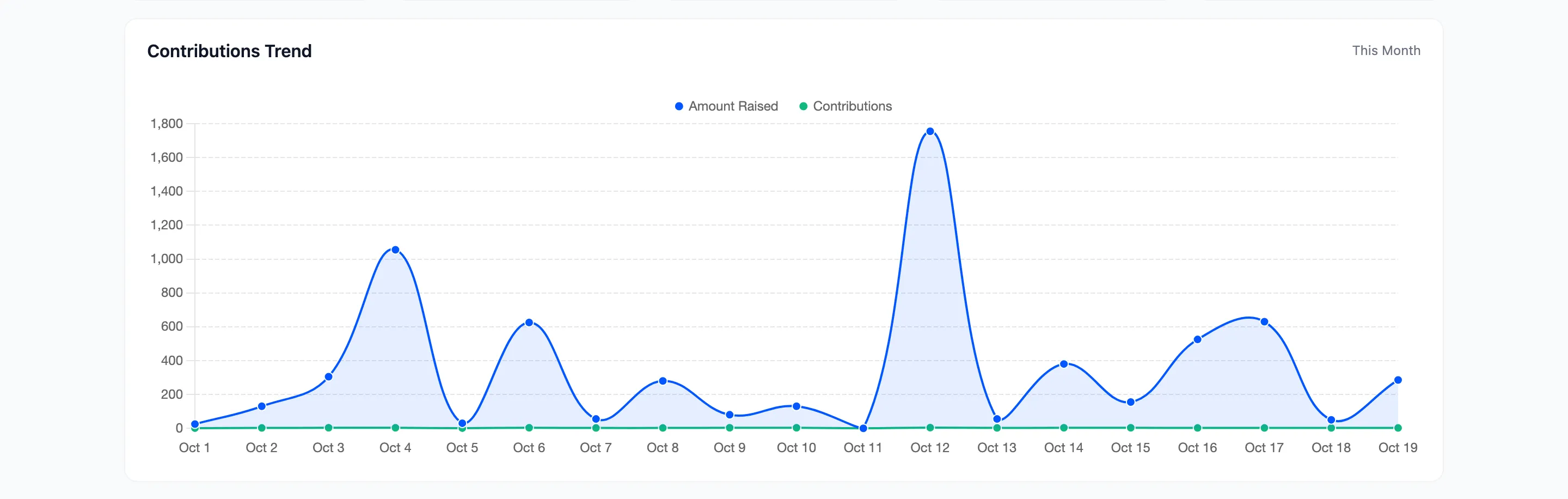
Section titled “Contributions Trend”The amount raised and the number of contributions, day by day.
Needs Attention, Campaign Status and the lists
Section titled “Needs Attention, Campaign Status and the lists”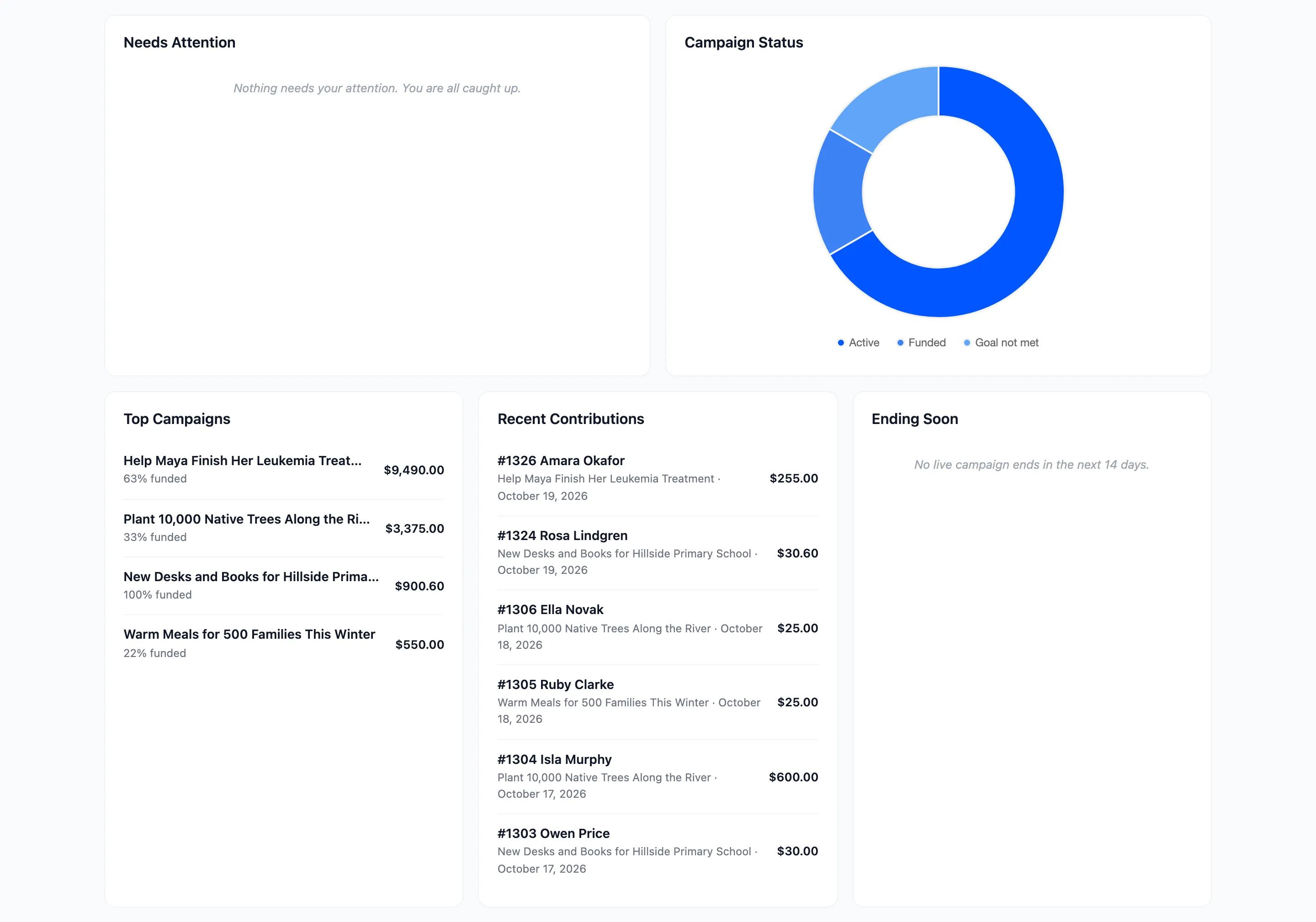
- Needs Attention: Pro. Customer campaigns waiting for approval, payout requests, and all or nothing campaigns that missed their goal and still hold money. Each row has its button: Approve, Pay out or Refund. When the list is empty it says “Nothing needs your attention. You are all caught up.”
- Campaign Status: A chart of how many campaigns are active, funded, ended and so on.
- Top Campaigns: The campaigns that have raised the most, with the percentage funded.
- Recent Contributions: The latest paid contributions, with order number, supporter and amount.
- Ending Soon: Live campaigns that end in the next 14 days.