

Referral Settings
The Referrals tab decides how a click becomes a tracked referral. These are the fields that determine who gets credited for an order and for how long.
Open Referral settings
Section titled “Open Referral settings”Go to DevDiggers Plugins → Affiliates → Configuration → Referrals.
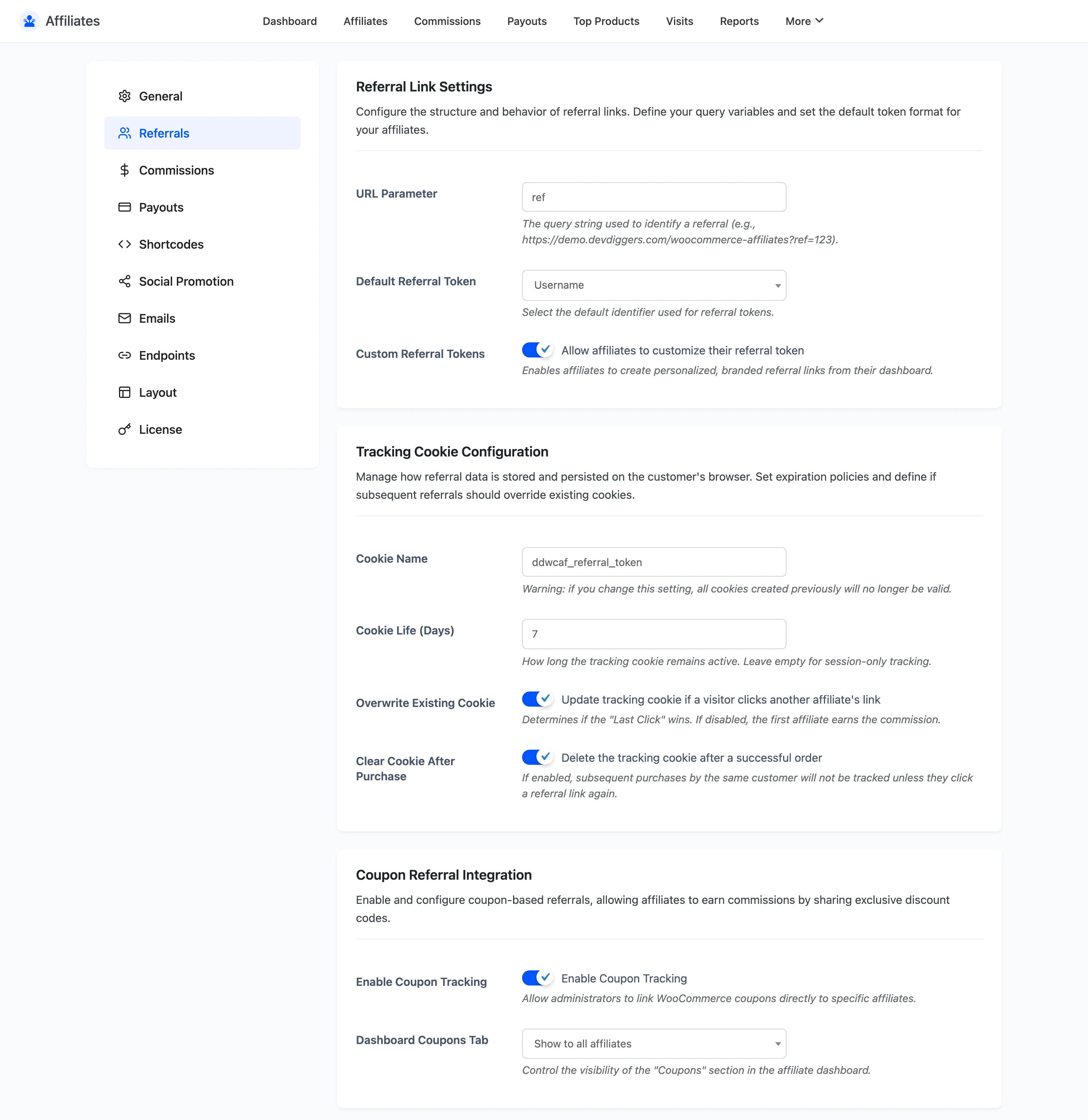
Referral Link Settings
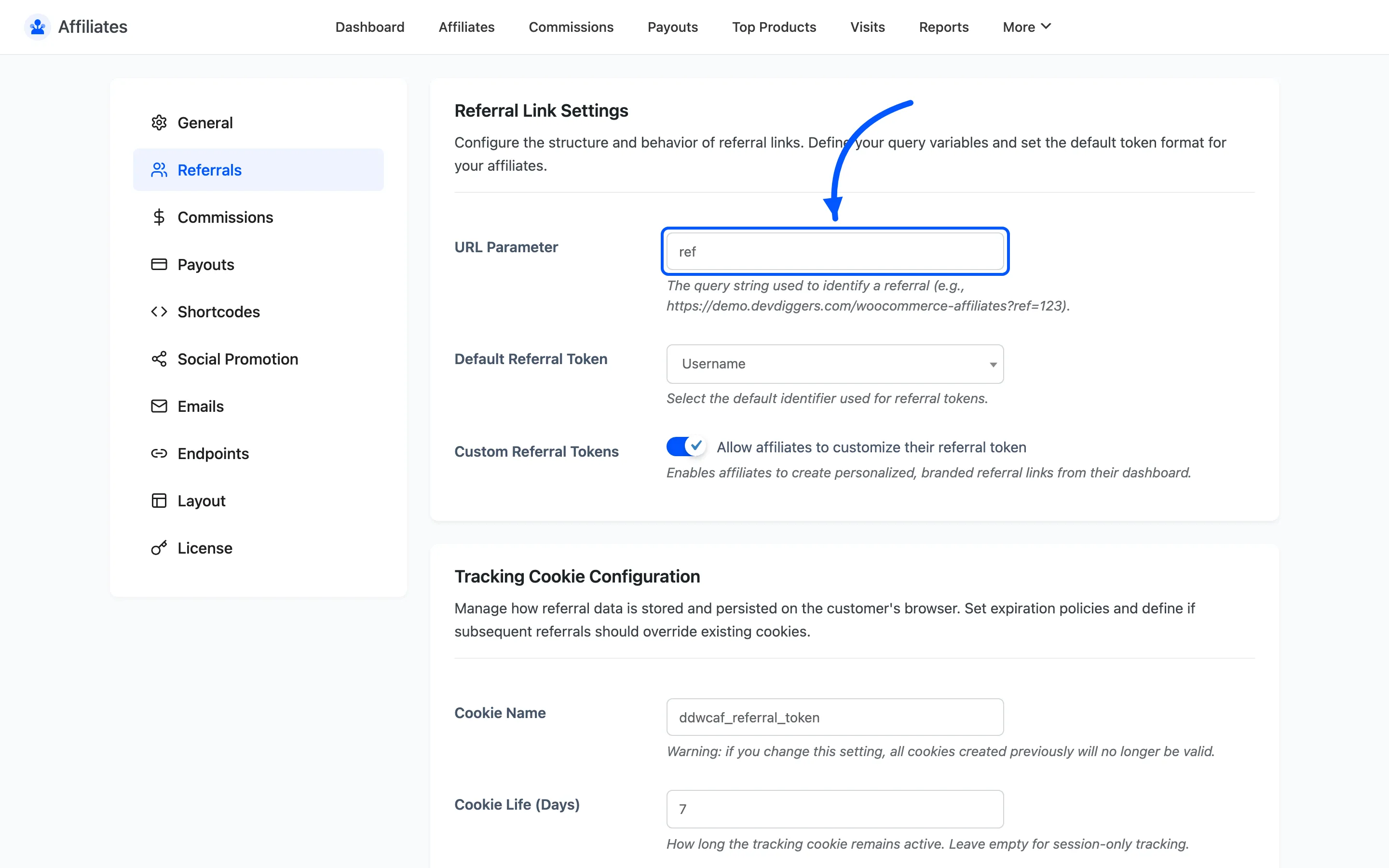
Section titled “Referral Link Settings”URL Parameter is the query string that carries the affiliate token. The default is ref, so a
referral link looks like https://yourstore.com/?ref=12. Change it to partner, a or anything
else that fits your brand.
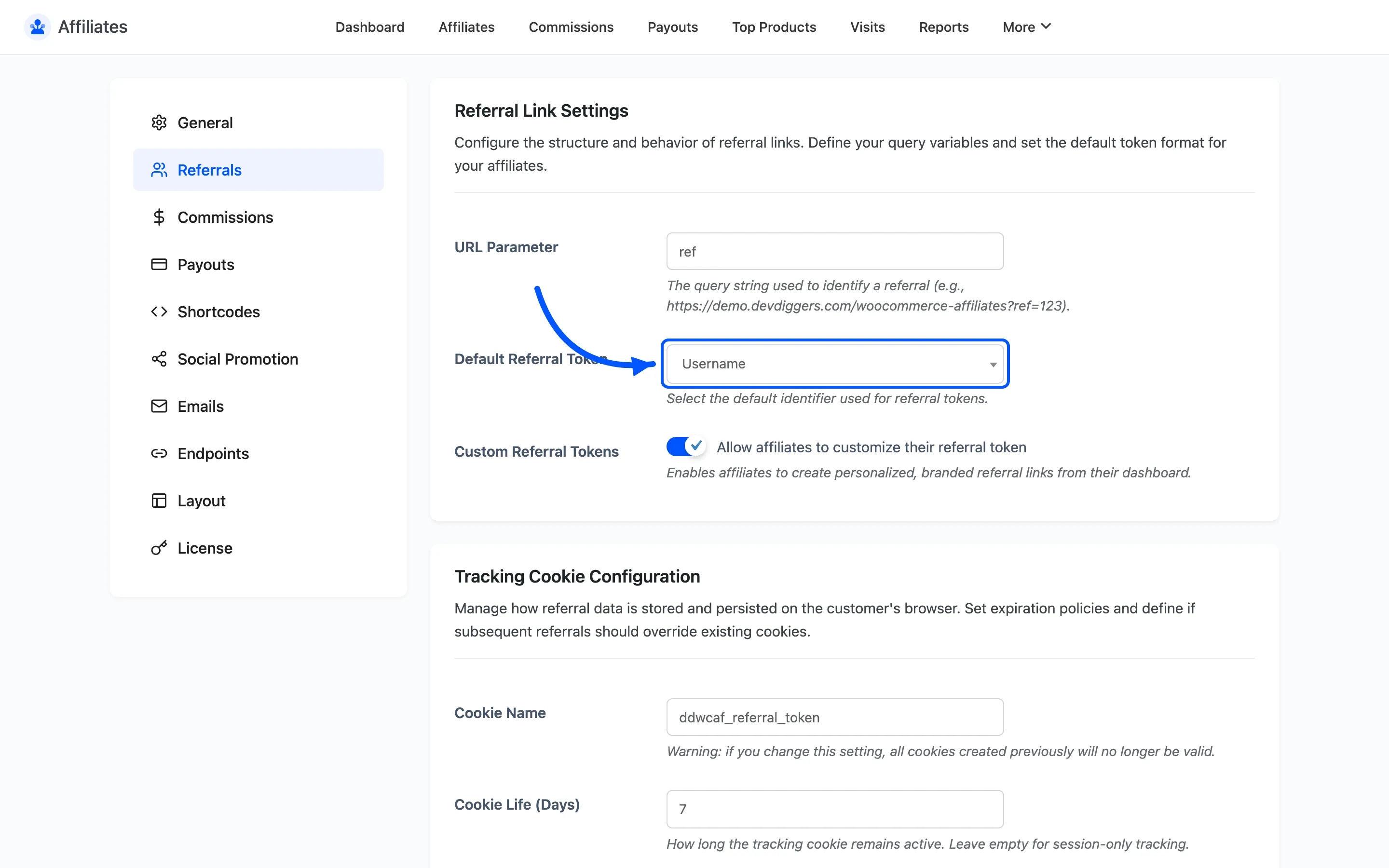
Default Referral Token picks what the token after the parameter is: the affiliate’s User ID or their Username.
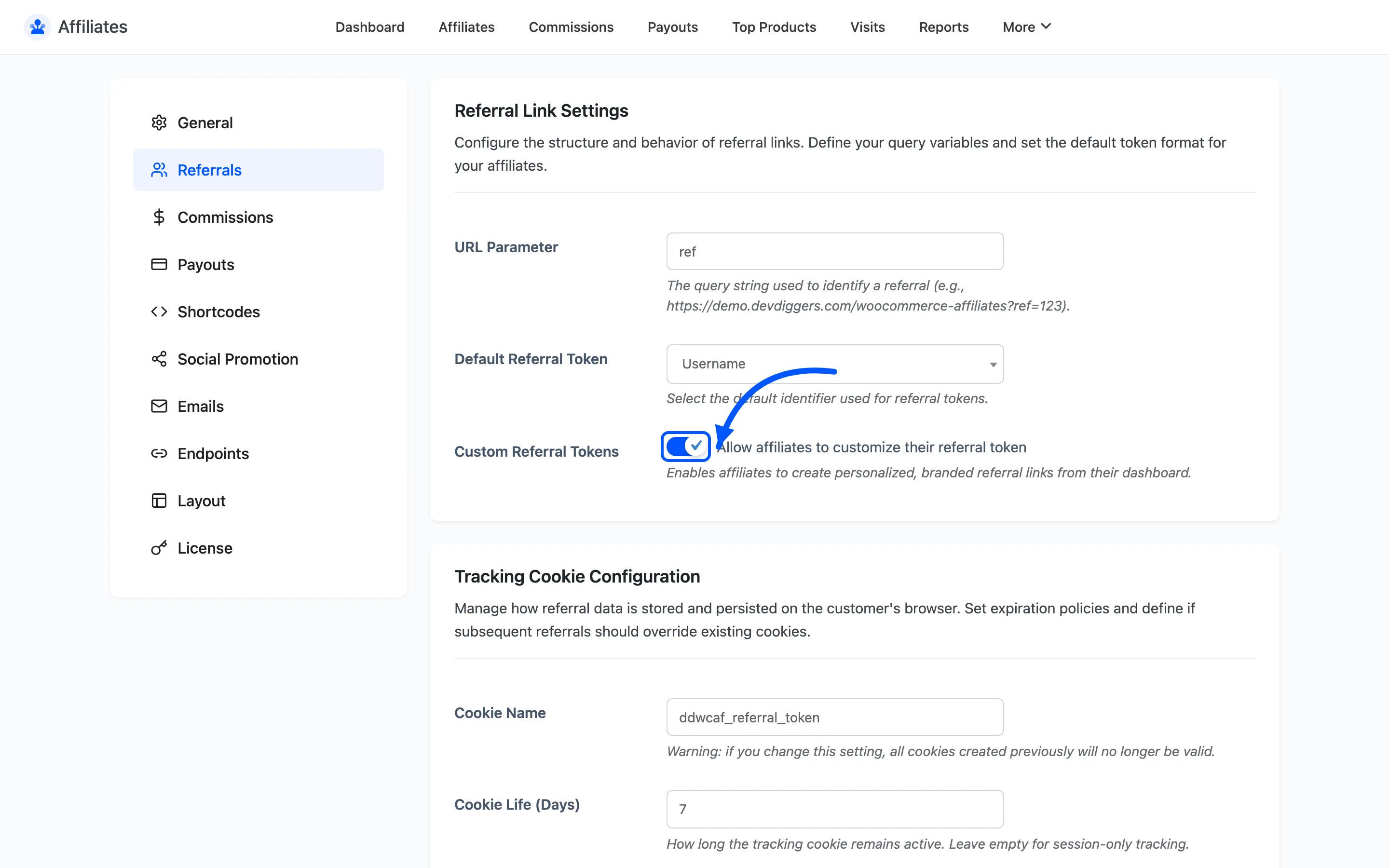
Custom Referral Tokens lets affiliates set their own token from the dashboard, so a partner can
share ?ref=acmeblog rather than ?ref=12.
Tracking Cookie Configuration
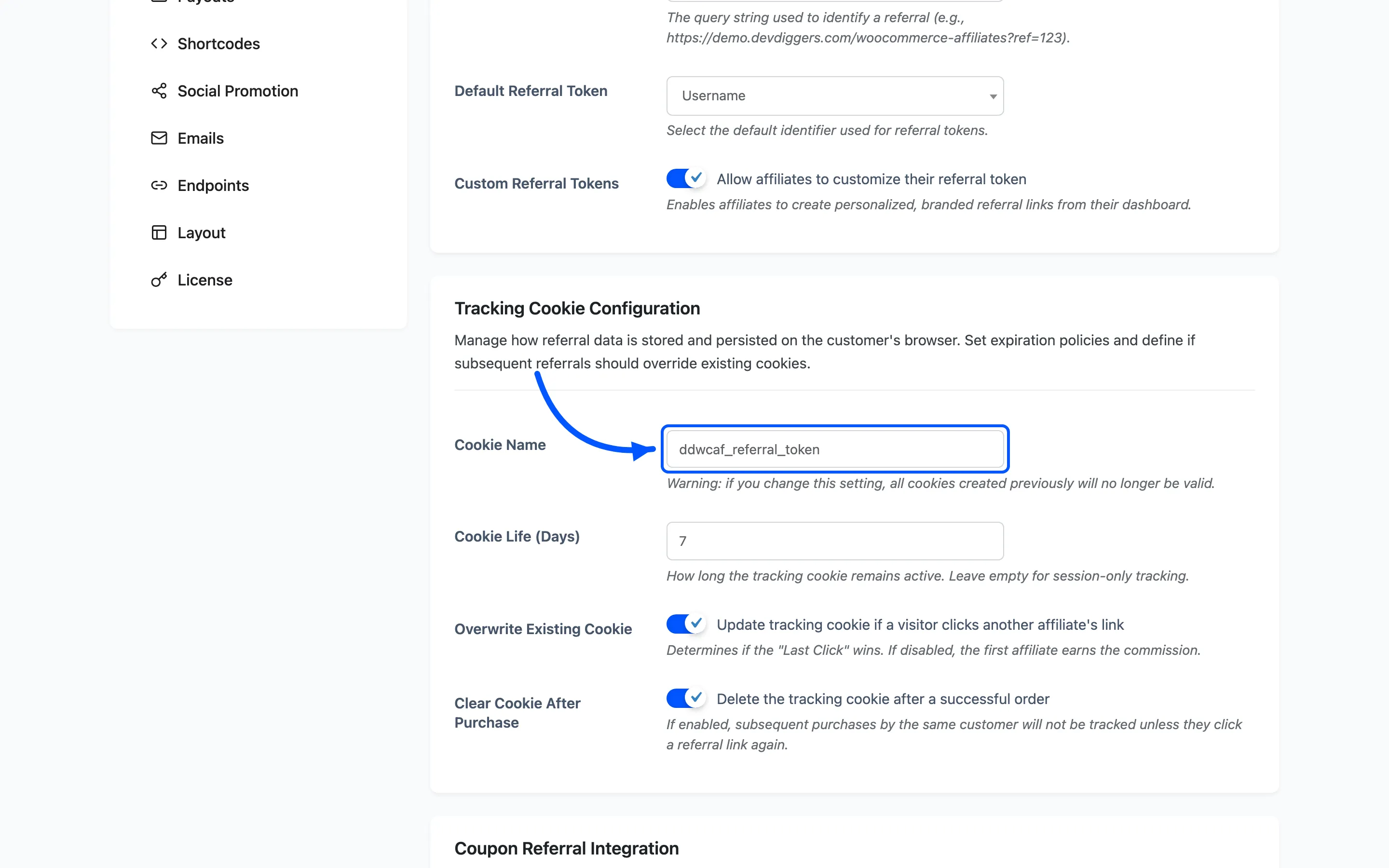
Section titled “Tracking Cookie Configuration”Cookie Name is the browser cookie the token is stored in. The default is
ddwcaf_referral_token. Changing it invalidates every cookie already set, so every visitor
currently mid-window stops being tracked. Change it once, early, or not at all.
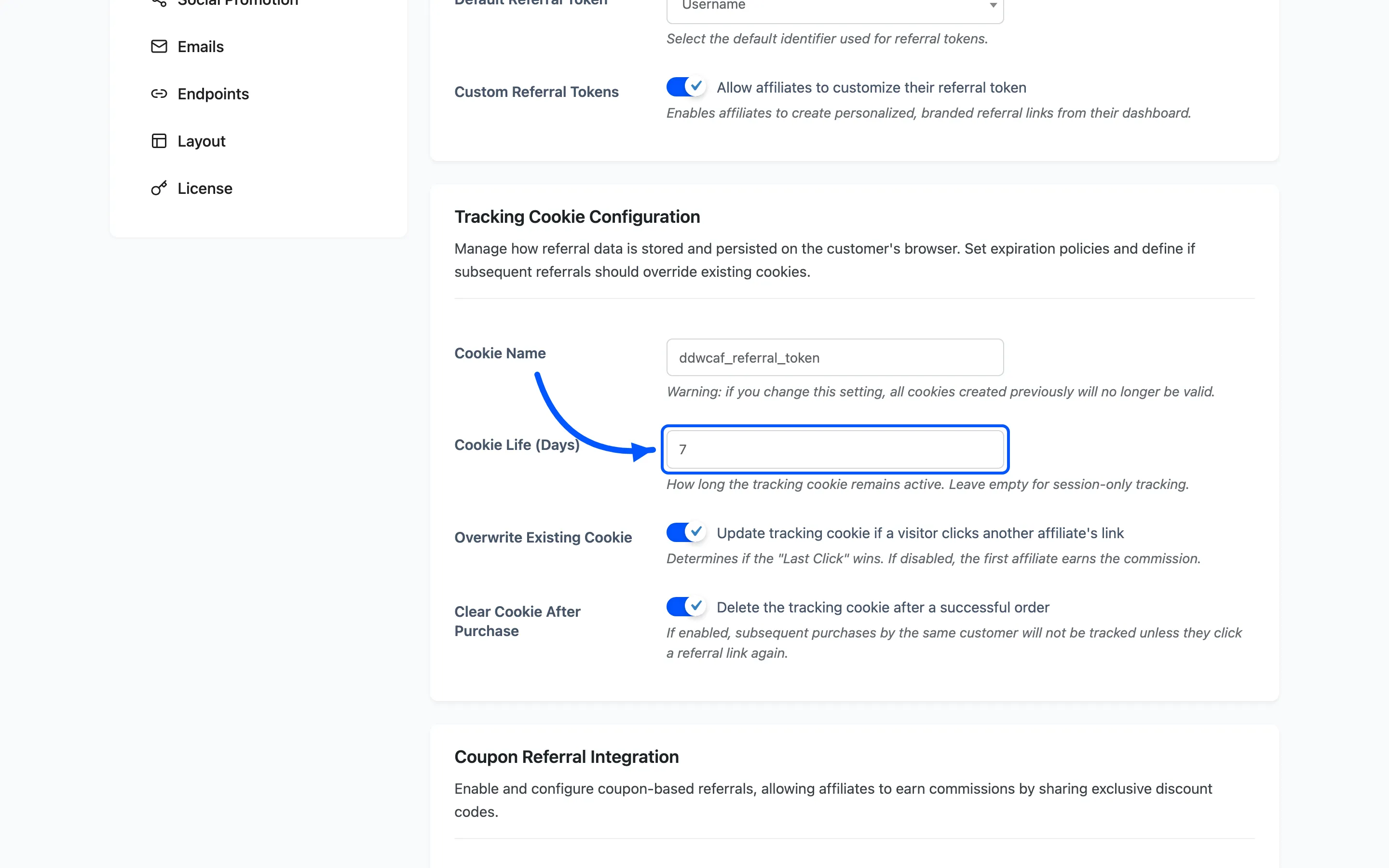
Cookie Life (Days) is how long a click keeps earning. The default is 7. A visitor who clicks today and buys on day six still credits the affiliate; on day eight they do not.
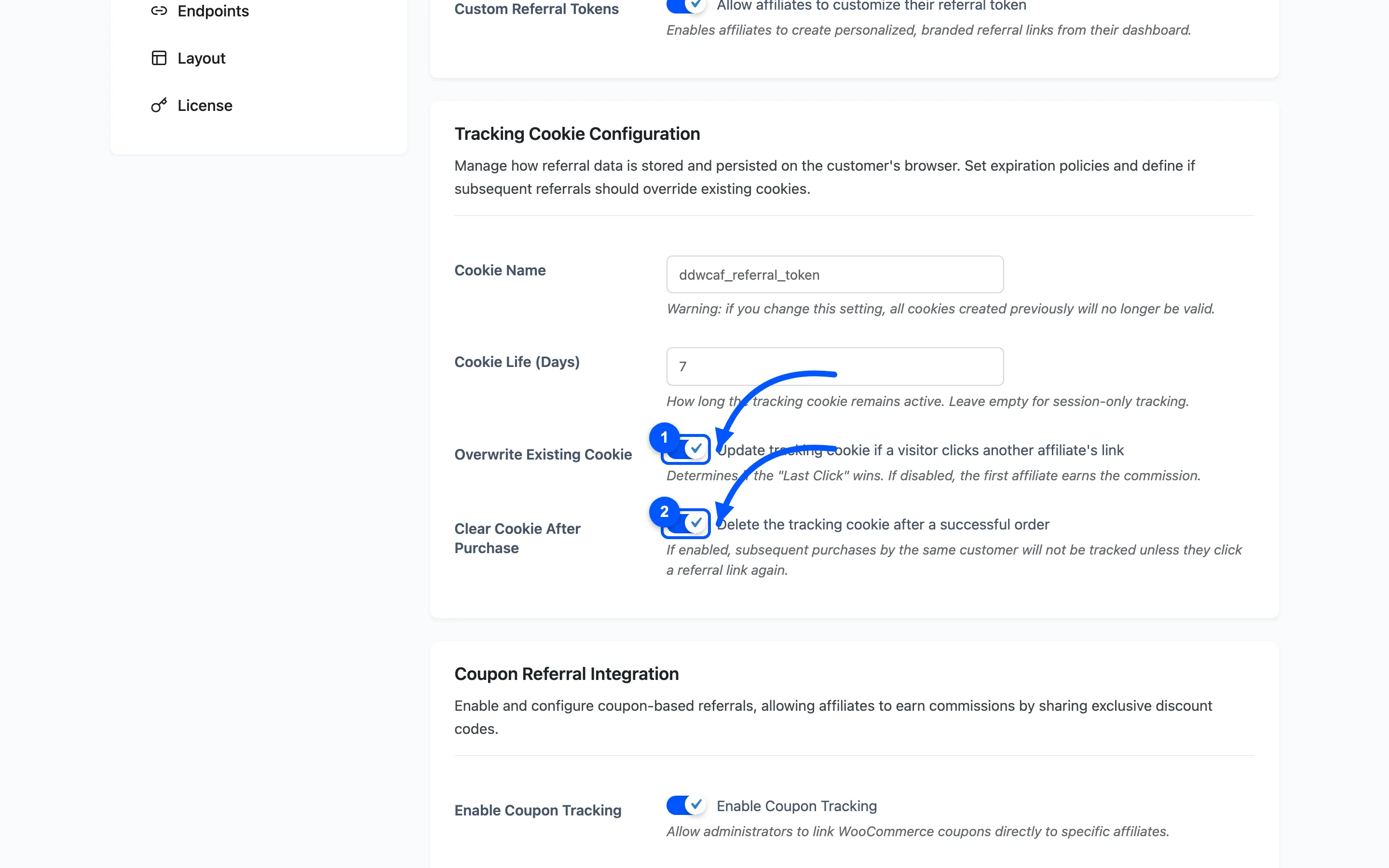
Overwrite Existing Cookie decides whether a second affiliate’s link replaces the first one. On means last click wins. Off means the first affiliate to send the visitor keeps the credit.
Clear Cookie After Purchase deletes the cookie once an order completes. A repeat purchase by the same customer then pays nothing unless they click a fresh link.
Coupon Referral Integration
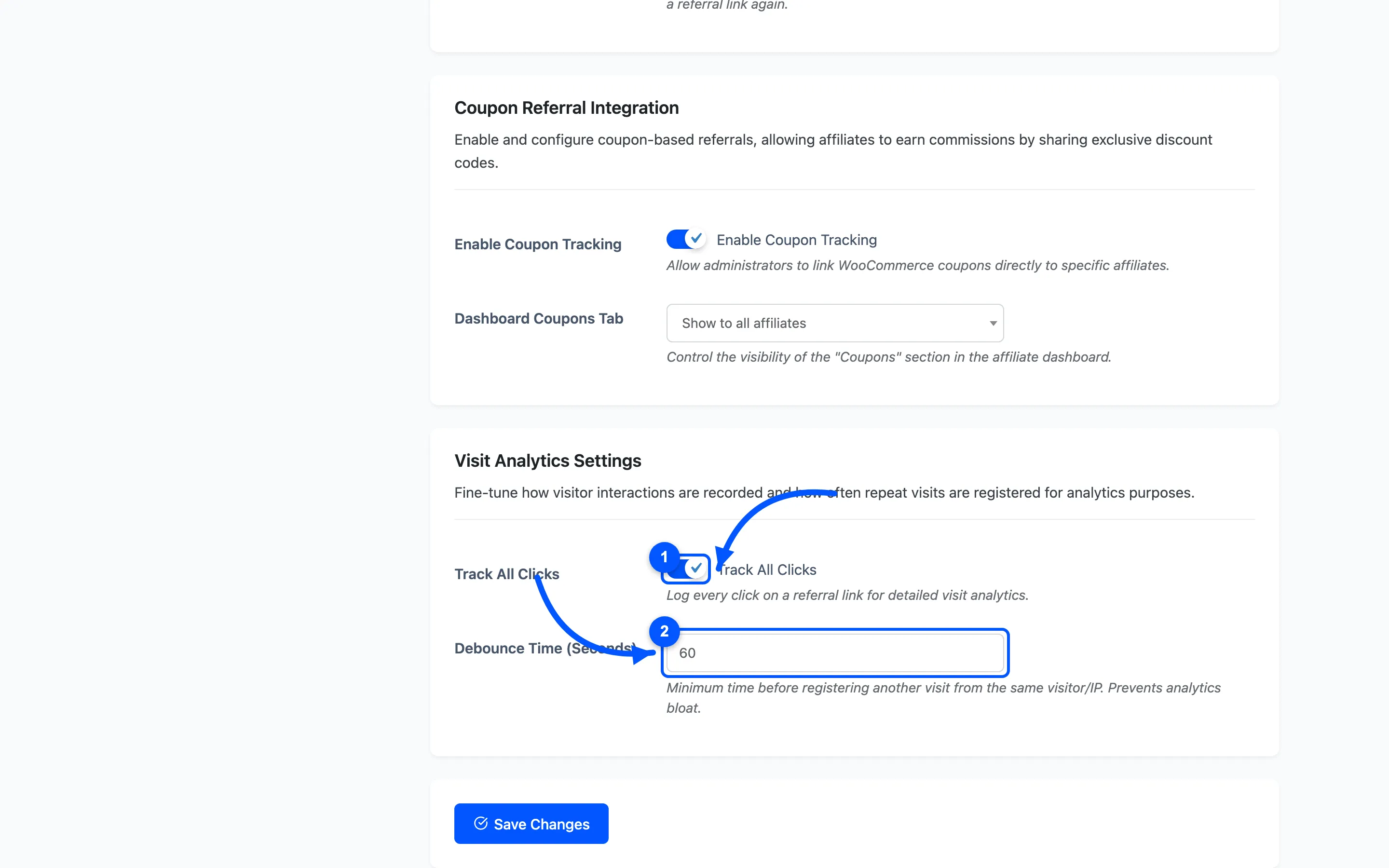
Section titled “Coupon Referral Integration”Enable Coupon Tracking lets you attach a WooCommerce coupon to an affiliate. A customer who applies that code is credited to the affiliate exactly as if they had clicked a link. That suits partners promoting offline or on video, where a URL is awkward.
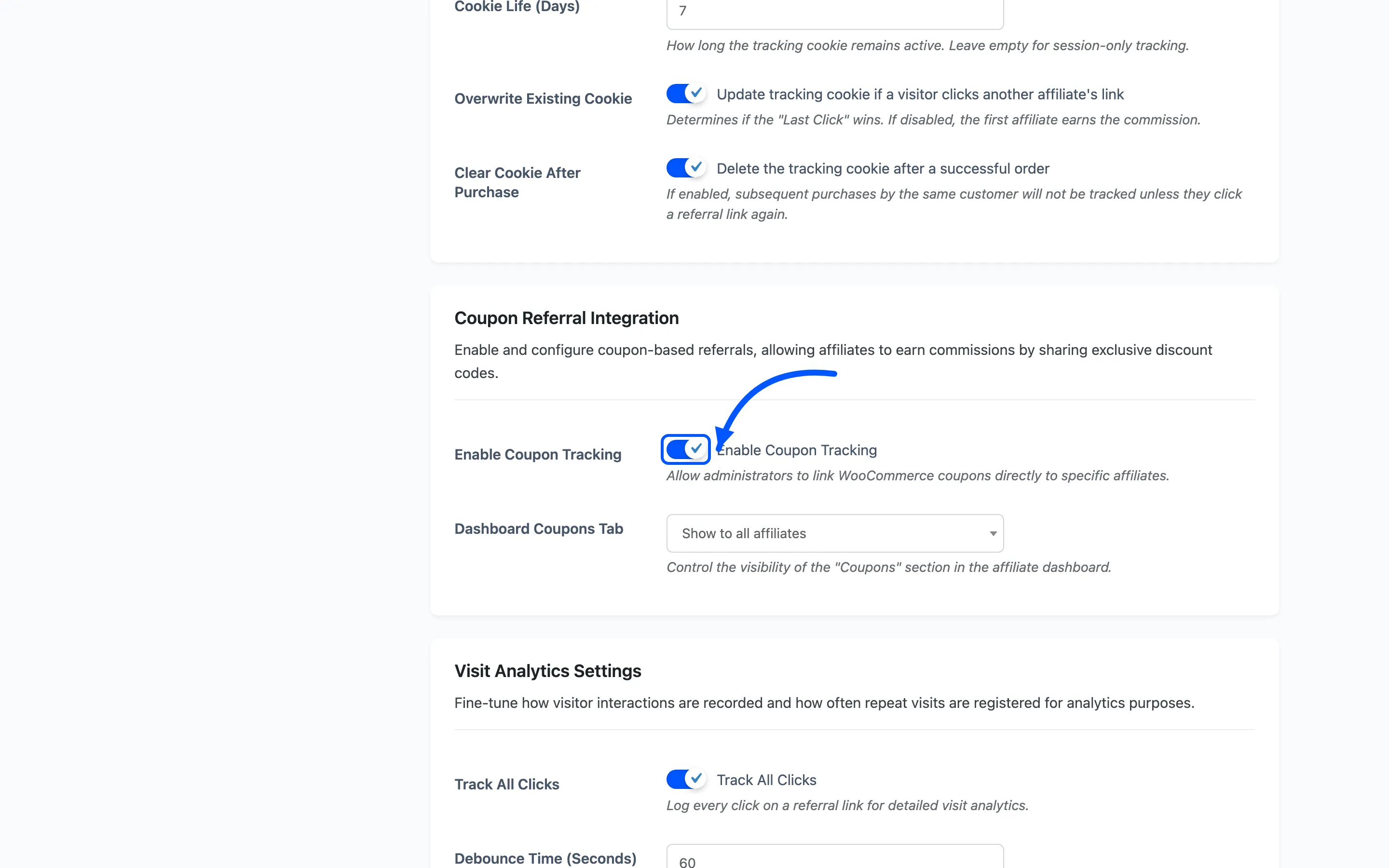
Dashboard Coupons Tab controls who sees the Coupons section on the affiliate dashboard: Show to all affiliates, or Only show if they have coupons assigned.
Visit Analytics Settings
Section titled “Visit Analytics Settings”- Track All Clicks logs a row in the Visits table for every referral click. It is on by default. Turn it off if you only care about commissions and would rather not store click data. Commissions still work with it off; you just lose the visit history and the conversion rate.
- Debounce Time (Seconds) is the minimum gap before the same visitor’s repeat click is logged again. It stops one person refreshing a page twenty times and inflating the numbers.
Referral Fraud Prevention
Section titled “Referral Fraud Prevention”Self referral is the most common way an affiliate program leaks money. An affiliate places their own orders through their own link and collects a discount dressed up as commission.
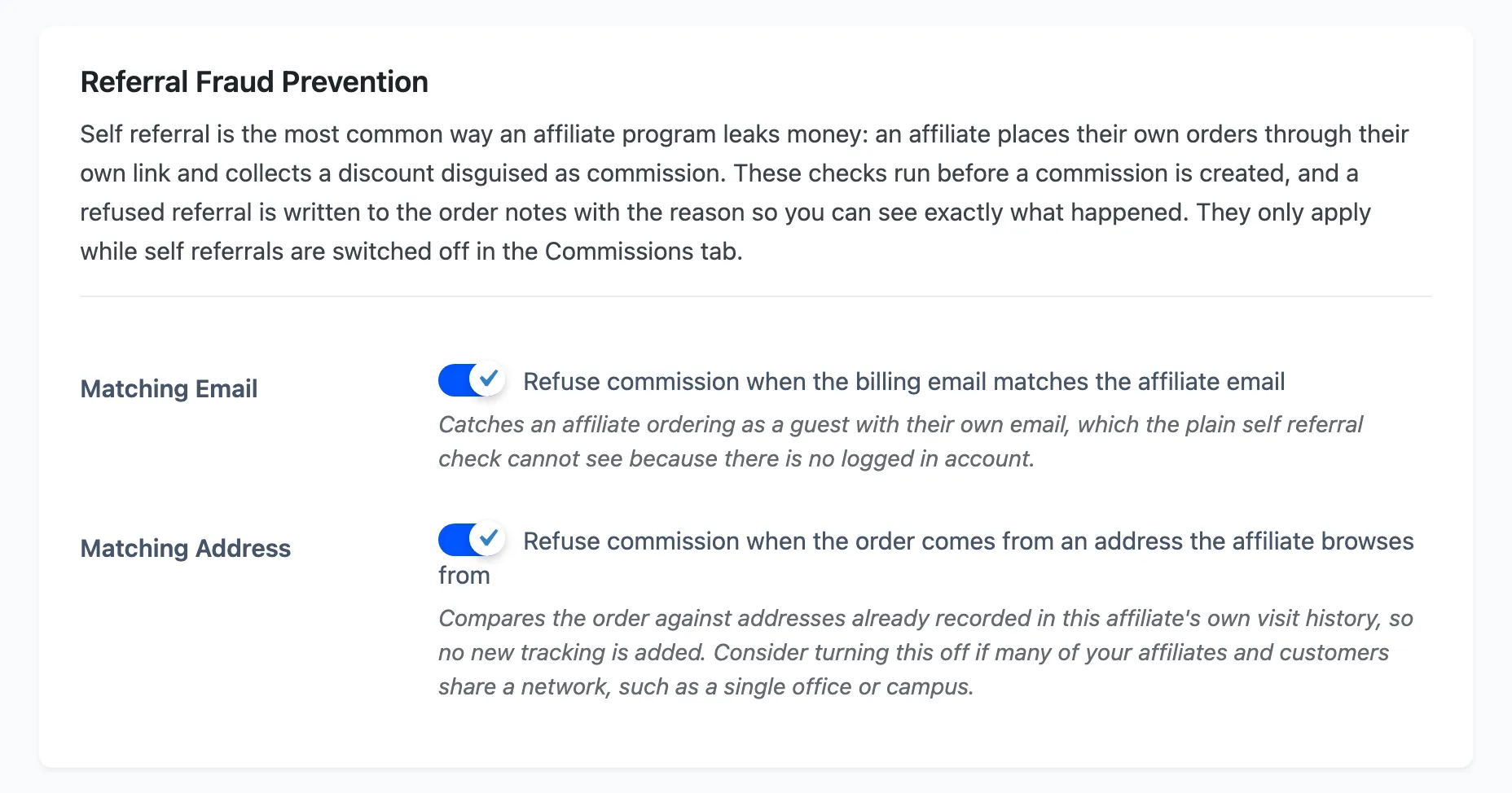
Both checks run before a commission is created, and both are on by default. They only apply while Allow Self-Referrals is off in Commission Settings. Turn self referrals on and these checks stand down, because you have said the behaviour is allowed.
Matching Email refuses commission when the billing email matches the affiliate email. This is the one that matters most, because it catches an affiliate ordering as a guest with their own address, which the plain self referral check cannot see. There is no logged in account to compare.
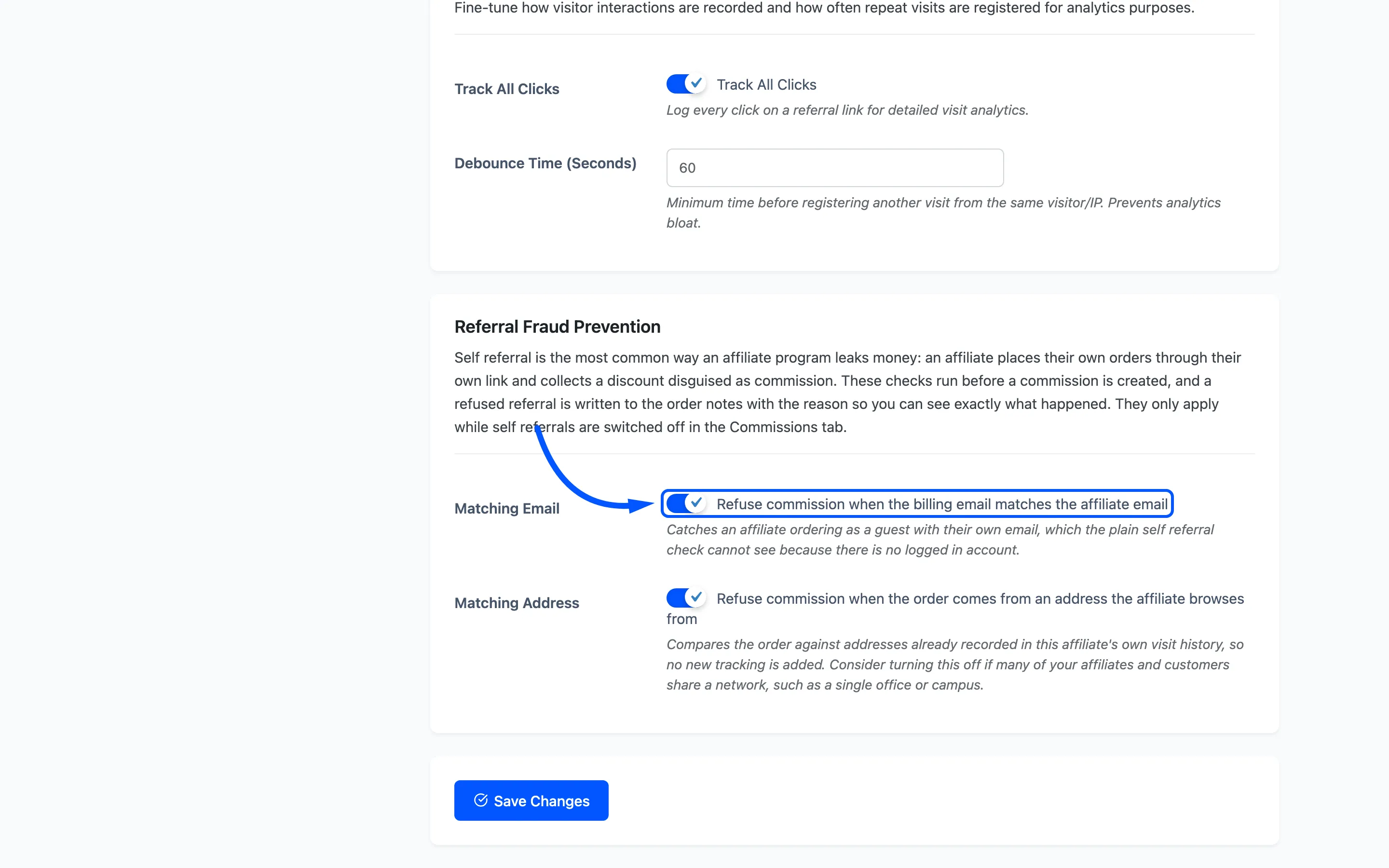
Matching Address refuses commission when the order comes from a network address the affiliate browses from. It compares the order against addresses already in that affiliate’s own visit history, so nothing new is tracked to make it work. Consider turning it off if your affiliates and customers share a network, such as one office or a campus.
When a check refuses a referral, the reason is written to the order notes and stored on the order itself, so you can see what happened next to the order rather than in a log nobody opens.
What is never tracked
Section titled “What is never tracked”Two exclusions are built in and apply to both versions.
- Administrators: A logged-in administrator clicking a referral link sets no cookie and logs no visit, so testing your own links from an admin session records nothing.
- The affiliate’s own link: An affiliate clicking their own link is ignored.
Where to go next
Section titled “Where to go next”-
How to Block Self-Referrals for the whole picture, including what the affiliate sees.
-
Commission Settings to set what a tracked referral pays.
-
Visits to read the click log this tab produces.