

Payout Details
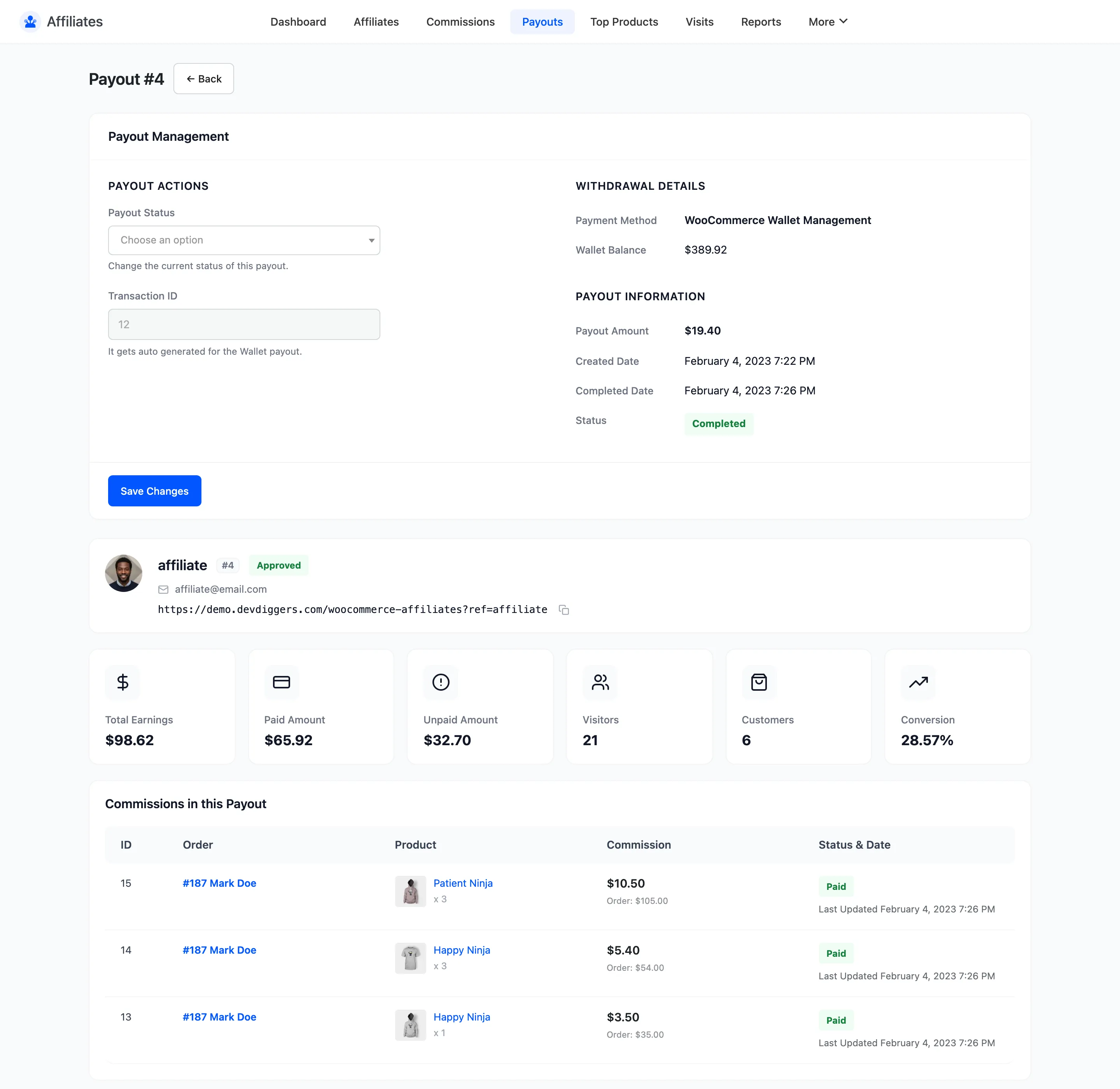
The payout detail screen is where you actually complete a payment. It carries the bank or PayPal details you need, the commissions being covered, and the controls to record what you did.
Open a payout
Section titled “Open a payout”From the Payouts list, click the payout ID.
Payout Actions
Section titled “Payout Actions”Payout Status changes the current status. The dropdown offers Pending, Cancelled and Completed, and nothing else, because those are the three a person decides. Processing and Failed are set by a payment gateway and are never chosen by hand. When a payout is already in one of those two, the dropdown gains a Keep Status as Processing or Keep Status as Failed entry so saving the rest of the form does not quietly move it.
Changing the status here does the same job as the bulk action on the list. It is the safer route, because the amount and the recipient are on the same screen.
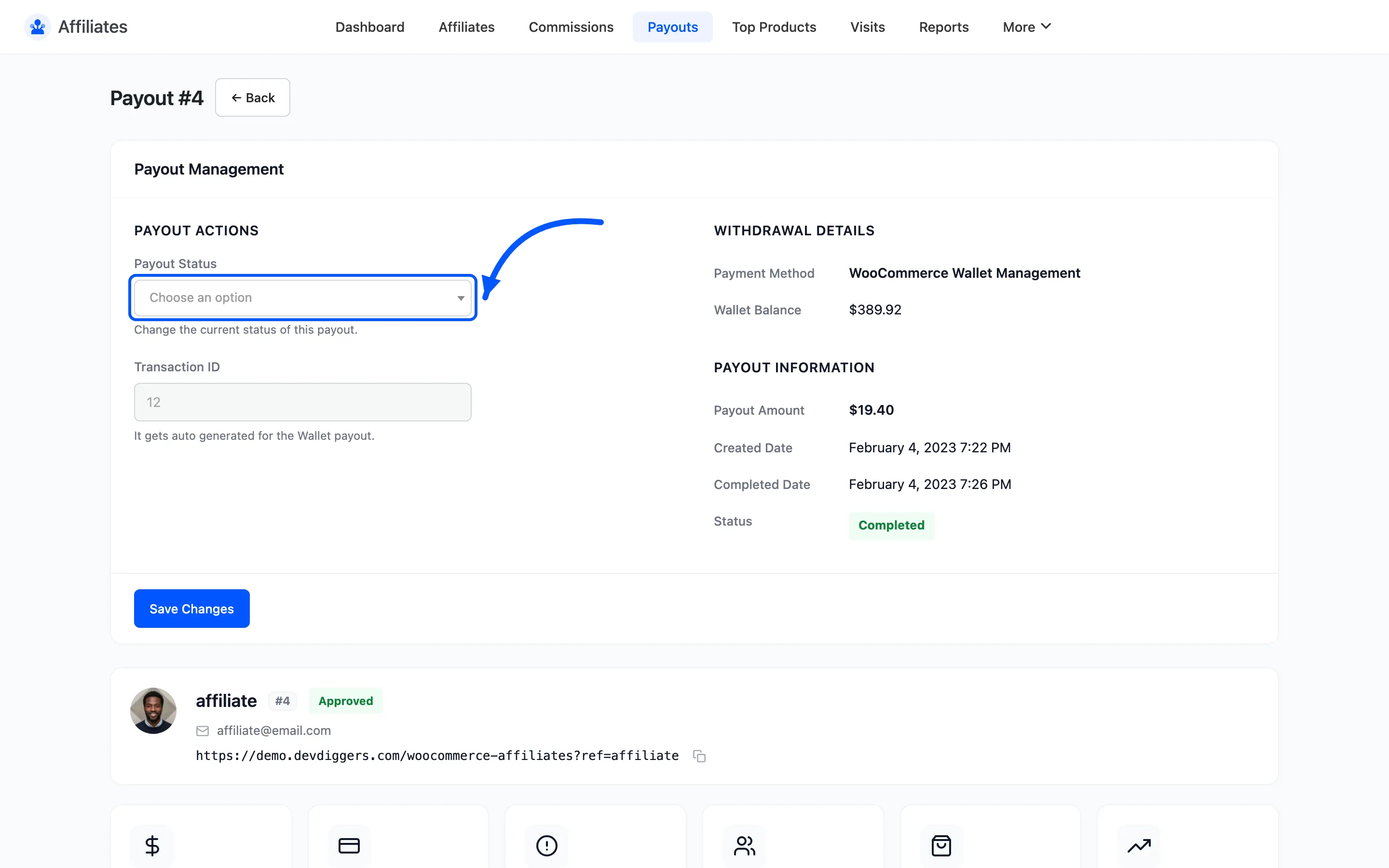
Setting the status to Completed is also what sends the money when a gateway is connected, and taking a payout back out of Completed is what pulls a Stripe transfer back. See How Automatic Payouts Work.
Transaction ID records the reference from your bank or PayPal. Fill it in when you make the transfer so a later query has something to trace against. The field is free text and saves on its own, without changing the status.
Automatic Payment
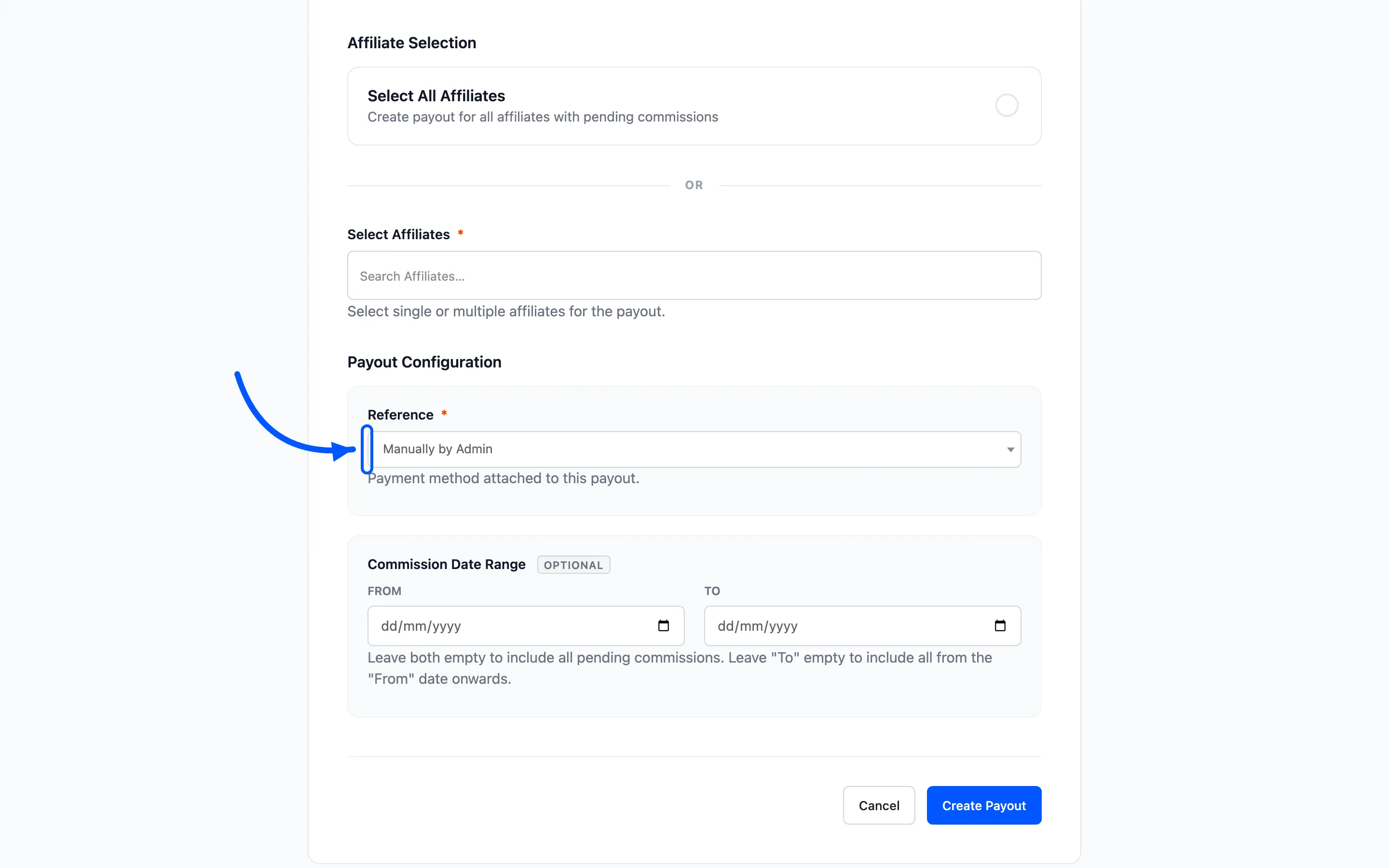
Section titled “Automatic Payment”When the affiliate’s withdrawal method is handled by a connected gateway, an Automatic Payment block appears in the payout actions. It names the gateway and says that completing the payout sends the money.
While the payout is Pending or Failed the block also carries a Send through gateway now button. It sends this one payout immediately without waiting for a status change, and it ignores the Maximum Send Attempts ceiling, so it is the way to clear a payout that gave up after a bad address was corrected.
The button is deliberately absent on a Completed or Processing payout. A stored transaction reference on a payout in either of those states means the money is already on its way, and no amount of pressing sends it twice.
Gateway Log
Section titled “Gateway Log”Every send attempt, every provider answer and every reversal is written to a log on the payout, shown newest first with a date and an event. It is what tells you whether a payout failed because of a wrong address, a declined transfer or a credentials problem.
The block only renders once the payout has a log, so a payout that has never been near a gateway does not show an empty table.
Withdrawal Details
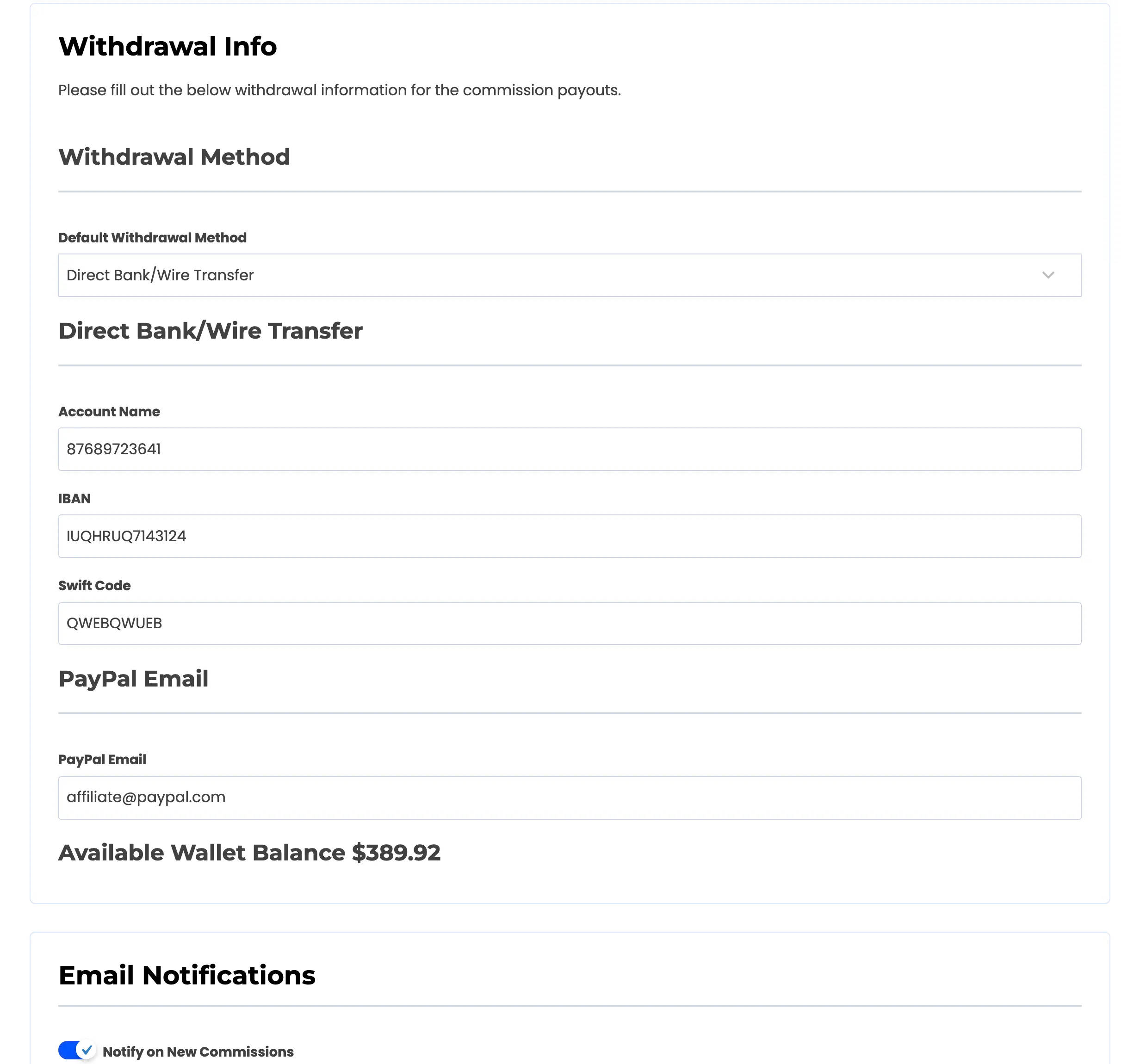
Section titled “Withdrawal Details”The affiliate’s saved payment details, shown in full so you do not have to open their profile.
- For a bank transfer: Account Name, IBAN and Swift Code
- For PayPal: the PayPal Email
- For Stripe Connect: nothing to copy, because the transfer is made to the connected account
If this block is empty the affiliate has not filled in their Settings → Withdrawal Info yet. There is nothing to pay to, so ask them before completing the payout.
Payout Information
Section titled “Payout Information”The facts of the payment: Payout Amount, Created Date, Completed Date and Status. The completed date only fills in once you mark the payout completed.
Six statistic cards below repeat the affiliate’s overall figures, so you can sanity-check a large payout against what they have actually earned.
Commissions in this Payout
Section titled “Commissions in this Payout”Every commission the payout covers, with its ID, order, product, amount and status. A View All link opens the Commissions screen filtered to this payout.
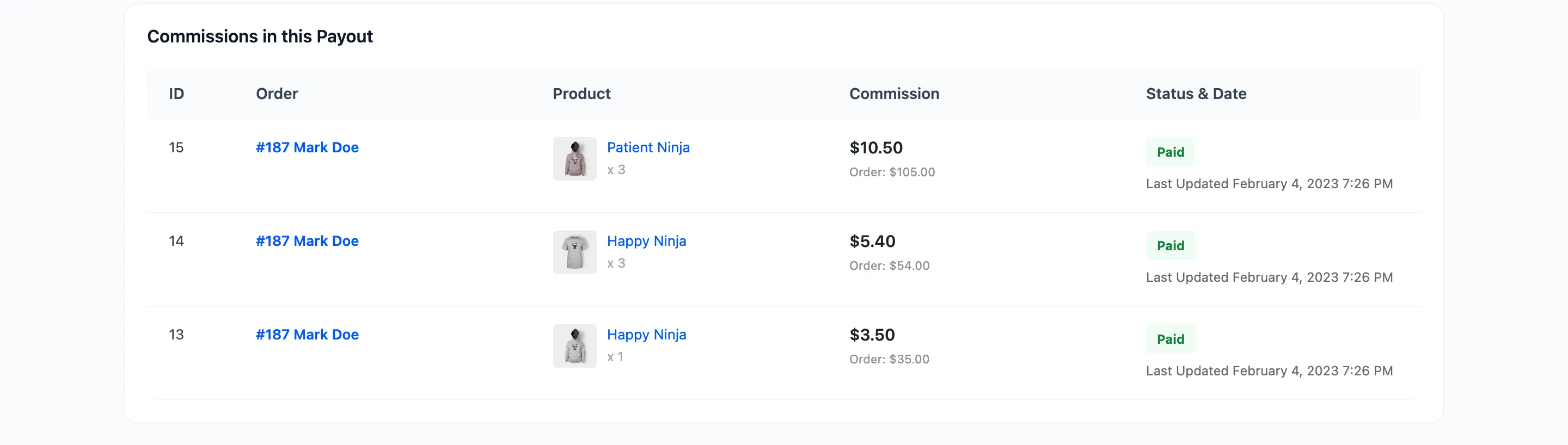
Use it to check the payout adds up before you send the money. If a commission should not be in there, cancel the payout, fix the commission and create a new one.
Completing a payout by hand
Section titled “Completing a payout by hand”The order of operations matters when you are the one moving the money.
- Read the Withdrawal Details and make the transfer through your bank or PayPal.
- Paste the bank reference into Transaction ID and save.
- Set Payout Status to Completed.
That sequence means the payout is never marked paid before the money has left, and every completed payout carries a reference you can trace.
With a gateway connected the sequence collapses to step 3. Set the status to Completed, and the transaction reference is written for you by the provider.
Where to go next
Section titled “Where to go next”- Commissions for the full list.
- How to Pay Your Affiliates for the process end to end.