

Visits
Every referral click is a row here. The Visits screen is the traffic half of the program, where Commissions is the money half.
Open the visits list
Section titled “Open the visits list”Go to DevDiggers Plugins → Affiliates → Visits.
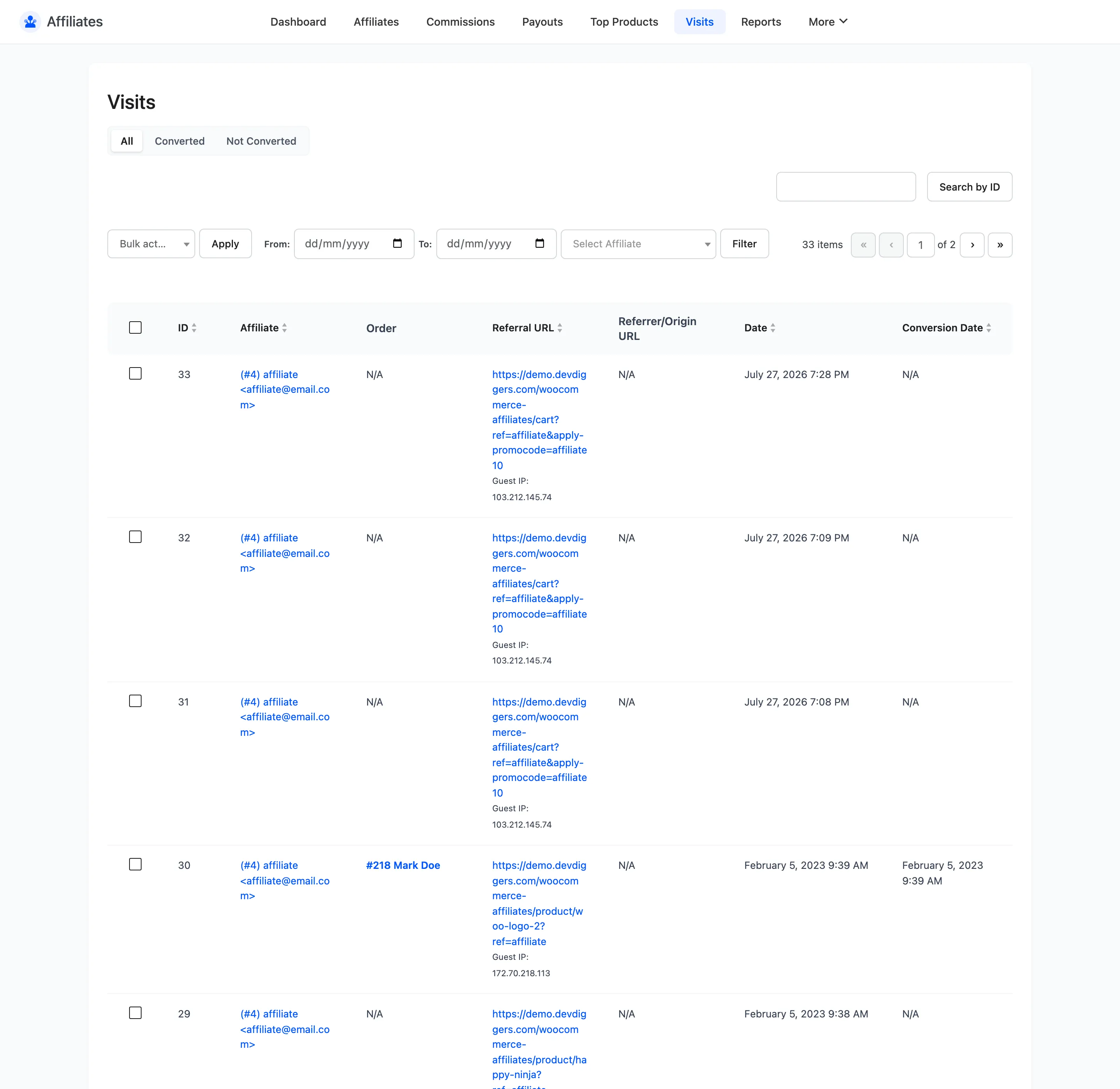
The columns
Section titled “The columns”| Column | What it shows |
|---|---|
| ID | The visit ID |
| Affiliate | User ID, username and email |
| Order | The order this visit converted into, if any |
| Referral URL | The page on your store the visitor landed on, with the referral parameter |
| Referrer/Origin URL | Where they came from, taken from the browser referrer |
| Date | When the click happened |
| Conversion Date | When it turned into an order |
- Referral URL tells you what affiliates are linking to. A partner sending everyone to your home page converts differently from one linking straight to a product.
- Referrer/Origin URL tells you where they are promoting. It shows N/A when the browser sent no referrer, which is normal for links opened from an app, a private tab, or an email client.
Filtering
Section titled “Filtering”Three status tabs sit above the table.
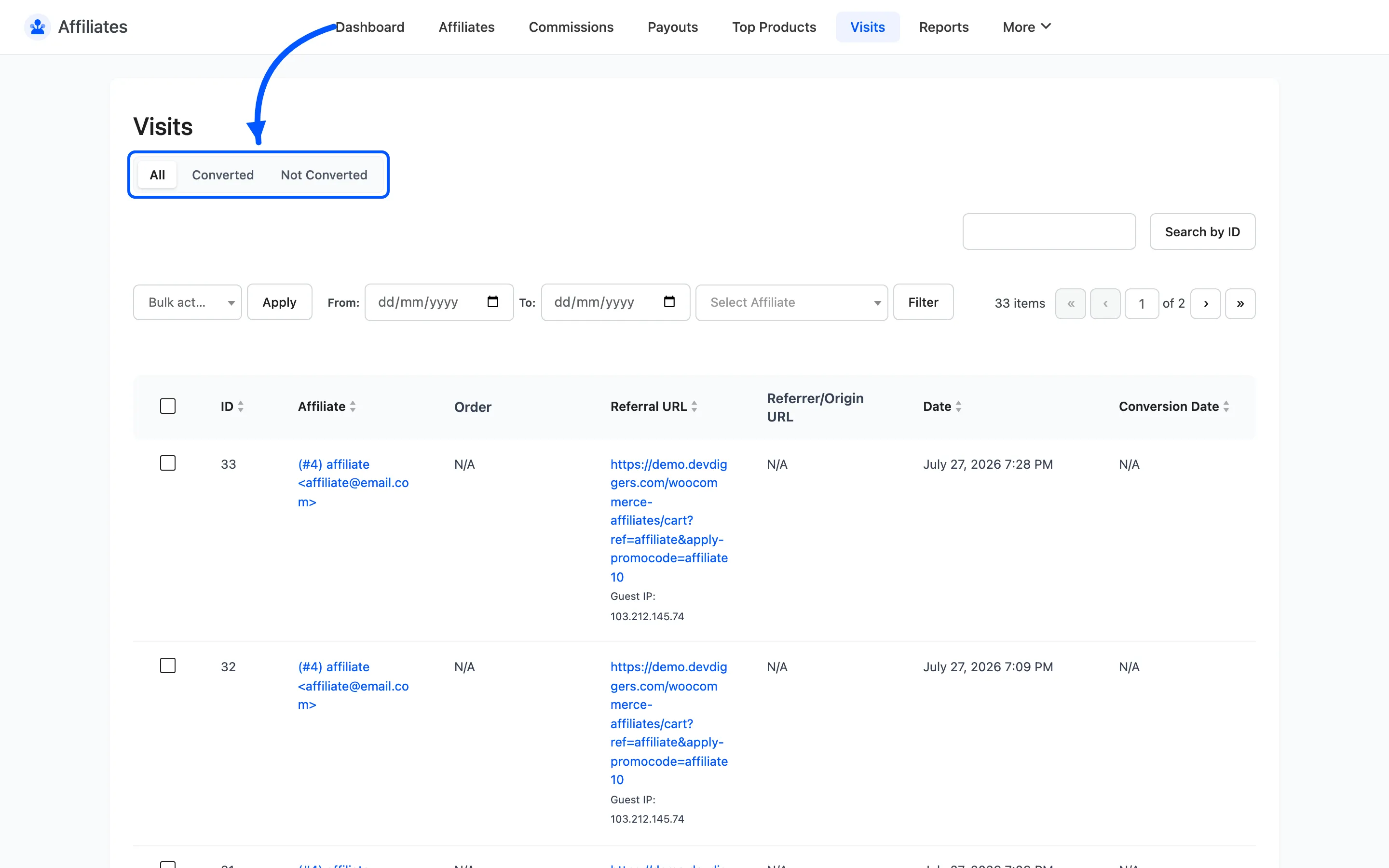
- All
- Converted, visits that produced an order
- Not Converted, visits that did not
Below them are From and To date fields and an affiliate selector. Search by ID uses the search box.
Comparing Converted against All for one affiliate over one period is the fastest read on traffic quality.
When a visit is logged
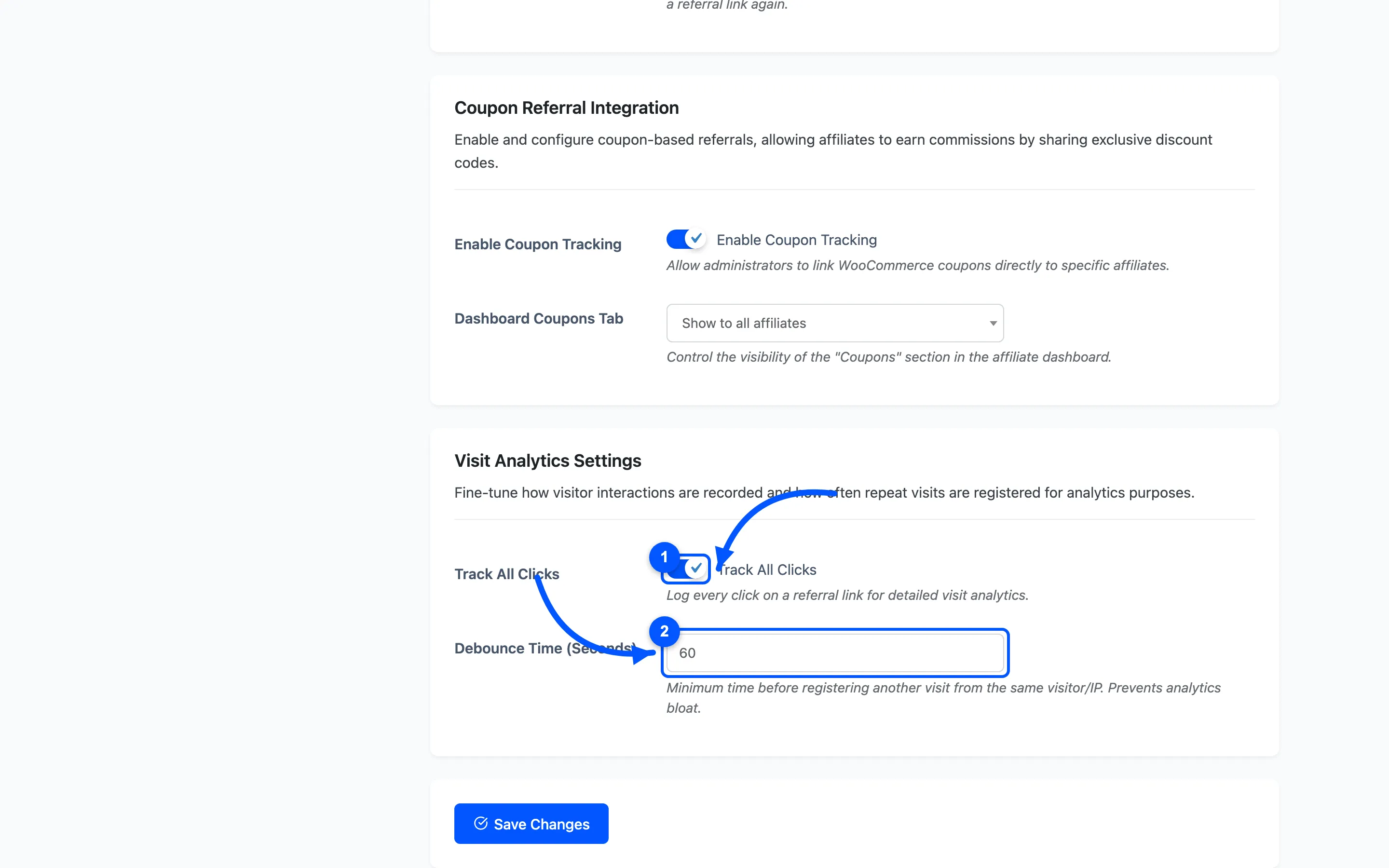
Section titled “When a visit is logged”A row is written only when all of these are true.
- Track All Clicks is on under Referral Settings.
- The token in the URL belongs to an Approved affiliate.
- The visitor is not that affiliate.
- The visitor is not a logged-in administrator.
- No matching visit already exists for the same affiliate, URL and IP.
That last rule is why a page refresh does not create a second row.
How a visit becomes a conversion
Section titled “How a visit becomes a conversion”When an order reaches a status that creates commissions, the plugin looks up the most recent visit from that affiliate at the same IP. It stamps the order ID and conversion date onto that visit.
So a visit with an order ID is a click you can trace all the way to revenue. A visit with a blank Conversion Date is traffic that did not buy.
Bulk actions
Section titled “Bulk actions”Delete is the only bulk action. Use it to clear test clicks from your own setup work.
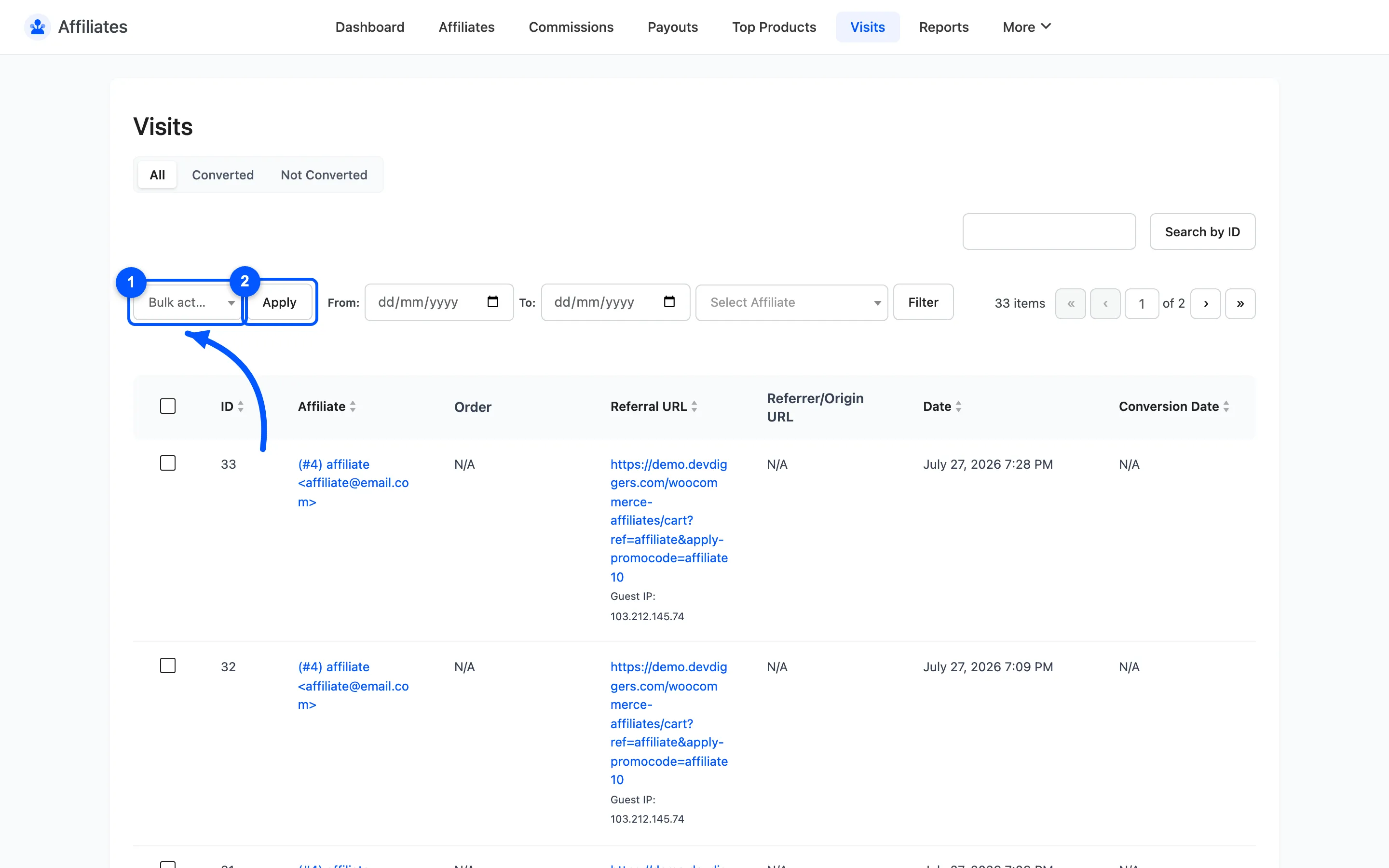
Deleting a visit does not delete its commission. The two are separate records.
Where to go next
Section titled “Where to go next”- Top Products to see what that traffic bought.
- Reports for visits and conversions charted over time.